Bear with me as i am new to using Epicor all together not just Kinetic(Which from what ive read and my brief experience seems to have its own challenges ).
Now i simply want to be able to use two buttons ive added to the grid to be able to 1: Add a new Record in UD02, 2: Delete a Record in UD02. Ive tied both to two different events, for the sake of simplicity i will just refer to my troubles with deleting a record first:
I keep receiving the following error:Parameter key1 is not found in the input object
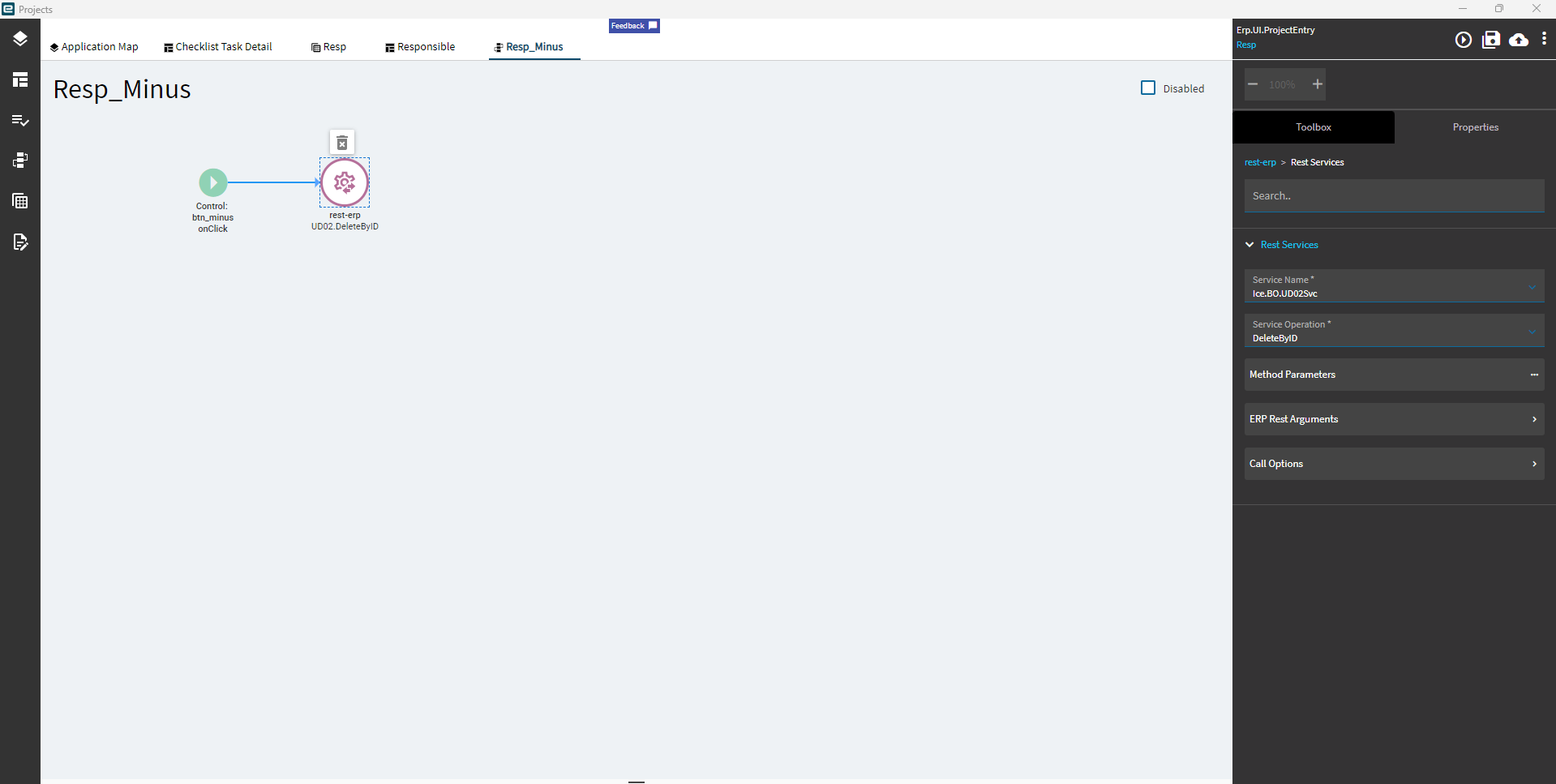
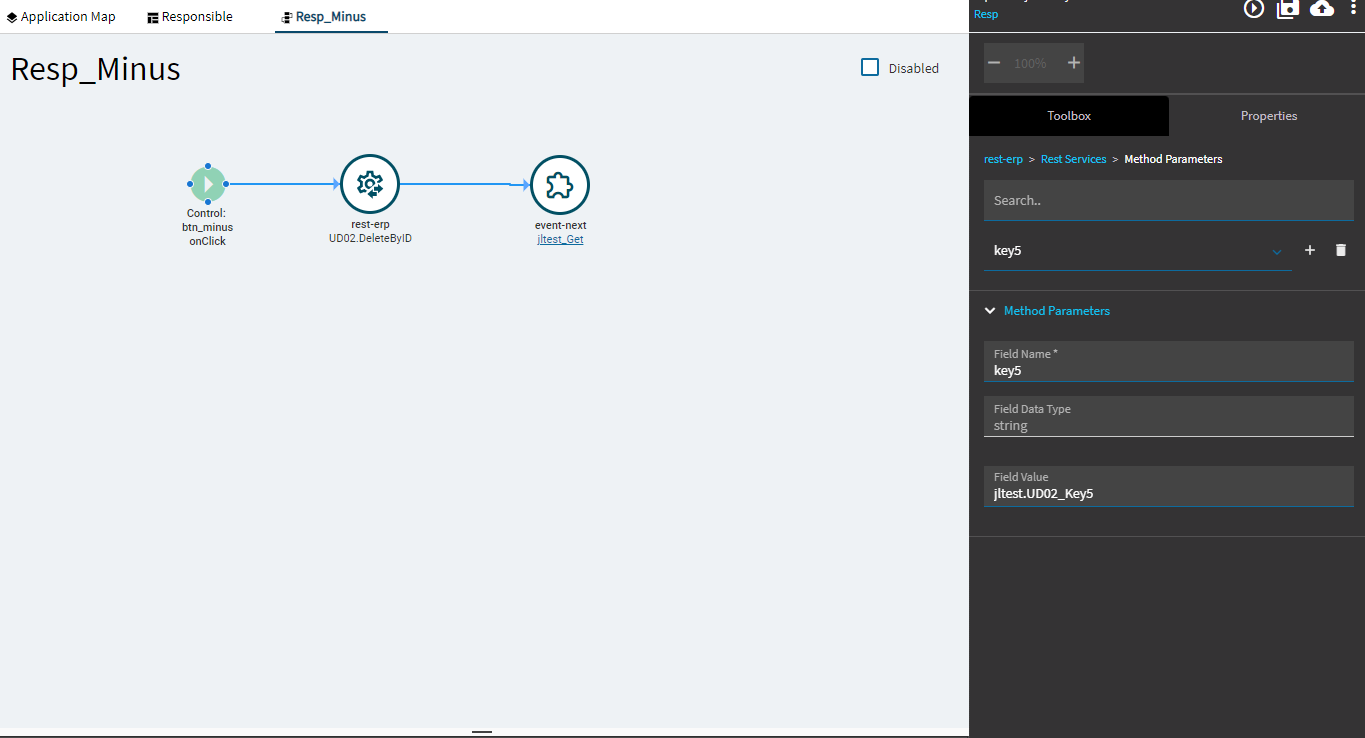
My understanding is i link the service name and service operation like so:
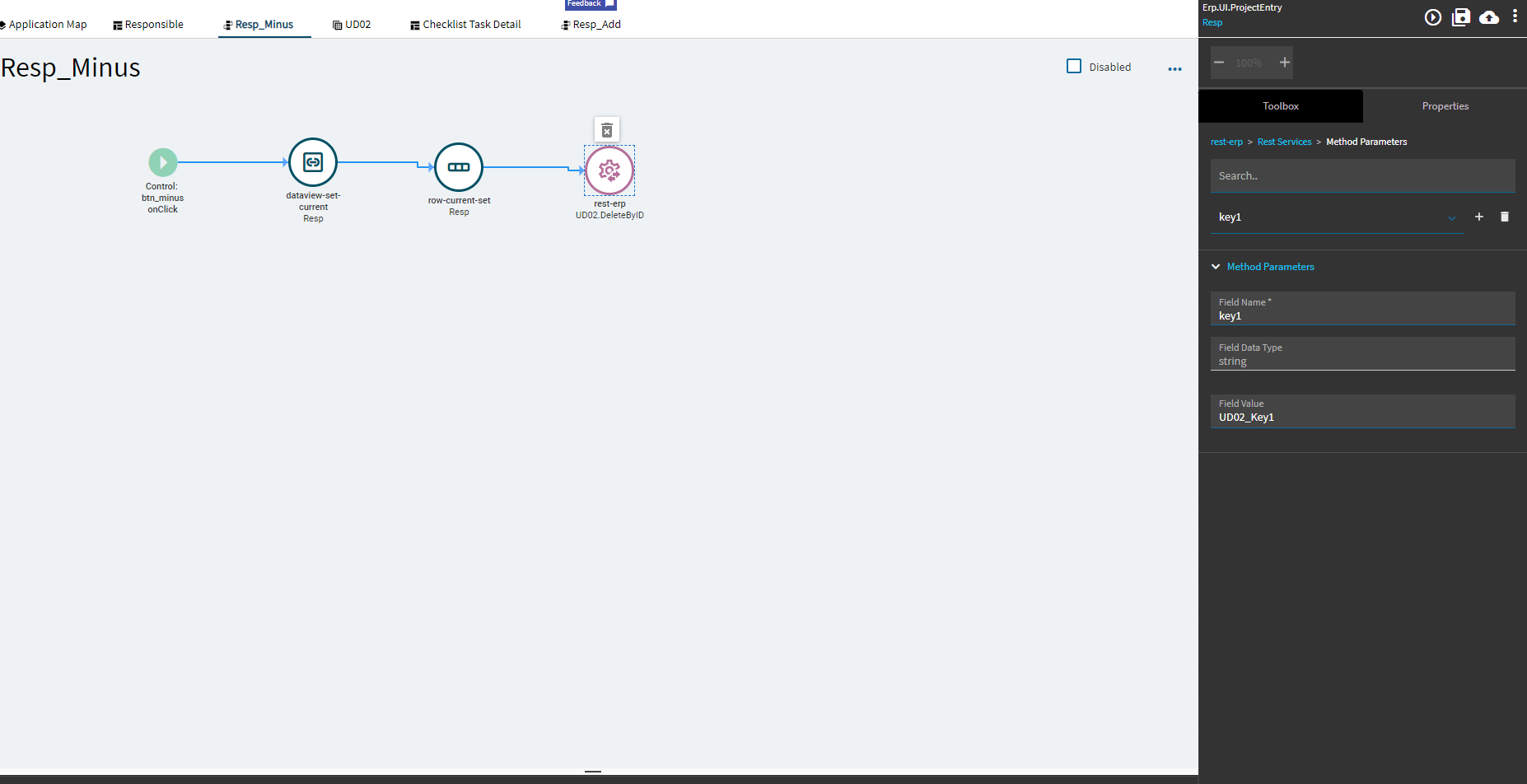
Then i apply all five keys in my UD02 table in my Method Parameters
(I have tried with and without the field Values that i set to UD02_KeyX where X is the KeyNum)
For the record I have been able to delete a record using the row-delete block but this only deletes it from the data view and my attempts to use a rest-erp update after the row-delete failed
I believe this is supposed to be a simple thing to do???, however i have been unable to do this for a week, any help would be much appreciate kinetic 2023.2 has been a steep learning curve, am i lacking a fundamental concept?
I believe this is the correct way to use an event to delete a record from my Grid however i receive the error “Record not found” no matter what i do. Ive tried just attaching keys 1-5 to method parameters. Ive also added Company, ShortChar01, and Character01 with little to no success.
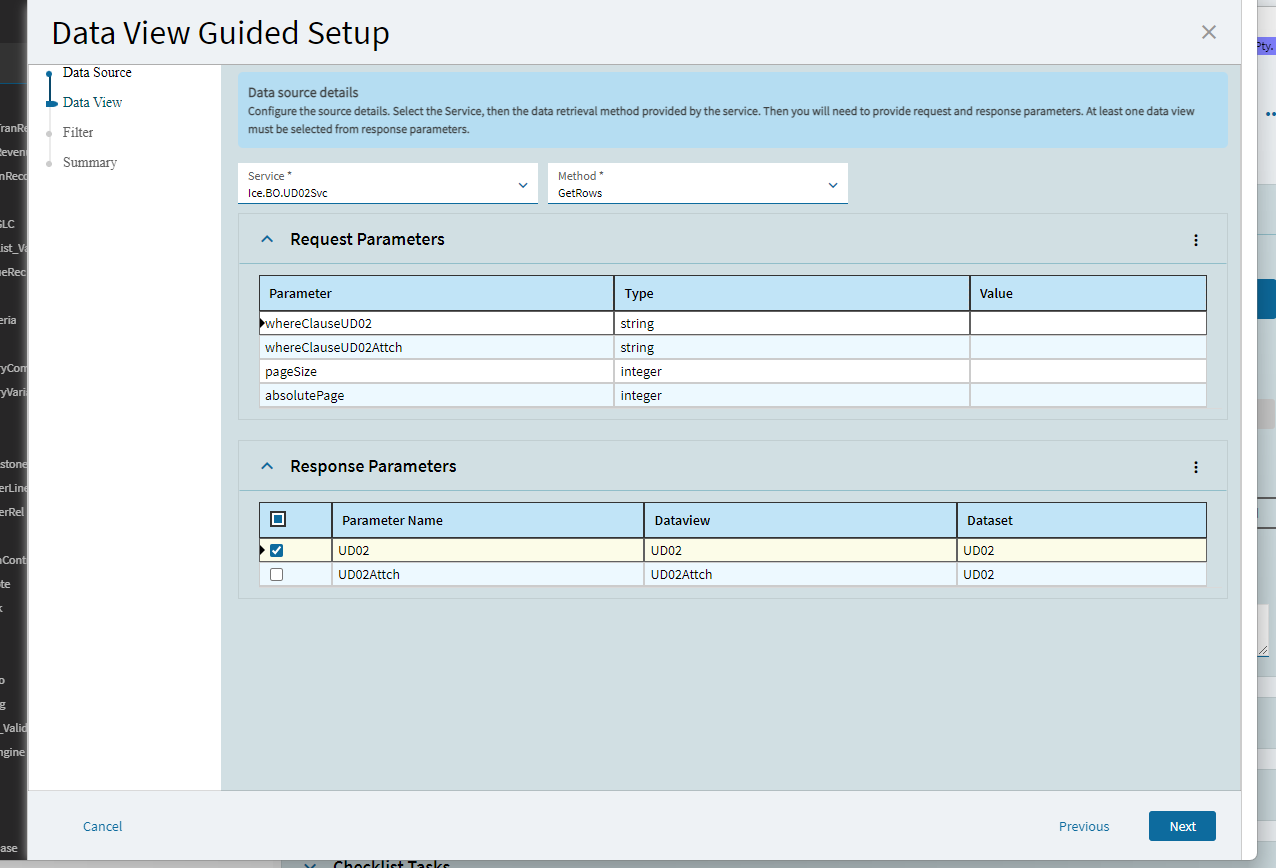
You might have a reason, but I’m curious why you’re doing this through a uBAQ instead of just pulling UD02 into a dataview with a GetRows call. If you did this you’d use all of the standard UD02svc calls like. GetNew and DeletebyID directly on the UD02 dataview.
Ive been tasked to develop a way to link Project Tasks to a Responsible Field(for lack of a better name) this field is essentially an employee’s role i.e. Automation, Drafting, and so on… so long story short, if you’re in a task you will be able to use a combo box to select a responsible field and another combo box will fill in the designated employee linked to that field(Within that specific project, each task is linked to a Responsible Field, then the user will be able to designate employee’s to each Responsible Field in that project).
Sorry if that got confusing, but that’s the background info, The purpose of this grid i have been working on is essentially a project Responsibility Overview. This grid is on a new page and when the user goes there they will see all Responsible fields in that specific project and will be able to add and remove responsible fields as well as change the data within the grid.
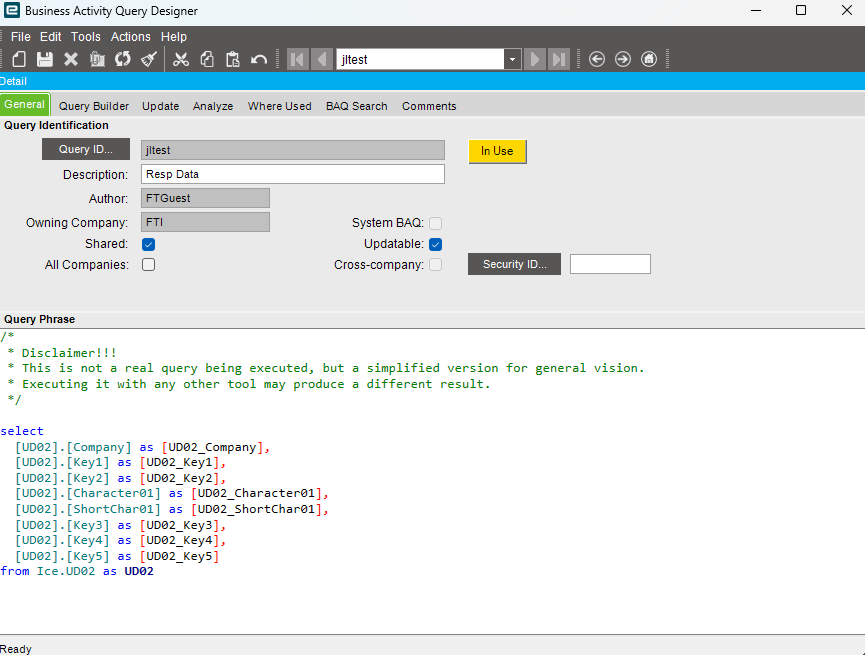
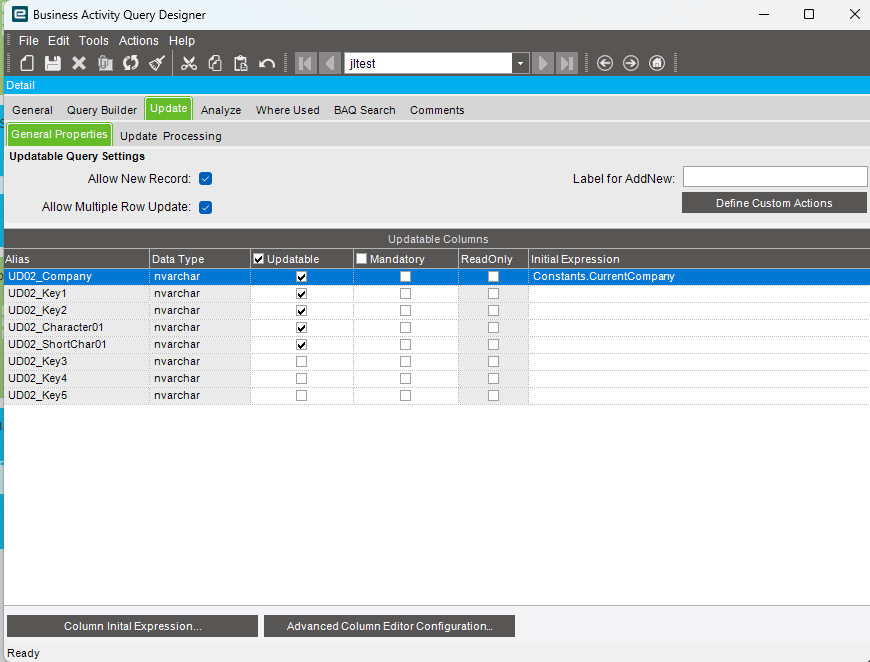
This is why Ive created a uBAQ and linked it to a grid as i need the user to be able to alter this data via the grid not just add and delete records.
I think I follow the objective, but I don’t see anything there that would stop you from manipulating your data in a dataview fed directly by UD02 instead of going through a uBAQ.
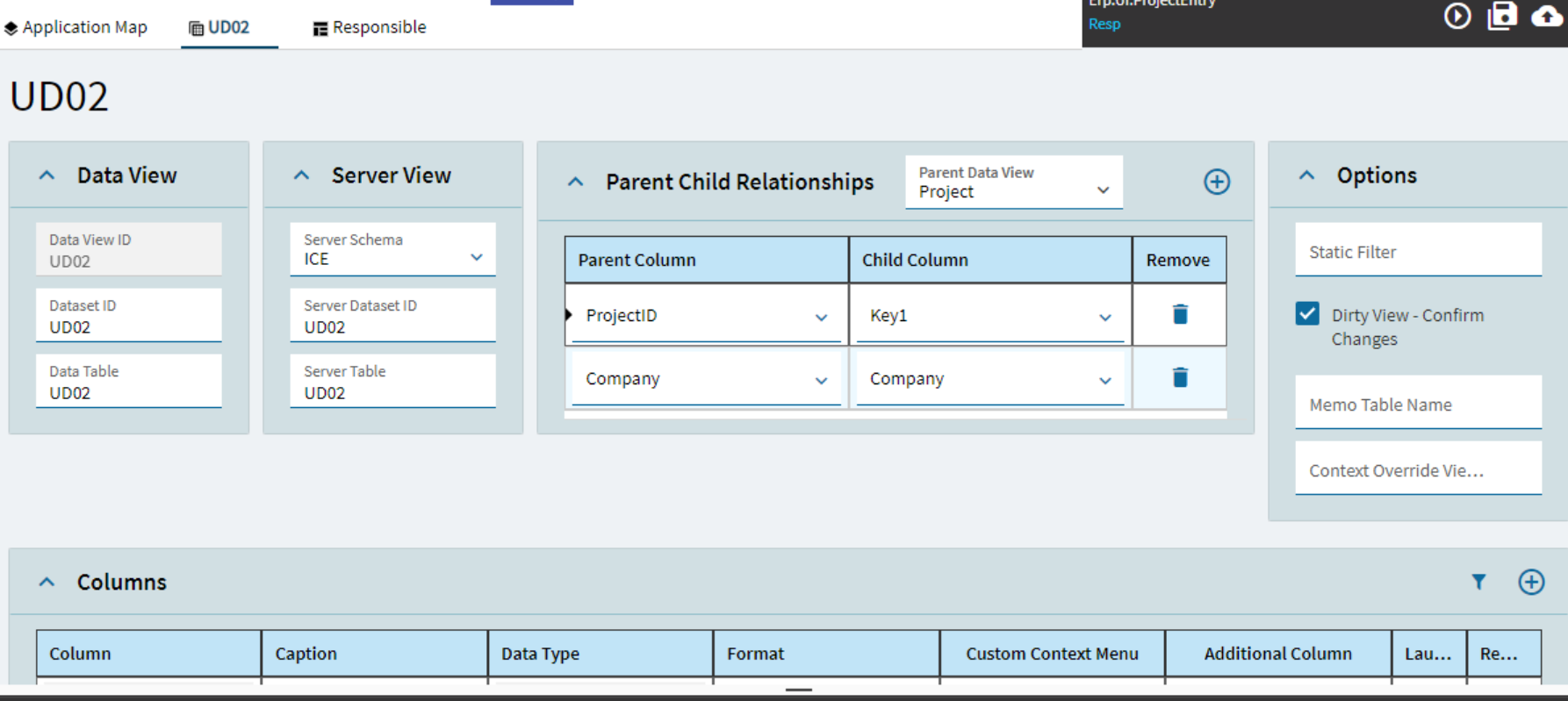
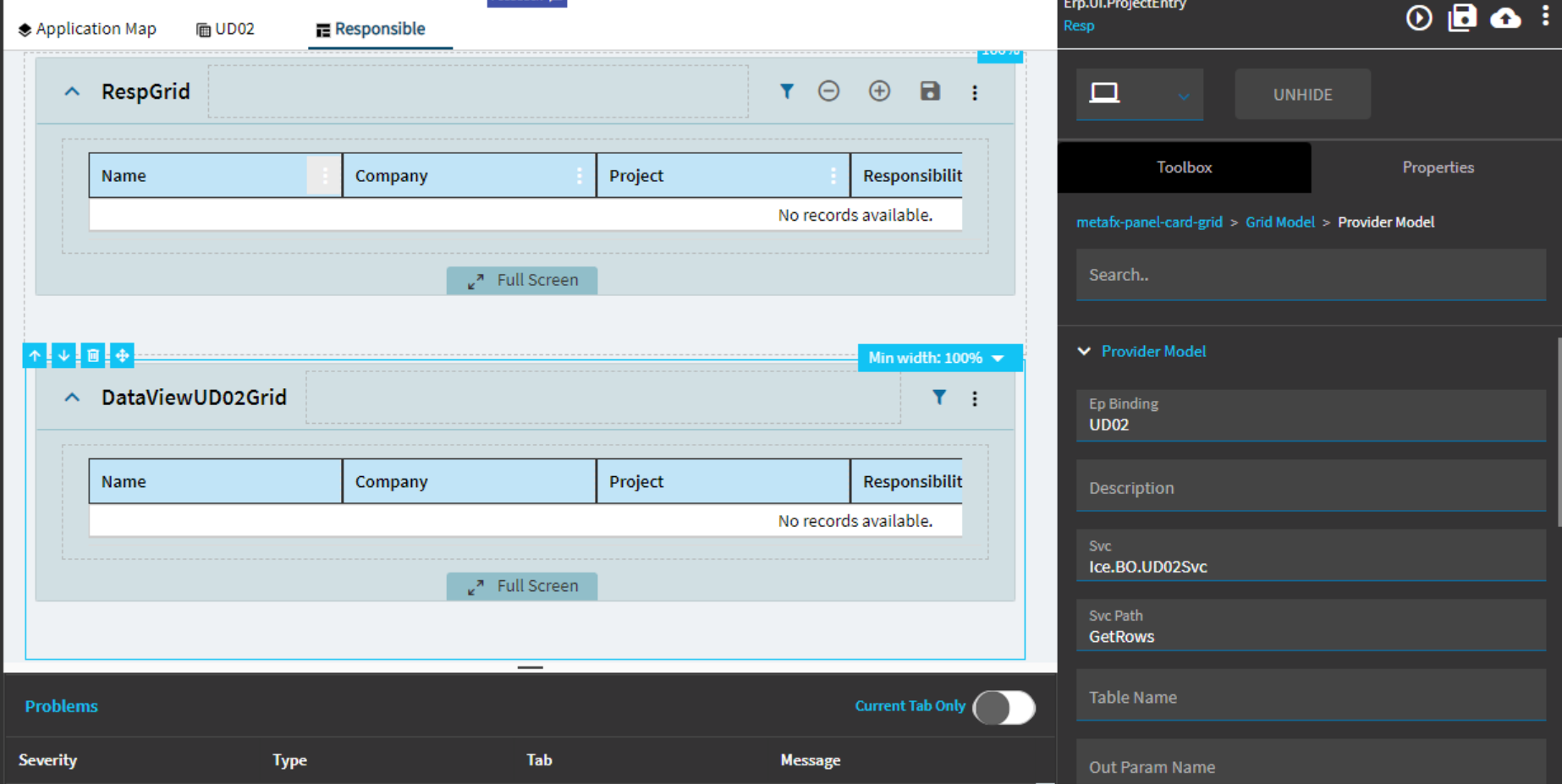
If you use the dataview wizard to add the UD02 dataview you can use the Ice.BO.UD02Svc.GetRows to pull the records tied to a specific project, and in the setup check the boxes for save event and delete event (you’ll have to add the new event later). Then you can create your grid with editable fields to meet your need of editing in the grid.
I had attempted connecting just a dataview with the UD02 table attached to my grid weeks ago with no success. I wasnt aware this was something I could do I just assumed a grid needed both a BAQ and a dataview to function thankyou for steering me back to the correct path.
Soo I spent all morning trying to work out how:
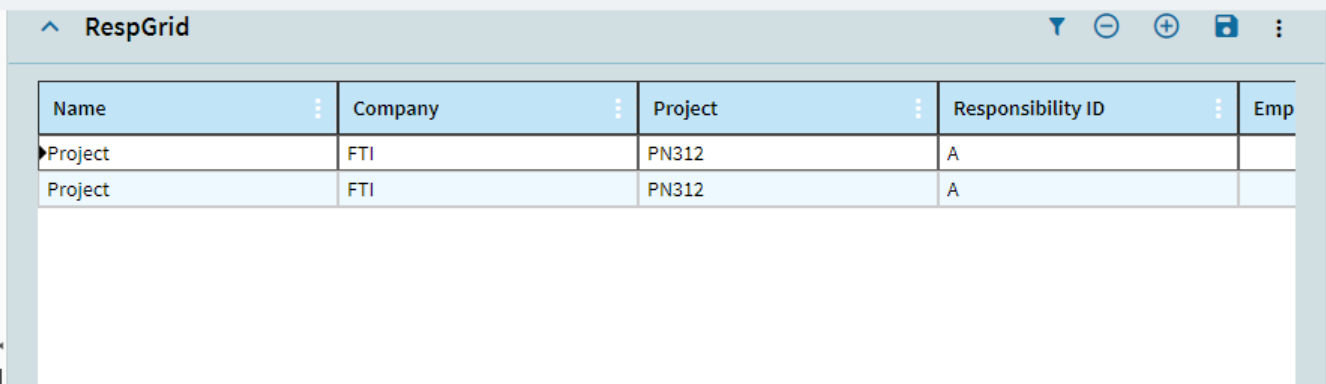
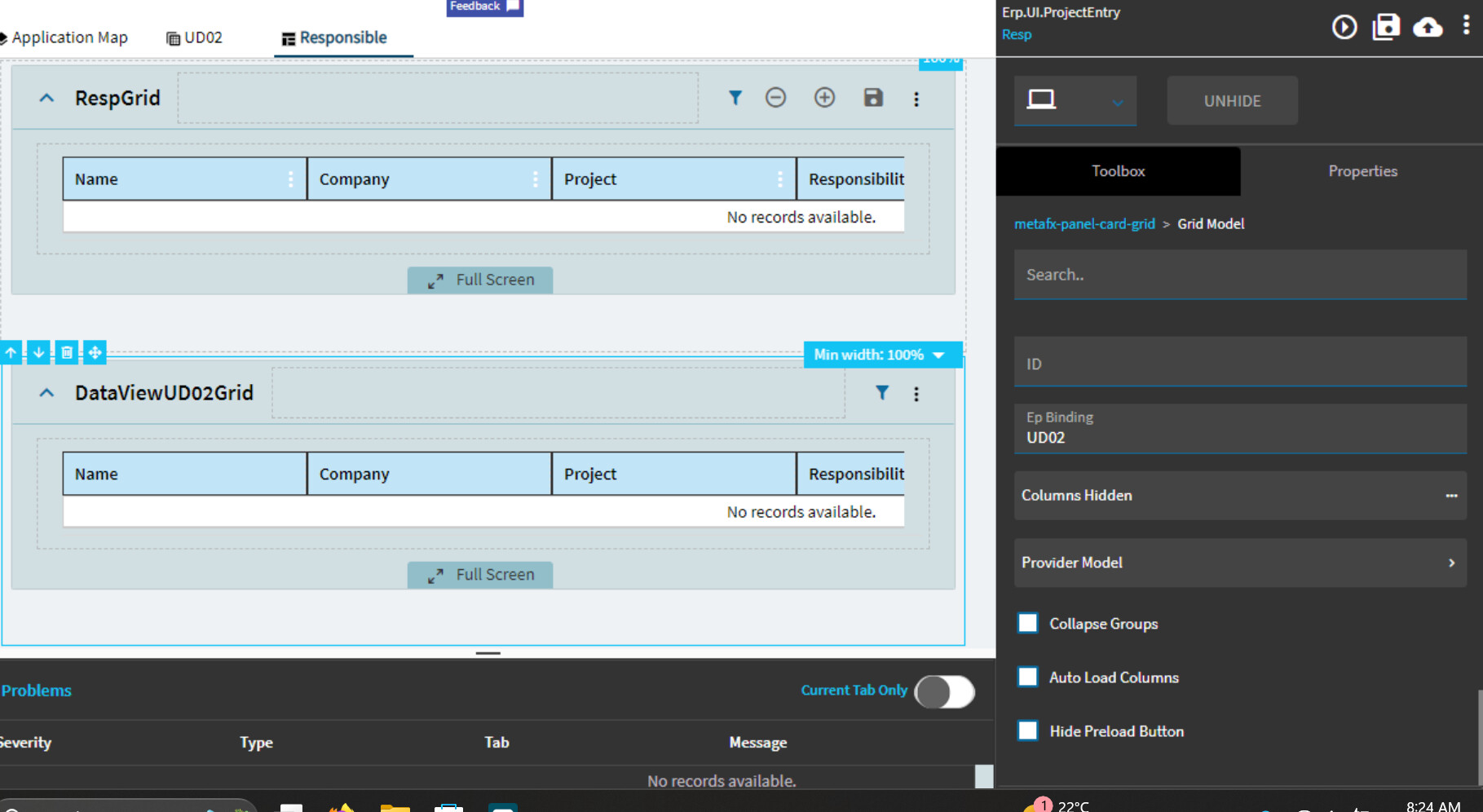
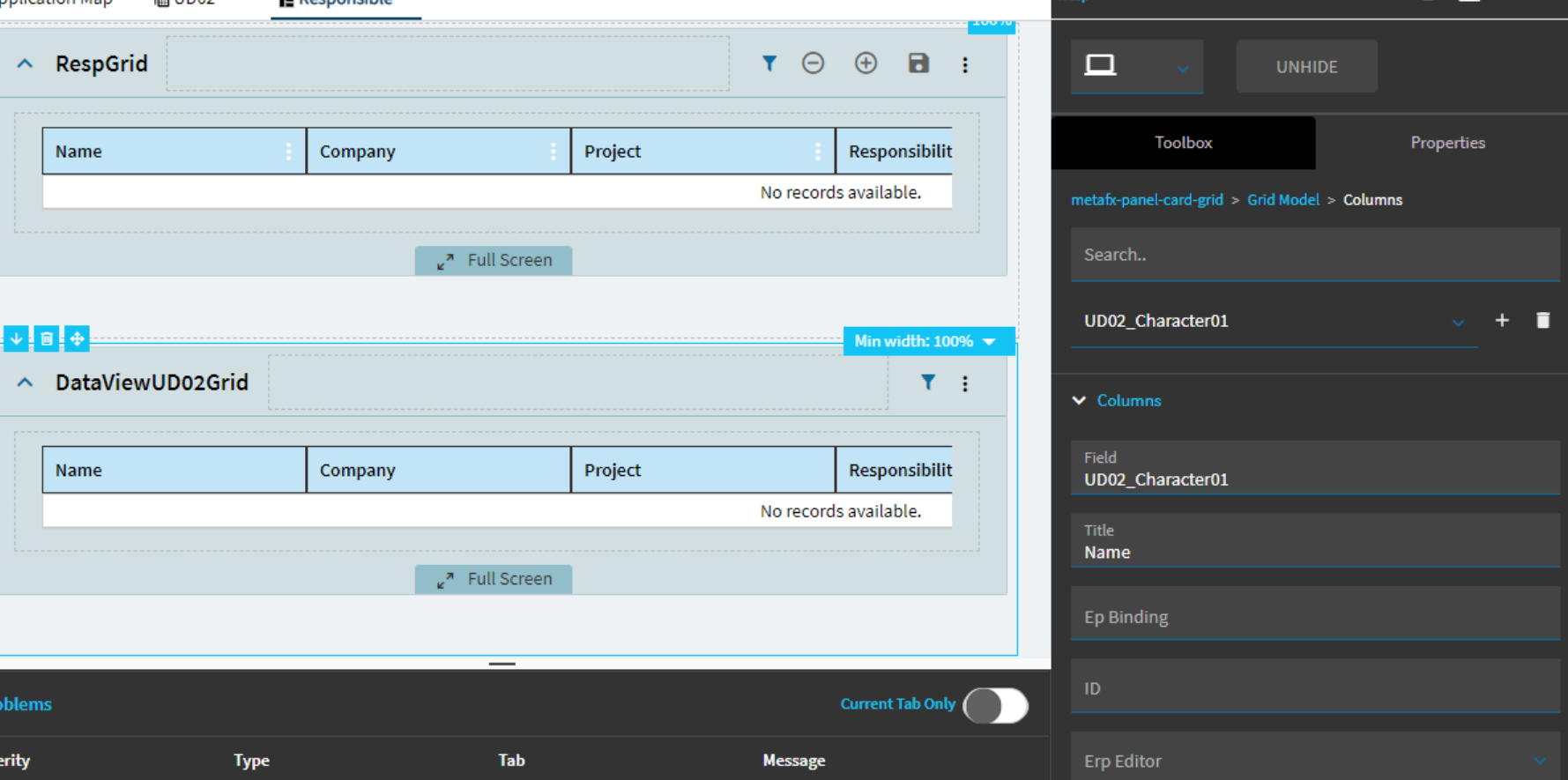
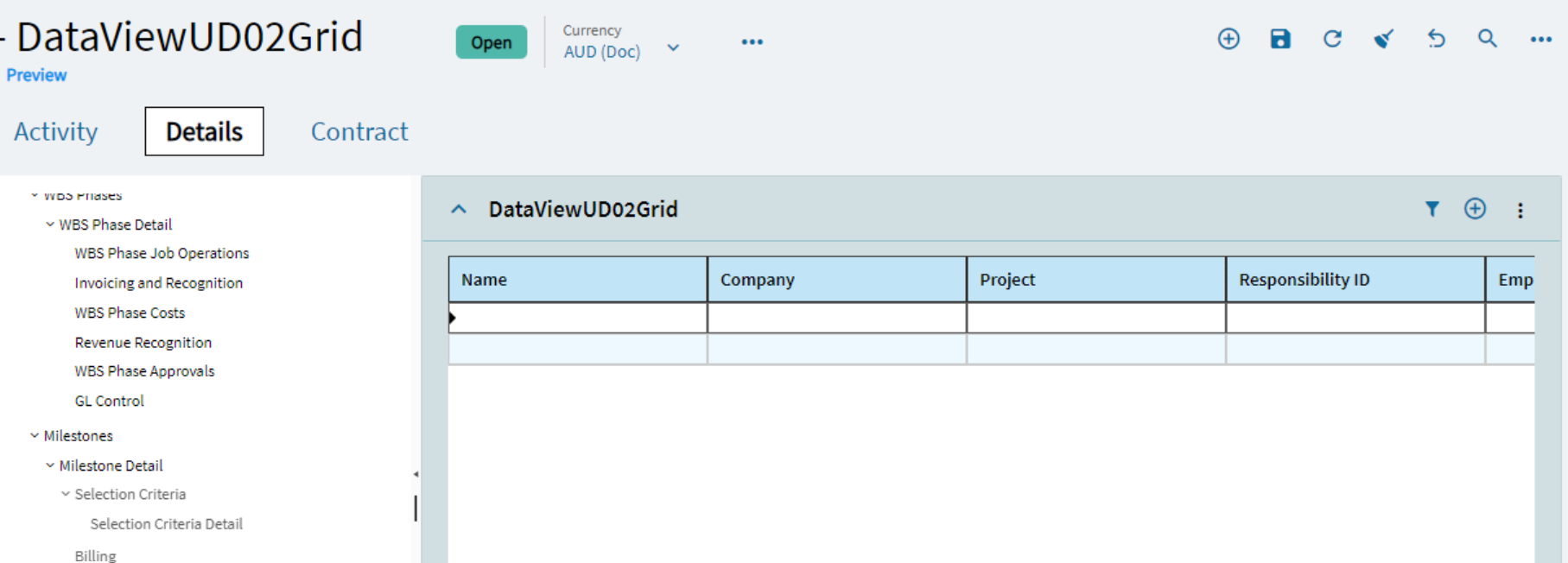
This is my orginal grid in preview with a uBAQ linked to a dataview with both attached. as you can see its displaying data:
Yes that was it, Thankyou everyone. ill set up my events and if i get everything working this should be a solved problem. Can’t believe it was that simple of a solution here I was doing too much. Out of curiosity what scenario would you need a uBAQ linked to a grid???
“Need” is a relative term, like anything in the programming world, there are “multiple ways to skin the cat”
The method you make things work with has to do with how many variations of the hammer you are proficient in working with. The you of today has a single sledgehammer to work with, and the you of tomorrow has a collection of Geologist’s hammers, a construction hammer, a feather, and a bowling ball, and decided the sledge hammer wasn’t so useful anymore, so it’s sitting in a shed out back.
One reason to use a uBAQ tied to a grid is so that you could use an Advanced BPM in the uBAQ to layer in some logic that you don’t want to store in the UI, and you don’t pay for the Cloud SDK license, so you can’t modify the BO to put the logic there.
I would do a uBAQ if the data that I want in the grid isn’t all from one table. Like if the data you want to update is in UD02 but you really need to show some related info from the Project table on every row, then you could pull the data into a baq for viewing and then update through the uBAQ.
Im sorry where is this exactly. I tried just adding buttons to the grid and using a rest-erp.DeleteByID but that’s still having issues. maybe i misunderstood what you meant by this?
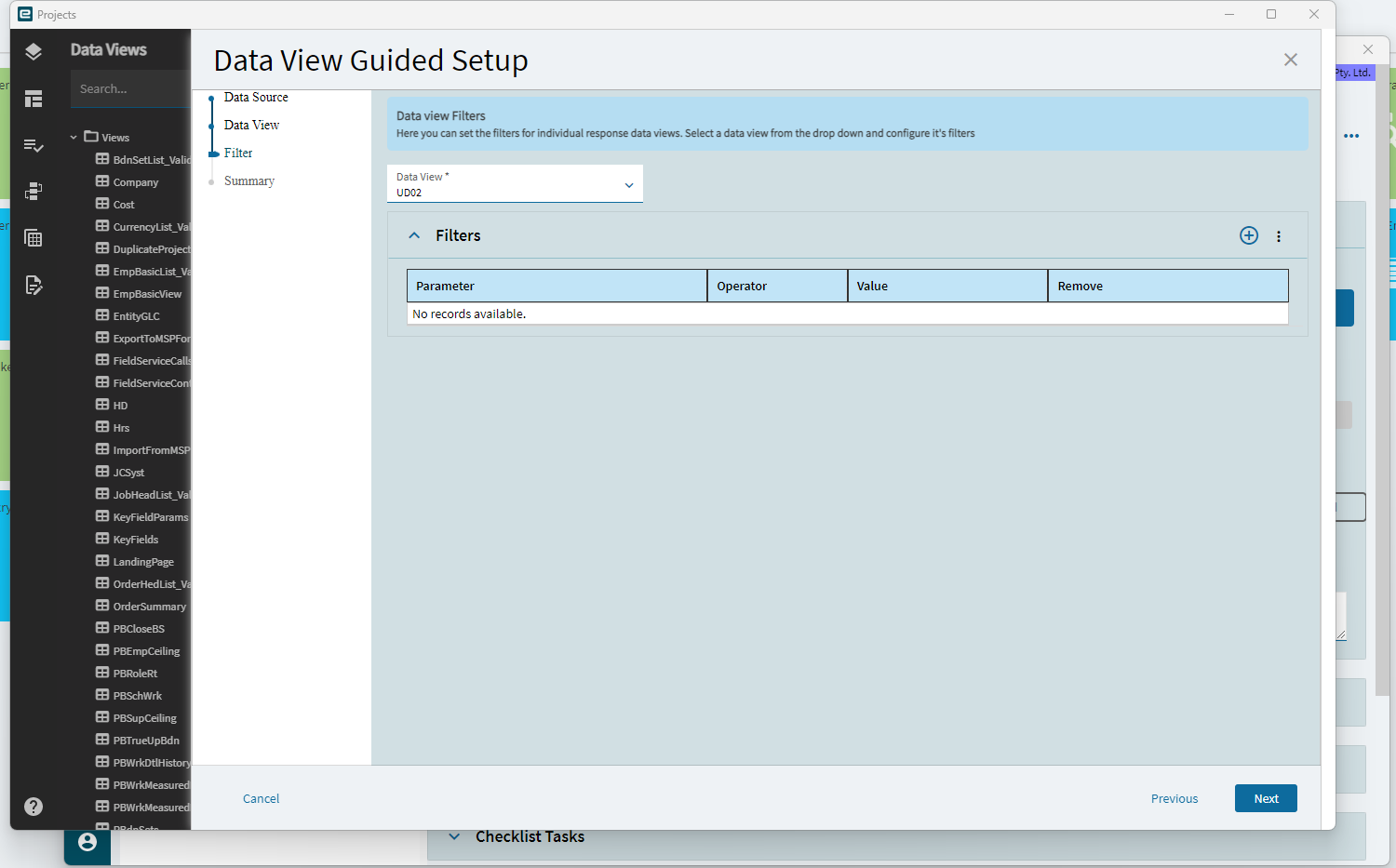
Create the UD02 dataview using the guided setup using Ice.BO.UD02Svc and GetRows method, then on the filter section of the guided setup, you can select the additional events you want created. You’ll still have to map a button to the event, but the event will by system created.
Thanks for your help anyways, honestly been a big help. To think the hardest experience ive had with epicor is kinetic UI, lmao I messed around with data directives and made some custom code blocks and they all worked fine. 2023.2.12 really has stumped me
The kinetic UI does seem to be significantly better now than it was even 18 months ago. My very early days with kinetic were probably on 23.2, but was one 24.1 before I actually learned to do anything.
 ).
).