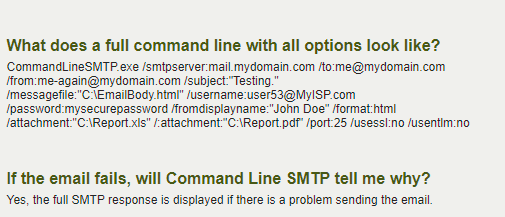
Has anyone tried sending email using the DOS Command Line using a .BAT file? I’m testing with commandlineSMTP.com but running into issues with selecting “wildcard” filenames. I know command prompts use the * as the wildcard in a filename so that it finds the filename “ABC*” regardless of anything after the * but doesn’t seem to recognize the * in the script.
Does this require having the Microsoft Outlook Exchange application installed on the server? I was hoping to avoid having to do the install and keep it simple.
aidacra
(Nathan your friendly neighborhood Support Engineer)
4
What is the error message reporting when you try to do the thing you’re trying to do? Command Line SMTP.
There is no error, it just won’t send the email if the name of the file attachment is not exact. The file name will not be exact since it could possible have Today’s date which changes depending on when the file was created. For example “C:\Report02252019.pdf”
aidacra
(Nathan your friendly neighborhood Support Engineer)
6
it would then appear that the programmer doesn’t like wildcards are part of this switch, so you would have to get a list of the attachments via the batch file via an iterative for loop, store them into a variable, and pass that variable into the commandlineSMTP attachment switch. You could just pipe the file names into a text file (if you didn’t want to do all of this in memory) via a dir listing with whatever filters you want. Then, something like:
e.g.
for /F "tokens=*" %%A in (\\server\shared\file.txt) do call :startprocess %%A
:startprocess
set valueinfile=%1

call program.exe /switch %valueinfile%
But, Powershell is the right solution to this issue.
Yes, I did receive the same ‘iterative function/for loop’ answer from their support but was a little bit more than what I was expecting so I might just head the Powershell route. I’ll probably just use a = Get-ChildItem “C:\Reports\” in the directory with Powershell. Can Powershell do the wildcard * for dynamic file names?