On 10.0.700.4 and trying to check in several revisions from the engineering workbench. Getting this error. Anyone know what is causing it?
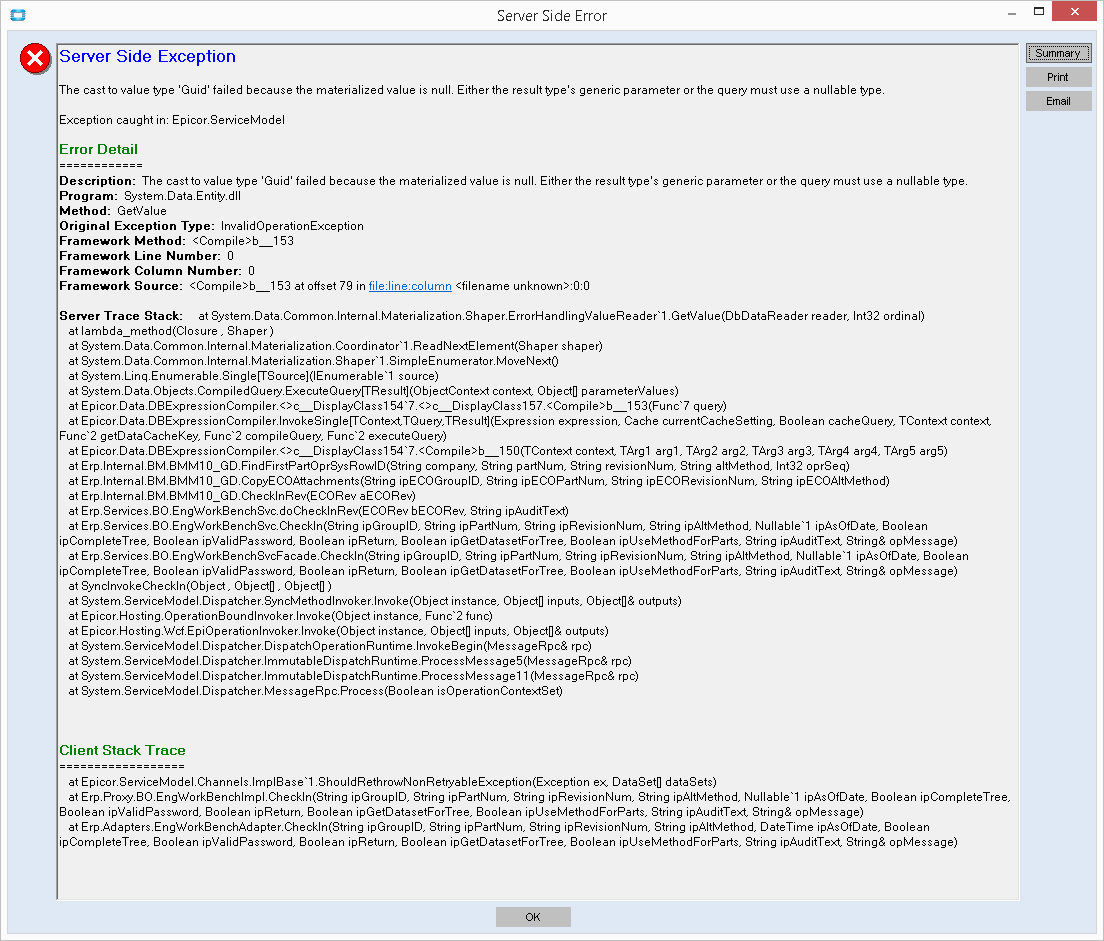
My first guess is it is a customization error. Try opening with the base Form
Ha this is funny @jgiese.wci just went through this.
There is a bad record in one of your check out parts.
We couldn’t figure out what was bad about it, but undo checkout fixed it. Go through the parts in your group and try to check them in one at a time, you’ll find the bad one. (for @jgiese.wci it was the first one on the batch)
Yes there is a bad record, likely a material. We get this on 10.1.600.30.
I wonder if this is related to what happened to us. Our parts are all caps, engineers were manually typing in components in the engineering workbench in lower case… and they stayed lower. We got a case fix program from Epicor that fixed our issue. We now tell people to make sure they use caps if they manually type in parts.
@josecgomez do you remember what the fix was, because we don’t 
That what you’re looking for?
Hi Haso,
In case it’s helpful, we’ve had the GUID error on the EWB always associated with Epicor ECOMtl XFileAttch records that were corrupted due to resequencing in the bom. We do a fix because we are on premise and do not have time to go through a rigormorole with support. It’s pretty irriating because we don’t need any attachments to ECOMtl and never asked for them but Epicor helpfully put them on those part/methods automatically a few upgrades ago and we don’t know how to turn them off, other than bpm to not make them.
Here’s a select statement with highlighted variables if you have the same thing happening. Note, if you have attachments to Operations they too can become corrupted due to resequencing.

Nancy
That was it! We removed the orphan Attachments.