I have been tasked with integrating BarTender with Epicor 10/Kinetic, and I am still fairly new to Epicor customizations.
Because of other business requirements, I cannot automatically generate the BarTender file when the line is received. The label process needs to remain user-triggered, so we are using a button.
Current setup:
A button has been added to the Kinetic screen.
The button click calls an Epicor Function.
The function gathers the required data.
The function should create a JSON/data file in a network folder monitored by BarTender.
BarTender then picks up the file and prints the label.
The problem is that, during testing, the function appears to run, but no file is being created in the folder.
I have a couple of questions:
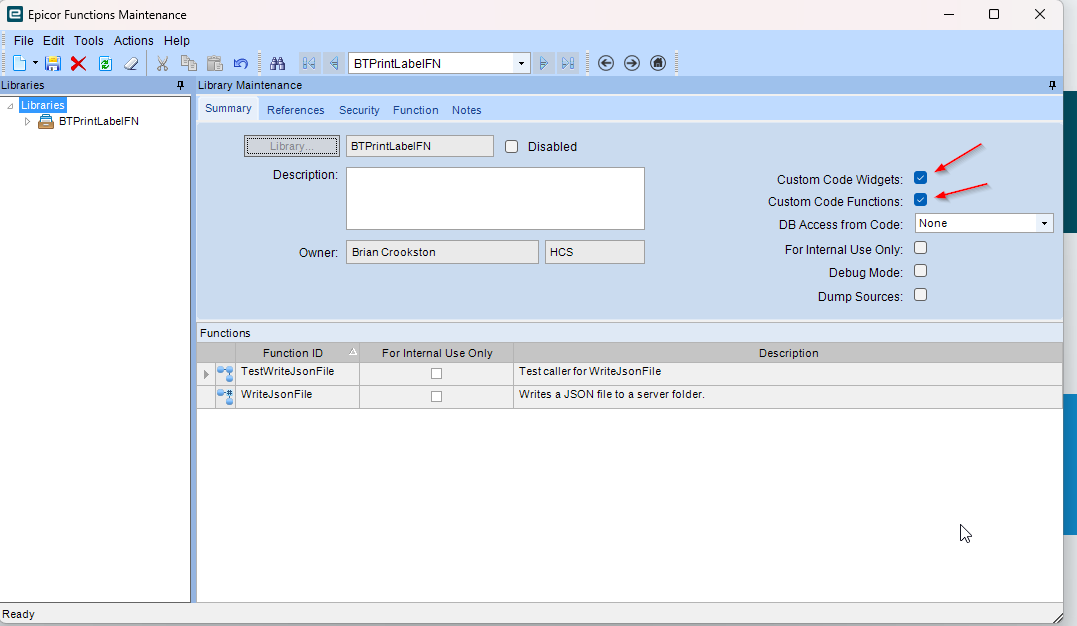
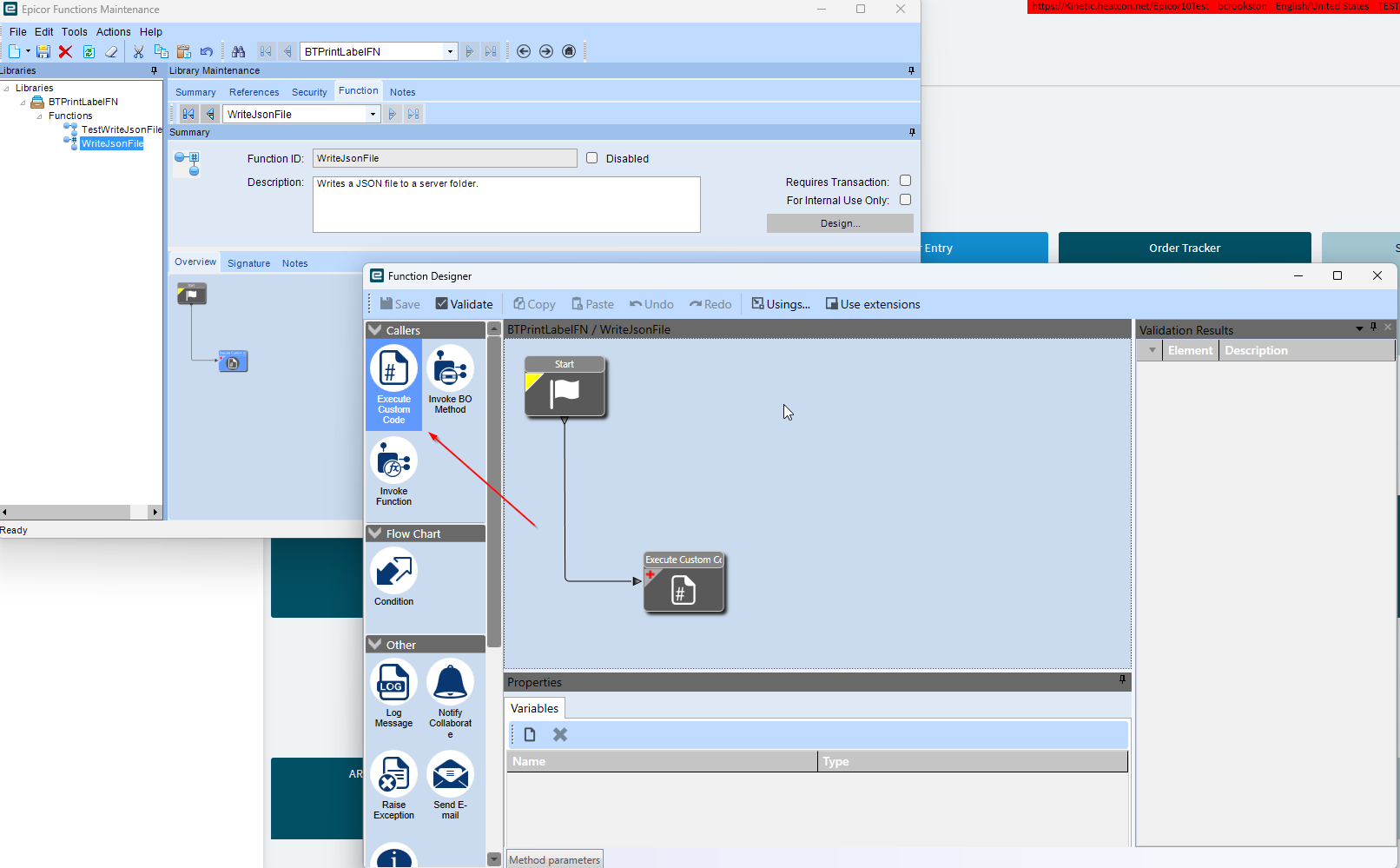
In Function Maintenance, I created a library and selected Custom Code Functions. The first time I did this, Execute Custom Code was available for me to use. However, since then, I have created new libraries the exact same way, but Execute Custom Code is no longer available. I need this process to be repeatable across multiple label-printing workflows.
Has anyone else run into this issue? Is there a security setting, library setting, version- specific issue, or setup step I may be missing?
Since this label-printing process will eventually be needed in multiple areas of the business, I want to build something repeatable instead of creating a one-off customization each time.
Is a button-triggered Epicor Function the right pattern for this, or is there a better approach while still keeping the print process button-driven?
Also, since the function runs but no file is created, should I be looking first at permissions for the Epicor app server/service account writing to the network share?
Any guidance on the best way to get this task completed would be appreciated.
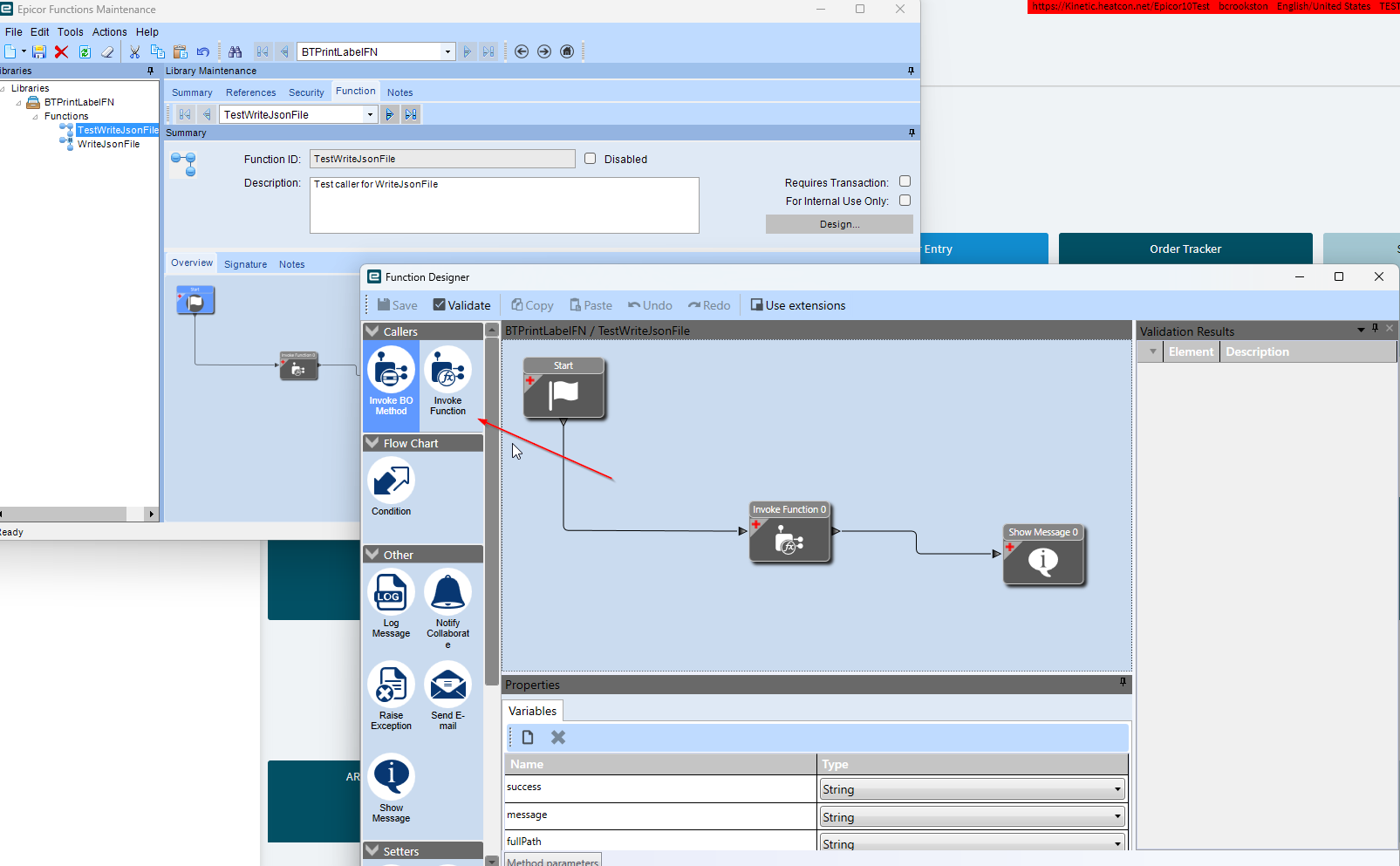
Here are screenshots showing what I’m seeing. The first function I created was WriteJsonFile, and it included the Execute Custom Code option. However, when I created TestWriteJsonFile, that option wasn’t available.
I don’t actually need the option for TestWriteJsonFile, since I only created it to test whether I could return results. I just find it strange that the option is available for one function but not the other, even though they were created in the same way.
Here is a screen recording of me creating a test library and then creating the function. If the video works, you’ll see that the Execute Custom Code option is unavailable when I create the function.
Also this is in classic as the web version does not support Epicor Functions Maintenance.
Brian, @Hally has posted a few examples of how you can integrate with Bartender over REST, he may have the links to the posts. Is there a reason you’re choosing to write a file as opposed to calling the rest endpoint? @hkeric.wci also taught me about this as well. I use a button right now to call the rest bartender integration service, and it works fine. You can review their “BTXML Script” help in their bartender help, just search BTXML script or something like that, I don’t have a perfect link to the section.
Taylor, i am new to customizing inside of Epicor and also with Rest API’s so I am not opposed to doing it that way I just need to figure out how I will look for the links you suggested and find the BTXML
This is building the XML that you can send to the BTXML action in the interation.
Using System.IO;
Using System.Text;
Using System.Xml;

string poNum    = Convert.ToString(PONum);
string packSlip = Convert.ToString(PackSlip);

string formatPath = @"X:\WHATEVERSHAREYOUHAVE\Labels\ECMPackSlipLabelREST.btw";
string printer    = "XYZ-RECEIVING-Printer"; //YOU CAN GET THIS IN MANY WAYS, I hardcoded it for this specific place... very small thinking. I do it differently at a different company.
int copies        = 1; //You can get this too by launch a print dialog from c#..., but I hardcoded this

// Build the BTXML document

var btxmlDoc =
    new System.Xml.Linq.XDocument(
        new System.Xml.Linq.XDeclaration("1.0", "utf-8", "yes"),
        new System.Xml.Linq.XElement("XMLScript",
            new System.Xml.Linq.XAttribute("Version", "2.0"),
            new System.Xml.Linq.XElement("Command",
                new System.Xml.Linq.XAttribute("Name", "Utah"),
                new System.Xml.Linq.XElement("Print",
                    new System.Xml.Linq.XElement("Format", formatPath),


                    new System.Xml.Linq.XElement("NamedSubString",
                        new System.Xml.Linq.XAttribute("Name", "PONum"),
                        new System.Xml.Linq.XElement("Value", poNum ?? "")
                    ),
                    new System.Xml.Linq.XElement("NamedSubString",
                        new System.Xml.Linq.XAttribute("Name", "PackSlip"),
                        new System.Xml.Linq.XElement("Value", packSlip ?? "")
                    ),

                    // Print options
                    new System.Xml.Linq.XElement("PrintSetup",
                        new System.Xml.Linq.XElement("IdenticalCopiesOfLabel", copies.ToString()),
                        new System.Xml.Linq.XElement("Printer", printer)
                    )
                )
            )
        )
    );


BTXML = btxmlDoc.Declaration + System.Environment.NewLine + btxmlDoc.ToString();
wait for @Hally to respond in the morning (he’s down under), and he has maybe a more ideal way to do it, I need to learn it, because I don’t think you need to run an integration anymore, but…
@klincecum, I never said it was at all the right way to do it, my command with formatting XML is not great, hence the slop you see above. If there’s a better way to do it, I’m all ears. I don’t do it often.
Right now it’s me trying to learn haha, sorry I am hijacking this. @klincecum feel free to take the lead. I’m not using a file integration, so I may be crossing wires right now. I didn’t see that they accepted a json payload, or what that structure looked like. I am on an older version of bartender so maybe that’s why.
 I will look for the links you suggested and find the BTXML