Hi Group,
Ok so I am trying to add a field to the Fulfillment Workbench screen. A user wants to see the OrderDtl.SalesCatID field with the data.
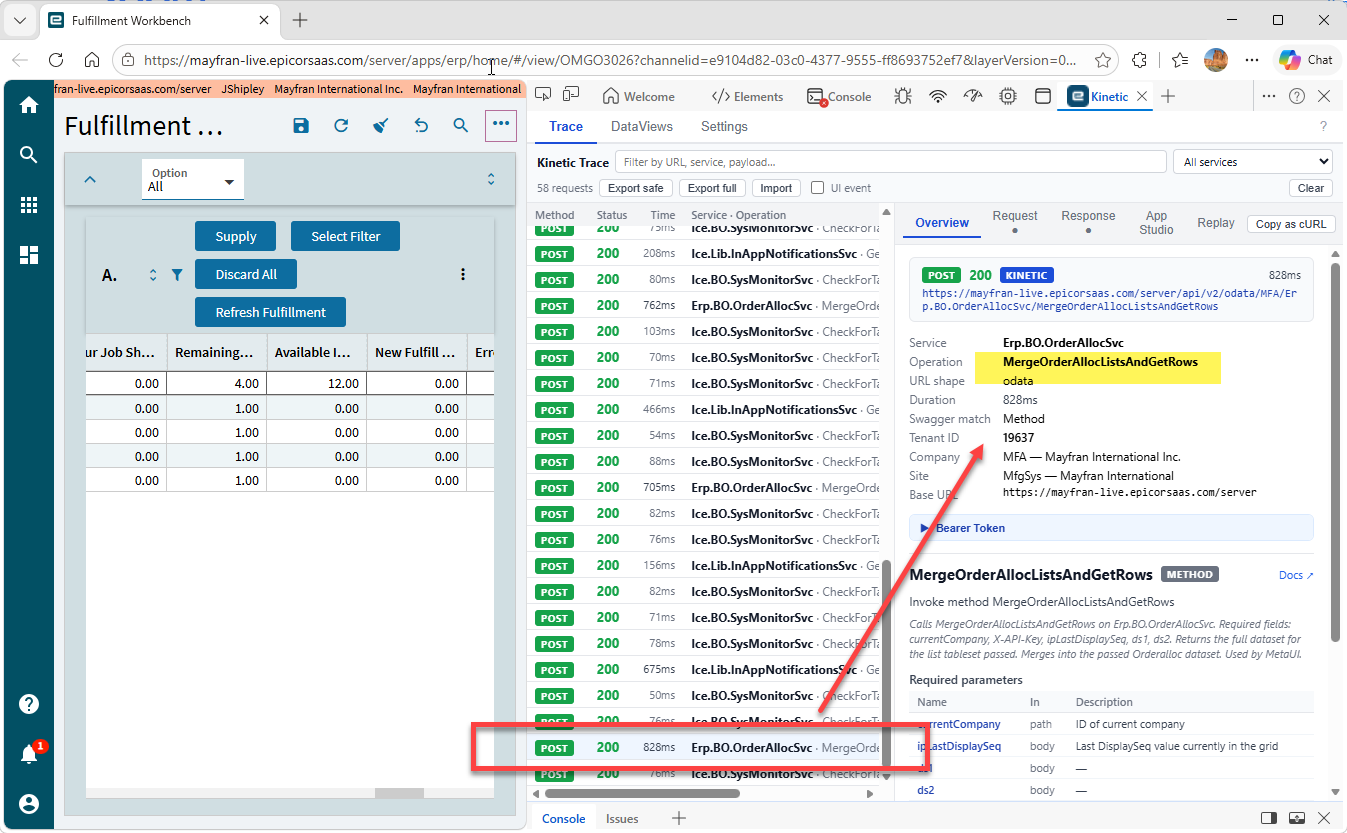
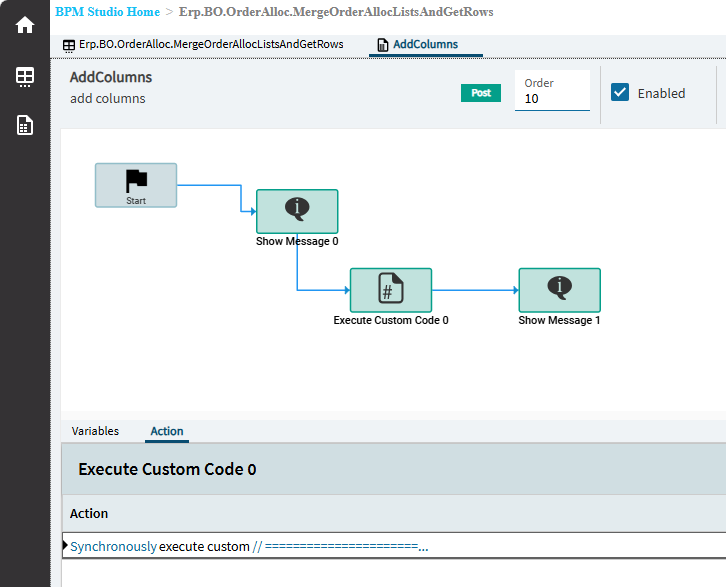
So I did a trace on the screen and it looks like it is using the Erp.BO.OrderAllocSvc MergeOrderAllocListsAndGetRows method (see screen shot). So then I created a BPM on the MergeOrderAllocListsAndGetRows to get the OrderDtl.SalesCatID field with a custom code widget and put it into the UDShortChar01 existing field. This field is already part of the dataset (ds1) and available in the grid columns also.
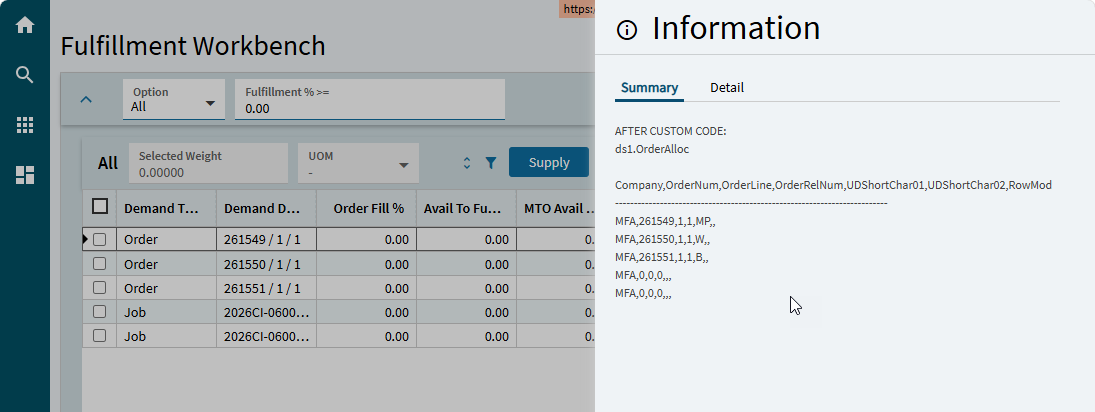
I’m pretty sure the BPM is working correctly because I put a couple message boxes in there and when I refresh the FW screen they show up and the added field data is in there (also in screen shot). So I’m not sure where the issue is.
Here is the trace showing the MergeOrderAllocListsAndGetRows:
Here is the BPM:
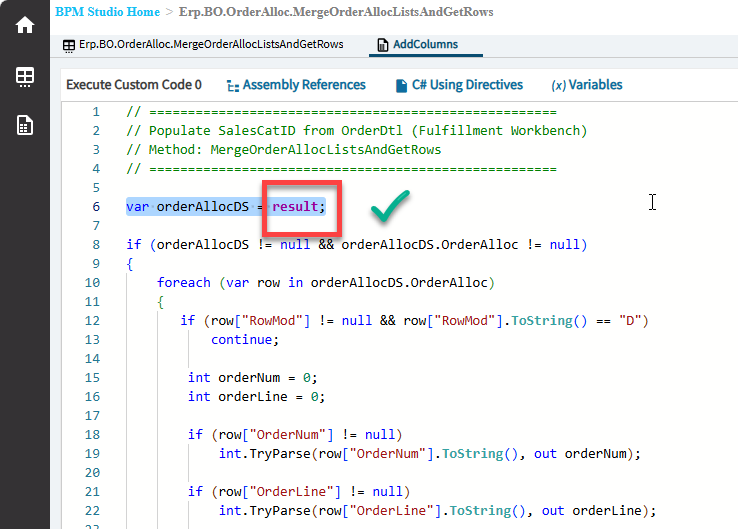
Here is the BPM code:
// =====================================================
// Populate SalesCatID from OrderDtl (Fulfillment Workbench)
// Method: MergeOrderAllocListsAndGetRows
// =====================================================

var orderAllocDS = ds1;

if (orderAllocDS != null && orderAllocDS.OrderAlloc != null)
{
    foreach (var row in orderAllocDS.OrderAlloc)
    {
//        row["UDShortChar01"] = "zzz";
       if (row["RowMod"] != null && row["RowMod"].ToString() == "D")
           continue;

        int orderNum = 0;
        int orderLine = 0;

        if (row["OrderNum"] != null)
            int.TryParse(row["OrderNum"].ToString(), out orderNum);

        if (row["OrderLine"] != null)
            int.TryParse(row["OrderLine"].ToString(), out orderLine);

        if (orderNum > 0 && orderLine > 0)
        {
            var od = (from o in Db.OrderDtl
                      where o.Company == Session.CompanyID
                         && o.OrderNum == orderNum
                         && o.OrderLine == orderLine
                      select o).FirstOrDefault();

            if (od != null)
            {
//                row["UDShortChar01"] = "zzz";
                 row["UDShortChar01"] = od.SalesCatID ?? "";
            }
        }
    }
}
Here is the first message box:
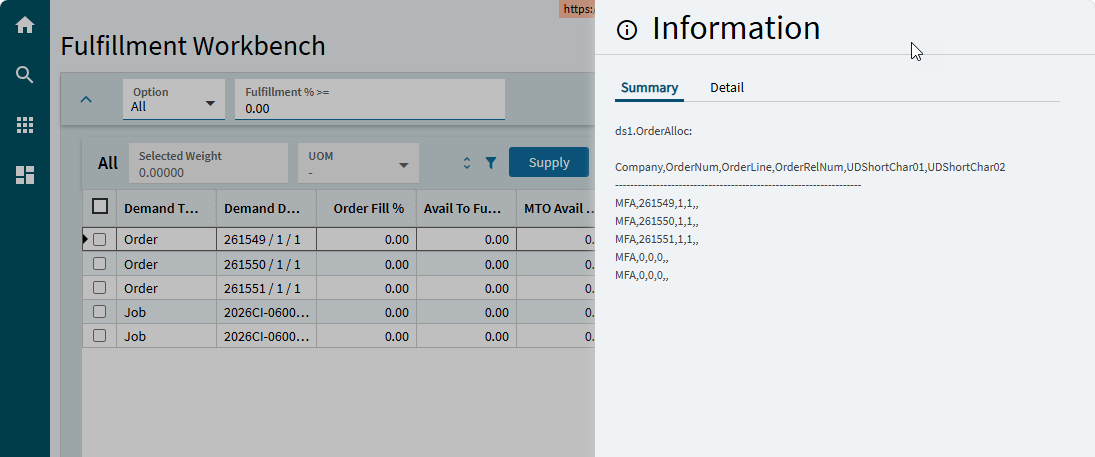
And here is the second message showing the added field data:
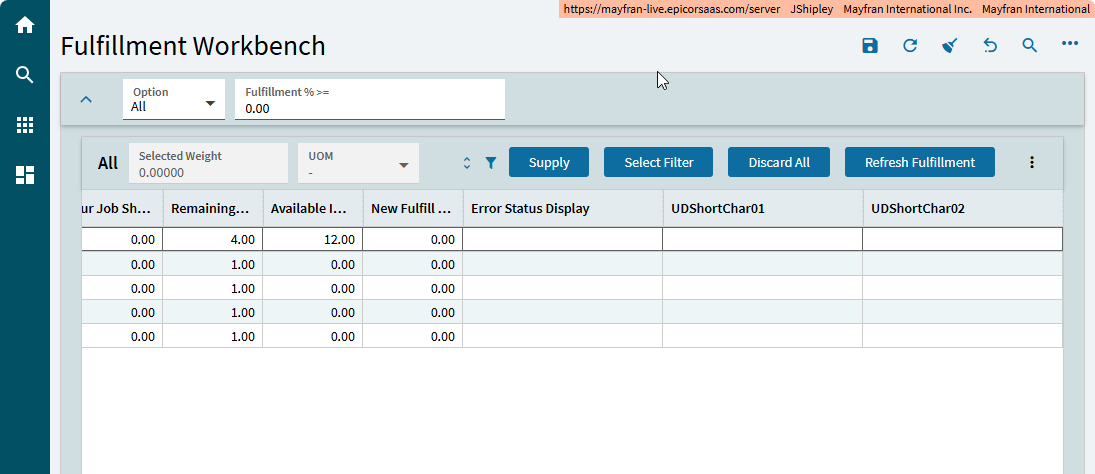
Here is the grid, not showing the new data:
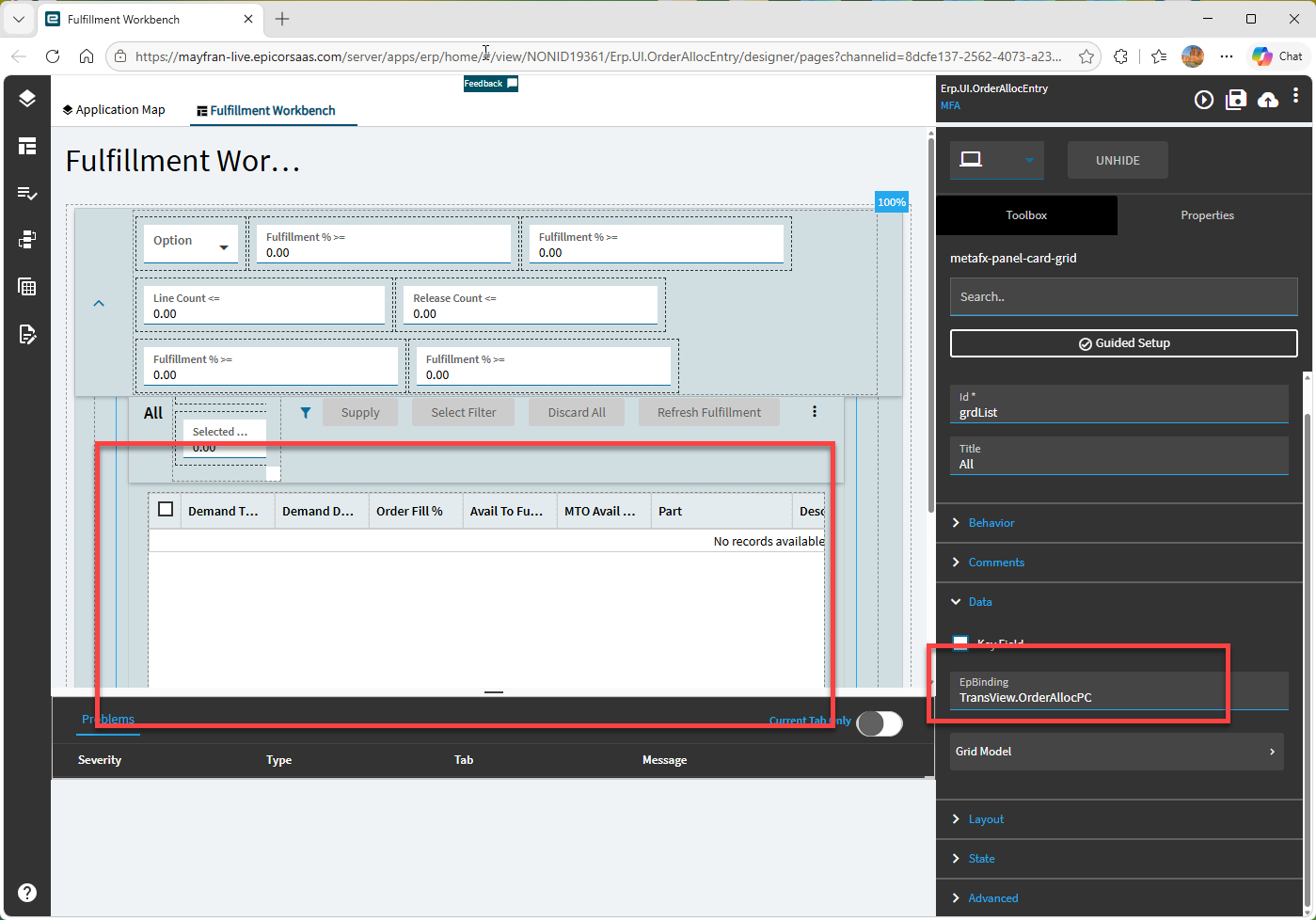
Here is the grid EpBinding:
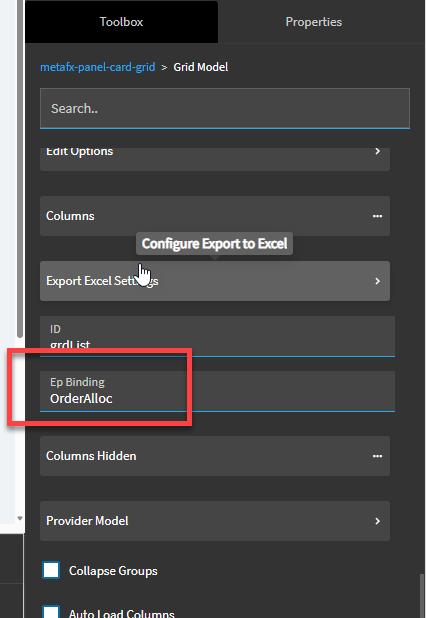
And the Grid Model:
Any help would be appreciated!