Hi all,
I’m on Epicor Kinetic SaaS (2025.1.11) and building a small Application Studio app.
Goal:
I want to be able to:
Scan or enter a PartNum into a text box.
Select the active revision in a grid or combo.
Show a second grid with all documents (attachments) related to that PartNum + Revision.
Multi-select those documents and click a “Download” button that uses the Download Attachment (Kinetic) function to download the selected files locally.
Current progress:
I have a working BAQ Data View that filters by PartNum and shows all attachments.
The grid populates correctly with XFileRefNum, XFileName, etc.
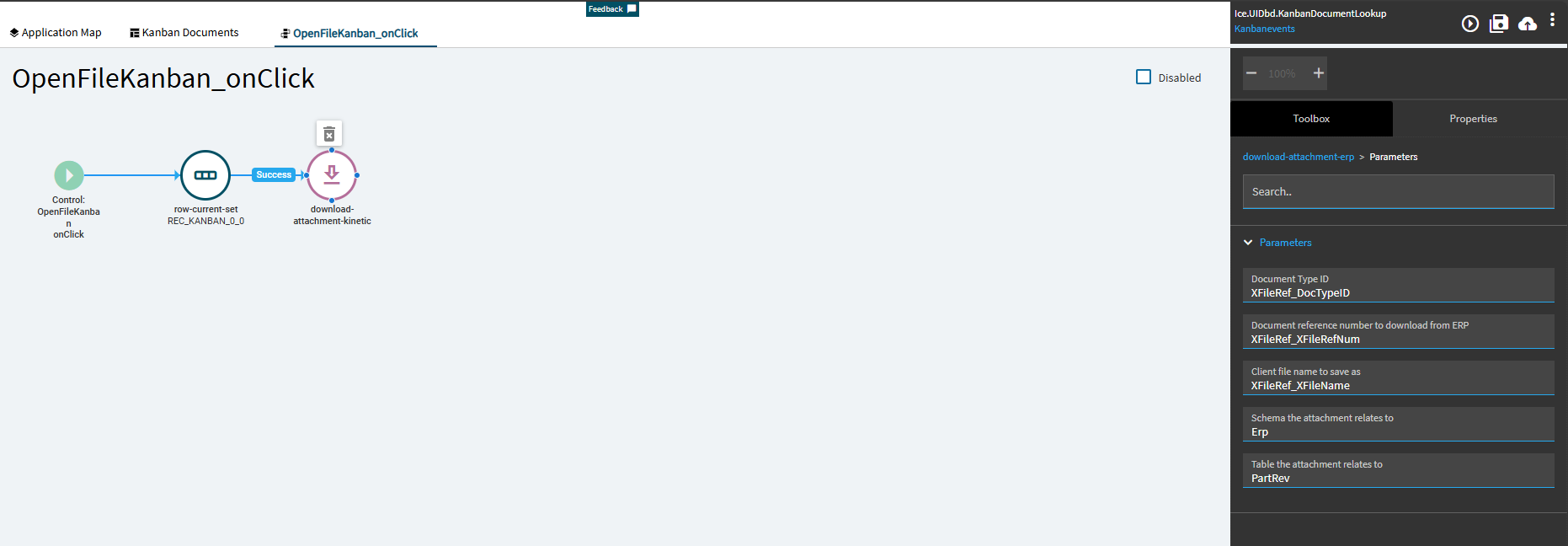
I added a “Download Attachment (Kinetic)” widget, and it works if I hard-code the XFileRefNum value.
What I can’t figure out is how to bind that widget to the currently selected row(s) of the attachments grid.
Question:
How do I pass the selected row’s XFileRefNum (or all selected rows) into the “Download Attachment (Kinetic)” widget in Application Studio?
Is there a specific syntax for referencing the grid’s selected row field value (like @{RecDocSearch.XFileRefNum} or similar)?
I don’t have a full answer for you but I had never goten a row-current-set widget to work before I found this guide. It’s specific to finding and setting a specific row and not necessarily multiple selected rows but it’s a starting point.
There is a Selector property you can activate in the grid. With that active, you could use a dataview-condition widget to check where you selector value is true and point your iterator to that file download event you made.