Here is some easy points for someone! JK, don’t know if it is easy or not.
What can I use to create a new field in TransView and then assign a value to it? Is there some neat trick or do I literally have to create a hidden text box and then assign it through that?
If you are creating an app from scratch, there won’t be a TransView data view.
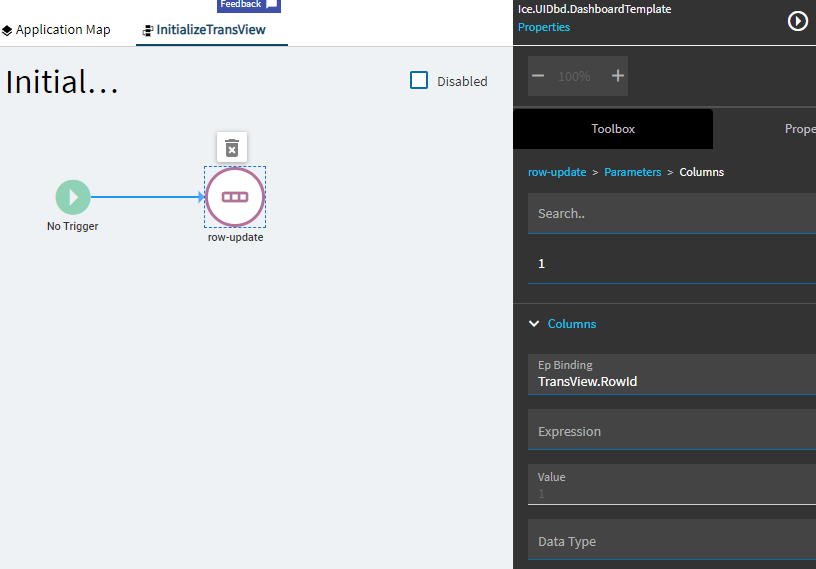
In this case, initialize it by using a row-update event and set any field value (In this case I set RowId). After you’ve done this, you don’t need to initialize any other coulmns, just use the TransView in your EpBindings as needed.
If you are just applying a layer to an existing base app, you shouldn’t need to do any of this.
This was working then added a few new controls and it seemed to stop, I had to add it in again.
It’s like adding parameters to a function, the new parameters never show up in Application Studio unless you select another function then the original and then put in the parameters again 1 by 1. Very frustrating.
 JK, don’t know if it is easy or not.