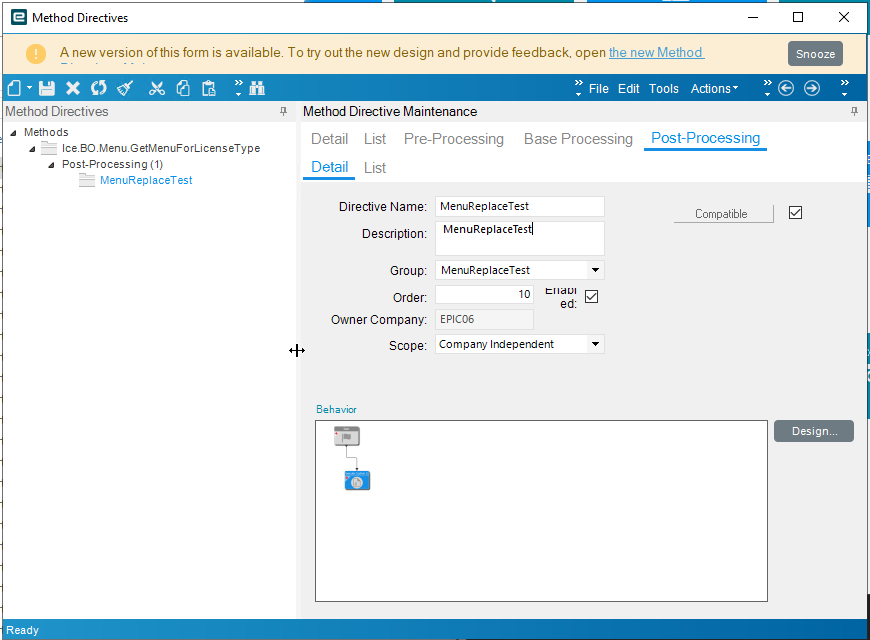
Hello,
I was wondering if there was an easy way to hide certain menu folders in Epicor conditionally.
I have a folder that I need only certain people to see and have access to.
Any ideas?
All help is greatly appreciated!
Hello,
I was wondering if there was an easy way to hide certain menu folders in Epicor conditionally.
I have a folder that I need only certain people to see and have access to.
Any ideas?
All help is greatly appreciated!
Do a trace when you open any menu item, from there you will find the method that is fired… I can’t recall exactly,
This post should point you in the right direction:
https://www.epiusers.help/t/snippet-epicor-auditor-role-using-simple-method-directive/68861
Hello,
That is not quite what I was looking for.
That post is just doing read only, from what I gathered.
I was looking to make an actual folder be hidden from everyone that is not a few certain people.
I would prefer not to clutter the menu with folders that most people shouldn’t be able to access. That includes some people who are security managers.
Is there a good way to do this?
If they are a security manager, they have access to everything. If they shouldn’t have access to something, they shouldn’t be security managers.
You would think so, lol.
When I got here security manager was given out like it was candy.
I have been trying to slowly pull it back but there are some people I have no control over on this.
That is why it would be preferable if I could hide some folders if possible from specific security managers.
If you say it can’t be done then so be it. Didn’t hurt to ask.
There’s a big difference between owning a gun and carrying a loaded one at all times with the safety off. Keep working on them. They’re making the company less safe and might be personally responsible for a cyber incident.  Just in time access is far safer.
It’s not at all Kosher, but if there is a GetList method, you could throw a pre-process BPM on there and remove items based on the current user ID. Add a switch-case on currentUserID, then add conditions in the whereClause variable.
I did something like that to filter available Network Printers, based on the user’s current Plant. It was a bastardization of a @timshuwy post getting rid of inactive parts or something.
You need to alter the result set of the menus when the user logs into Epicor. It is possible. I would have to have a bit of a play. It may be the get rows method. To find out persist a trace and see if you get any results when logging in, if not then, create a bpm message on get rows and see if you get the message when you login, that will then confirm and yiy can manipulate things front there… Not very scientific, and perhaps someone or there is a post that outlines the technical proceas when a user logs in,. There may be a specific methods that fires an takes the user I’d as a parameter. BL tester may also help you.