I know splitting strings is a solved problem, look at BAQ - Split string into multiple rows to learn more.
But I still wanted to get a CROSS APPLY working in the BAQ designer and I thought I’d share with you here how I did it. Needless to say, this has the possibility to work in all sorts of situations. This is running 2023.1.9 on prem with SQL Server 2019.
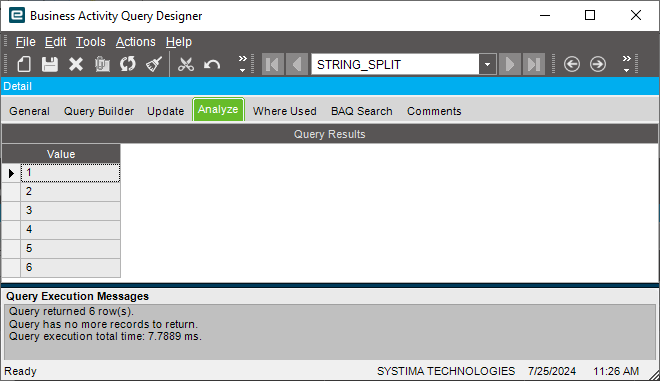
This example simply creates a “STRING_SPLIT” BAQ that inputs a string with separators and returns one row per value between those separators. For example, calling this BAQ with “10,20,30,40,50,60” will return six rows, each row with one of the six values.
STRING SPLIT BAQ demo
-
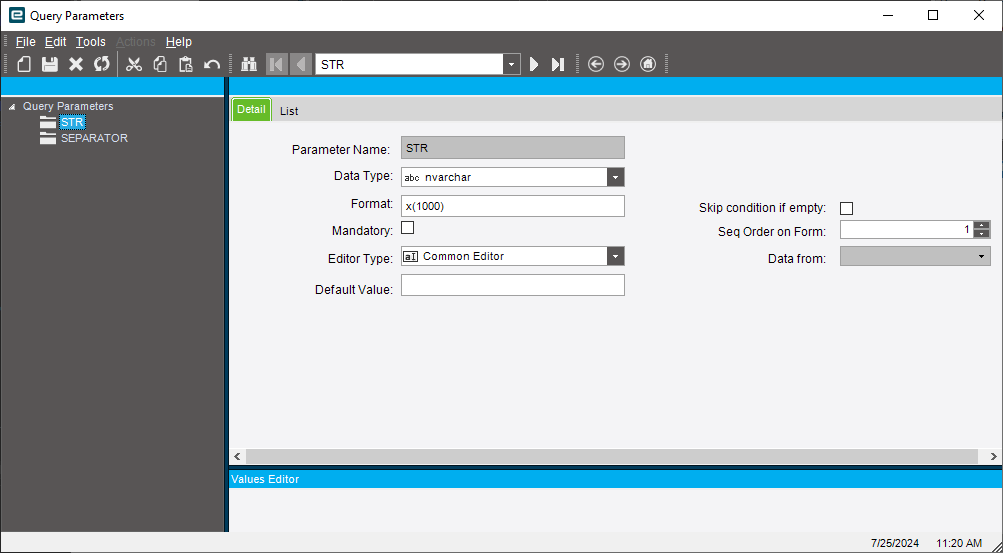
Create a BAQ parameter: STR to hold the value to be split (e.g. ‘1,2,3’). Set FORMAT to x(1000) or as long as the longest string you expect.
-
Create a BAQ parameter: SEPARATOR to hold the character (e.g. ‘,’ )
-
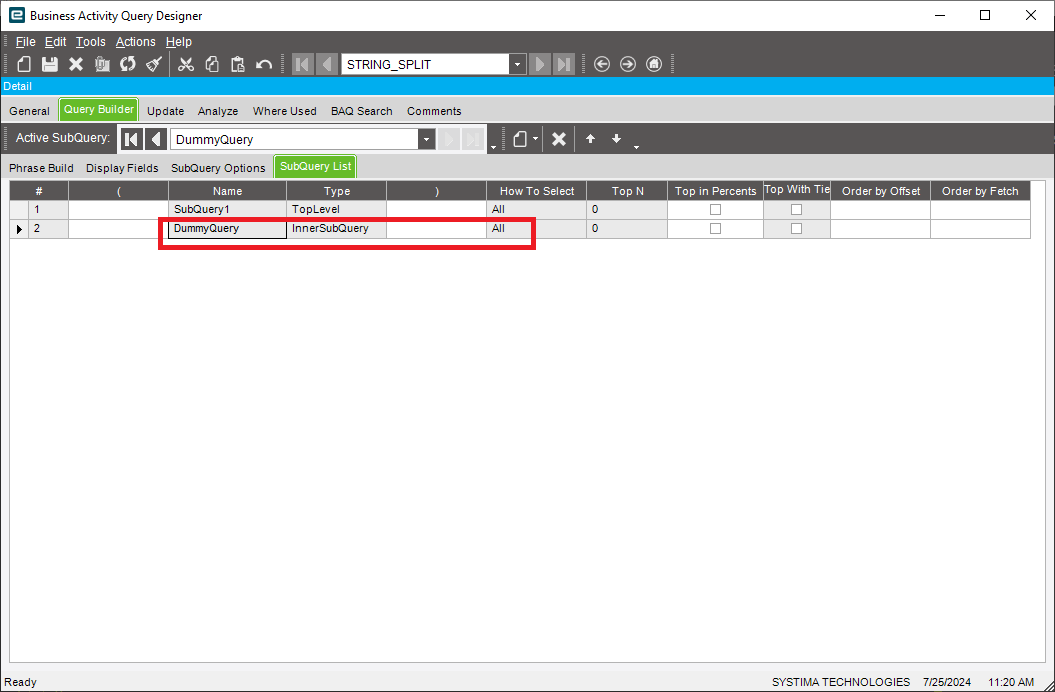
Create an InnerSubquery called DummyQuery
-
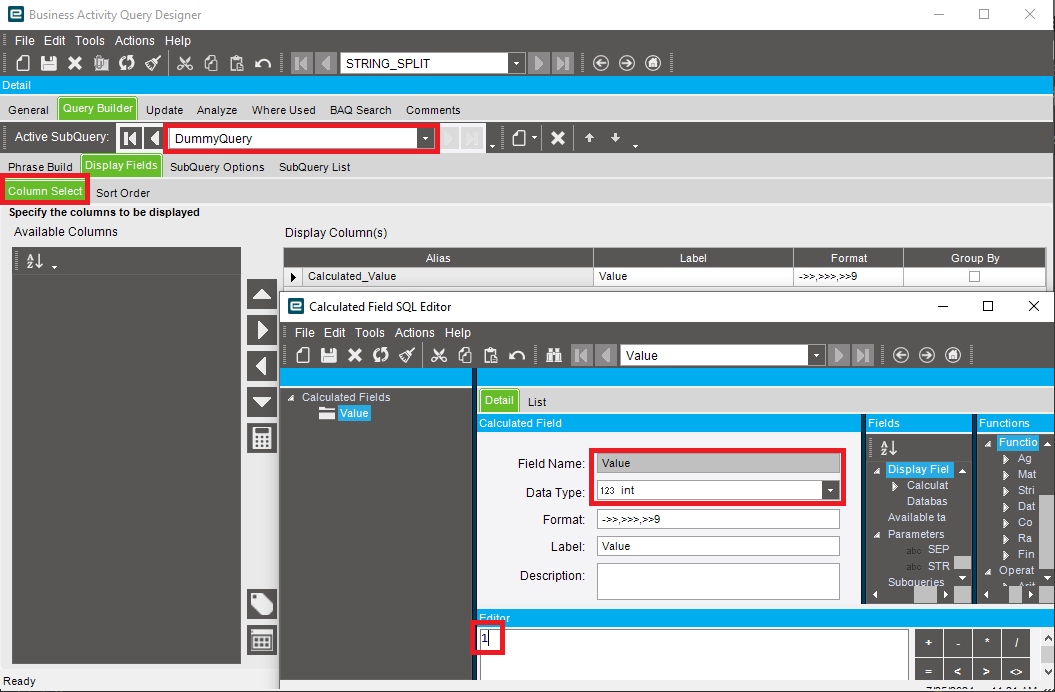
Create a calculated column in DummyQuery. Calculated_Value = 1
-
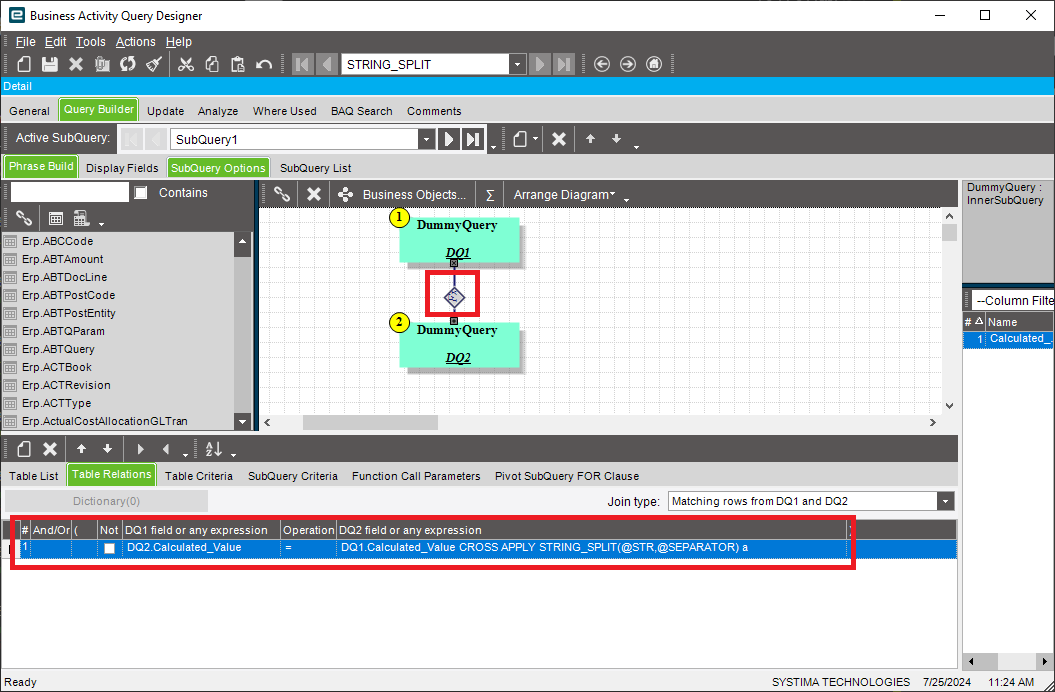
In your top level query, create 2 DummyQuery blocks. Call them DQ1 and DQ2.
-
Create a table connection from DQ1 to DQ2. It’s very important you do from DQ1 to DQ2.
-
In the table relations tab for the connection, enter the following:
DQ1 field or any expression: DQ2.Calculated_Value
Operation: =
DQ2 field or any expression: DQ1.Calculated_Value CROSS APPLY STRING_SPLIT(@STR,@SEPARATOR) a -
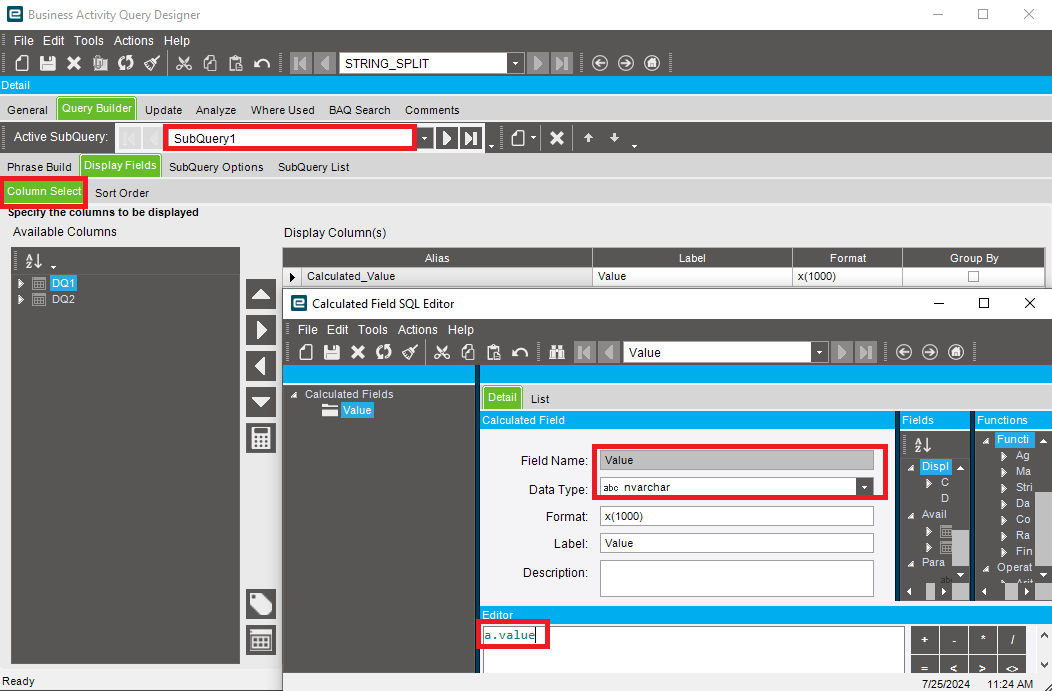
In your top level query, create a calculated column.
DataType: NVARCHAR(1000).
Expression: a.value

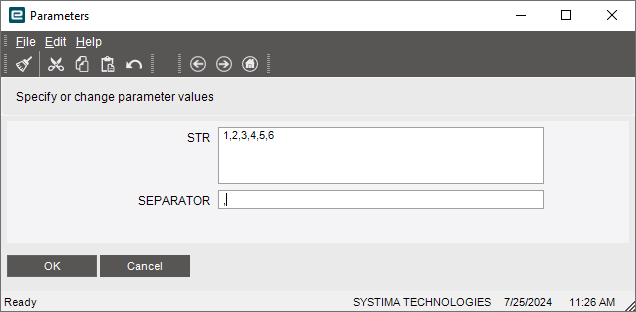
When you run, test with these parameters:
You will get:
You can see, using these steps we’re tricking Epicor into adding a CROSS APPLY to your joins list.
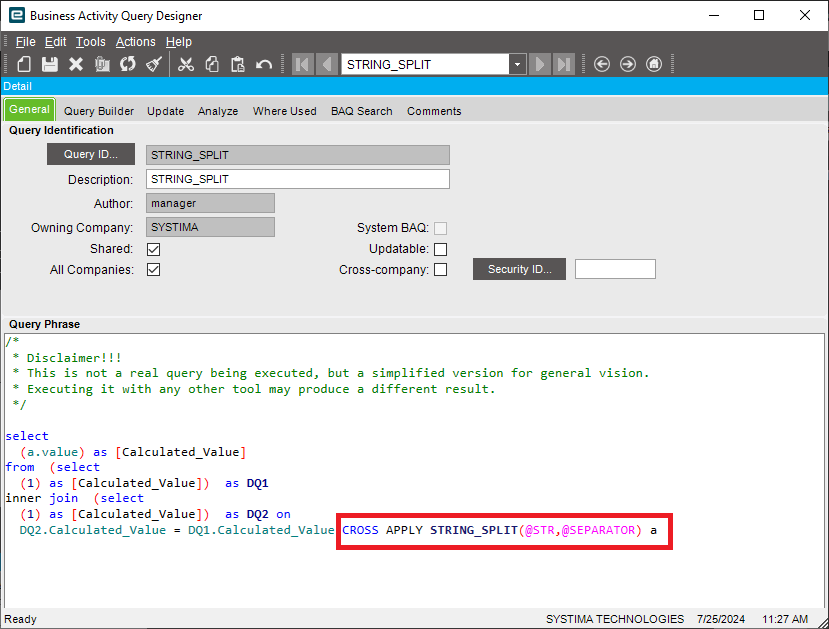
The dummy queries really are just that- dummy’s I needed so that we could sneak in the CROSS APPLY in the join condition expression.
Have fun! Like if this helped you.