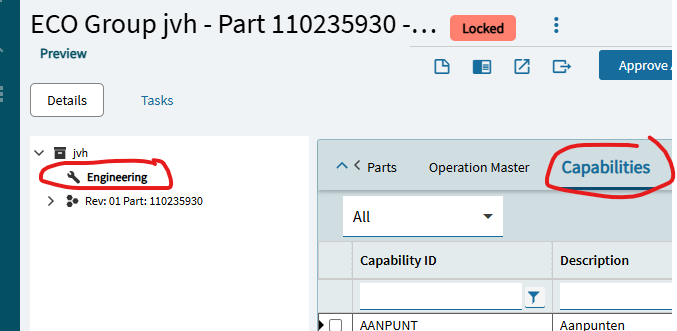
@josecgomez Do you maybe know how i can change the standard GetList logic within the Engineering Workbench > Engineering > Capabilities to a GetRows logic?
I can’t find a method within application studio that is responsible for this call. I think it’s part of the DataView EngCap, but how to switch it to GetRows.
Maybe step back from the technical issue and explain what business problem you are trying to solve. It might expand the number of users here who can help you. Jose is very helpful but as a manager these days, his time is more limited than he’d like it to be!
We would like to differentiate capabilities in this list, so engineers who slide these capabilities on to the bill of operations have to take less effort finding them.
Using a UD field we can categorize these capabilities so they can be filtered easily.
Hope this clearifies it a little?
Sure does. Like Jose says, you don’t have to use a Business Object. You can download through a BAQ which includes only the fields you want including the UD Field.
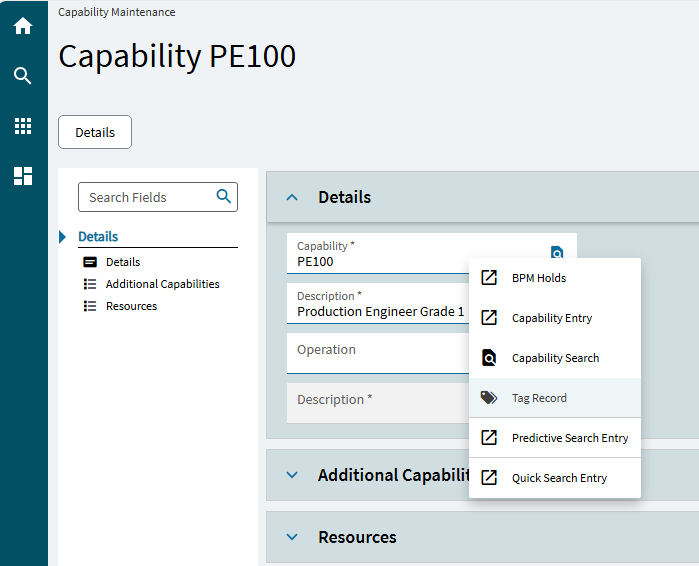
You could also use Tagging on the Capability to filter:
@Mark_Wonsil@josecgomez
Just to share the outcome with you guys.
First order for a new product will likely be planned on a group of machines based on the technical capability required. Once the CNC-program has been created for a specific machine you would like to set the resource (machine) so this revision is mainly planned on this machine. As we keep a capability matrix for our shop floor employees which machine they can operate, we would like to update the second scheduling resource as well. A bit like using additional capabilities but not based on the main capability but based on the chosen machine.