How to create Mfg demand without a Sales Order?

The goal of automation, at any level, is to let the computer make pre-determined decisions based on your limited inputs. It makes your job easier by letting the computer do repetitive work.

It’s used best when you do the SAME things the SAME way.

Another way to look at it is that it LIMITS (or entirely removes) your flexibility to do DIFFERENT things.

If you have consistent “sample kits”, and you want to tell Epicor to “create jobs for qty 12 of Sample Kit #7”, and Sample Kit #7 is always the same group of parts, then by all means let’s figure out a way to automate that. But if your parts and quantities vary, that’s a different question.

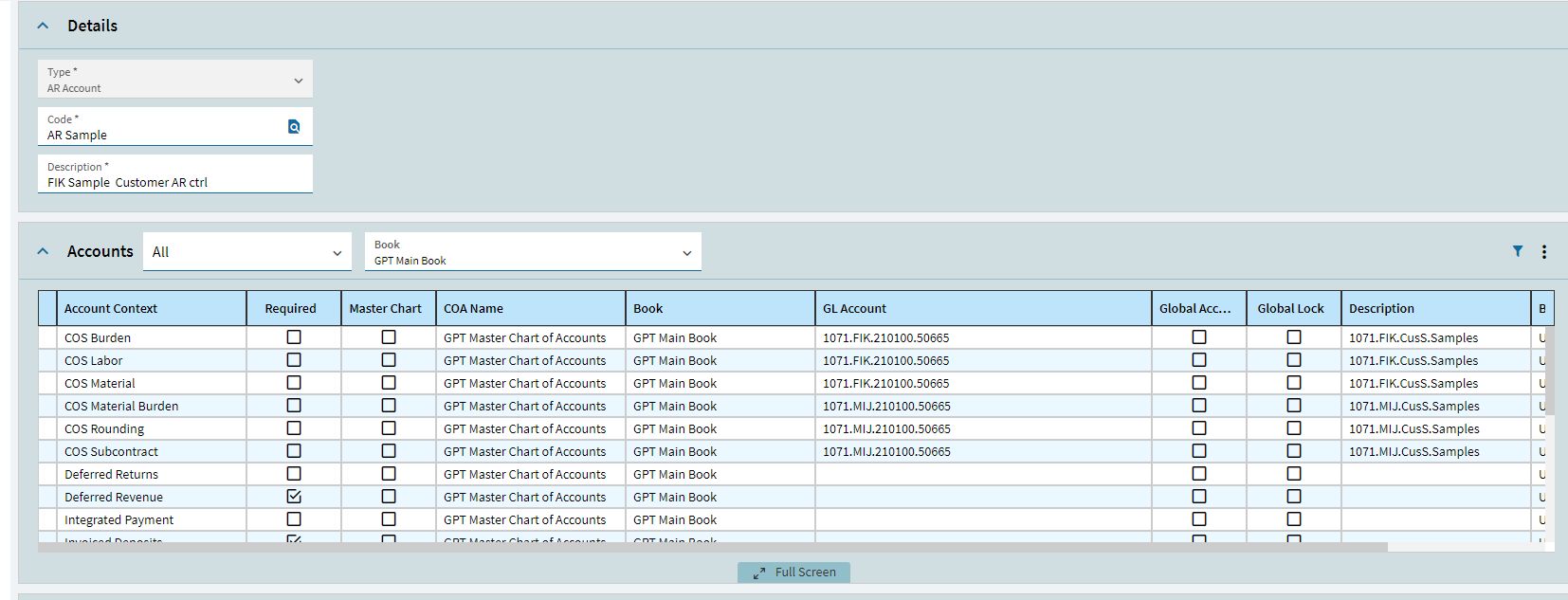
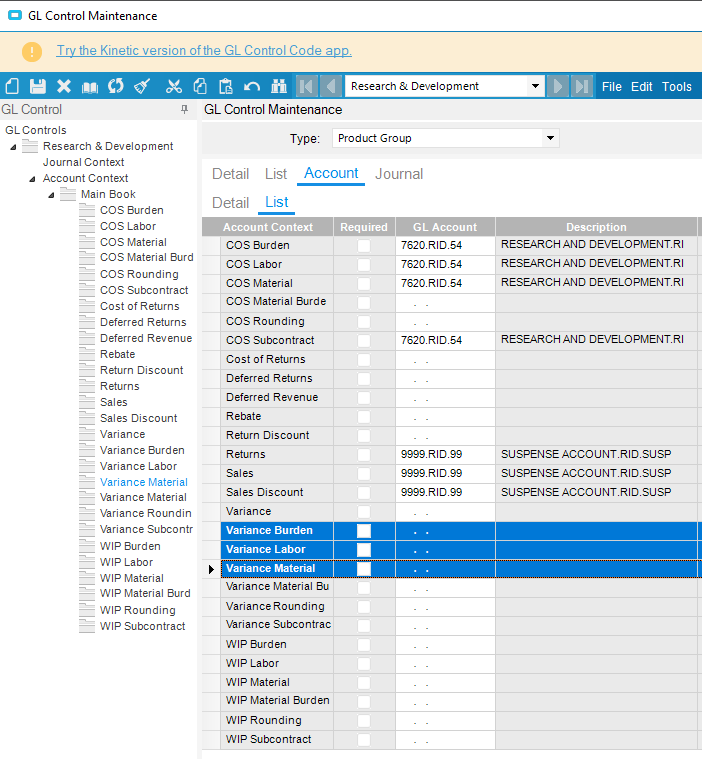
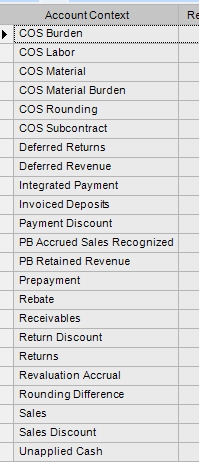
We do what @dcamlin mentions in the first response. We have a marketing samples customer for marketing activity, operations R&D customer when it is is driven by ops, etc. Each one has their own AR GL control code setup to drive the $ where we want. These are the accounts we have available at that customer control level.
image

Will this setup work?


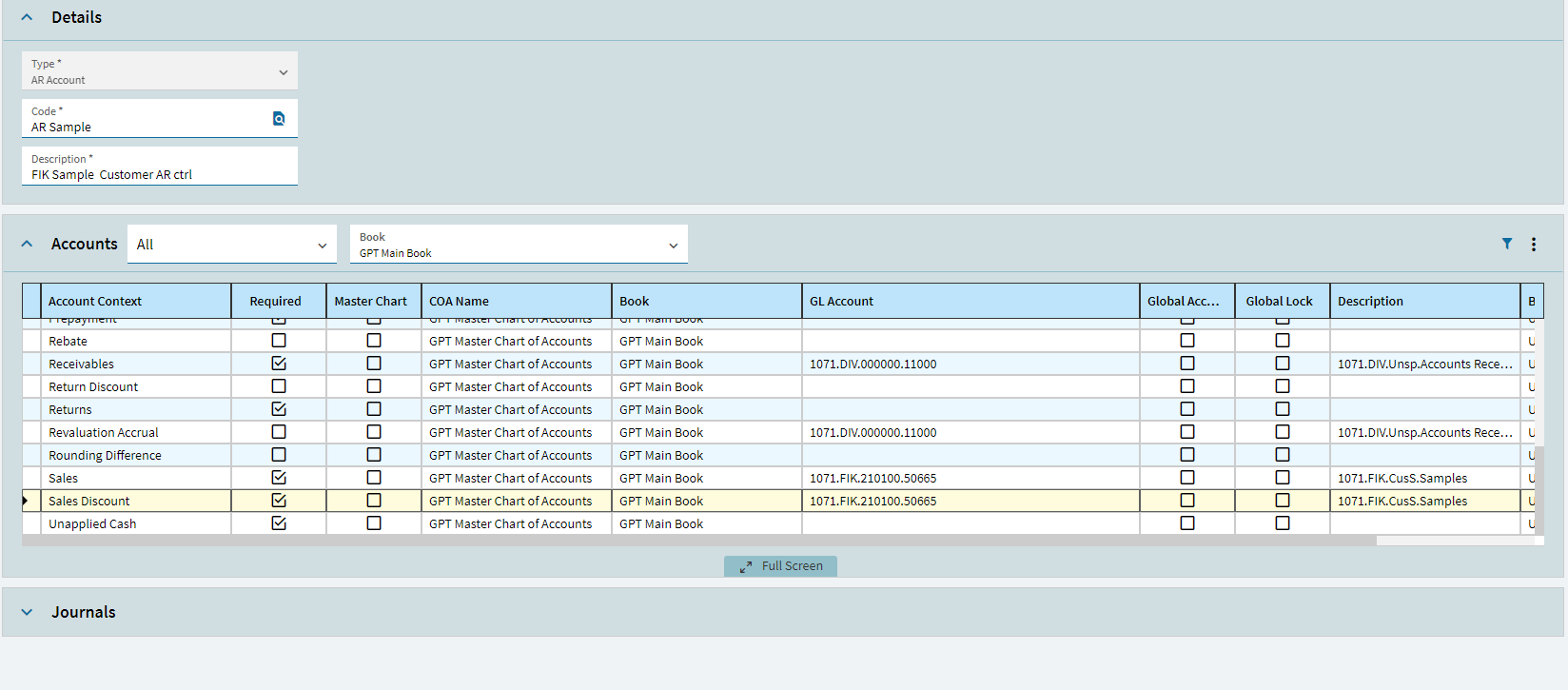
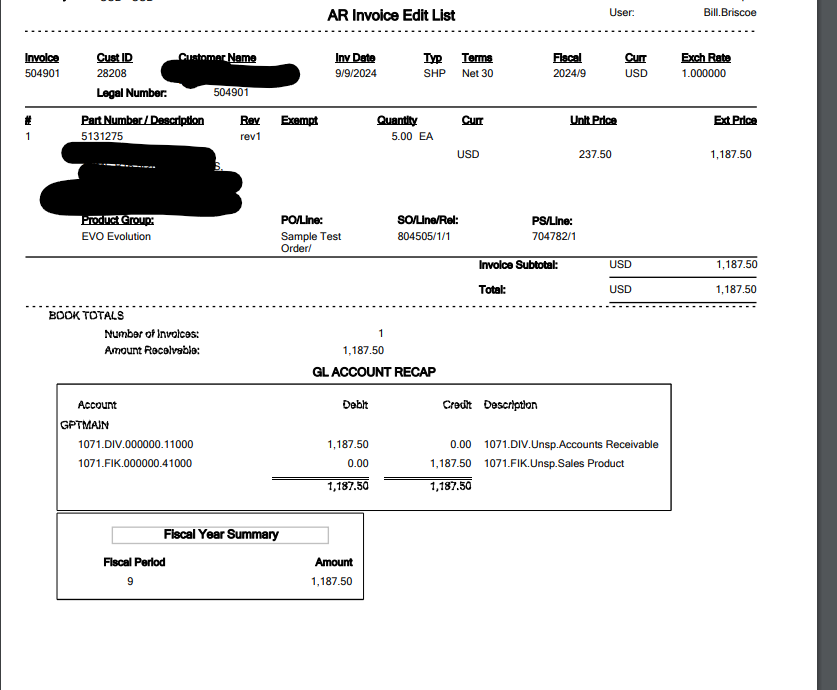
We tested this with the new GL Control shown above to hit Marketing Sample Expense for both the COGS and the Revenue and it did nothing?


Its still using the COS and Revenue from the Product Group, not from the AR control code. Are we missing something here?

You need to get the GL hierarchies document from EpicWeb. It is Epicor’s so I can’t upload it here.

Here is the sales flow.

We drive ours as Ernie and John suggested an R&D and Marketing Product group, each with a GL control attached to drive the COGs to where we want them. On your $0.00 value sales order, just flick the parts default group to your nearly created one and ship the sales order.

You don’t want to use AR as that will only trigger on the Invoice.

@Ernie already said to create a Product Group that will post to the accounts you want. The other option with this is when entering the Sales Order, change the Product Group on the line and your Job will default to the PG on the SO. It is then up to you to either have the Job be make to order or make to stock. Make to order means you have to ship it and make to stock means you will have to do a quantity adjustment.

I found my documentation from when we implemented this. We had to flag the sample customers as inter-company in the billing section to get the customer specific GL controls to take precedence over product group.

The way I read this is, “we want to use up stuff in inventory and/or create demand for same stuff, but not produce anything.”

I mapped out a plan for that at my job two years ago. Not sure how much it gets used.

But in a nutshell, you can make a job to stock for a non-qty bearing part. Think about that. It makes no sense, but it sure works great for this.

Here is what I wrote up for that.

=================================

We would like a part number created for R&D work orders.

In short, I believe the setup should be as such:

  • Part number and description is whatever you want
  • Part Class is XRAD
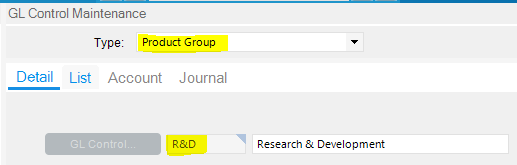
  • Product Group is R&D
  • Std. cost can be anything; it’s irrelevant to this process, but I would like it to be $0.01, personally. I think zero might be just fine, though.
  • The GL Code shown below needs 7620.RID.54 populated into the blue rows (Variance Burden/Labor/Material)

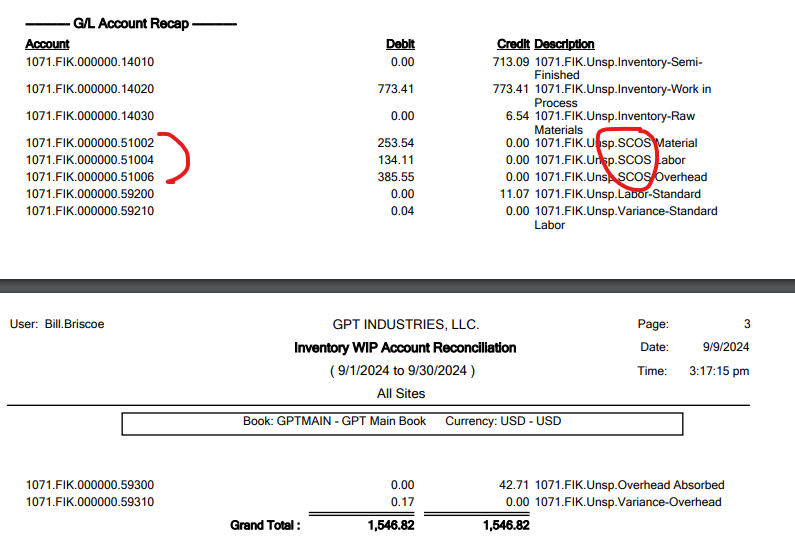
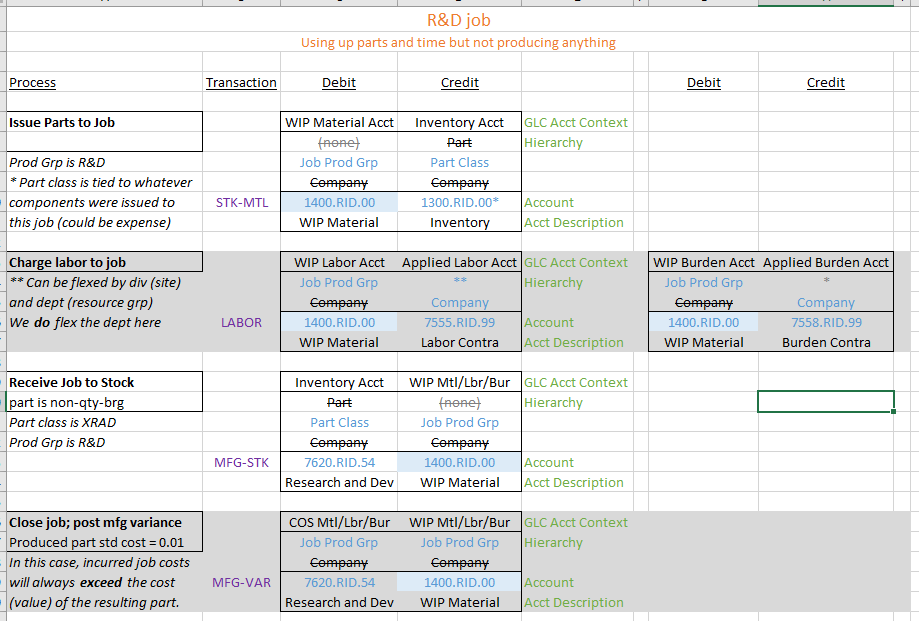
For a technical explanation, see the last picture. I mapped out the debits and credits that happen in the process.
image

======================================

EDIT: more notes about the process for making the job

======================================

One more IMPORTANT thing. Make the part NON-Quantity-Bearing.

Also, FYI, the alternative would be to make this to order, but then we’d have to create a bogus order, then ship it and invoice it, etc. This is a lot simpler.

Once the part is created, what you’ll do is to make a job to stock . (Qty of 1)

Yes, yes, yes, I know, we are not making a real thing to put on a shelf. That’s OK, this is a non-inventory part.

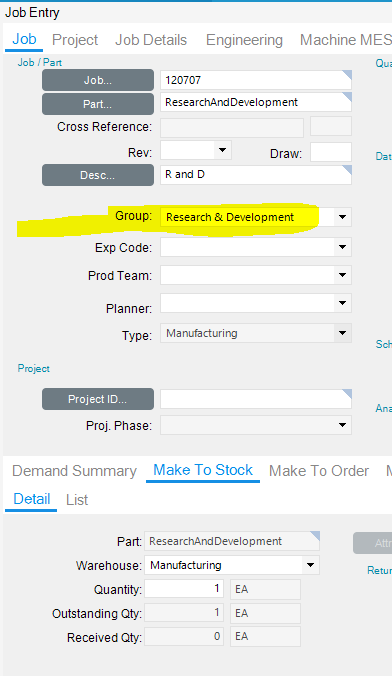
A key part of this is that the job’s product group should not be changed. It should come in as Research & Development (see pic below) and that’s right and necessary.

Then do normal job stuff:

  • Add material to job and issue/backflush it
  • Charge time as desired
  • Report a quantity (1) to the last operation
  • Receive job to inventory
  • Mark as complete when done (Job Closing screen)
I’m with @Ernie. Create a Job where the demand goes to a non-nettable warehouse bin, and while I don’t like Warehouse bloat, call it Samples. This will drive all the material demand for ordering and scheduling.

Since this is not going to be shipped, I don’t see the value of entering a sales order, faking a shipment, faking an invoice, and writing-off an invoice. If we aren’t shipping it, we don’t have to worry about the Product Group’s COGS, SALES, etc. :person_shrugging:

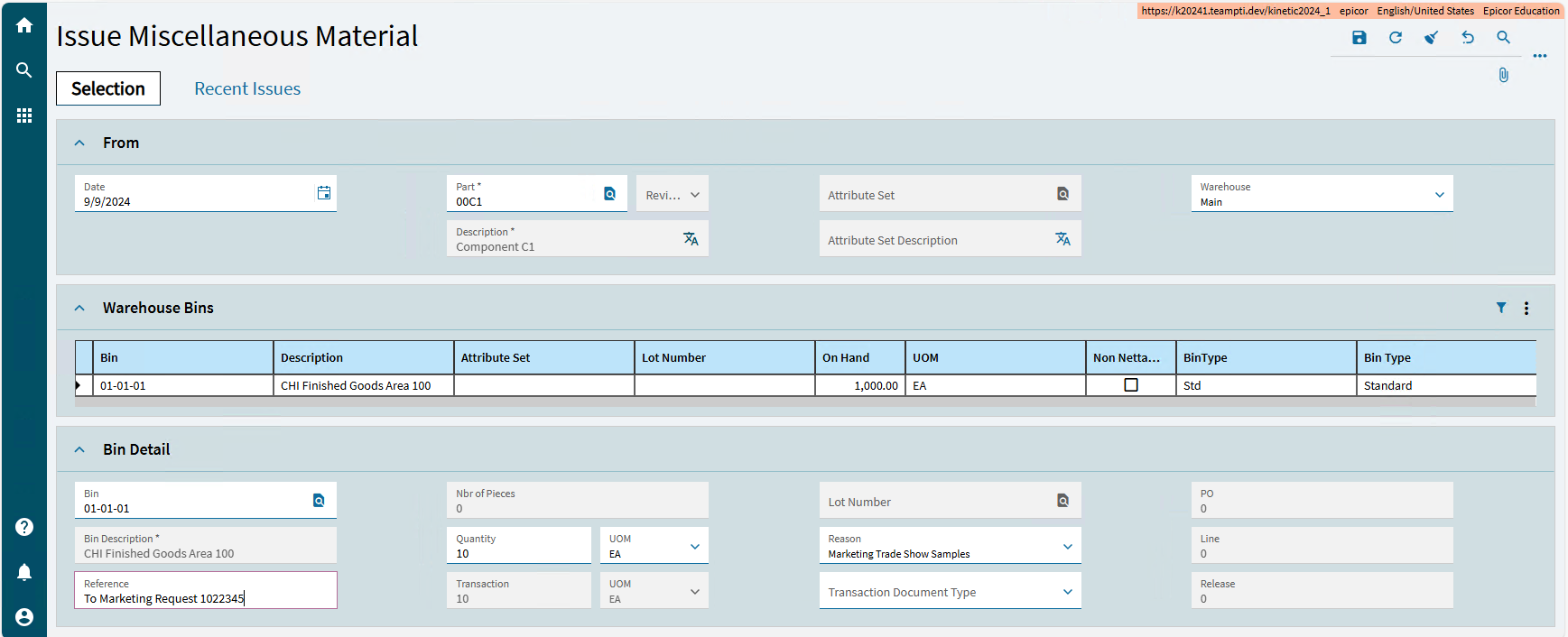
Once the parts are received to the Samples Warehouse, let marketing or engineering know. When they take it, do a Issue Miscellaneous Material with the same Reason Code you would use with the Quantity Adjustment.

The cost of the part is relieved from inventory (because there were costs accumulated) and they are charged to the expense account on the Reason Code. It’s a lot less work than pushing it through a fake sales order process.

YMMV

Awesome, thanks! This IC flag on the customer fixed the coding.

I’ve worked for several companies on Epicor - and we always use the old post for handling these types of costs. The format of the post is a bit rough, but it details out recommendations for a job with a special product group to drive costs.
Tracking Financials for Internal Projects - Yahoo Archive - Epicor User Help Forum (epiusers.help)
Jenn

Our manufacturing is fairly similar to yours. The furniture we manufacture, we sell. Most of our products are grouped in Collections (product groups). Each product group or collection have finished good and what we call white wood (WW) part numbers or sku’s. The WW are products such as dressers, night tables, beds… without a stain finish. Customers order FG’s configured with choice of finish, and choice of handle in some situations. We also manufacturer customers brand products for them.

We found the best way to use EPICOR in our business, is to use Planning Contracts. We create production schedule or planning contract schedule that batches each Collection or product group and creates demand for the white wood “WW”, and that in turn when we run MRP, generates the the WW and “child” jobs linked to each contract. We then use "Job Status Maintenance: to “Firm, Engineer, Release, Mass print all jobs”. This process batches the common parts and we print job travellers for manufacturing. We also use some batching functionality using “Resource Scheduling” to group certain common parts by material and process, to simplify completing each routing step and entry in the MES.

We link each of the customer Sales Orders to a “Planning Contract”. This assigns demand to specific product on a schedule.

We tried MPS and that just does not work for our business and processes. Planning Contracts is a major time saver.

EPICOR lacks good reporting and dashboards for using the planning contracts and monitoing demand, inventory availability, sales history by FG or WW for our business. That is our next challenge, to create dashboards to better plan, schedule and manage inventory at a higher level is, the FG or WW product sku level.