Does anyone have detailed instructions on how to modify Posting Rules to change out the “Periodic Posting Process” wording with a more useful description? I have a slide that my Accounting department provided me from Insights 2018 and I’ve been able to replicate almost all of it, but I can’t seem to get 2 of the fields to show for me when I search the ABT Field > COSAndWIP > PartTran > Posting Codes > Supplier > “I can’t find VendorID”. Also, I can’t find the PartNum field in the same PartTran section listed above nor in the Labor section. Any help on this would be greatly appreciated.
I think you are talking about the Custom Posting Rules for Epicor ERP Financials? It was put on by @etravis4 He might be able to provide more details.
Hi Eric, can you attached the ppt slide you are referencing?
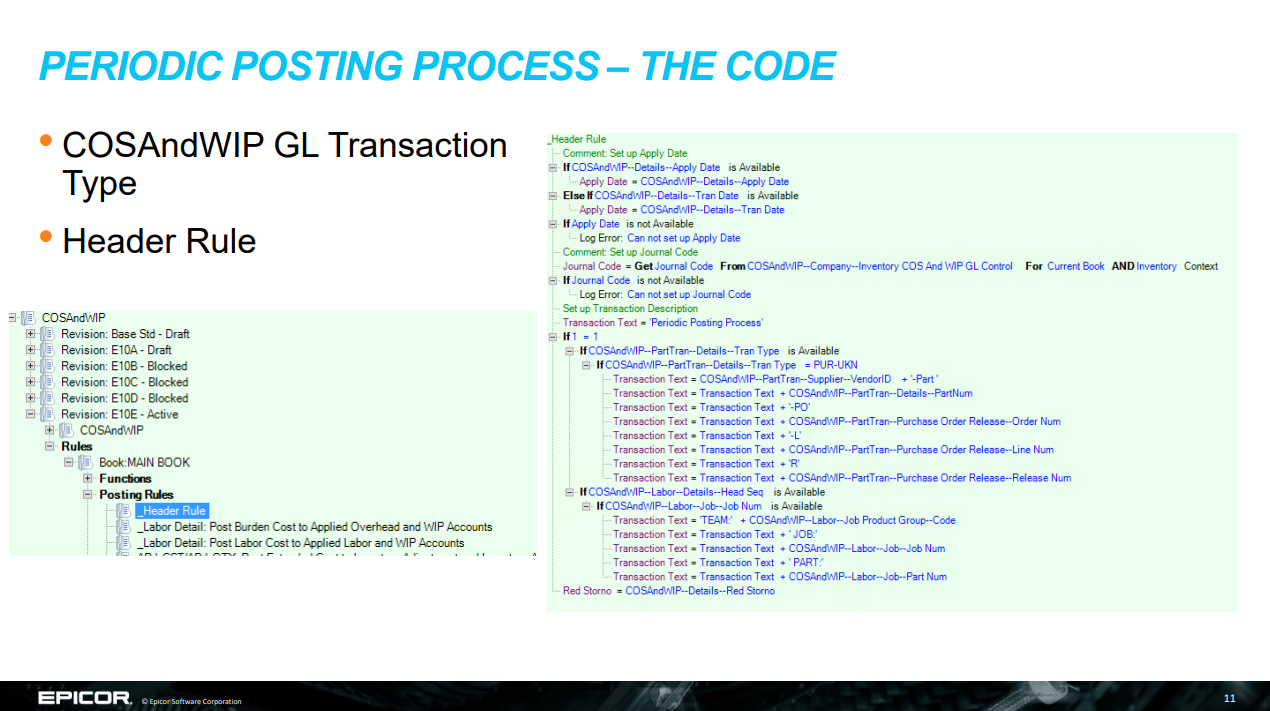
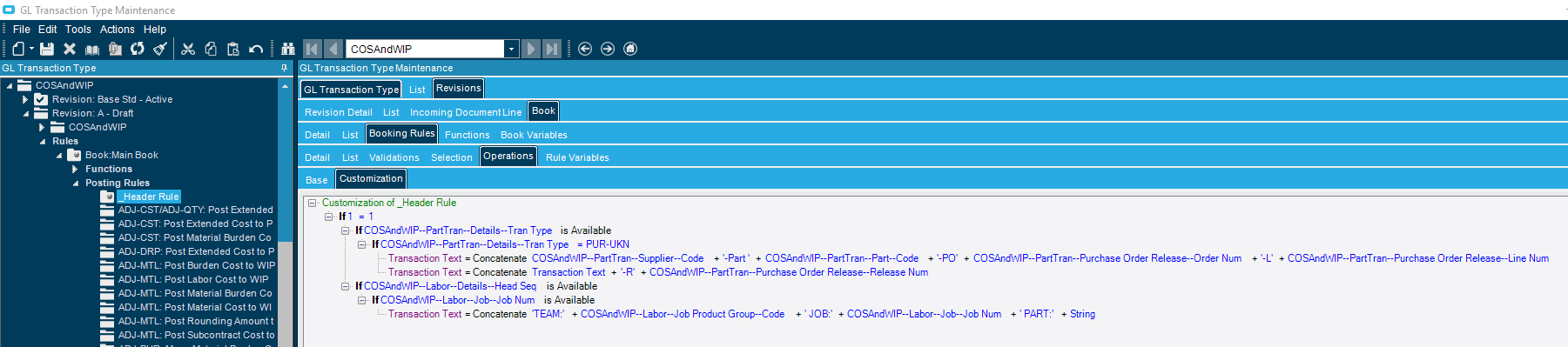
I’m testing this first, as I had never heard of posting rules prior to my Controller asking me for help in setting this up. She attended your presentation last year and we are just now to a point where we can try to get this working. The picture that shows my code is just my attempt to see if I could even replicate the code for starters. I was able to replicate most of the lines, but some of the fields don’t show up when I try to move through the items to select, VendorID is the first one that I ran into an issue finding.
@etravis4, I’m sure you are busy, but just checking in to see what your thoughts on my responses were. Thanks in advance for any help you can provide.
Sorry for the delay…
This stuff can get pretty complicated and unfortunately I haven’t been in it much recently.
If you want to PM me, I can connect you with the Epicor resource who helped us back in 2017 and also I can forward some of the email thread we had.
How do I send a PM in this forum?
It looks like only people with TL2 or TL3 can send PMs. I’m currently only a TL1 (I think).
@EpsilonMaximus68Olds now that we know you are not a spam-bot with captcha solving AI capabilities… maybe @josecgomez can increase your trust level a little bit, manually.
The community self polices trust is earned with time and experience he’ll get there soon enough I can’t force it. He only joined a couple of weeks ago
How do you indent the line and group the lines?
My code is always at 1st level.
Right click the line you want to indent under (should be a logical type statement), then click ‘add’
I click “add” but it adds another line without indent.
What version are you on? Is the line you are trying to indent under a “Logical Condition”?
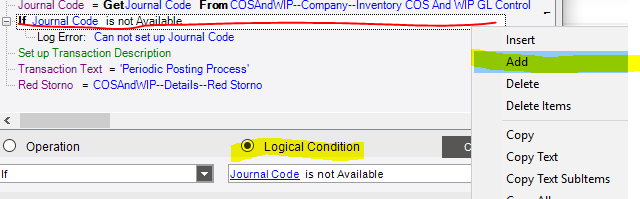
Yes. I got what you meant.
It’ll indent under logical condition automatically.
Why do we need “If 1=1” statement?
What is the purpose of this?
It’s a common convention to indicate user modifications. It’s always true but you know it wasn’t shipped with Epicor.
2 Likes
I did not include that statement in my rule. I don’t think it’s necessary, but I’m not positive. I have experienced no issues with posting by not including it. If i had to guess it was added for readability.