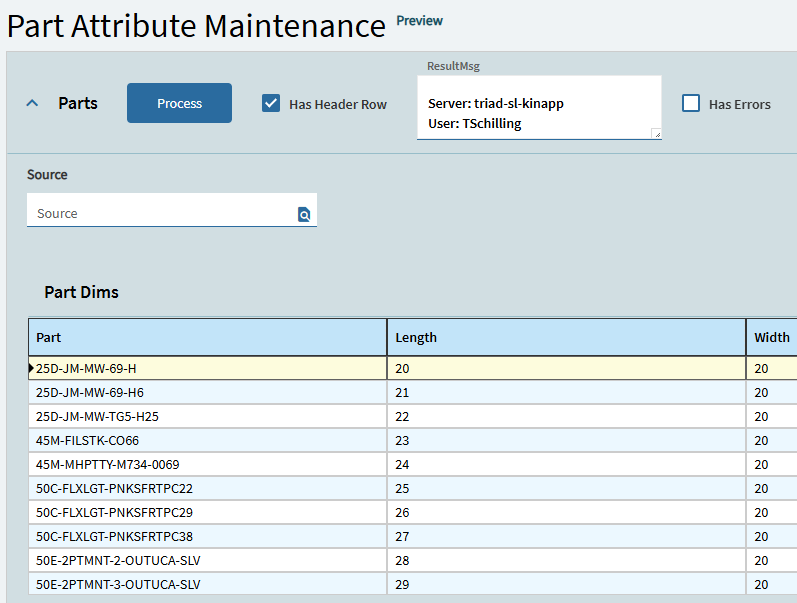
I did that but the data didn’t come though correctly. Does the grid I am moving to have formatting that would cause this? I got the same number of records but some of the columns just had 0.00 in them and most of them were blank.
Let’s see the json for your data vs the original data.
Or the dataview columns vs your data.
I got it working. I didn’t need to put it on the grid I was putting it on and what I have works for the time being. Now I have another issue. To enter a new invoice, one has to enter an invoice number GL account, and so forth into the respective text boxes or whatever control is required per data type. Is there a way to do this in a batch? Possibly from an excel file?
3 Likes
I am about to try to use this method to add a feature back to the line comments box. I want to right click and add a text file by appending the contents of the file to the Line comments. This method looks promising. I think I can get it into a function.
Before I spin my wheels, has someone already accomplished this and willing to share?
I thought I could use this approach, but I can’t even get my function to compile. I converted Hannah’s code to the code below with the help of GPT:
using System.IO;

// Set your base path
string filePath = @"\\SERVER\EpicorData\APP\Companies\Company\Uploads\";
bool locked = true;

// Wait until the file is no longer locked
do
{
    locked = false;
    try
    {
        using (FileStream fs = File.Open(Path.Combine(filePath, FileName), FileMode.Open, FileAccess.Read, FileShare.None))
        {
            // if we can open/close it, it's no longer locked
        }
    }
    catch (IOException)
    {
        locked = true;
        System.Threading.Thread.Sleep(200); // optional: small wait before retry
    }
}
while (locked);

// Read all text
OutText = File.ReadAllText(Path.Combine(filePath, FileName));
Syntax check is ok, but when I try to save the function I get the errors:
AddFile.cs(63,32): warning ECF1002: The ‘System.IO.File.Open(string, System.IO.FileMode, System.IO.FileAccess, System.IO.FileShare)’ method cannot be called.
AddFile.cs(77,11): warning ECF1002: The ‘System.IO.File.ReadAllText(string)’ method cannot be called.
Do I need to add some references to my function library?
GPT started leading me down a rabbit hole, suggesting that the file-erp-widget already pulls the raw text from the file. I can admit when I am over my head. Can someone throw me a life preserver?

EDIT: added ICE.Lib.FileStore and ICE.Lib.FileTransfer as service references to my library. No help there.
I think they changed to using Sandbox.IO or something like that for “security” reasons.
2 Likes
Well, not only security. In General programming, we’ve ALWAYS been warned about adding full path references to our code. The code is more portable if we use relative references. If your Epicor server moves during an upgrade, now all of these file references break. With the advent of containers, we can’t guarantee the name of our servers anymore. We name our pets, but shouldn’t do the same for cattle.
On the security front, do we want application programmers gaining access to any directory on our server? This code is running as a different account and it may have more privileges than the user.
I’m one of the few “old guys” who doesn’t complain about Sandbox.IO. It directs coders to use better programming practices, IMHO.
4 Likes
I am stuck at the part where I need to take the output text from my function, and append it to the data in the existing line comments. I am not sure how to proceed from here. If my function works, then it is returning the text from the file. How do I take that returned value and append it to the text already in the Line Comments (PODetail.CommentText) field?
You guys are suggesting to use this sandbox.io thing instead of File.Open and File.ReadAllText? I don’t really know what that means. Is it another coding language? I also see this post showing how to not hard code the file path when uploading a file. 10.2.600 & AR Invoice Form - Epicor ERP 10 - Epicor User Help Forum
I’d like my code to not break. Can you tell me more about how to use sandbox instead of the code I have? Also, where would I implement the code that Mark has in post 30 of that thread? I think I might use it in the custom code section of my function before defining the string of the folder location.
I am also not clear on which parts Hannah intends to be replaced in her path in the original code. We are on cloud. This is what I have been trying to use for my upload path:
string filePath = @"\centralusdtapp01.epicorsaas.com\SaaS512\EpicorData\APP\Companies\VTAERO"
heres a thread about sandbox:
and heres some examples:
basically anytime you use system.io, instead use sandbox.io equivalent.
2 Likes
The only reference I have to System.IO is in the Usings. It’s not in my code at all. When I replace System.IO with Sandbox.IO (or sandbox.IO), I get compile errors and can’t continue.
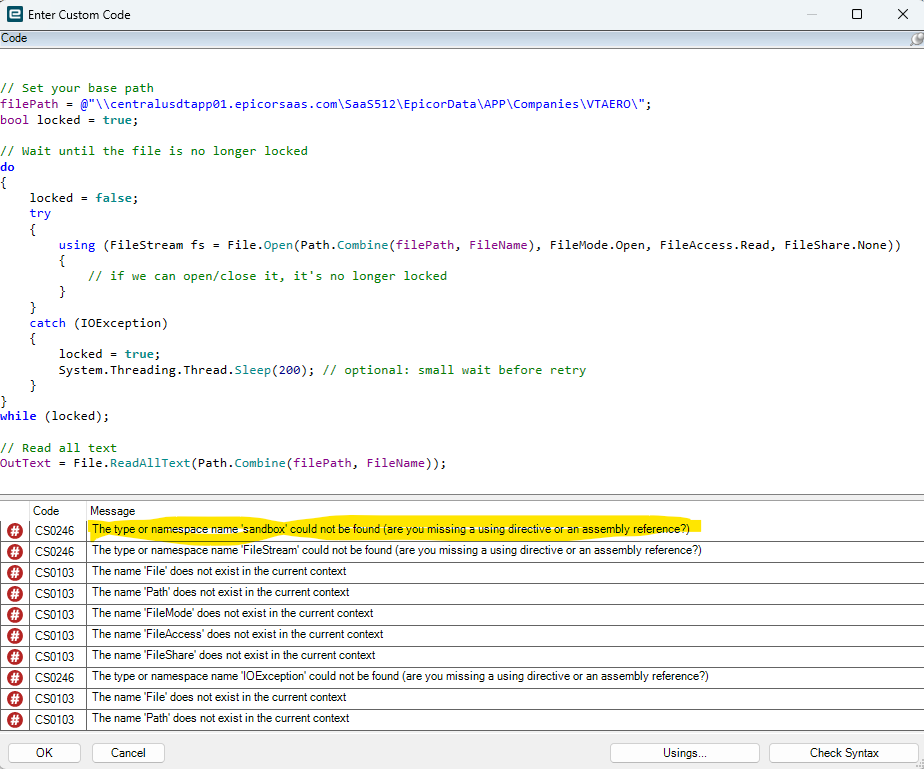
I did start down that dumpster fire of a thread but didn’t see how to actually use this fancy sandbox. I looked over the examples on github, and they look like they just replaced system with sandbox.
Do I need to include some extra reference to allow Sandbox in my function?
I’m no function wizard but yes replace the reference to system.io with sandbox.io. I may’ve read the sandbox reference is not needed so you could try just removing the system.io ref first. I believe there are slight diffs in some of the sandbox equivalents so you may still have a few compile errors but should narrow to just what’s different so you can take it from there.
1 Like
In a pinch, you could add Sandbox.IO to all of your file methods.
FileStream fs = Sandbox.IO.File.Open(...

OutText = Sandbox.IO.File.ReadAllText(...
etc.
2 Likes
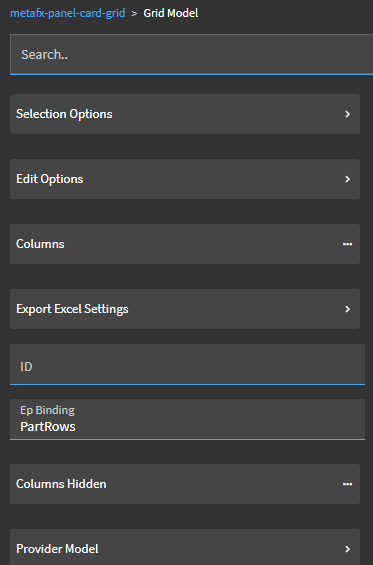
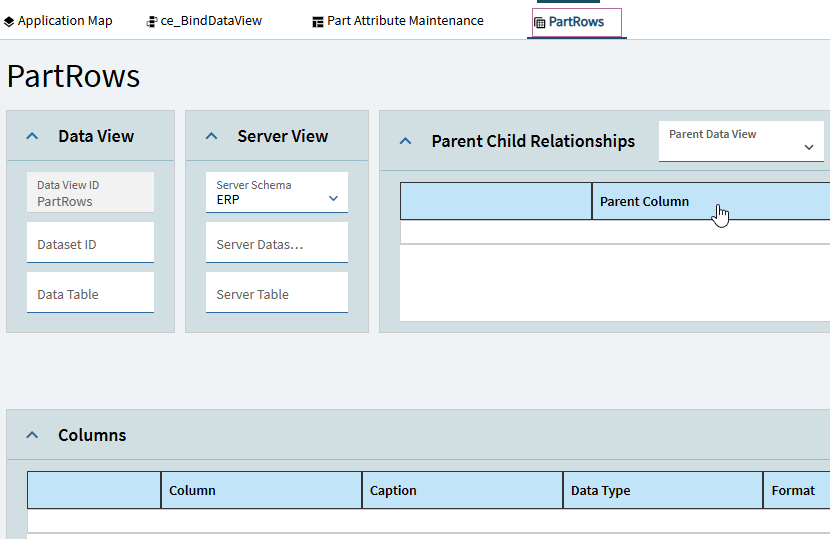
Following the instructions to the letter but data is not loading on to the grid.
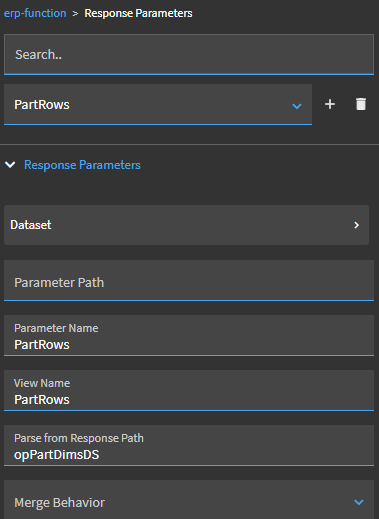
Response parameter for the dataset is fine. Function is returning response parms correctly.
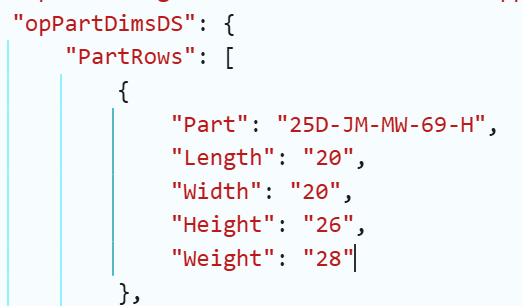
Setting up the response parm exactly as shown in the example using my names.
![image|365x500]
(upload://kBF2h3bYSC7b1jedw0mz35XcYk6.png)
Am I fighting a bug in 2024.1?