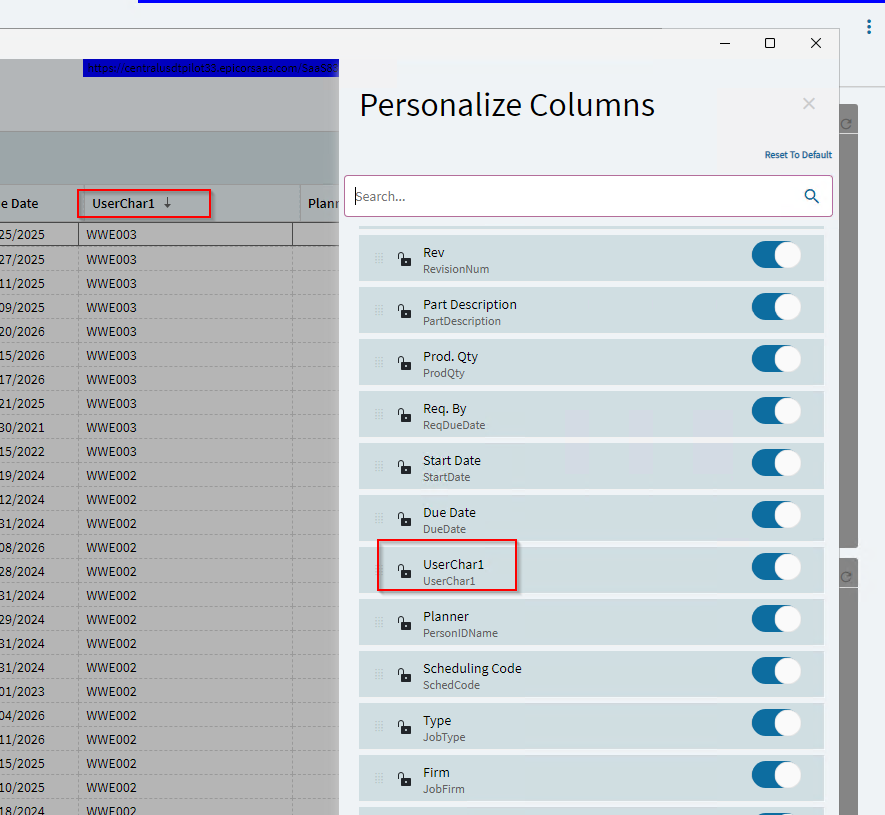
I would like to change the display name of the personalize column userChar1 to TaskCard . in Application Studio.
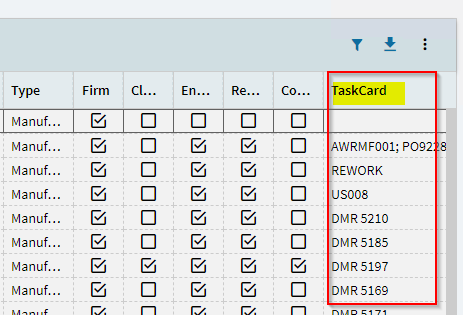
userChar1 → TaskCard
I would like to change the display name of the personalize column userChar1 to TaskCard . in Application Studio.
userChar1 → TaskCard
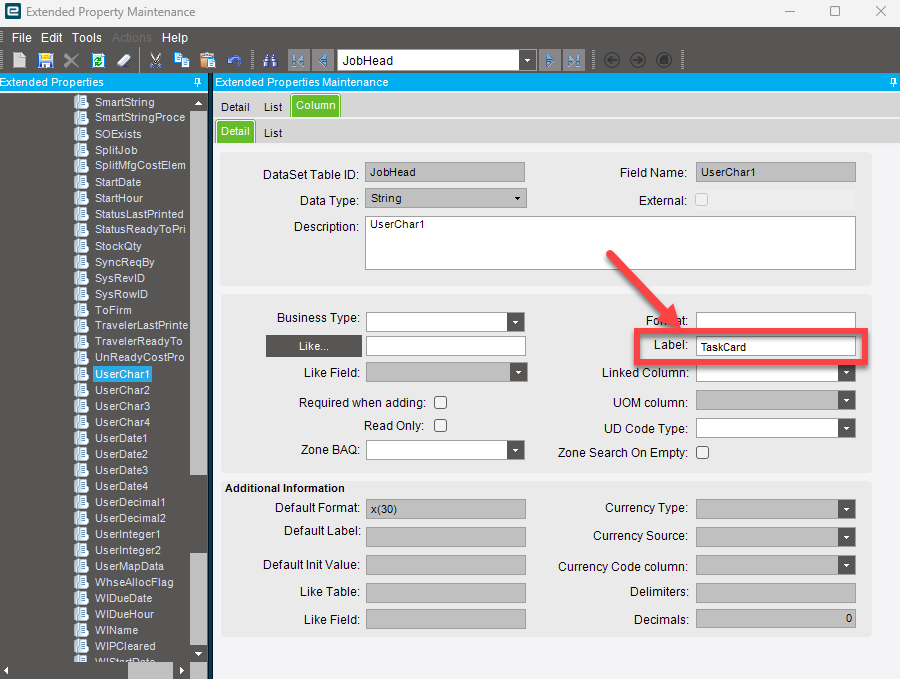
Have you tried Extended Properties? I feel like you can change the label for UserChar1 there and it may auto push to your dashboards/forms that reference it.
This is the main listing page grid. I have added a custom column to display customized values. It is not a dashboard or a report.
Seconded, Extended Properties should take care of this.
I don’t know what form you’re in… looks like might be Job Entry. If it’s a job-related form UserChar1 is an existing column on the table for you to use as necessary. Now that I’m thinking about it, UserChar1 is a special user defined field that you can name in Company Config. Extended Properties might work also. If neither of those gets you where you want to go, you can always customize in Application Studio.
EDIT: Those labels in Company Config are for the Checkboxes… sorry. Not UserChars. You’re stuck with Extended Properties or Customize.
You are correct. It is the JobEntry form, where the UserChar1 column is used for the TaskCard value in customization.
I need to update the display label from UserChar1 to TaskCard.
Thank you very much @dr_dan done it.