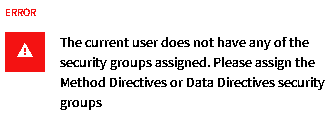
Everything’s fine other than discovering a BPM error that affects quote entry. We’ve been able to get away without writing a single BPM, so that’s unexpected. Attempting to pop into BPM Designer after the update throws an error that wasn’t there last week when I was there checking on options.
Huh. We have our own security map, which used to make me think that would prevent running into problems like this. Off to Menu Security Maintenance, and this certainly got my attention.
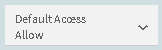
Security says everyone has access, but even security manager accounts are locked out. So, today I’m attempting to figure out where on earth this security control is (it’s not Ice.Security!) and how to apply our own security choices.
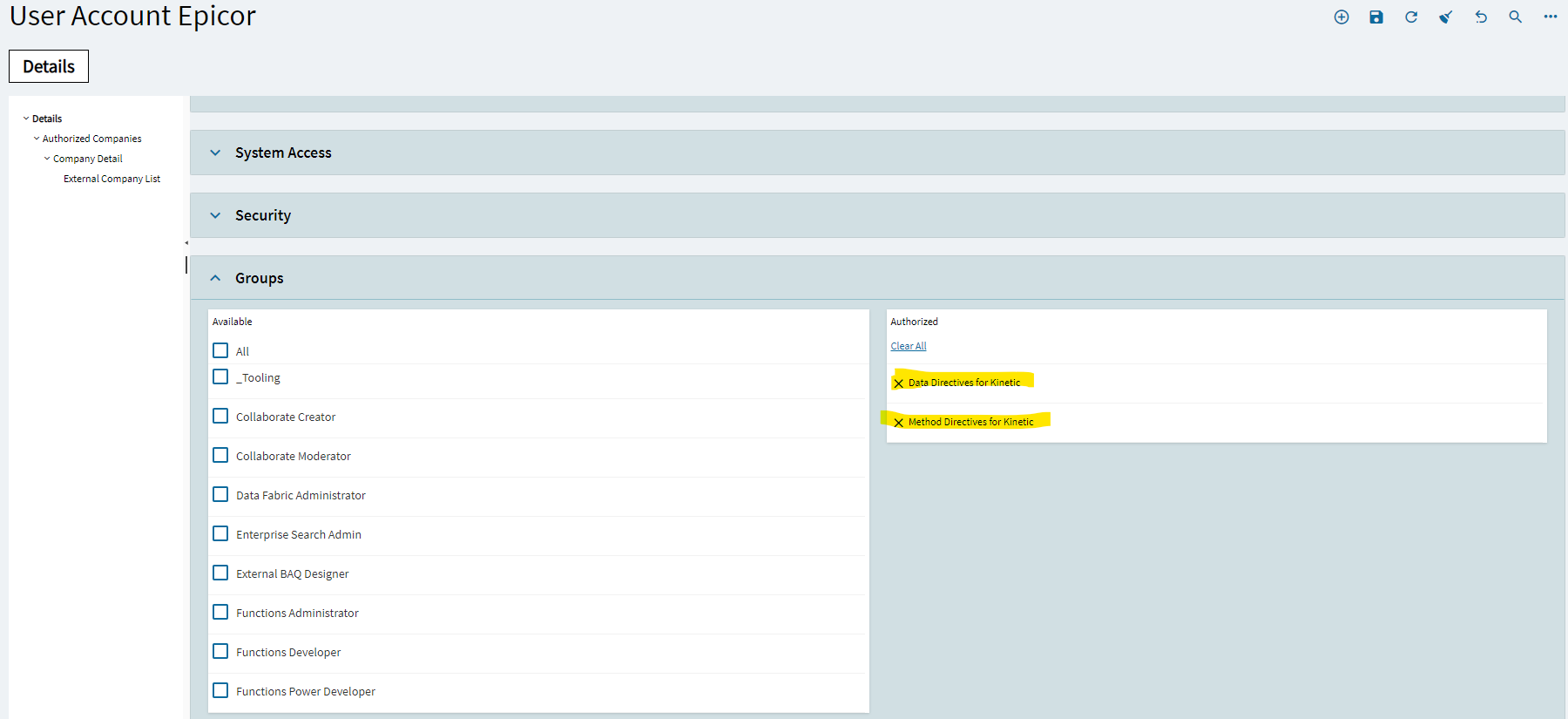
You are trying to use new BPM designer for Kinetic UI. For start user requires to be part of the new group mentioned in your message. Old Method/Data directive designers for smart client work as before.
We have a major error with TaxConnect. Taxes are no longer calculating and it’s stopping us from printing/posting invoices. Waiting for EpicCare to answer my ticket.
So far as mentioned approve the in-app notification annoyance in the client, the ARFORM had an issue with some unused calc fields.
Also we have a customization on the menu item Part to show a UD field, that field is not visible despite the customization looking fine. I removed the customization saved the menu item then added it back on saved and voila UD field is back again.
I’m new to customizations and menu maintenance, Part appears on the tree 8 times when I implemented this I found each one and selected the customization, is there a better way to have it installed on ALL instances of Part?
Lastly, we have had a few users have problems with the print slideout in Kinetic with the usual options looking messed up and print and preview icons missing altogether I believe this is likely due to personalizations on that screen the usual fix of opening client and reverting to base did not fix it so I will have to revisit that today.
We had to remove personalizations to get Time Phase Inquiry working for a few people. Then it took some digging to find out why those same users were not seeing records in the Grid. Turns out we had to toggle the Hide/Show Summaries item on the overflow menu for the grid.
Assuming your users are browser base, try deleting their browser history cache for the past 7 days. I had various users opening various slide-out panels that would show up blank. (some trying to print, another in Engineering Workbench, etc.). Clearing the browser cache worked in each instance and they were back up and running.
Since the upgrade to 2023.2.6 - User Tracker is no longer working, It’s on the menu but the program in classic or kinetic in missing in the background.
Yes, slow today, particularly AP.
Other upgrade related issues:
Some users (not all) lost customizations.
Some dashboards (not all) aren’t displaying all fields, not loading properly, and won’t show summaries.
Filters on some trackers work for some users but not others.
These are all small annoyances that aren’t stopping the business from running but are, well, annoying.
I love the clarity, simplicity, and reliability of BAQs but that doesn’t extend to dashboards and Application Studio. I’m pretty lost there and don’t know how to learn how to support them.
We started having AP issues today as well, I got a response to my Epiccare ticket saying there are known server issues being worked on, so hopefully we aren’t down for too much longer.
pferrington
(Bob Hidingski (formerly known as Patrick))
36
Hi Patrick!
in ERPS-215510 AKA Problem PRB0261551 the old windows Dashboard User Tracker was removed from the product. It was decided not to migrate it forward to the new UI as its capabilities are all available in the Session Management app that has already been migrated. Please take a look at Session Management and use that going forward.
We had this issue as well. Was support able to get it straightened out for you? For us, it came down to the currency code not being three characters. Development changed something about this functionality and didn’t document or test it at all. I can get you the case number to pass on to support if you’re still stuck.
I just figured that out and fixed it on our end. It fixed out issue in quote entry but I’m still unable to print an invoice. I have to keep digging. I escalated my case with support.