I dont seem to be able to find anything out there that shows how you setup a simple BAQ parameters. The DataViews tab where you create a new dataview and add a BAQ doesnt have option for parameters. Neither does the panel card grid properties (provider model).
Ahhhh that is a little different. Do you want the BAQ to pop out a panel to request the parameters? Or do you expect to pull values from the app and apply them to the BAQ parameters (filter) without typing them in?
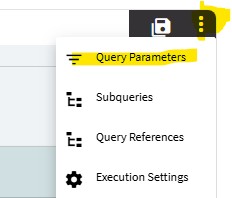
For the first case, just create your BAQ with parameters, then apply it to whatever BAQ source you want. Epicor should automatically give you the parameter slideout.
If you want to apply the user’s selection (like from a grid, or combo box) to a BAQ as a filter, then you need to use a different approach. You may need to use filters instead of parameters.
I am trying to pass some default values into a BAQ the first time that the app loads. So I dont want that slide pop in for user. I guess there is no straight forward way for this.
I will probably have to create a BAQ without those params and then for the rest I would implement filtering for users.
Yes. That’s the right path. Create the BAQ so that it returns the fewest possible rows that contain your results. Then use Application Studio to filter the BAQ results down to the records you want to see. What value are you filtering on?
That could work. You may not need two BAQs, if the one BAQ you write contains both open and closed orders, then you can use the Application Studio to filter to just the results you want. I know there’s a post here somewhere about that… BAQ Filter in Application Studio - Kinetic ERP - Epicor User Help Forum
We have very large number of orders and just to be efficient I think we will have to separate the closed ones from open ones, also because the closed orders are a lot rarer to be needed than the open ones.
If you go into the grid’s properties Data > Grid Model > Provider Model > Baq Options, you can specify filters that will filter the data on the server (not client side), basically the same as if you had used a parameter.
There’s a where list that I prefer to use rather than the where clause. The provider is smart enough to automatically refetch the data when the value is updated. One thing to add is that the question marks mean something, I believe one question mark will run the BAQ, even if the “parameter” is empty. Two question marks does not run the BAQ until something is entered.
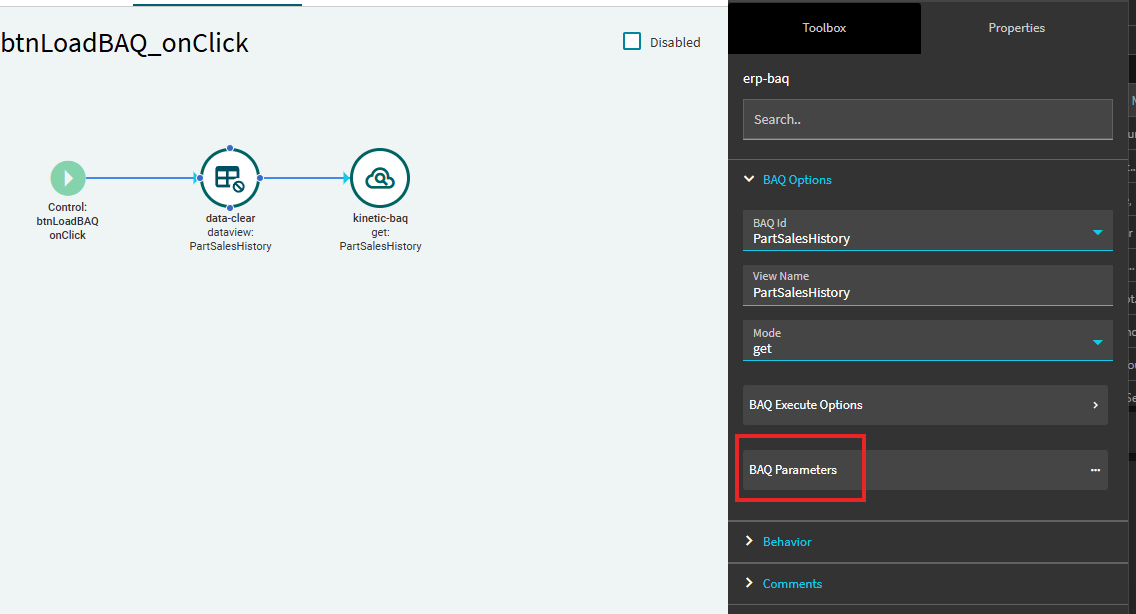
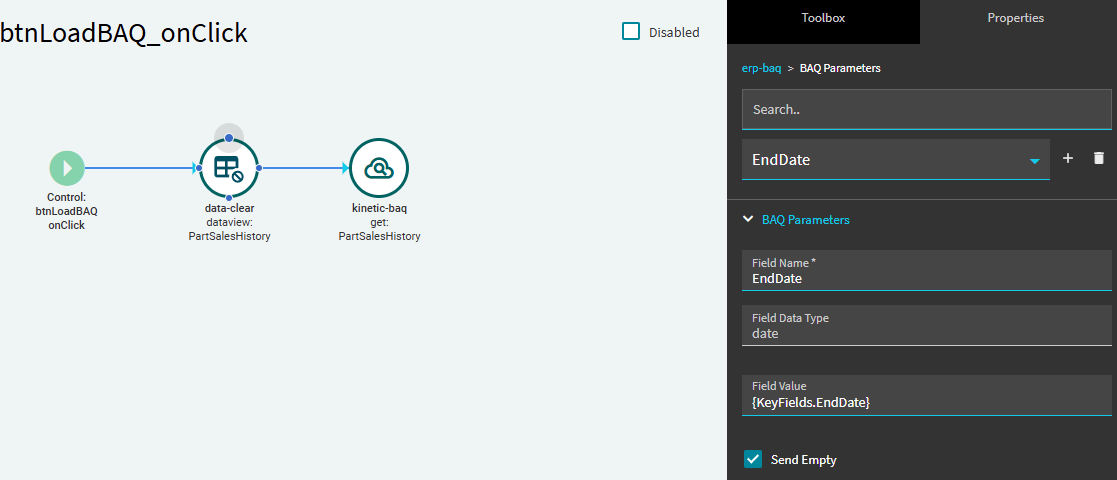
What I typically do is I use an event for that instead of mapping the dataview directly to the baq. Leave the dataview blank and create a new event that uses the kinetic-baq widget. In there it will let you specify the parameters for the BAQ, and it will let you map the baq results to your dataview. The screenshots I have are triggered by a button that loads the information from the BAQ, but you can also set the trigger to be when the app loads (type: Window, hook: On Load)
Oh thats interesting! I think this way you can also switch BAQs based on user input in case you need to show different data (Like closed orders vs open orders coming from two different BAQs)
Yeah, I’ll use this setup when I want the user to be able to filter a BAQ with different values for the parameters. Most commonly for me it tends to be when the user wants to be able to filter a range of start / end dates for large data sets, but you can definitely tie it to a field that lets them toggle between open and closed orders.