I thought Epicor’s documentation said to never give access scope to a user. 
What guide and page?
There is no responsible bug reporting program that I could ever find. 
I may have been thinking of the Integration Account flag after looking at help. It says you can assign them to a user, but the tone makes it sound like they don’t recommend it.
We use a helper function that retrieves an External Data Source record and parses the connection string (because it’s encrypted) for the username and password. To decrypt the ConnectionString property of the record, you can use the Ice.Lib.Bpm.Helpers.TextEncryptionHelper and to parse the actual connection string you use System.Data.Common.DbConnectionStringBuilder. You can also store third party auth tokens the same way but in the reverse.
Obviously the function needs to stay internal and should never be exposed publicly in any way. Attached is a stripped down version of what we use. And @josecgomez feel free to remove this post if it’s a security leak in anyway.
CredHelper.efxb (50.0 KB)
CredHelper_4_3_100.zip (26.5 KB)
Lol, why provide the option?
Having some brain fog. But if I remember correctly… The User Access Scope was there to limit v1 and once you get a Session ID, you no longer need the API Key… For example when you call EFX in Application Studio, it simply uses your Session ID, it kind of broke the API Key being the gatekeeper.
 , I didn’t know it was each section. I need to go tweak some Access Scopes…
Just go to REST Help and login as the Account and you will see…
Its for integration accounts, you can setup an account for integrations, give it a Scope and that will limit the user’s (that accounts) access to certain areas.
But it doesn’t stop the client (fat client) because taht uses V1 still, because Session Bypasses API Key Requirements?
Access scopes work with V1 too. and with smart client.
API key should never be required for browser client in the first place 
You can use v2 to pull data. I did post a reply with the details but it got bumped to another thread. If you post a v2 rest call from the ERP Rest Swagger page and say to OpenAI etc how do I call this in Excel and make sure the API key stays in it will tell you the steps.
@dmmory I attached another version using the JSON export. I manipulated the version so hopefully  it will import for you. At some point, one of the versions the did change the schema of the import but I don’t remember which version so it could still fail.

@caleb.grundmeier I was able to import this.
I don’t need it so much for database connection strings - I use trusted connections wherever possible - but I wasn’t aware of those encryption methods, so those would definitely be handy.
UserCodes is one option - and you control access with Security Groups.
That’s the closest option you have for OOTB.
But that then precludes general access to User Codes for other purposes, right? Or can we control security by Code Type?
@jwphillips, I don’t think you can set security on specific Code Types. I looked everywhere for that. BUT, users can’t change what they can’t see! If you want to carve out “some” user-codes specific for a certain group, you can create a special custom layer just for them.
So, in this example, I wanted our Engineers to be able to edit/add codes to a pre-defined set of code-types.
I created a new layer.
On the landing page grid, I went into the Grid Model > Provider Model and added a Rest Params “where clause”:
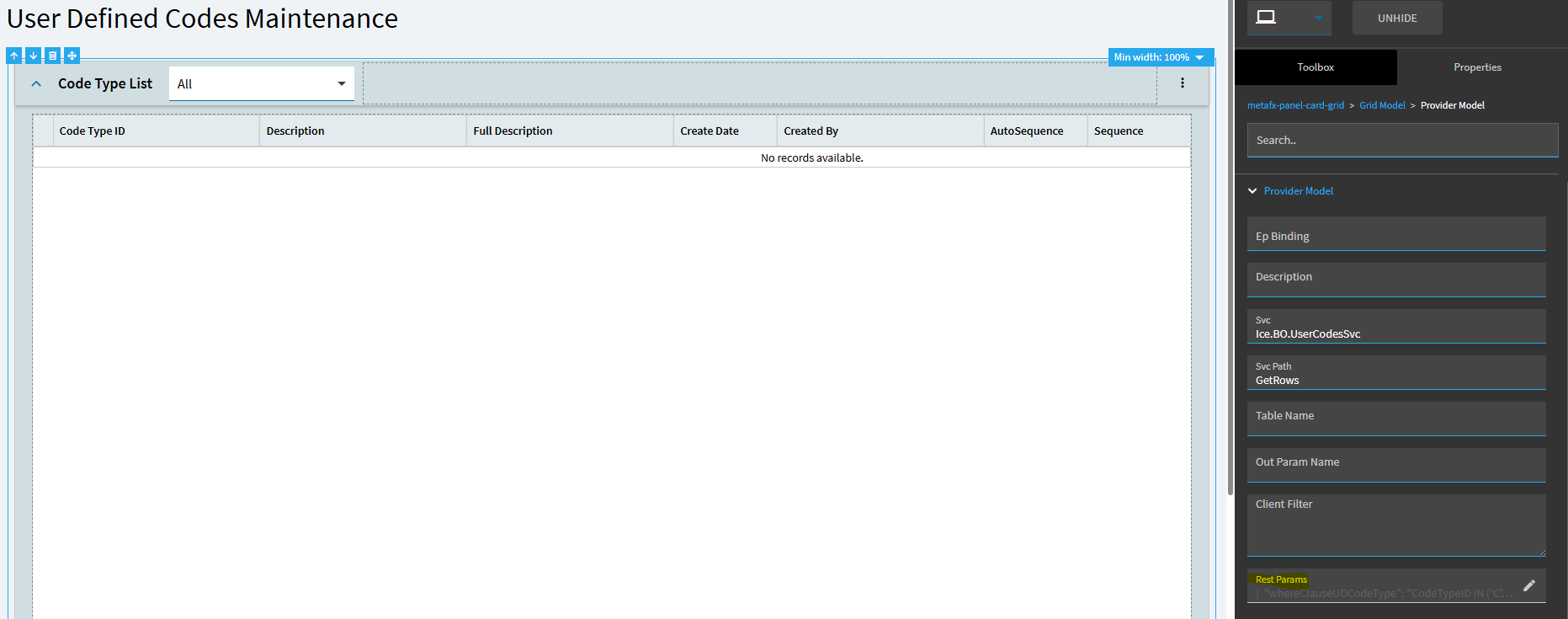
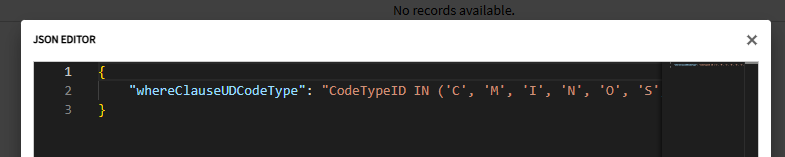
The below are the only code types I wanted to grant them access to:
I also added a data rule to set the “new” code-type tool to invisible so they couldn’t create new code types.

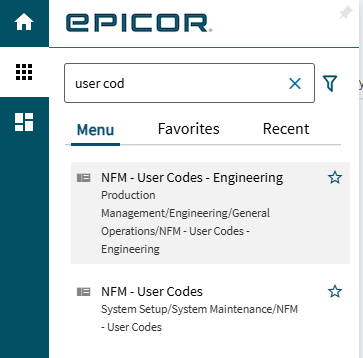
I then published that layer… added a new menu with that layer applied and put it in a folder my Engineers had access to.
So, I now have the standard “User Codes” menu that I use… and an “User Codes - Engineering” menu that they can get to. They only see the Code Types I said they could see, can’t add new ones, but they can edit/create new codes under those code types only.