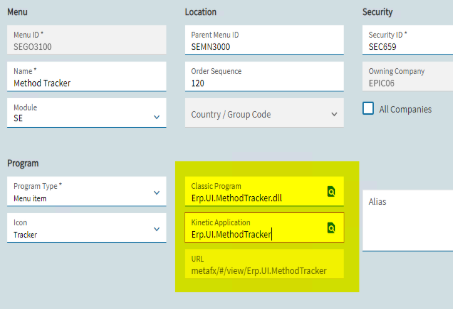
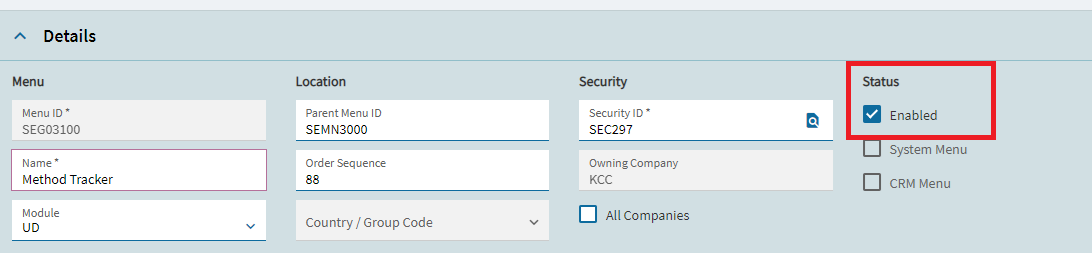
While in Part Entry Kinetic running from base, when I right click on the Part Rev and click on Method Tracker, it throws an error “The assembly ‘C:\ProgramData\Epicor*\4.2.400.0*\shared\CustomDLLs\Erp.UI.MethodTracker.dll’ could not be found.”
Some tracing showed it is trying to call a custom menu, but there is no Context Menu Item set up to call Method Tracker.
I have tried adding a new Context Menu Item for the correct menu, but that didn’t work. I also tried to clear the cache folder in C:\ProgramData\Epicor***\4.2.400.0 to force it to pull from the server, but that also didn’t work.
Has anyone else ran into this or have thoughts on what to try next?
I have had weird things happen when trying to right click on menus. For example if the user was in part entry and right clicked for Method Tracker it was opening engineering workbench instead. What I had to do to fix it was create a new menu option for method tracker and point it to the correct path.
Try creating a new menu for method tracker and see if that works.
OK, I created a new Kinetic Method Tracker and a Context Menu Item to launch it. Now there are 2 Method Trackers that show up. My new one does work to launch the menu, but the old one is still there. Is there a way to remove/disable the event in App Studio? I think it’s being added programmatically.