If you post them here with a short description, we could find that out. Is it just the two above?
1 Like
- Context Menu and Predictive Search not working on Part/Part Tracker it will appear then disappear tried base and our customer part tracker both dont work
- Think it is context menu in general as we cant right click PO numbers on AP invoice tracker
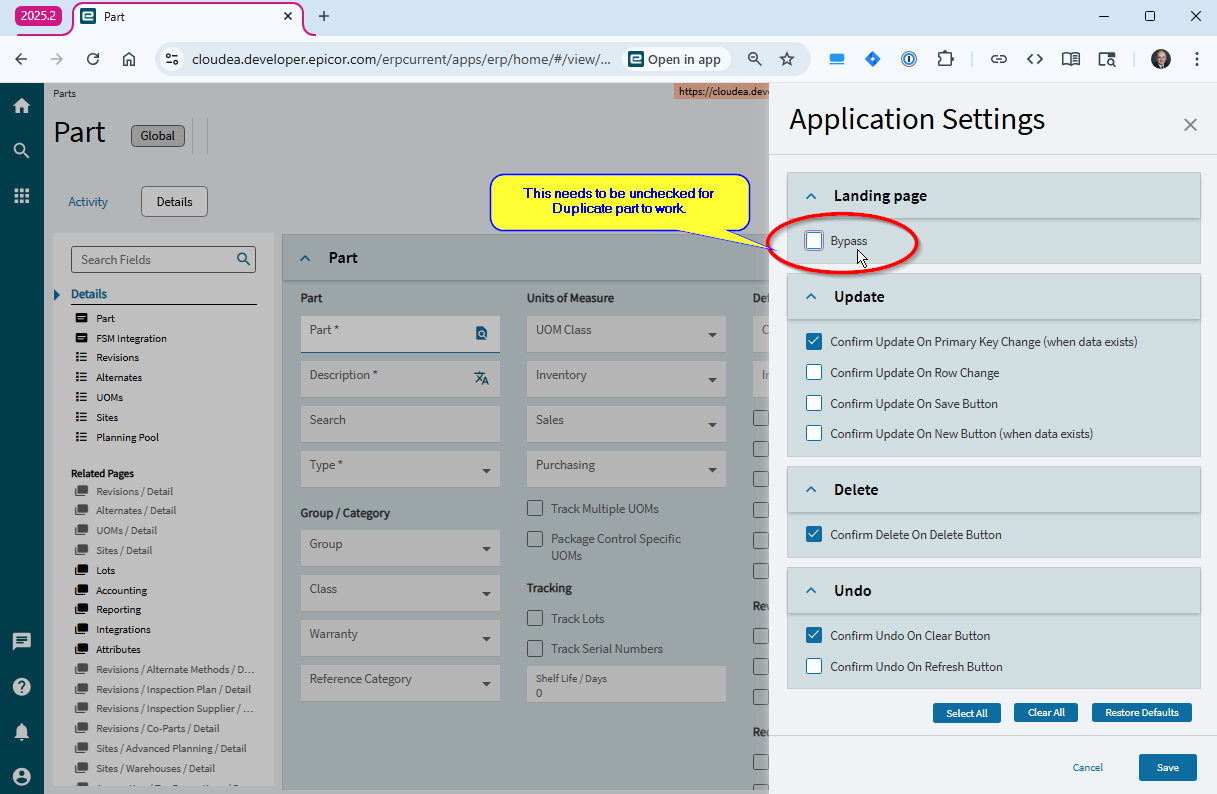
- “BUG” if you tick bypass landing page on part and then load a part and click duplicate part you get a white screen - EpicCare are aware of the bug.
- System cant generate a new PO number, I click save and it says due to PO consoldation the parent company supplys the PO number this was working prior to the upgrade.
Not sure what else 
2 Likes
One our support team is raising is that field help does not work.
Now that might sound insignificant. However the context menu, format, column labels issues all drive off the field help.
This can be seen by debugging the component and, the extended properties section, is missing which is fed from the field help (or the same source).
The most disturbing bit is that there is a UX Platform hotfix in Live that IS NOT IN Pilot. and my suspicion is that this is causing the issue.
2 Likes
Ben
Have your Customer open a Case with Epicor please and share the Case Number here.
Thanks!
1 Like
A post was split to a new topic: ECM Upgrade Issues
Our support team are raising the various cases. I will try and get them from them and add.
2 Likes
UPDATE - regarding the problem with DUPLICATE PART issue… (as reported by @pompe4040 above) this is not an issue in the duplicate part process. Rather it is an bug with ALL SLIDEOUT pages when you hide the landing page. There is a WORKAROUND for the time being.. you can simply reenable the landing page. Again, this could also be seen as a symptom in other processes as well. For example, if you are in Customer, and you hide the landing page, you also get a blank page on the Link Customers option.
4 Likes
Noted Tim will use this workaround now
4 Likes
Field Help not working.
CS0005191479
Sometimes errors silently and just shows nothing.
2 Likes
Right Click Context menu not working.
CS0005191547
3 Likes
@imak do you have a case number for this issue? Support wants to have something to track.
@tflynn do you have a case number (or anyone else?) for this SSRS issue? Support wants to track this down.
Dates not formatting correctly. Showing as ISO format rather than as per local settings.
CS0005191630
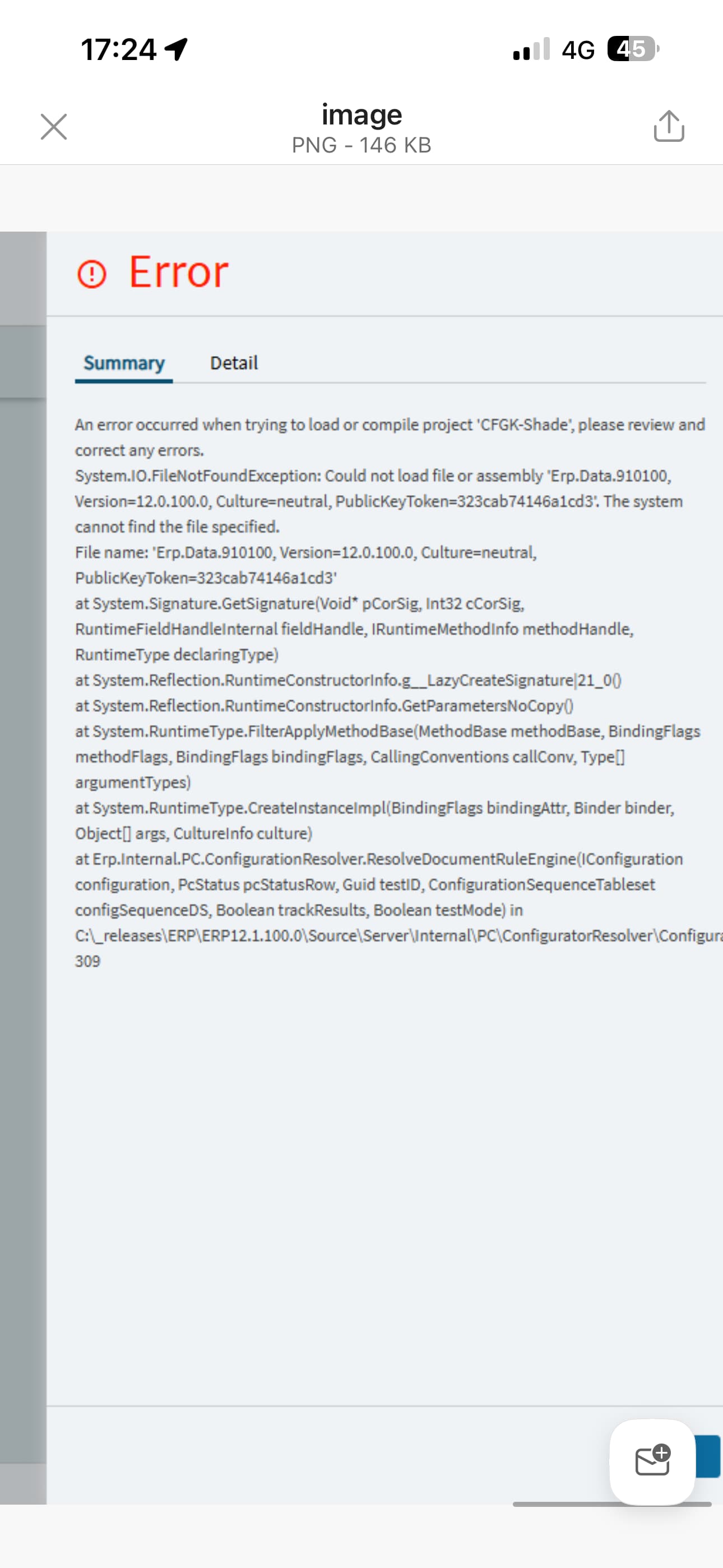
Did you re-publish your configurators?
When I was testing our configurators in Pilot, I had to un-approve the configurator, open it in designer, and then approve/publish it again.
1 Like
I’m testing in the Demo Database and always get the “Design Inspection Configurator should be done in classic Configurator Designer” for an existing inspection plan
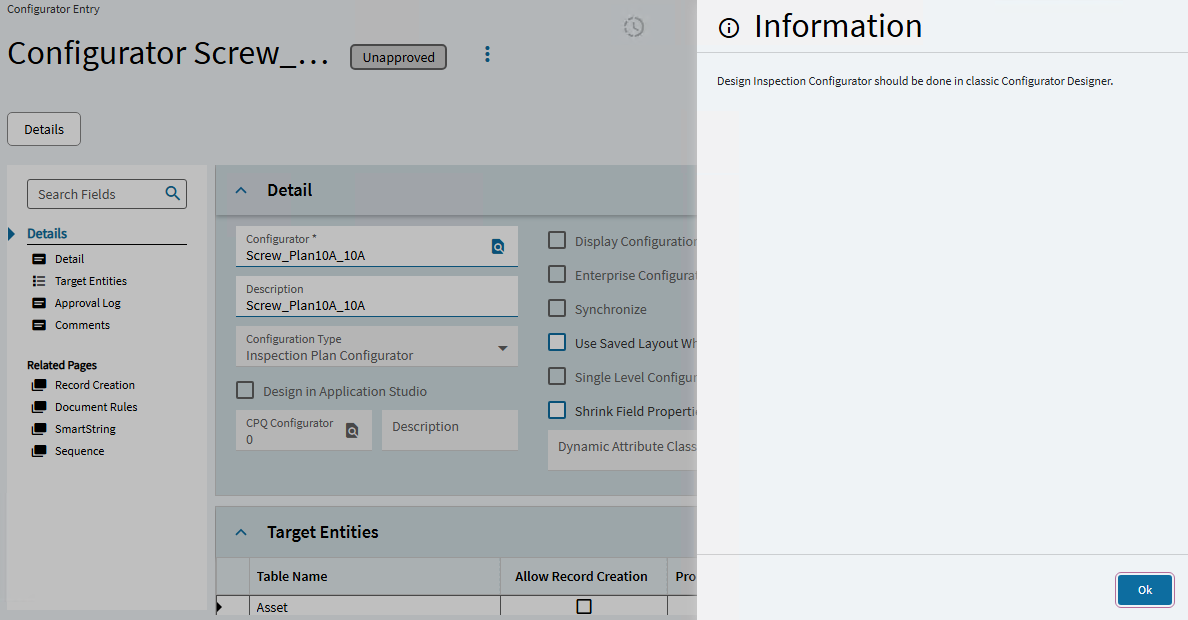
and a new inspection plan
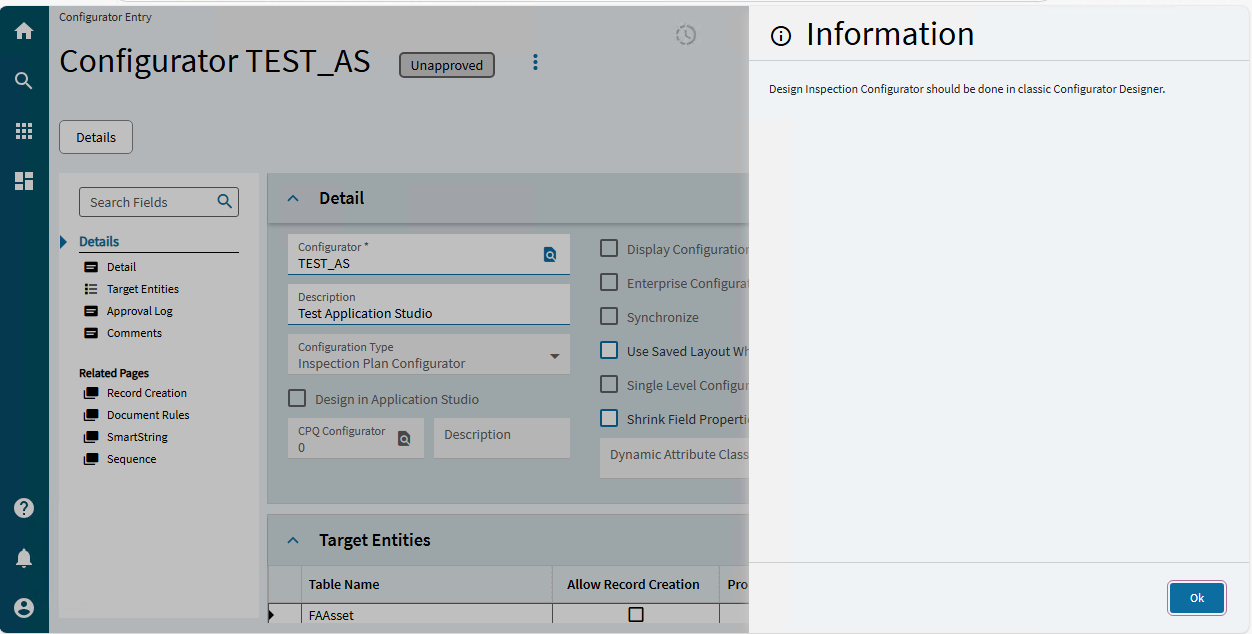
Unapproving/reapproving has made no difference so far.
1 Like
Hi Tim,
CS0005190534
Support / cloud team pulled through and fixed it for us late last night (UK time).
1 Like
Case CS0005190527 SSRS Reports Not Working.
I have now worked it out - it is being caused by the data definition. In all cases it is the tables in the data definition, the relationships are there but the associated tables are blank. If it states that a relationship is missing, it looks as though it is there when I go into the data definition, but the issue is the table is missing. In others it is saying the columns are not part of the data definition, we may have included these from a table that is part of the data definition, but these are being have been changed back to Exclude = True.
To be clear - we had taken the standard SSRS reports and copied to create our own report styles and our own data definitions. There were no changes made to these since the last upgrade. As noted they were all working fine on Pilot, we refreshed Pilot from Live just before the upgrade.
Earlier in the day, I had tried to export the entire SSRS report and reload it, this did not work. When I realised it was just the Data Definition, I exporting those out of Pilot and reloading them into Live. They reports are now working as normal. I am making my way through the list of them.
Hi Connor,
Yes configurators were broken. From what I can deduct from the error message (we received the same error), our configurators pre-update references Erp.Data.910100.
After the update, it is looking for Erp.Data.121100. The cloud team need to apply a fix so it points to Erp.Data.121100.
We had a fix applied late last night (UK time) but I don’t know if this fix applies to every Epicor customer. Check today, or reach out to your support team if you don’t have this fixed. Reference our case CS0005190534.
In theory, yes this can work but it isn’t practical in a business that relies heavily on configurators. Every time the configurator recompiles, it will update itself to point to the right reference.
But importantly, it also creates a new configurator version every time you unapprove and reapprove. This is a huge problem if you have thousands of configured lines in quotes and sales orders. MRP will not pick up your operations/materials and get details will not work. Some poor soul will need to sit there and reconfigure EVERYTHING.
Managed to fix ours with the solution mentioned in this thread to unapprove and reapprove it luckily its just a configurator for making custom shades
1 Like