Just testing if it is possible to design ssrs reports using the Edge Agent in 2025.2.7 and its still impossible. Getting concerned as the classic sunset approaches that this extremely fundamental functionality gap is being ignored.
If you preview a report in Classic design for ssrs and there is some kind of error that prevents the report from rendering, it shows you the error so you can modify the report and continue with the development process.
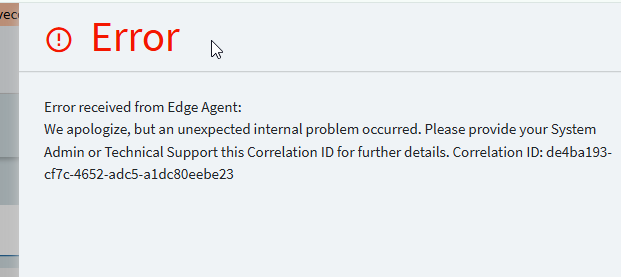
In the new kinetic version of design for ssrs, you do not receive the error details:
You have to stop your development process and go try to find the error in the admin logs which are atrociously time consuming to access, still
Multiply this over hundreds of iterations and you can see it makes complex report development in kinetic an impossibility
On prem of course can develop directly against their ssrs server, but for cloud customers, there is no alternative.
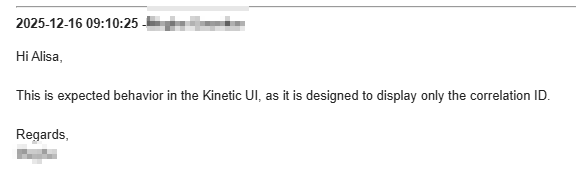
I have reported this to support for years (since the first iteration of kinetic design ssrs was available), its “working as designed”
I have entered ideas, nobody votes for them and even if they did Epicor doesn’t care what we vote for
We are now less than 6 months from the classic sunset and there appears to be no solution nor any plan to address this. Is anybody else concerned? Just me?
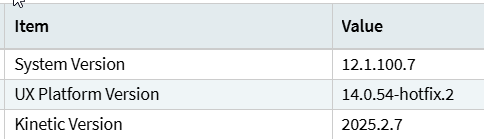
So there is absolutely no confusion what version we are talking about here:
On the first one, I couldn’t find the correlation id in the server log at all. I logged a ticket asking for error logging to be turned on in the environment. Then I threw away the changes I had made in the rdl and started over.
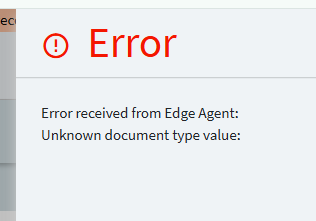
On the second one, the edge agent log shows exactly the same thing that displays in the UI, no additional detail at all. When I previewed that exact same rdl in classic it previewed fine, so that is a kinetic bug nothing wrong with the rdl. I already logged a case, which I am confident will go nowhere since support won’t be able to reproduce it.
            case "EMF":

            case "EXCEL":
            case "EXCEL-DO":
            case "EXCEL+MAP":
            case "EXCEL-DO+M":

            case "PDF":

            case "WORD":

            case "XML":

            default:
                throw new InvalidOperationException("Unknown document type value: " + documentType);
        }
    }
Looks like none of them are provided.
As I can understand it comes from Kinetic UI in designRenderFormat property, this is some parameter for report preview, which looks like coming from metaFx action so probably you can follow it with Meta UI debug on..
I have had success in 2025.2.7 Kinetic flow on a customers system.
The error indicates that the document type sent through was blank. On the ssrs report designer page what document type are you trying to preview? Is one selected? If so try changing to another and back again.
It’s too much work to switch the menu item back to kinetic now, I had to switch it to classic because I need to spend time working, not troubleshooting Epicor’s bugs. I had not changed it from the default so it would have been pdf. If it was empty that is yet another kinetic bug, in addition to the fact that the code above should default to pdf if nothing is provided.
What do you mean by success? You can see the detailed error messages in the kinetic design ssrs screen? Or the customizations you worked on were simple enough that you could get by without seeing the details?
Yes it is, the first error, the one where it only gave me a correlation id, was caused by a syntax problem in the rdl, which classic showed me. This is my primary complaint about the kinetic ssrs designer, which is, even when it “works”, it doesn’t actually work. I shouldn’t have muddied the waters with the second issue because that is a more straightforward kinetic bug. The first issue Epicor won’t even address, and it makes designing complex reports impossible for cloud customers as of 2026.1.
Yes, I have entered many cases for years, as I said at the beginning. it’s working as designed. Epicor only believes in feature parity when they can use it as an excuse for not changing something that has never worked properly. Not when you need kinetic to work at least as well as classic did. Then its working as designed.
Just tried to log a new case on this (for the tenth? time) and reconfirmed yet again support believes this is working as designed. Anybody else who does complex SSRS work, are you aware you are going to lose the ability to view errors while designing ssrs for cloud customers in a few months? Do you realize this is going to make it impossible to do anything but the simplest report designs for cloud? Am I the only person who is concerned about this? It seems I am screaming into a black hole here.
I’m a big Kinetic supporter, but I will say – reporting… ugh.
“Report Style” is like the only thing that has a Kinetic version and I don’t use it, and cling to the classic version like an old stuffed animal.
I hardly ever do new SSRS forms; most people just want dashboards/grids/Excel. So I am not sure I can picture the error messages you speak of. Or maybe I do but I take it for granted, being on prem.
But I’m trying to picture what you are doing here.
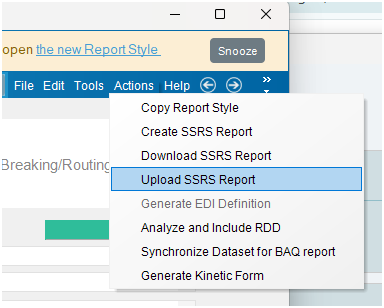
My strategy was always (ref pic below for 1,2,4,5)
Open “Report Style” in classic
Download SSRS
[Not shown] Modify in Report Builder; save
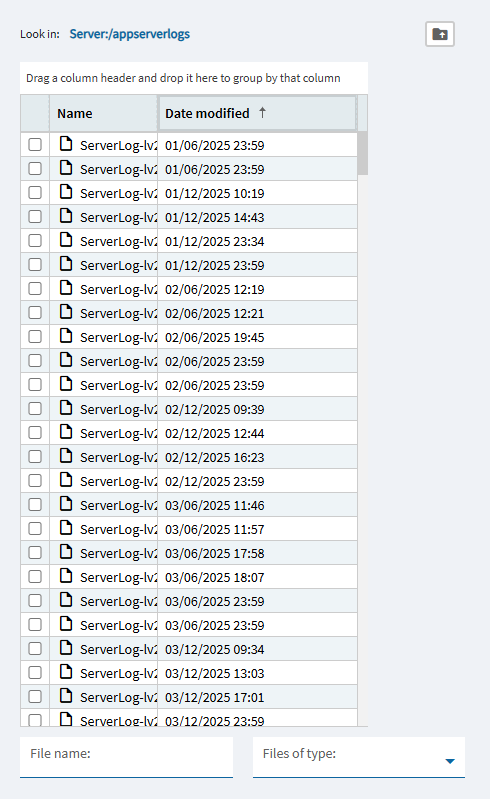
Upload SSRS
Test… I guess now it’s only “Generate Kinetic Form”?