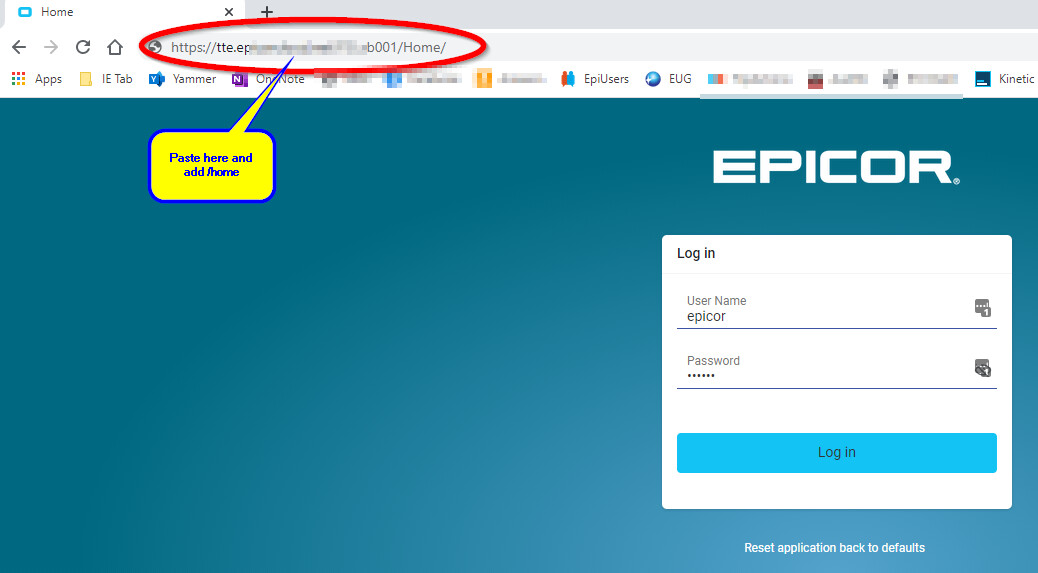
Running from CLIENT vs from BROWSER… some people don’t know how… here is how:
- when you run from CLIENT, you will see a web address at the top of your kinetic menu such as:
https://my.epicorsite.net/abc001
- COPY this value and paste in into your web browser but add /home to the end. This takes you to the web native version.
https://my.epicorsite.net/abc001/home
Note that the first time you launch a program, it may take a little longer to cache things, but the second time will be very fast.
Also, in the Pilot and test accounts, you may not be able to run the old client programs from a browser because you may not have purchased the EWA license for Pilot (I think that is what you need).
Below are some screenshots for illustration: