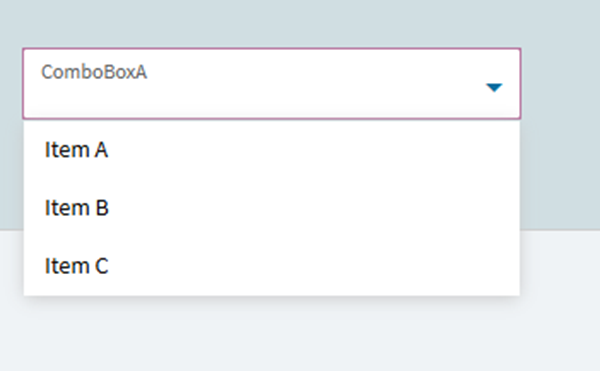
Most likely missing something really basic here but I am beginning the painful process of moving configurators from Classic to Kinetic.
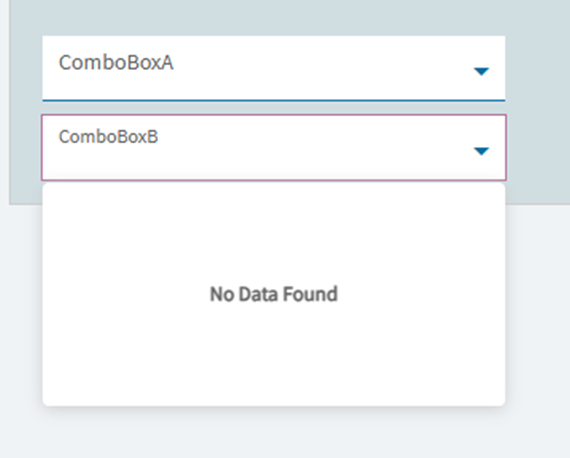
I am stuck on a simple issue of not being able to populate a Dynamic Combo Box on App studio (Configurator) when testing. Example: ComboboxA has a value of “A” which now will populate ComboboxB.. I go to ComboboxB ‘Dynamic Lists’ with data source as Predefined List, Condition as (return Inputs.ComboboxA.Value == “A”; ) with list items as “B”, “C”, “D”. I should expect to just see these list items on Combo B but its empty. I even set the condition as (return true;) and still returns no values.
Please help! App studio is making these configurators hard work!
Just as another note. I have setup two new Combo Boxes (Renamed to ComboBoxA and ComboBoxB). Created a ‘Predefined’ dynamic list for both which auto creates 3 list items which run on condition return true; . Ran a preview and ComboBoxA has a list as id expect BUT comboboxB returns no data?
I had a similar issue to this before when a Combo Box was being populated by a Configurator LookUp Table (but that shouldn’t matter)…
In my setup, I was using the selected value from Combo Box 1’ to drive what options are visible in ‘Combo Box 2’ & ‘Combo Box 3’. I can’t remember exactly what came of that ticket as it was a while ago, but similar to Kev’s suggestion I have this code in ‘Combo Box 1’ in my configurator and all is now working.
Thanks for the suggestion Josh. Sadly no luck with that one either. I must be doing something wrong in the setup. Static lists work fine is the bit that doesn’t make sense. I would almost expect nothing to work if something basic like this doesnt. The following code makes sense to me but maybe the logic has changed return Inputs.ComboBoxA.Value == "A";
After creating a new classic configurator, creating two combo boxes with the same conditions and then converting to Kinetic. I went through and played spot the difference. Found the answer which is still not fully clear to me but it works.
There were additional events for ComboBoxA. Deleted the extra events and it all seems to work now! I dont fully understand why there were extra events since i had created none myself
I am running into the same issue. Would you be able to elaborate on the extra events that were on Combo Box A and where you found them? Hoping to get this taken care of for our setup as well.
 App studio is making these configurators hard work!