Not in a system at the moment so syntax and names may be off
Two inputs, one called txtPartNum and one called txtPartDesc
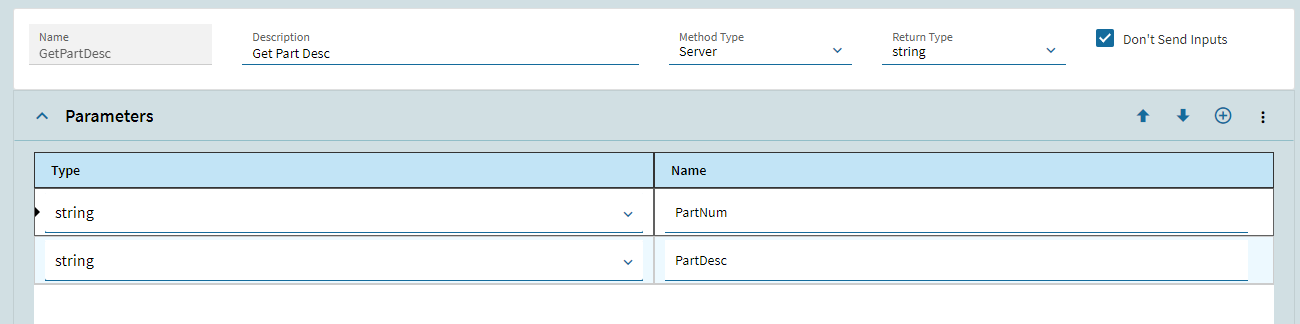
My server side method GetPartDesc might look like this with two parameters, one called PartNum and the other an OUT called PartDesc. You could also pass it back via the return value.
var query = (from r in Db.Part where r.Company == Context.CompanyID
&& r.PartNum == PartNum // value passed over
select r).FirstOrDefault();
if(query != null)
{
PartDesc = query.Description; // might be PartDescription
}
else
{
PartDesc = “Part Not found”;
}
Then in the configurator in the on leave of txtPartNum
I have successfully used linq queries to set a input value in the Kinetic configurator based on another input using ud methods. That being said I have had to pretty much start over from scratch with the Kinetic Configurator. We went as far as having a call with Epicor and one of their configurator consultants to find out that literally every one of the problems I was having on my list was a bug in the kinetic configurator. It forced me to start over with all of our configurators and rethink how to do them with what was currently working in Kinetic. Fyi my biggest problems involved dynamic lists and Baq’s.
The example below is looking for a value in the part table, it is checking values in ud columns we have attached to the part table, AEGT_DESCRIPTION_03_c and AEGT_DESCRIPTION_04_c, vs selected inputs. It then returns the value of ud column Length.AEGT_DECIMAL_01_c attached to the part table.
var Length = (from b in Db.Part

where b.AEGT_DESCRIPTION_03_c ==  Inputs.cb_TrailerSize.Value
&& b.AEGT_DESCRIPTION_04_c == Inputs.cb_TrailerHeight.Value

select new {b.AEGT_DECIMAL_01_c}).FirstOrDefault();

if (Length != null)
	{
		return Length.AEGT_DECIMAL_01_c;
	}

else
	{
		return 0;
	}
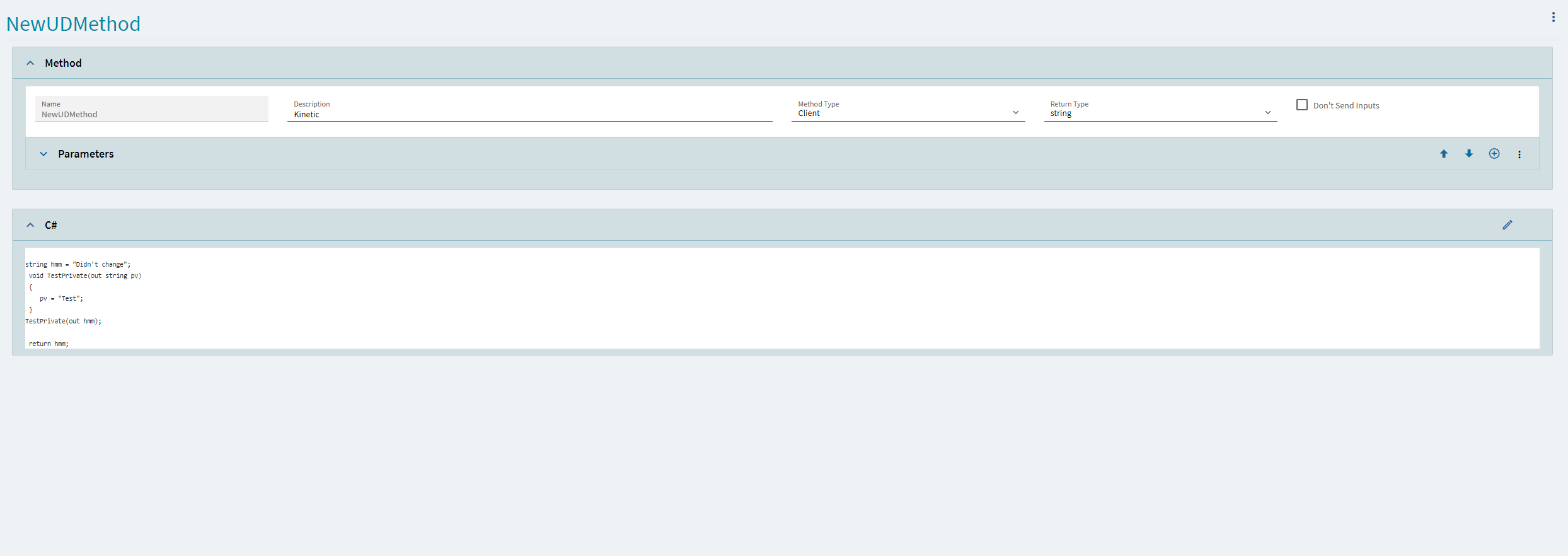
The ud method is triggered with on field change with a simple c# line of
It is also important to note that ud methods used on the front side of the configurator have to be written in the configurator designer ud method section and those used on the configurator rules part of configurator still need to be written in the old configurator ud method entry application.
Ok, I tried what I told you and found out that it doesn’t work too. The wrinkle appears to be you can’t use the “out” qualifier on a parameter for Kinetic built UD methods. The only apparent way to return something is via the return statement. This is utterly ridiculous or there is some crazy restriction as so many of my current UD methods use the “out” method of passing multiple different items back. When it comes time to upgrade them to Kinetic it will be a challenge. I am in the process of upgrading an existing configurator and starting to think “still not ready for prime time.”
partDesc is left over from my attempts to use the “out” qualifier.
I do that when I have a ton of data to pass back and forth but for simple stuff it adds unneeded code in my opinion building many different methods that get data from the same record. There may be a very valid reason for this behavior but I haven’t been able to figure out why.
I should be able to do something like this
decimal qty = 0;
decimal length = 0;
GetQtyAndLength(quoteNum, out qty, out length);
instead of
decimal qty = GetQty(quoteNum);
decimal length = GetLength(quoteNum);
or even sillier
decimal qty = GetQtyOrLength(quoteNum, “QTY”); // with second parameter telling what to pass back.
decimal length = GetQtyOrLength(quoteNum, “LEN”);
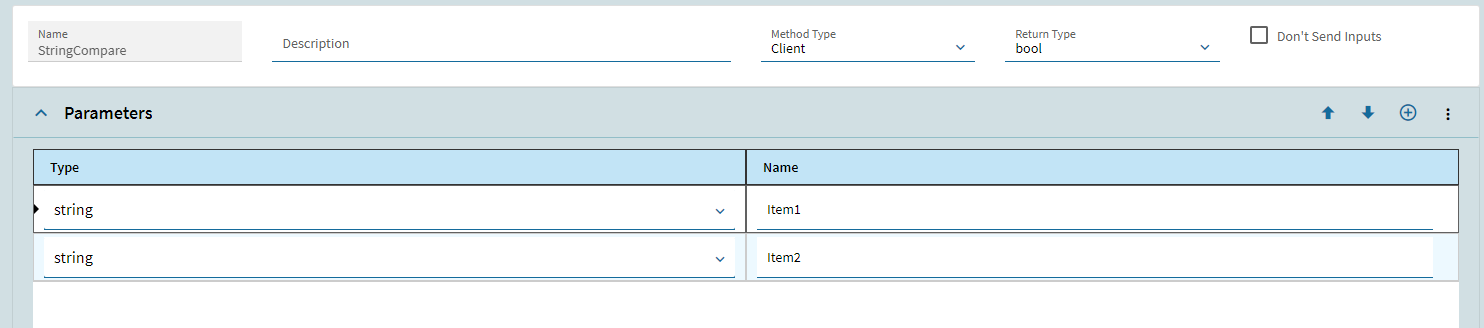
In the Kinetic UD Editor you can’t even choose to use “out” when defining your parameters. If you build the UD method using the classic UD editor it allows adding the “out”. But if you try to call the method the Kinetic editor will report a syntax error saying you can’t use “out”.
I will open a ticket but I think they may come back with working as designed since the Kinetic UD Method Builder doesn’t allow you to define a parameter with the out or ref qualifier. Notice that there is only type and name selections in image below. You can only specify out and ref using the classic UD Editor.