Is there a really quick and simple guide out there for how to make a simple Kinetic Dashboard?
I am going through a project to migrate from on prem 10.2 to modern Kinetic and am working through the process of moving all of my Customizations to the Kinetic UI.
Oddly, I was able to figure out how to add UD fields and whatnot to regular pages in the system (like Supplier, etc), but I am having a rough time figuring out the Dashboards.
For example, I have a simple Dashboard that in E10 that looks at a LaborHed query. I only need two search fields on it (just picking the Payroll date range).
When I load the classic UI version in Kinetic and deploy it to Application Studio, it comes through with one of the two date filters but I can’t actually click in it and I am struggling with how to fix that and also add the other end of the range search.
I have worked with this since 2017 so I feel like once I understand this process it’ll go smoothly.
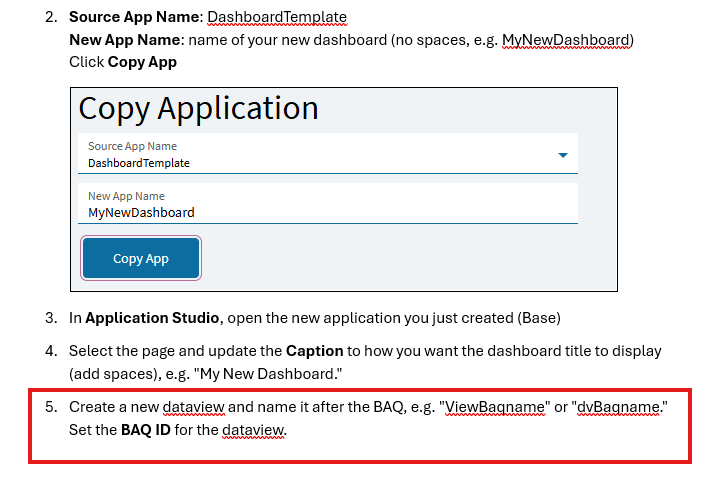
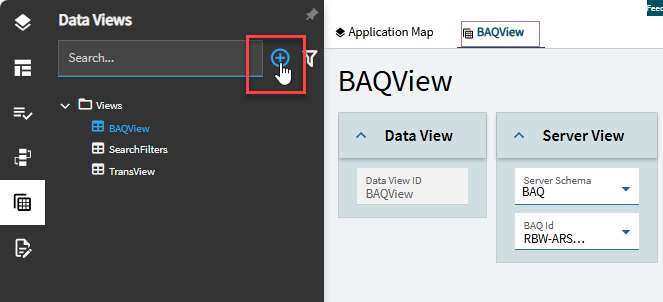
This seems helpful but even this is a lot for someone who only has experience in E10 and not the Kinetic UI.
Like for example I assume the Copy Application CAB file required for this process is a Solution Workbench file so I installed it, but now I can’t find that “Custom App” anywhere to do the process.
Is there something you need to do in Kinetic environment to get something like this to show up?
It’s really odd to have to ask such basic questions after working this system for 9 years, but our project manager’s MO is basically “figure it out yourself or pay for training”.
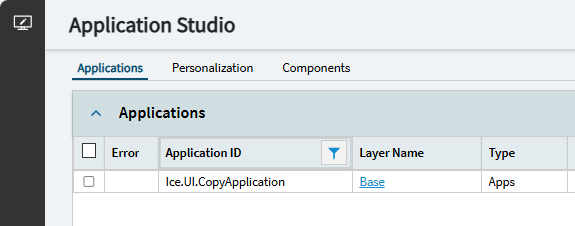
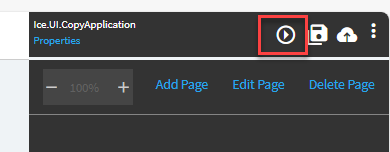
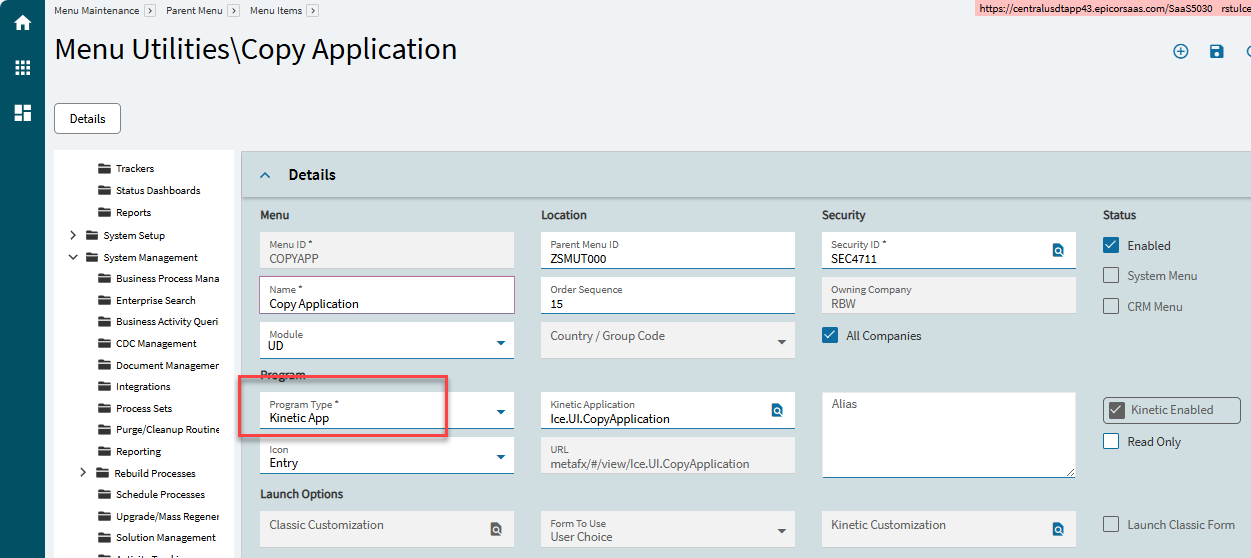
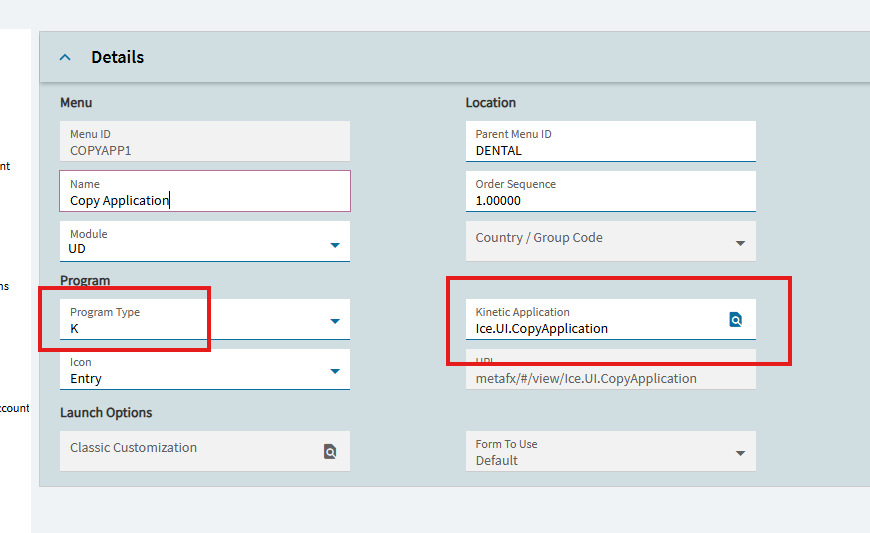
Open Application Studio and search for application ID Ice.UI.CopyApplication in the grid. You can try it by clicking on “Base” to open the app in the designer then running it via Preview (screen shot two). Otherwise go into Menu Maintenance and add it to your main menu somewhere, we put it under “System Management” tree.
The issue with that is I can’t find it Menu Maintenance as an item I can add.
I can see it in Application Studio and I can click Base, but immediately it then wants to know “Base” versus “Layer”.
I really like the Kinetic UI, but I feel like it’s an absolutely downgrade from E10 because it’s not intuitive in the slightest.
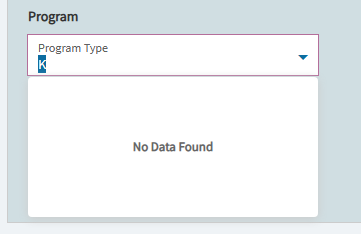
Like in adding an item in Menu Maintenance, why is “Program Type” a required field but the dropdown is blank? Everything I look at in there has a one letter Type that is about as clear as mud.
Yes, in the DB that data field is just a letter. But that combo should populate so seems something is amiss so perhaps a ticket to Support is in order. Here is my DMT template for the copy app menu item:
Have you looked at the Epicor Learning Center on-demand classes? They have several on App Studio basics. Plus the App Studio Reverence guide that is downloadable on EpicWeb.
I feel for ya Joshua. Once upon a time (October) I could take a baq that worked, go to dashboard maintenance, pick the BAQ, save, and WHAM I had a dashboard. Adding filters was intuitive and easy. Then we upgraded to browser only screens.
Just earlier this morning I was explaining to a user that our dashboard that has more than 100 columns (I know, but they like it!) can’t show the columns past 100. I told her use the query. Fortunately she has access to BAQs, but 99% of our users do not. Some here recommended I make a dashboard with two panels, to allow the overflow of columns. But heck, why do I need to do this #$%!@? Also to top it off the dashboards run much slower and the reports as well.
Sorry for rant, but thought I’d add my 2 cents. I still don’t know how to do these from scratch, will need to learn someday also and I am annoyed they’ve made it much more difficult. I thought they said something about low code / no code. For Whom?
I am trying to access this site and/or download and it is asking me to create an account and supposedly sending me a token? Is this right? I am not getting any token or email back?
Are there any resources that just have a simple dashboard that includes an example of something as simple as a date filter that could be downloaded and imported?
I’ve been able to cobble most of the process together but the filters are completely eluding me. I feel like if I had an actual working example to reverse engineer it would get me over the hump on this.
My agency’s needs are super lowkey when it comes to this stuff compared to what a lot of you guys have to deal with.
Like what I’m trying to accomplish right now should be super simple. It’s a query that looks at LaborHed records and I need to have two query controls for the Dashboard. I just need to be able to have a searchable date range based on PayrollDate.