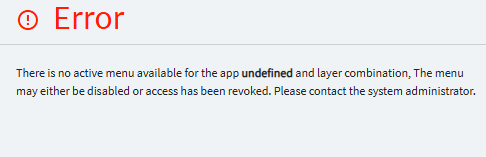
Kinetic WEB Error in MES

going fulll web in may and we found an issue :

it’s working with local client , even in Kinetic.. just web has issue

I did not do this customization, but seems more a access issue..
did a test and remove the classic custo.. and deleted browsing data.. but not working

not sure what to do.. ..
anyhelp would be apreciated..

It is most likely related tohow the form is calling the other item.

Where is the error coming from? You might have to edit the Layer of that App that is calling for PR000019.

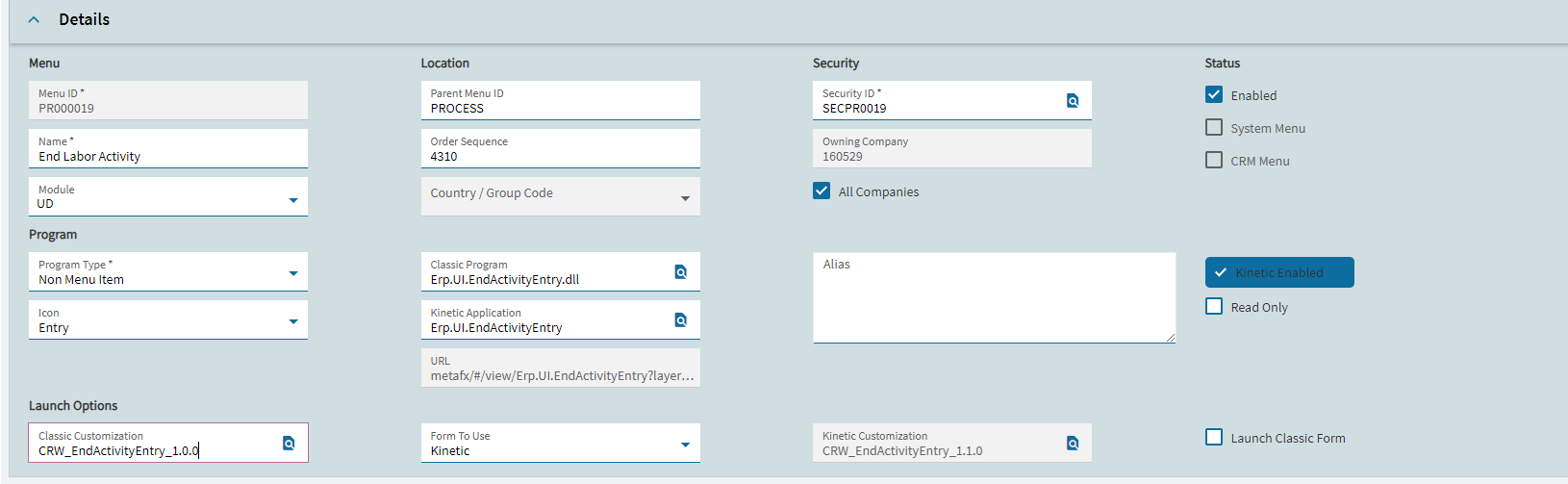
I checked mine and it is setup like yours… except the Menu Security… mine is set to SECPR0017

In my system SECPR0019 is for First Article.

image

Not saying your set-up is wrong… but something to double check and verify, perhaps.

In your MES layer, I have mine setup to call the Application… not the specific menu ID.

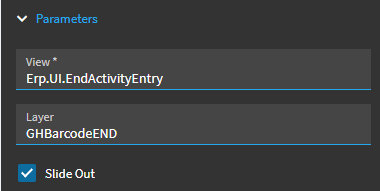
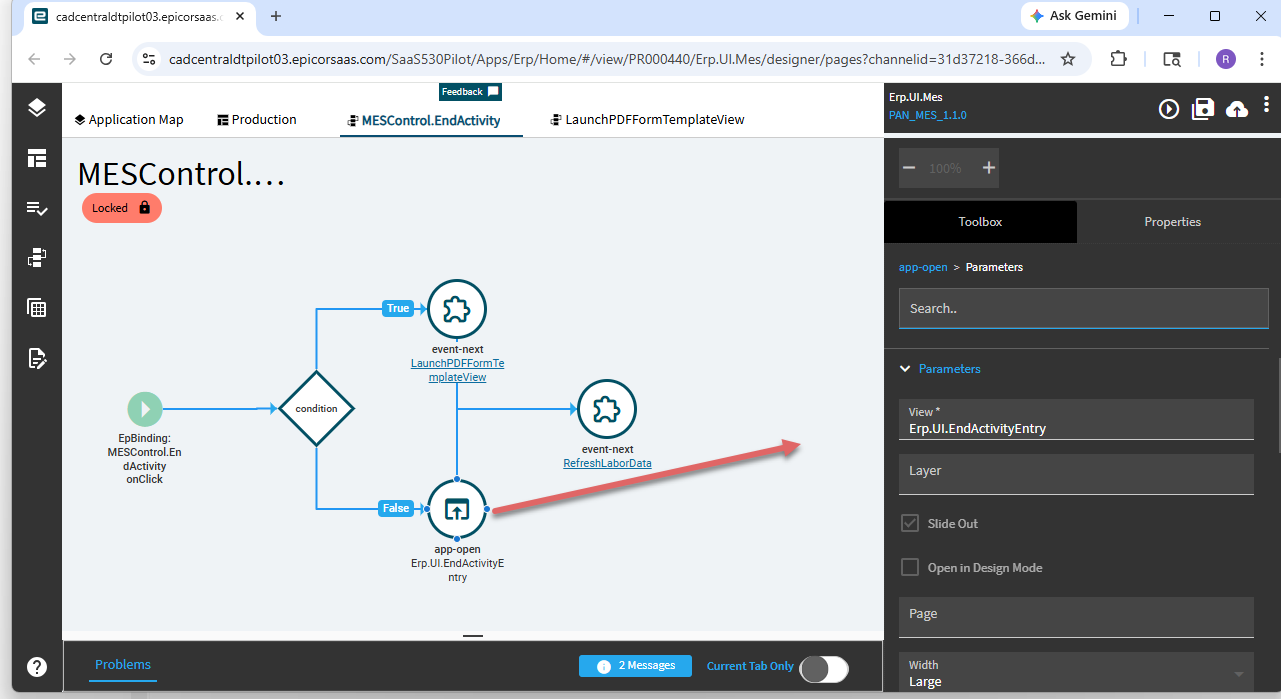
I’m calling Erp.UI.EndActivityEntry + my Layer, not PR00019 + my Layer.

Again, something you can try:

I change security, made sense.. but did not work.. in web

i don’t see parameters in the app studio for this option, but a Button

but ok with client

could I put the name instead of the button.. will try and let you know

not doing something right…
i change to call program

flush the browser cache..
try again… abd same F.. error on PR0019.. layer..
what I am doing wrong..

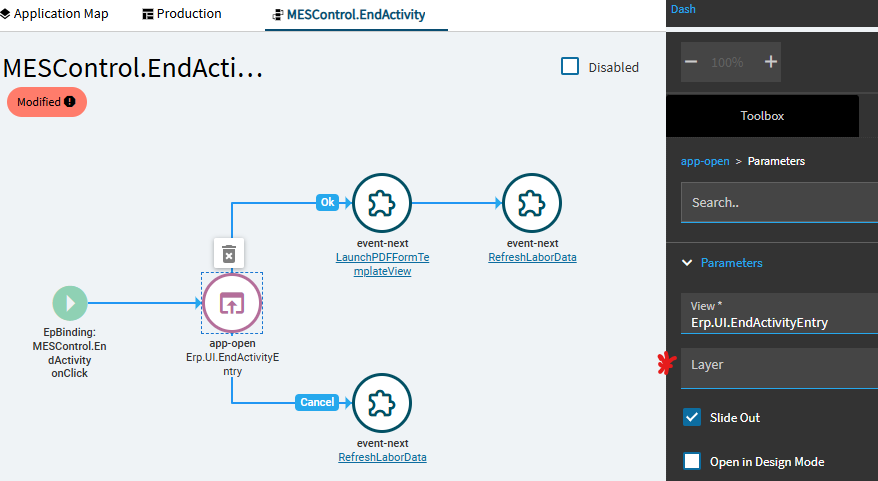
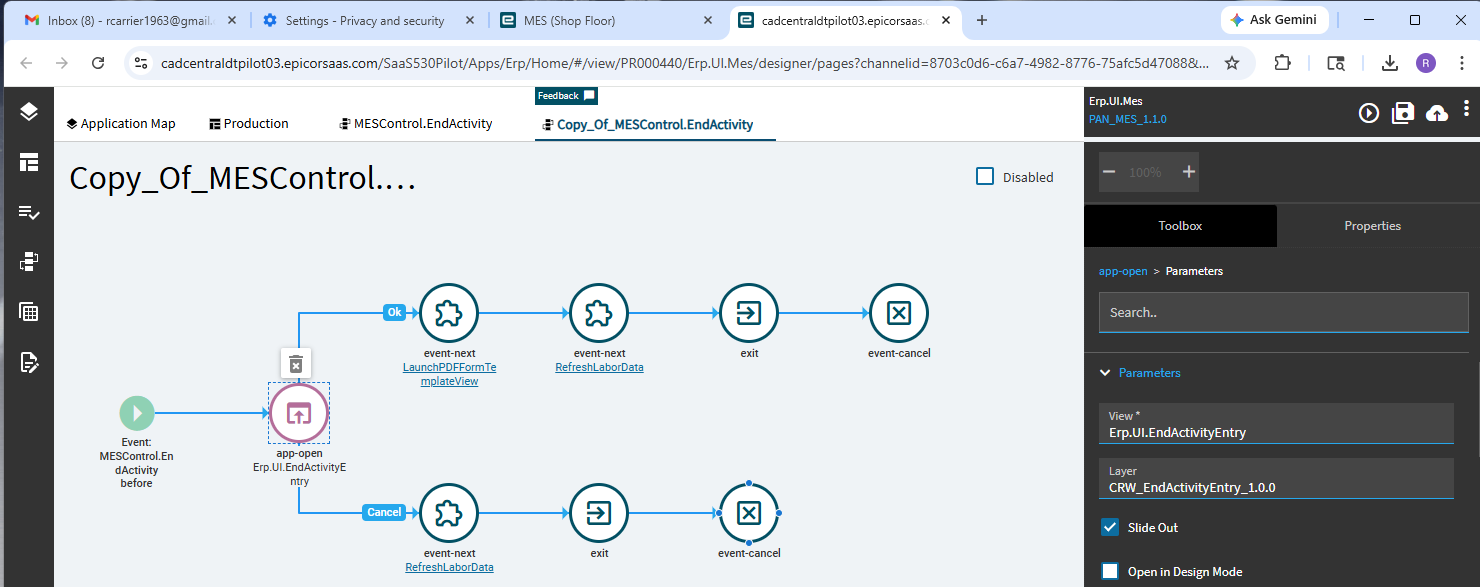
Go to your event MESControl.EndActivity what see what layer the app-open uses.

As @cmulford mentioned… you don’t want to change the button… you want to look at the event(s) that are called when you click the button.

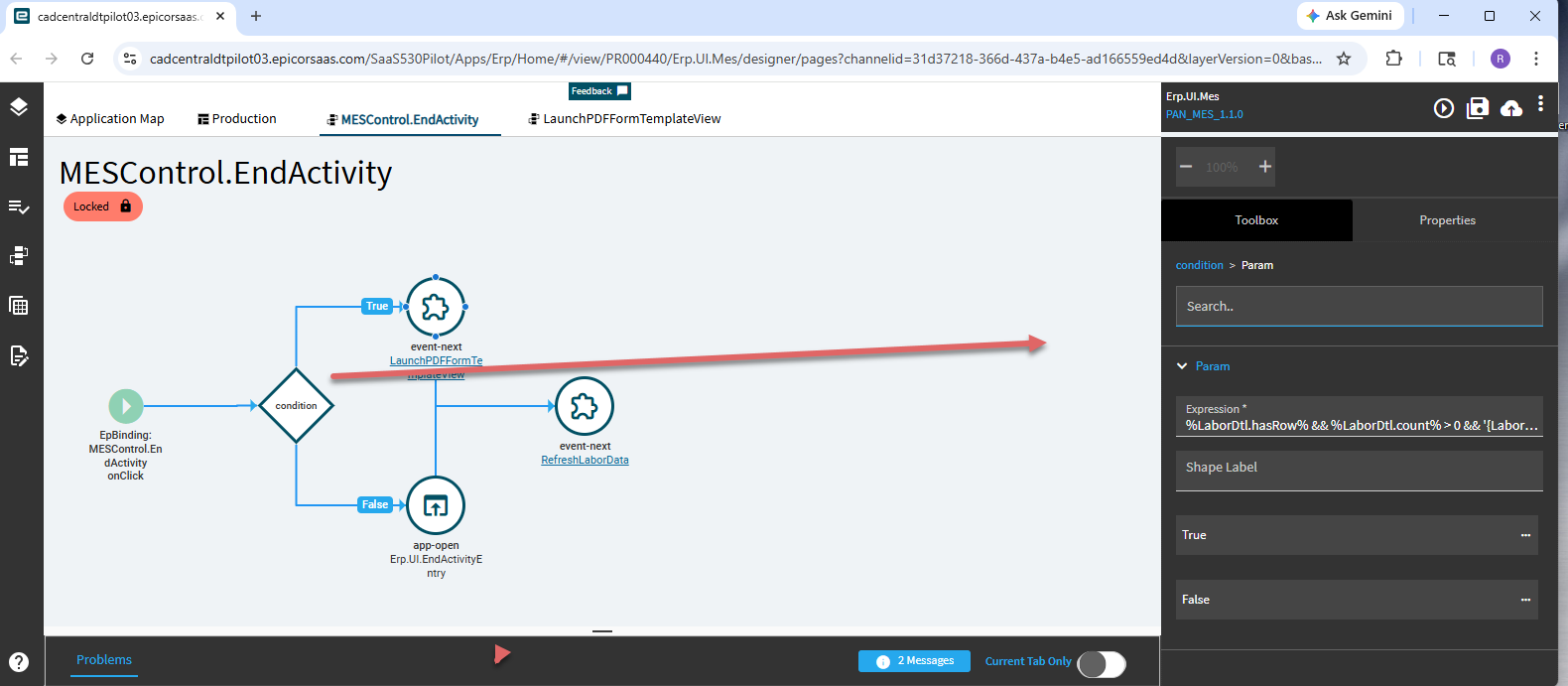
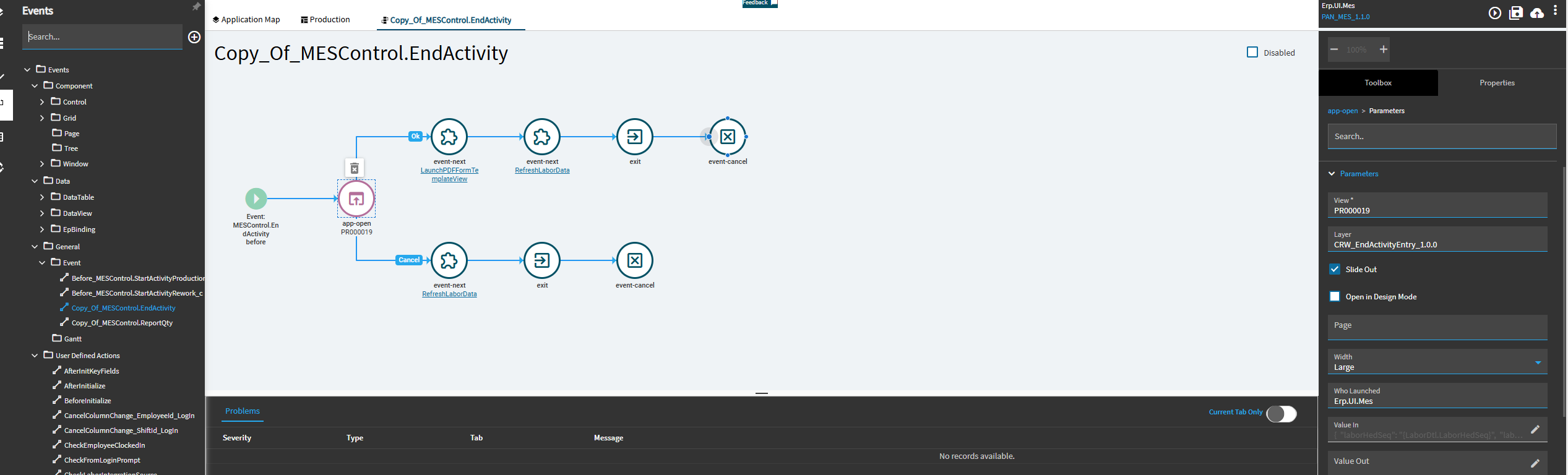
You may have to copy the event to edit and disable the base event using a hook override.

not the same as you
i got this


and

look similar..

fyi

getting there.. found this , a copy was done

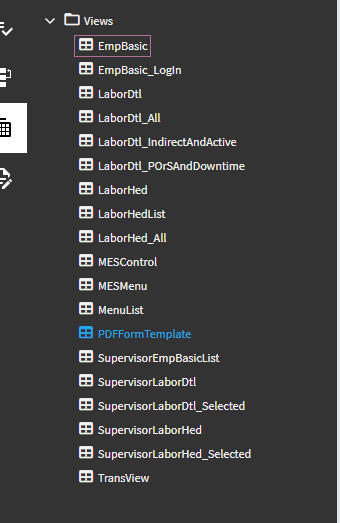
trying to find the vuew PR00019

my guest , it’s look for the process : PR000019 and cannot find it, but it does exist in menu security

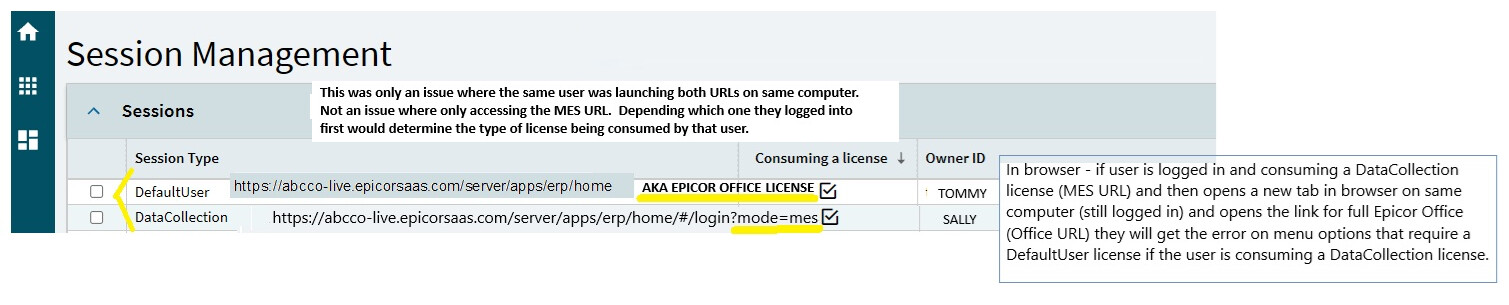
We are fully browser and ran into this error message a few times and found it was related to the license in use per Session Management for that user. If a user logged into MES which uses a DataCollection license and then logs into the full Office Epicor menu on same computer and tries to open a menu option that requires the Office License (DefaultUser License) then the user gets this message. Possibly the customization has something that is not available on the MES/DataCollect license. To resolve, they had to log out of Epicor MES and log into the Office menu to get the correct license which is visible in Session Management. In our case, there are only a few users that log into both MES and Office so they always use MES from within the main Office menu. The shop uses MES/DataCollection only so not an issue there. This may be a completely different situation but is easy enough to determine.

when you say office Epicor.. you mean OFFICE MES or just the EPICOR (both in browser)

Succes!!
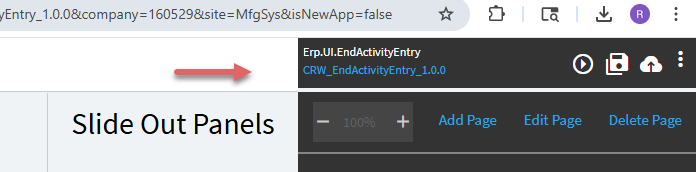
did what you told me and change the view to put the apps

and I see my layer

need to test a few more test.. but at least the form is openning

again thank you all

Glad your issue is resolved! I meant OFFICE MES license vs regular MES license. Our issue was very different and was related to license type being consumed by the user at the time.

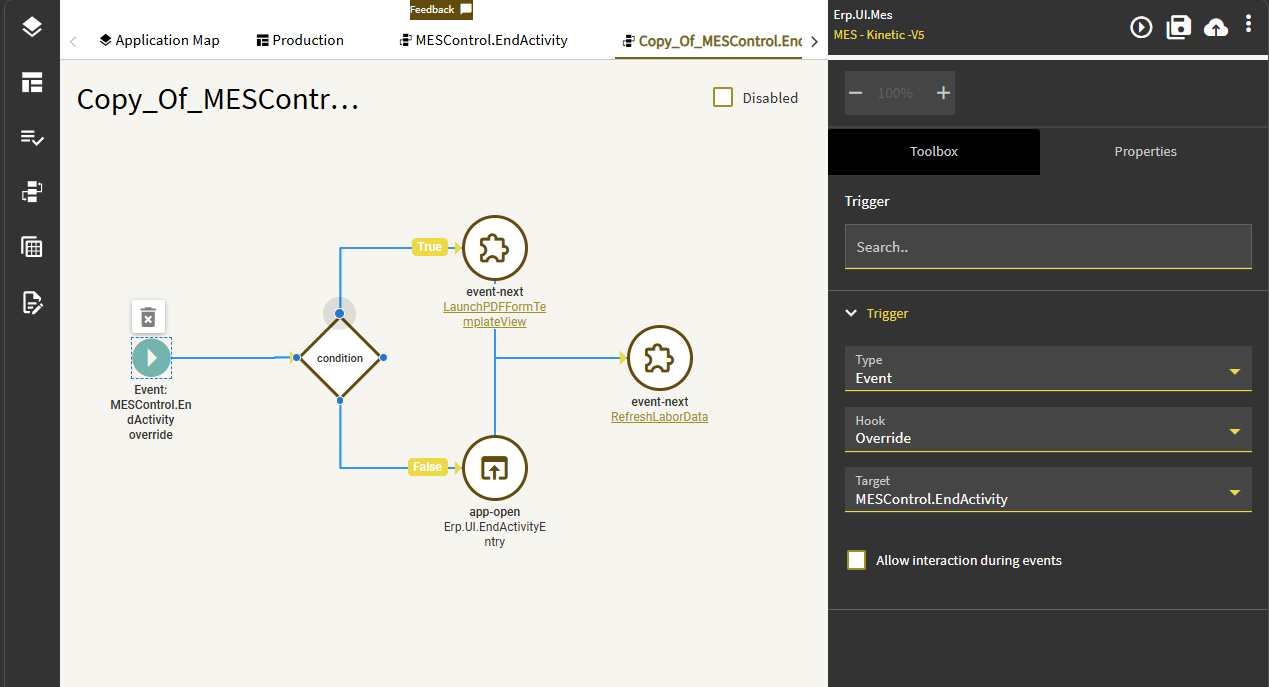
Make sure the copied event is set to Override the other MESControl.EndActivity event:

If not, your users will sometimes get the customization, and sometimes not. Without the override there are two events that fire, and it was random for us which one loaded until we switched to override.

another one came up

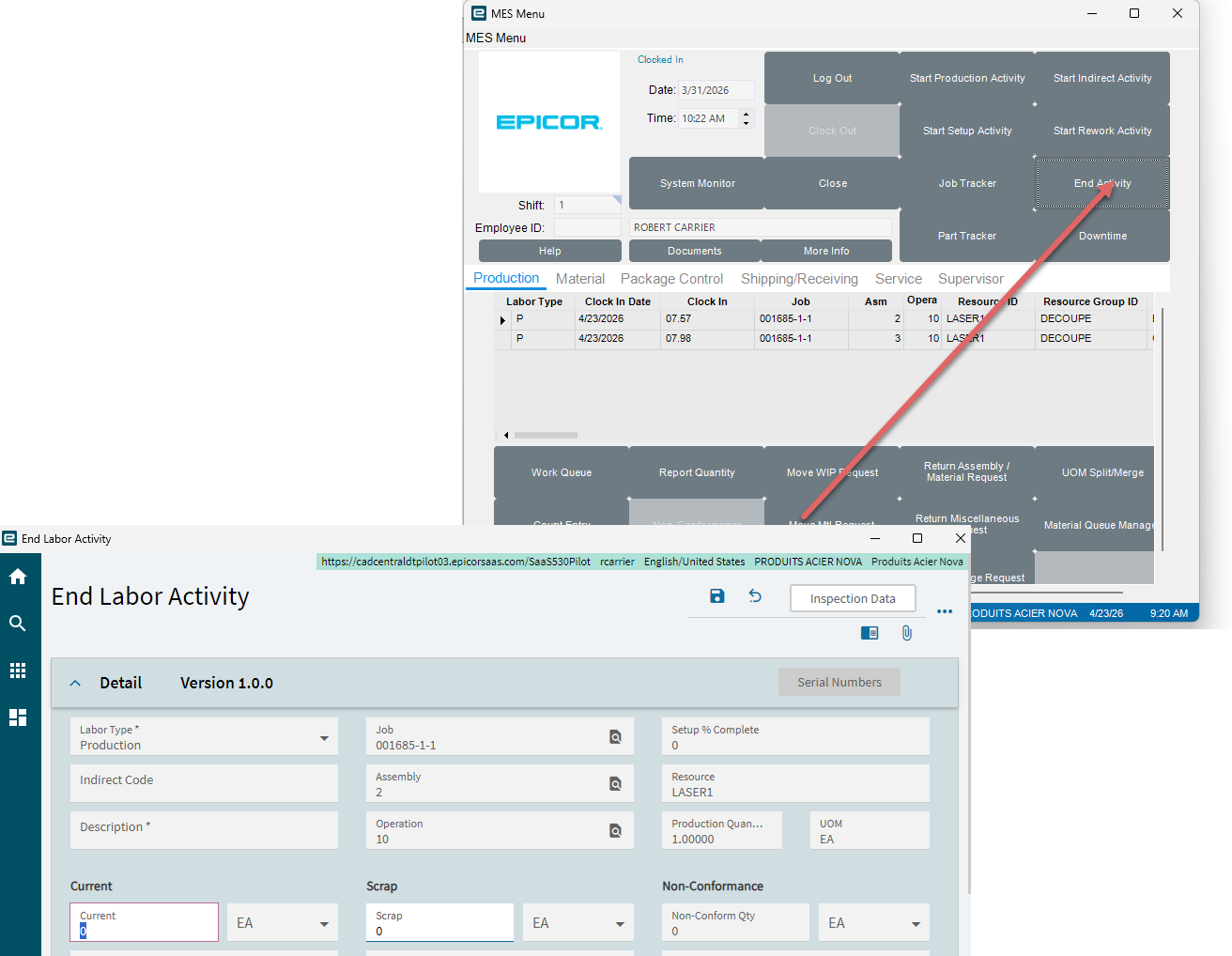
did the end-activity..
added a note and click save…

got error..