@gpayne , Job scheduled now but still and due date is showing but still estimates are not showing 
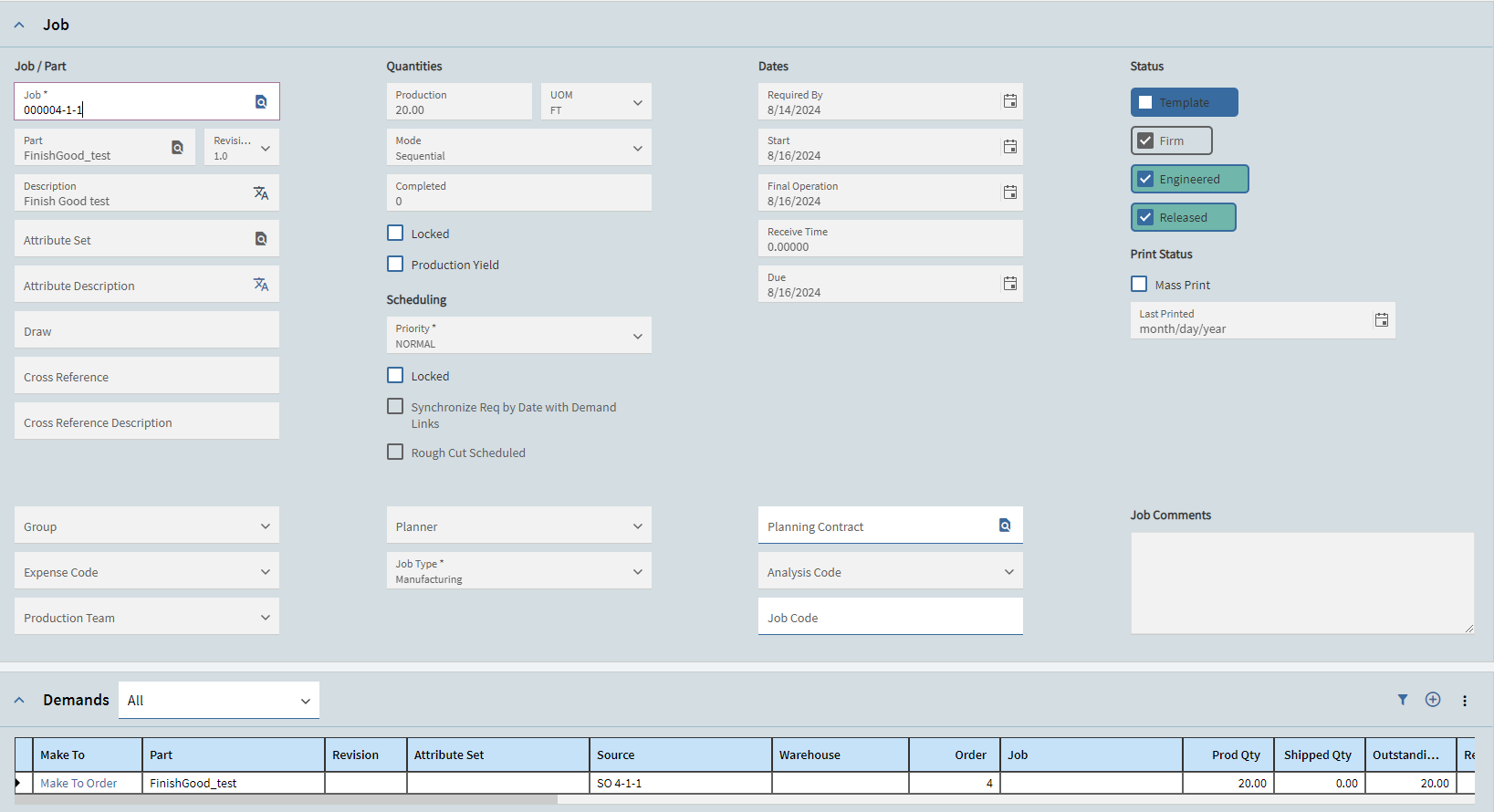
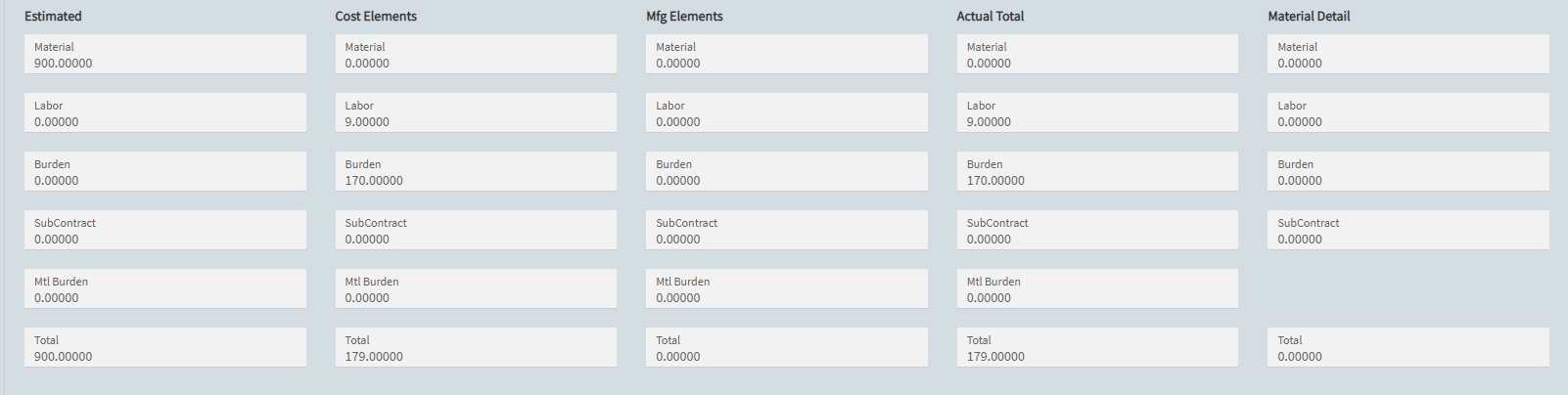
Look at the JobOper list and see what data did get filled in. The estimate page is just a summary, so we need to focus on what details are missing first.
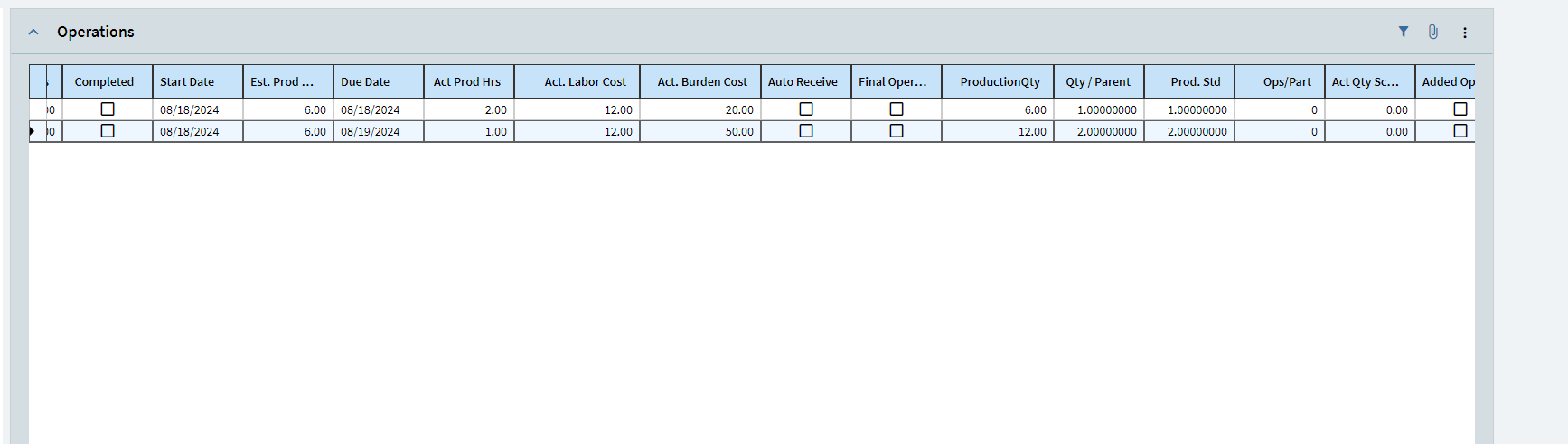
Can you show a snip of your job operation details? I don’t think we’ve seen that in any above snips.
Interested to see if you have a production standard set up? If your Prod. Std. is 0, then your estimate will be 0.
3 Likes
yes, production standard was missing. After setting the production standard the estimates are coming.
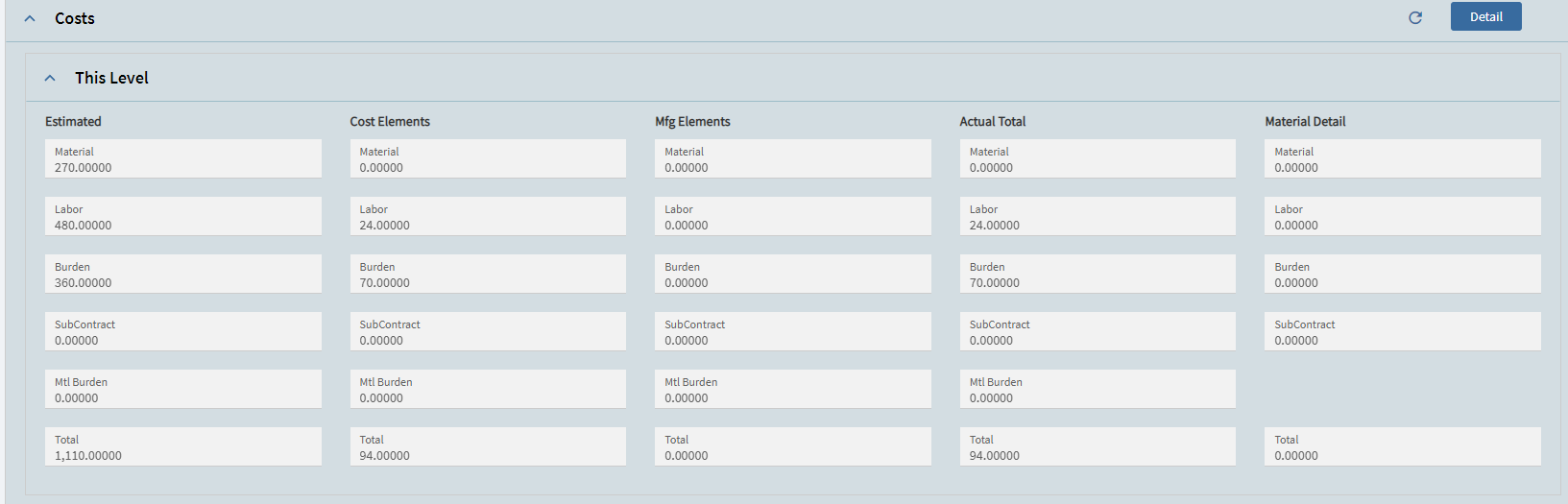
We use the costing labor rate on our Resource Group. However, we backflush our labor costs (this can not be done through time and expense entry). Labor is backflushed at the cost on the resource group. We use a “phantom employee” to backflush labor. So the rate on the resource group is multiplied with the (total parts made / divided by parts per hour which gives you labor hours).
As other have said - this is really only used for approximations - however in this one company I am referring to we are standard costing so this works well for us. Problem is, you really need to make sure that your parts per hour are correct (most of the time this will vary somewhat).
2 Likes
Thank you so much ( @hackaphreaka @gpayne @jkane @dcamlin )
So, the summary till now is… “Actual labor rate is coming only from employee setup and not the resource group/ resource-ID”
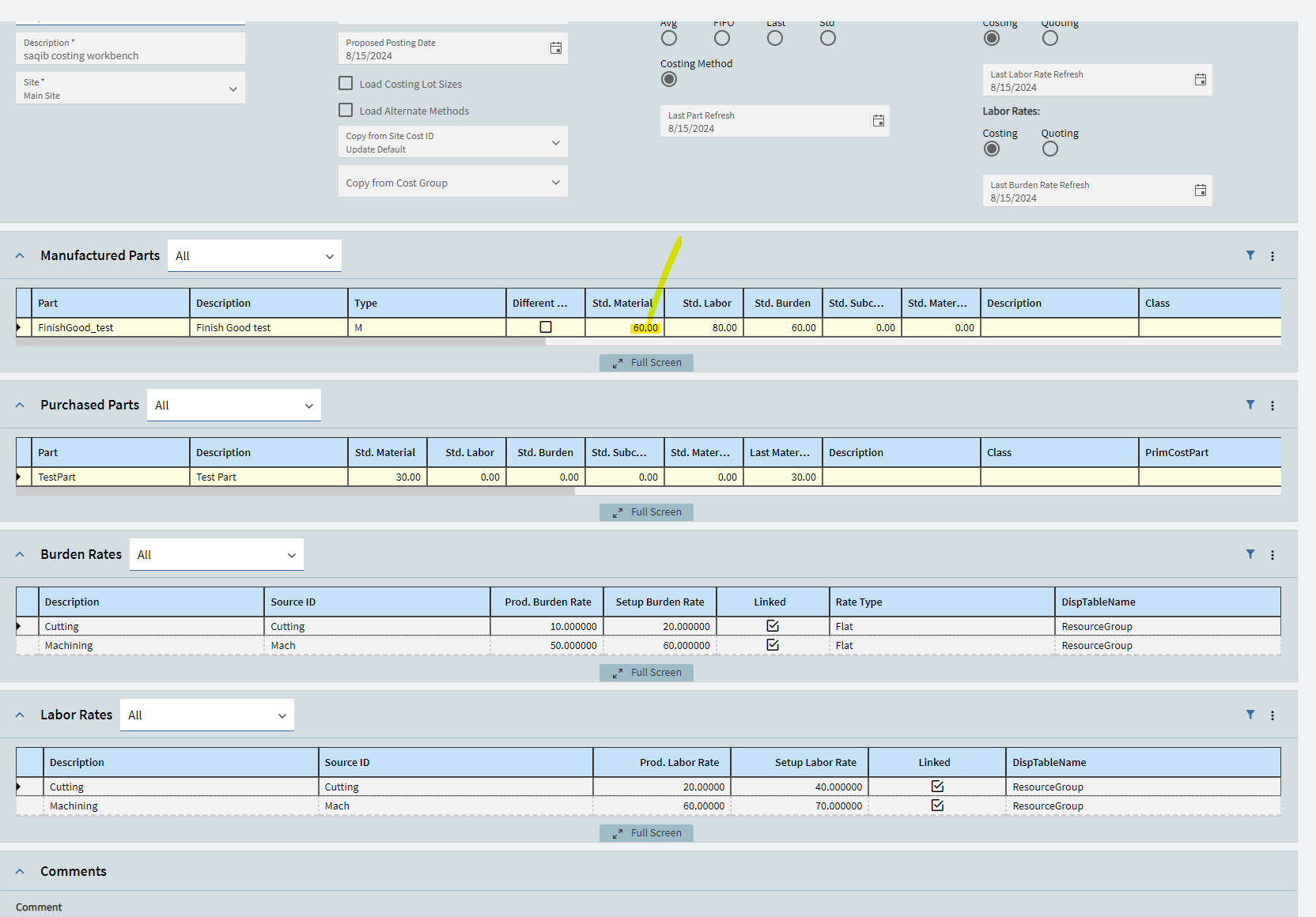
One more thing I came to my mind while doing cost rollup for my part. I think std material cost of my Finish good part should be 45 per unit but while cost rollup it’s showing 60. Can you guys please shed some light on this, how cost roll up program is getting 60 as price. Thanks
Below screenshot show’s my understanding of calculating per unit material price.

Thanks @JTGill
1 Like
Standard Material Cost for your finished good should = the total material cost of all of the materials that are going into that finished good.
The standard labor and the standard material class are combined to get the total cost. However keep in mind that number is NOT your break even point, you will need to take overhead into account to determine your break even point. Once you have determined your break even cost, you can than add whatever profit percentage you typically use etc.
To determine overhead costs - divide indirect costs by direct costs and multiply by 100… This value will inform you as to what percentage of operating expenses are being spent on producing goods.
on a part by part basis - You will take your TOTAL cost (material + labor) and you will multiple it by 1 point whatever the percentage is (lets say 30%) - you would multiple by 1.3. This new number is your break even point AKA how much it actually costs you to produce that good. It is from THIS number that you will add whatever percent profit margin you tack onto goods.
3 Likes
As you go up levels, the term ‘Material Cost’ can be misleading. Unless you set it up not to, Epicor will roll ALL costs for a material part (material, labor, burden, etc) and sum them together and place them into the Material Cost field for the assembly those materials went into.
I would assume that extra 15 is coming from another cost bucket for your TestPart (not material cost)
3 Likes
This is why we set enable Mfg cost elements, so it is clearer for us.
2 Likes