And what you’re looking for here from me is if there’s an error to send a screenshot or what do I need to deliver to you?
Is the hope that there are no errors?
And what you’re looking for here from me is if there’s an error to send a screenshot or what do I need to deliver to you?
Is the hope that there are no errors?
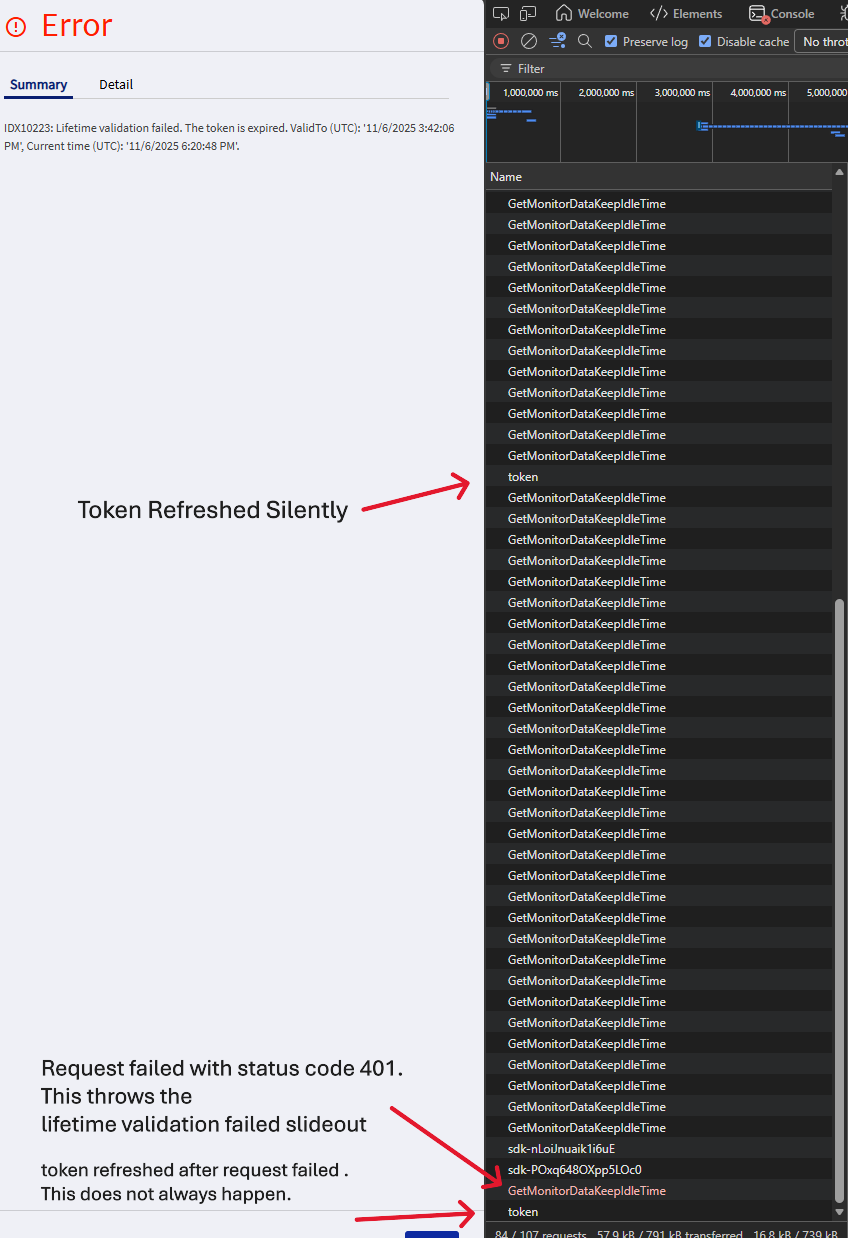
scroll up to @mbayley post with this image
Make sure that you have that token refresh call and it does not fail.
After that new token will be used and you are fine.
Okay I will work on this.
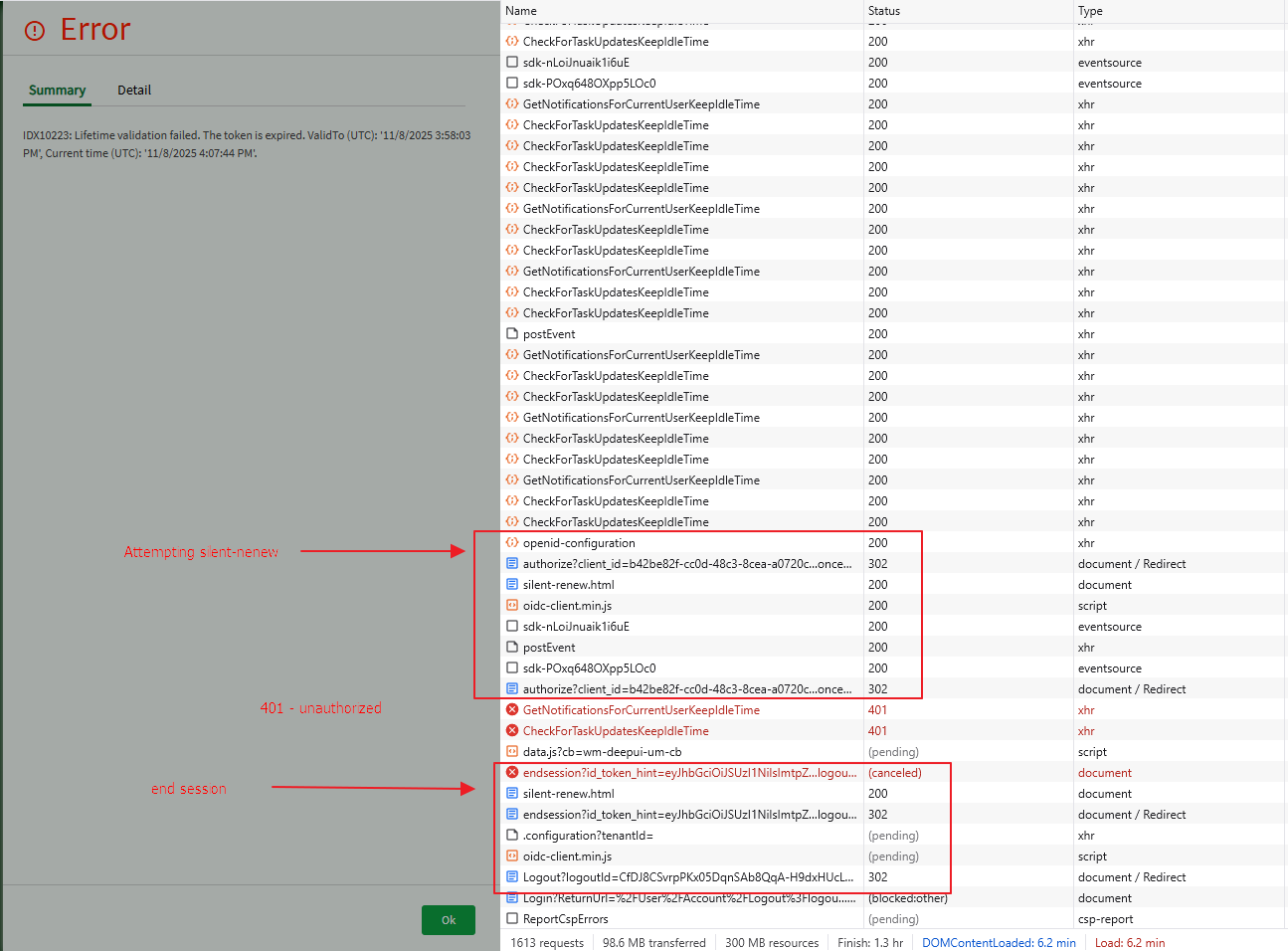
Did some testing over the weekend. For our IdP + AAD: I set the access token to expire in 2 minutes and the silent refresh worked for a long time. So I set it to 4 min and got it the refresh silently for 6+ hours of inactivity then failed. Eventually it fails then forces endSession.
Today it’s gone along for a while then fails. Even continues to fail while active. I havn’t found a pattern but suspect it may be more problematic when active in multiple tabs.
Just a hunch. 
What is Session Lifetime in the IDP portal for your tenant?
It was 60min. I just set it to zero. I suppose that’d make sense if for some reason the refresh misses the session window because the access token is also 60min. But from what I’ve seen refresh happens about a minute before access expiration. and doesn’t explain the the rando failures unless session doesn’t rotate/extend upon refresh.
I think it should extend when refreshes.
When they are equal there is also maybe some time skew between machines so it fails on the edge values. Different time should work better.
Customer of ours has upgraded to 2025.2 over the weekend and this issue has just popped up.
I still need to get to this, but I have to finish up some other fixes before the upgrade this weekend.
Missed this step haha I am just now getting to this with the last moments of my day so I’ll need to start this again tomorrow morning. do I need to enable debugging or anything like that or just open dev tools network taba and follow your instructions and we’re good?
You got it. No need to enable debugging
Cool, going to start now.
I’ll let you know what I see in 4 hours.
Can I minimize my browser or no?
Yes, just make sure you don’t have Kinetic as active tab
Okay I don’t, it’s just hanging out on the left.

Man,
I just switched to the tab on accident, does that reset the 4 hour window?
update: I am more n more convinced of this.
Wonder how one would go about debugging this theory further(?)
4 hours is what I waited, the error could happen sooner