var fp = new FilePath(ServerFolder.FileShare, $@"Bartender/{labelType}{jobNum}{pcid}{lotNum}{pseudoLot}{dt}.json");

sb.IO.File.AppendAllText(fp, labelBuffer);
Does the folder exist?
var fp = new FilePath(ServerFolder.FileShare, $@"Bartender/{labelType}{jobNum}{pcid}{lotNum}{pseudoLot}{dt}.json");

sb.IO.File.AppendAllText(fp, labelBuffer);
Does the folder exist?
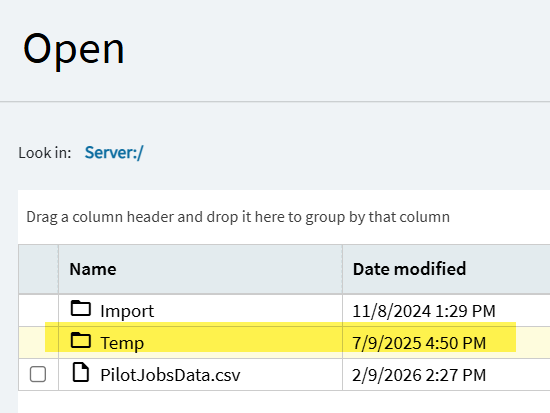
For my testing I was trying to write into the Temp folder under the User in Server File Download. But for real location the Bartender folders also exist; One for Pilot and Prod.
The answer posted by @klincecum and others is correct. Switch your code to using ServerFolder.FileShare and that should write to your FTP share. If that is not working for you, please share the relevant code snippet and we’ll figure it out.
Yeah, I tried using that and it ran but the file was nowhere to be found. Perhaps I should tell Support the shared folder isn’t setup for us or is going somewhere we don’t have access too see? It’s not going to the FTP site like we need it.
I’m working directly with support on this. Please share the relevant code snippet where you are writing the file.
Thanks! 
This works to get into subfolders. Now to get the FileShare setup or access too it if we can’t go FTP anymore.
DM’d you the code I’ve tried.
You got the wrong direction slashes there and what’s a “C:” 
“It never rains but it pours” comes to mind.
"We are thrilled to announce the 2026.1 your demise.. "
They sent on-prem customers the same email 
@klincecum and @tsmith provided the correct code above. Our issue was our FileShare wasn’t correctly pointed to our legacy FTP and a task has been entered for the cloud team to correct it. Thanks to @Epic_Santiago for the assist in getting the bottom of the issue.
Santigo’s Sandbox GitHub code examples is helpful to convert your code
Working Code:
    var bartenderPath = new FilePath(ServerFolder.FileShare, "SiteID/bartender/Pilot");
    Sandbox.IO.Directory.CreateDirectory(bartenderPath);

    var newPath = new FilePath(ServerFolder.FileShare, $@"SiteID/bartender/Pilot/FileName.bt");
    Sandbox.IO.File.WriteAllText(newPath, fileData);
Hey all, Linux container issues are popping up across a ton of threads right now and it’s getting hard to keep track of everything. In order to give the community (and Epicor) a better chance of actually addressing all of this in one place, we’ve put together a summary thread that consolidates all the known issues, workarounds, and asks.
If you’re hitting Linux-related problems, please check in there and add anything we missed. Lets keep it constructive and dealing with the problems at hand, not emotion. Epicor is paying attention so lets get things resolved!