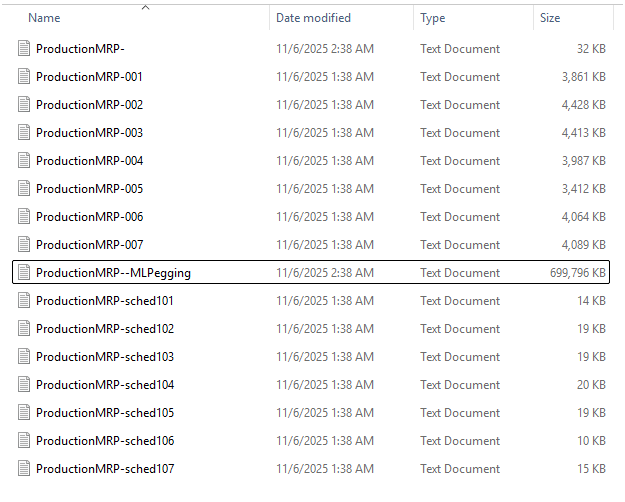
MLPegging log is hundreds of megabytes in size? That normal?

Multi-level pegging, of course.

We run it as part of MRP (not a separate process; not in a process set).

Does it just keep growing? It was about 500 MB a few days ago.

I don’t recall ever seeing it at all when we were on 2023.2 (or earlier). I see nowhere for adjusting its settings.

I’ll probably submit a ticket.

1 Like

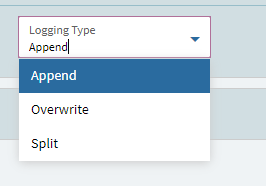
Your logging must be set to Append. It just keeps growing until you clear the file. We do Split on all logs so that we can archive based on dates. If you don’t need the logs Overwrite would keep the file the smallest. Append is the default IIRC.

2 Likes

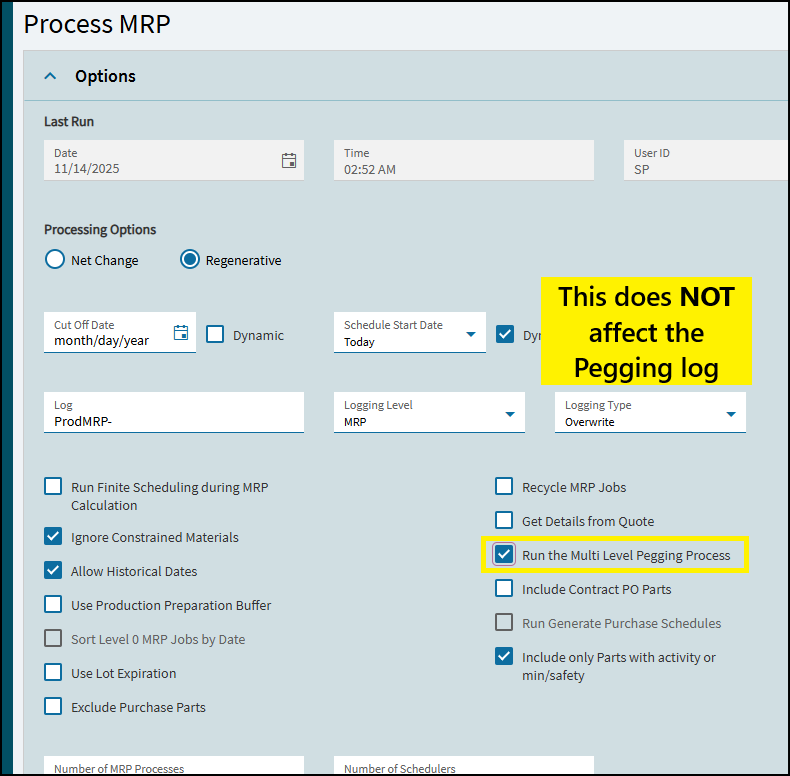
No, it’s overwrite. The MRP logs are fine; they are fresh each day. It’s just the MLPegging. Now at 744 MB.

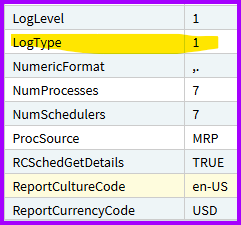
As proof, here are the parameters for last night’s run:

And 1 is overwrite.

image

But again, if it were append the MRP logs would be MUCH bigger.

FYI, we upgraded a few weeks ago; it may coincide…

So there are no dates inside the MLPegging file?! Strange.

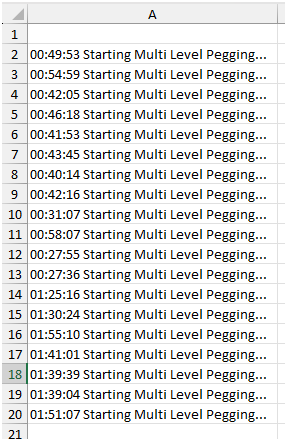
EDIT: This does match the time of our upgrade. 19 workdays since then and 19 occurrences of “Starting Multi Level Pegging”. (I did a macro to count the occurrences in 12 million lines of text…)

1 Like

Probably related to the MRP bug from this thread MRP on a schedule - #22 by rppmorris

Yeah I was afraid of that. You are likely correct.

Lol I was scared to summon that demon - that post is a :dumpster_fire:.

2 Likes

Not as big a one as the code thread. :winking_face_with_tongue: :rofl:

That would be appending then not overwriting, right? Even though it says it’s overwrite.

1 Like

Well, sure, the pegging log is definitely appending, agreed.

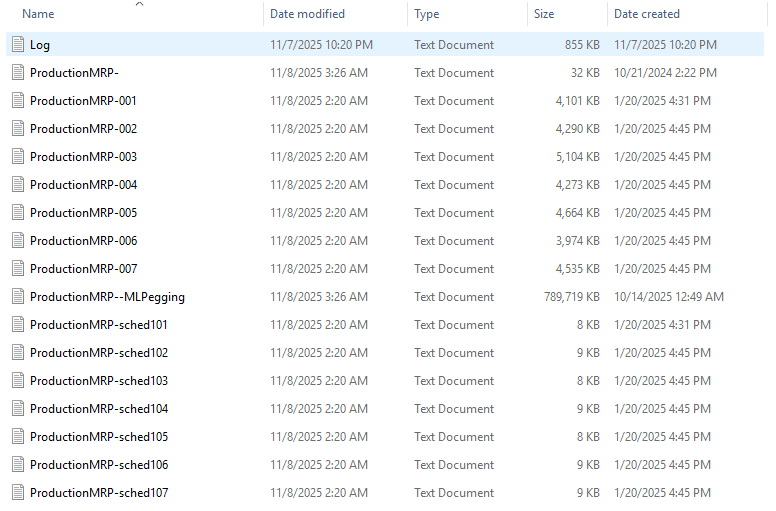
But the other MRP logs are fine; they overwrite. Here is the last set (Friday night); MRP logs have not grown since the pic from Thursday (Weds. night).

[That first “Log” file is for job auto close.]

Like I say, I don’t remember seeing the pegging log and I don’t really even want it. But if it exists, it needs to have some settings I can change.

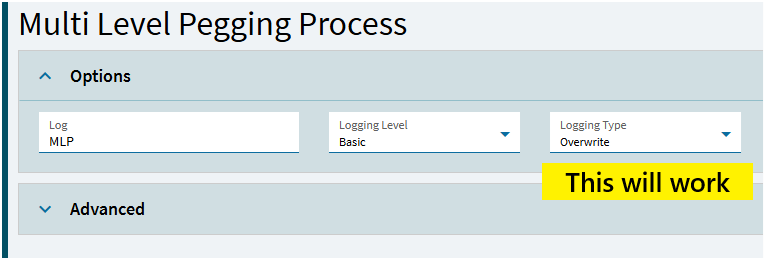
Multi-Level Pegging can be run separately from MRP, and in that screen there is a place to set the pegging log type.

I tested it an it does indeed overwrite if you tell it to.

But I was using the handy dandy checkbox in MRP, and while that was a good idea before, it is now a terrible idea.

So what I have to do from now on is to

  • Uncheck the box in MRP
  • Create a process set with MRP, then Multi-Level Pegging
  • Run/schedule the process set

OK, so all of that is fine I guess.

Personally it’s more work than what I outlined because I run MRP with a REST call from outside (a MS Flow to an EFx, actually), so now I have to reverse-engineer the syntax for a process set and make an EFx for that. Still, it’s hardly the end of the world.


But my theme song lately is that I reported this to Epicor Support in good faith, trying to tell them that this could give their cloud customers some insane log files now, since that’s lately a concern for Epicor (the company). And it falls on deaf ears.

The support person, whom I will not name here (but is not new at all), was nice and professional and knowledgeable, but the case is closed and there will be no reporting this to development as a bug.

I am left wondering what does rise to the concern of development anymore. You don’t care about my needs, yeah I can see that. But you don’t care about your company’s own needs?!

Anyway, @timshuwy seeing as how you were involved with the othe MRP log thing, I’ll tag you here. I try not to; you are the busiest person at Epicor and kind to us here. But I figure this might interest you. PM me of course, if you need info that I would not share publicly.
1 Like

Unfortunately, I don’t think Epicor‘s open to making any changes to MRP, regardless of what the community says. They are pretty close minded on this topic.

1 Like

I had hoped that if it affected their own interests they would.

But it seems like they are as fractured as ever. Support does their thing; dev does theirs; cloud ops does theirs. Even if their paths cross, they seem to say it’s not their department’s problem. Or they just don’t communicate at all, like this issue.

2 Likes

Yeah it’s pretty unfortunate.

1 Like

That’s crazy but I’m glad you found the resolution.

1 Like