Thank you for the feedback, this approach was developed based on Epicor Idea votes, early adopter feedback and controlled release participation. Overwhelmingly customers stated they wanted to significantly reduce the number of emails received from ELC and only a single summary email of enrollments with in application real time notifications. We are always willing to consider further enhancements to the system and you are encouraged to submit an Epicor Idea for consideration.
Hi Tim - Sharing some feedback from the team to clarify how the Days of Supply operates. The team is working to ensure this is documented more clearly across our resources.
The ‘Days of Supply (DOS)’ logic operates based on the ‘Need By Date’, because you must consider how the MRP (Material Requirements Planning) engine operates. The objective is to ensure parts are available when they are required for the next step in the process. Therefore,
-
MRP looks at the ‘Need By’ date on the ‘Sales Order Release’. This is the date you require the items or the date production must be completed. The same is with the ‘Generate Suggestions’ process used in the hands-on course.
-
If you set a ‘Need By’ date on your SO line, then the ‘Ship By’ date is identical by default unless you manually change it at the time you enter your SO line. The same applies to the sales order release. If you have one SO line, then you get one SO release with the same date (this is default) unless specified differently.
However, for instance:
Today is ‘1/1/2026’ and you have a purchased part in Kinetic with the ‘Purchase Lead’ time of ‘10’ days. You currently have zero quantity in your inventory. If you enter SO and define the ‘Need By’ date of ‘1/7/2026’ (SO Line) and ‘1/6/2026’ (Ship By on your line/release), assume you have a single line with one release, then the MRP/Generate Suggestions engines recognize the ‘Need By’ date and the ‘Purchase Lead’ time and determine that they will not be able to meet the SO’s ‘Need By’ date of ‘1/7/2026’ because there is the ‘Purchase Lead’ time of ‘10’ days. Instead, it will reschedule the PO suggestions forward. The same logic applies to ‘Manufactured’ parts and the ‘Mfg Lead’ time value.
ALSO, the ‘MRP/Generate Suggestions ‘engines also consider the ‘Delivery Days’ value set in the ‘Customer’ app if this value is used at all. This value is a constraint because regardless of when the customer says they want the items; the customer’s receiving dock only allows for specific days. Again, the engines look at the ‘Need By’ date. The same logic applies to the ‘Transit Days’ value.
In summary,
Both the ‘MRP’ and ‘Generate Suggestions’ engines look at the ‘Need By’ date as their primary planning value. Therefore, think of the ‘Ship By’ date as a calculated milestone that happens within the timeline created by the ‘Need By’ date. Therefore,
-
Need By - Is the drop date when the product is needed at the customer door.
- MRP/Generate Suggestion - Identify demand on a specific ‘Need By’ date.
- Days of Supply (DOS) - The grouping of multiple orders into one suggestion (Days of Supply) is triggered based on the first available ‘Need By’ date.
-
Ship By – A sub-step that the engines calculate to ensure the ‘Need By’ date is met.
Need By Date – Transit Days = Ship By Date
The engines calculate the ‘Ship By’ date to know when the parts must be available on the shipping dock.
- Logic:
- Looks at the ‘Need By’ date of the entered demand
- Check ‘Delivery Days’ (if ‘Saturday’ is the ‘Need By’ date but the customer only accepts ‘Friday’, the date moves to ‘Friday’). If you use the ‘Delivery Days’ value.
- Subtract transit time to find the ‘Ship By’ date if you use the ‘Transit Time’ value.
- Subtract Lead Time - Subtract the part’s ‘Production/Purchase’ lead time from the ‘Ship By’ date to determine when you must ‘Start’ the job or place the ‘PO’.
Interesting, I appreciate the reply and context on the decision making. I wish it was still included as an option, but defaulted to off to avoid excess emails that some described.
That has been something we have considered, Epicor Ideas always help push that closer to the top of the pile. This forum is awesome at upvoting when a lot of folks are behind it 
User Notification Frequency Control
@FTI-SeniorAdmin Just submitted, may need a few before it is available for voting
All new ideas go through a product review process before voting can begin. This has been completed, please try the link again.
Thank you, Link is now live.
Re Days of Supply: While NeedBy dates and Delivery Days and calendar can set a default ShipBy Date, the ShipBy Date can be manually set regardless of NeedBy Date, and MRP will preferentially respect the ShipBy Date, not NeedBy Date, as best I can tell.
- Can we create our own Learning Paths? If not now, when?
- Can we disable modules in existing Learning Paths? If not now, when?
- When clicking on the below enrollment rule, the screen clears and I just get a spinning icon and it never returns any result. Most controls no longer work. I have to logout to clear it.

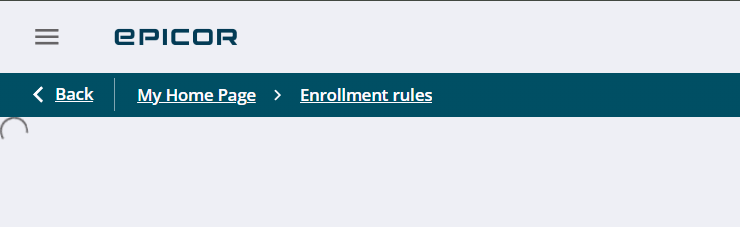
@tgwinn - Please raise ELC support issues via EpicCare related to your enrollment rule question.
Can you clarify what you mean my "disable modules in existing learning paths?
Custom Learning Paths and Courses are targeting late April release just ahead of insights. For the latest release information for ideas please follow along on the idea.
Custom Courses - Log In - Epicor Identity
Custom Learning Paths - Log In - Epicor Identity
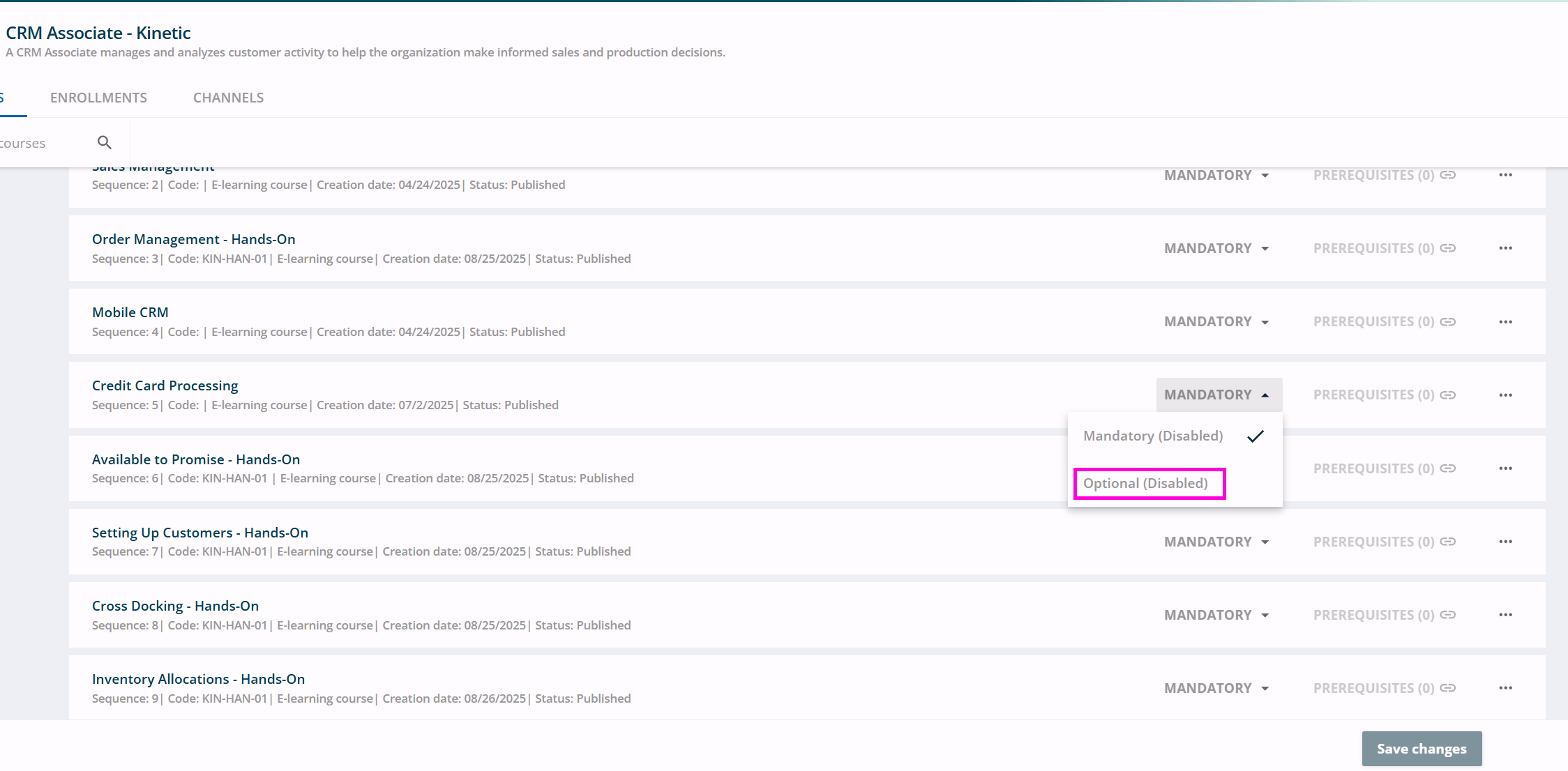
Thanks for clarifying. We do not have intentions to allow customers to edit our out of box learning paths, including the ability to set optional vs mandatory courses. These learning paths are used for customer enrollments AND as a guide or recommendation when admins are working to design their own company training programs.
With our new Custom Learning path feature you will be able to create your own learning paths with EL and/or your own courses. Ultimately giving you the power to determine what your users should engage with.
Are we able to duplicate your learning paths to build our own? In this case it seems the user likes Epicor’s plan, just wants to change one course’s status.
@karihagedorn we have the same question. We submitted a ticket to EpicCare as well to ensure that we had the correct permissions. Are there any plans on allowing admins to have the ability to change pathways again? This was a useful feature because each company/business has different needs. Also, it seems odd that when someone creates a group, only that person can see and manage it. Is there is a different way of approaching this?
So I have another question/complaint about the ELC… I was entering new users, 3 of them, and I happened to mess up the email address for one. That user finally notified me that they never got a welcome email. I went back in there and checked the user settings and found the typo, and I found that I can fix that with a simple edit, but I am unable to resend them a welcome email so they can complete their account setup. In addition to that I can’t delete that user and re-create them, I can only deactivate them and then create a new user with the same e-mail address to get that welcome email re-sent.
I understand the concern of the amount of emails sent to users and the hope to reduce that, however this is really difficult to get users involved in this when you have really limited the ways for the center to communicate with them. I see the option on the user to “Send Email” but you have to fully compose the email you wish to send to them, and there is no way to re-compose that initial welcome email with login link to where they have to set a password.
Hi Jonathan - Today, support can help you through this process to retrigger welcome letters or help you clean up users for deletion when deactivation is not enough.
Have you reviewed our open Ideas around a customer managed enrollment notifications? This would make a great addition and expand the overall theme of a customer notification feature.