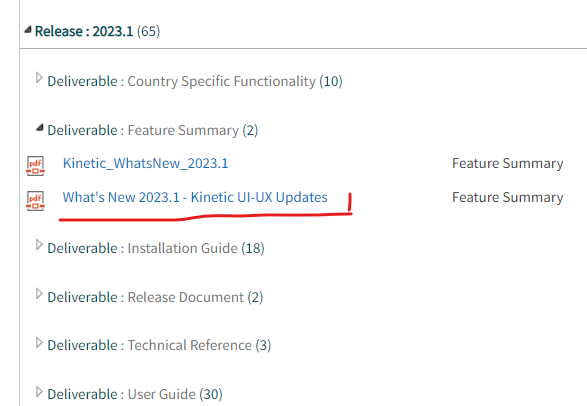
As you all may know, Kinetic 2023.1 is coming, and will be released in May to on-prem customers, and in June to all cloud customers.
Want to see what is coming? We presented a preview of what is in many of the Operations screen changes during a Webinar last week. You can see a video recording of the Webinar here: Sneak Peek: Browser UX Enhancements | Epicor U.S.
In the next few weeks we will also be showing a preview of the changes in the Financial screens as well.
Hi @timshuwy,
I heard about this webinar from a friend, after it had already taken place. I have emails from my CAM recently about some other webinars, but not this one.
What mailing list do I need to be a part of to be notified about these kinds of webinars? I definitely would have registered for this one.
Do you know if these UI/UX layout changes/improvements are being tested on heavily customized kinetic layers. If controls were moved from one container to another, how will the upgraded layers react to those changes? In the webinar they show merged panels, panels to tabs, promoted and demoted fields, components were moved between columns, moved to/from the Full Screen section, etc. Is this going to impact layout changes on Kinetic custom layers?
Whenever possible, we try to keep custom fields on their own custom panel, or at least group them together in columns or boxes, I guess in those cases there won’t be a problem, but I wonder if fields added in between standard components will.
talk to your CAM, and they can make sure that you are on the right mailing list. I believe that the list was derived from our list of users in EpicCare… we sent out many thousand invitations, and had over 600 people commit to coming.
Note that if you have been marked as no-contact you didn’t receive an invite.
even if you were not registered, you can register to view the recording by following the link provided.
Great questions…
Testing in heavily customized kinetic layers: We have done some internal testing, applying a custom layer to these changes, but our NEXT test will be with the “Controlled Release” coming in April where “real users” will do just as you have asked… applying REAL USE CASE Heavily customized Kinetic Screens.
Moved Controls: If we moved them, but in your layer, YOU also moved them to a different sequence, then your move should trump ours.
Merged Panels: If you put a new UD Field onto a panel we deprecated, then your UD Field may cause that panel to return, but it may be the only thing on that panel.
Panels to tabs: This should cause ill effects.
Promoted/demoted fields: This all depends on if you also did some promoting/demoting fields… if you did, your changes should “win”.
Controls moved between columns or to/from full screen section: Same as above.
your own custom panels or groups: Our changes should not affect your custom panels or groups.
In the end, I believe that there will need to be some adjustments if you did some heavy customizations. So far, those customers who we have done “one-on-one” demonstrations have said that they are willing to take the hit to get these enhancements.
I am already running into problems with this between 2021 and 2022 - we had added a custom field to the hero bar in order entry in 2021. Well, in 2022 epicor also decided to add a new tag field to the hero bar. When upgrading, our custom field does remain in the hero bar BUT salesperson which is a standard field in the hero bar is completely gone. It appears that the conversion process wiped out a standard field in making room for the new tag field. Am I now supposed to have to create a customization to add the salesperson back in again? Seems absurd. I have been trying to report this to support for weeks with no success, they simply won’t acknowledge that there is an upgrade problem. This type of thing makes me incredibly apprehensive to move more screens from classic to kinetic - I don’t want to have to redo the layers every time we upgrade and it really damages Epicor’s creditability when there are statements about “seamless upgrades”.
@aosemwengie1 can you send me the call number at tshoemaker@epicor.com? I will see if i can get someone in Dev to take a look… it may not have gotten past the support team.
@timshuwy, in the video you mentioned there was a separate video for the finance screens. When will that session take place or when will the recording be available?
as @Doug.C mentioned, the finance version will be on March 15th at 1:00 central time. Some of the content will be the same, BUT there will definately be some new content including a demo of cut/paste using grids in some financial pages, new AP/AR/GL Group landing pages, the new “Procure to Pay EXPLORER” page, and more.