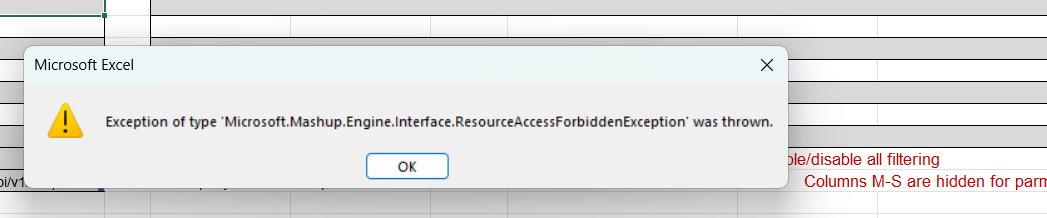
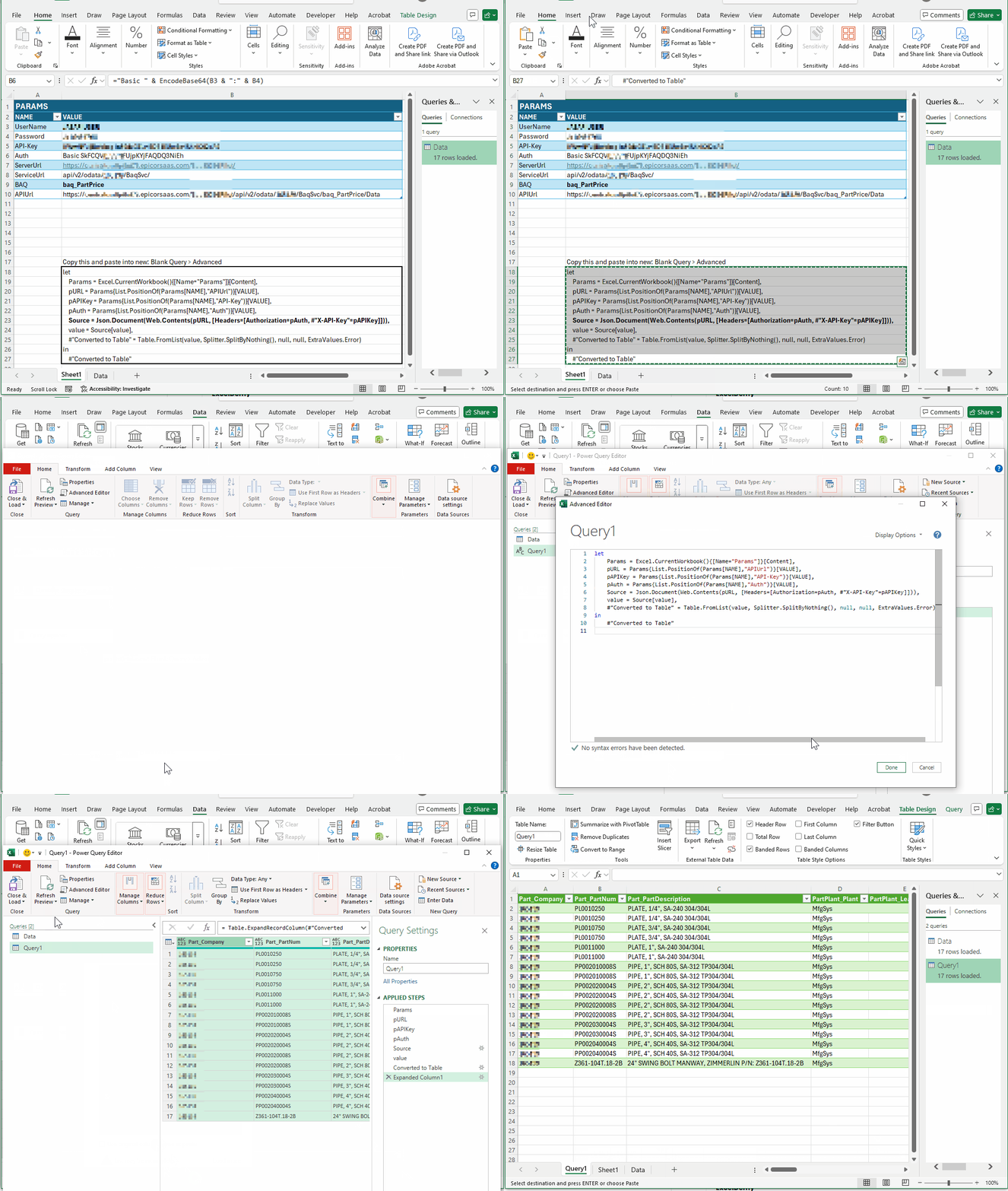
These should help with access to the OData feed using excel and the Power M Query needed to access your data properly. If you need more information beyond those we will try to assist, but more details like API v1/v2 access? Can you access the swagger help area(s) using the same Epicor Login?
V1: https://{SERVER}/{INSTANCE}/api/help/v1/
V2: https://{SERVER}/{INSTANCE}/api/help/v2/
Epicor REST Basic auth wants UserName, Password, and APIKey.
Excel PowerQuery (and PowerBI, Fabric, etc) seems to have issues with doing all three using the authentication methods dialogs. Basic allows for username & password but not X-API-Key header while API Key says ‘anonymous only’. The Auth UX differs depending on OData.Feed vs Web.Contents sometimes you can get it to work and it’ll stick - until it doesn’t.
I’ve found Get Data > From Web allows you to set headers manually which seems to work and not break. The drawback is you need to Base64Encode the Authorization header value - means a tad of vba (more below).
let
    Params = Excel.CurrentWorkbook(){[Name="Params"]}[Content],
    pURL = Params{List.PositionOf(Params[NAME],"APIUrl")}[VALUE],
    pAPIKey = Params{List.PositionOf(Params[NAME],"API-Key")}[VALUE],
    pAuth = Params{List.PositionOf(Params[NAME],"Auth")}[VALUE],
    Source = Json.Document(Web.Contents(pURL, [Headers=[Authorization=pAuth, #"X-API-Key"=pAPIKey]])),
    value = Source[value],
    #"Converted to Table" = Table.FromList(value, Splitter.SplitByNothing(), null, null, ExtraValues.Error)
in
    #"Converted to Table"
VBA:
Called from Params.Auth table cell like so:
="Basic " & EncodeBase64("UserName:Password")
Function EncodeBase64(text As String) As String
  Dim arrData() As Byte
  arrData = StrConv(text, vbFromUnicode)

  Dim objXML As Variant
  Dim objNode As Variant

  Set objXML = CreateObject("MSXML2.DOMDocument")
  Set objNode = objXML.createElement("b64")

  objNode.DataType = "bin.base64"
  objNode.nodeTypedValue = arrData
  EncodeBase64 = Replace(objNode.text, vbLf, "")

  Set objNode = Nothing
  Set objXML = Nothing
End Function
Alternatively, you can scrape the Auth header out of your browser tools or use PowerShell, like: