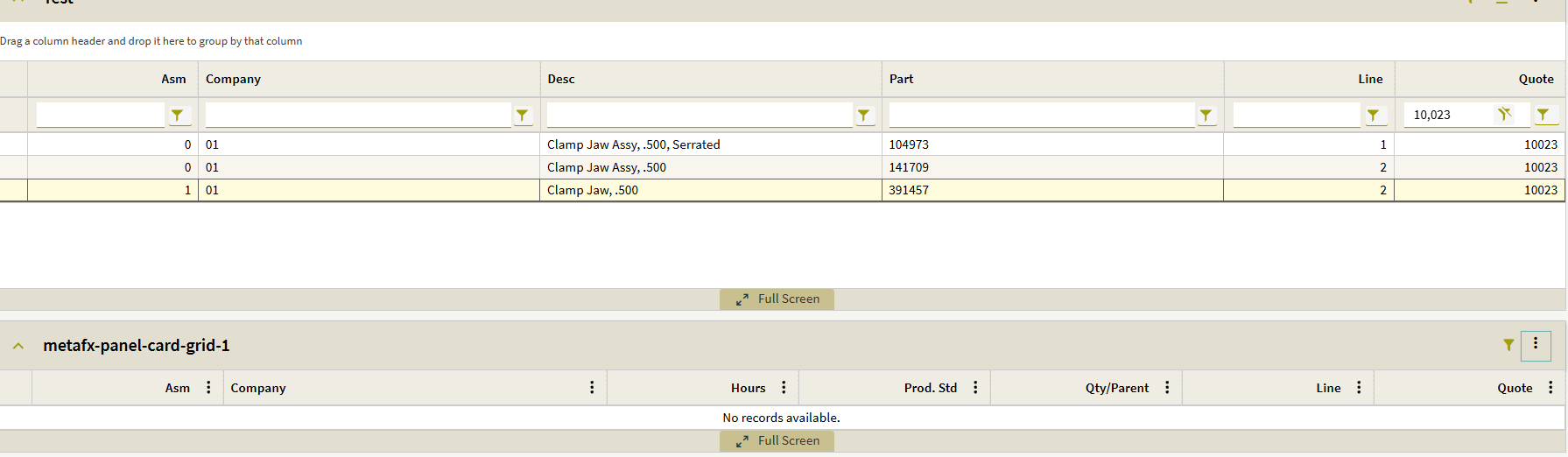
Parent Dataview not passing value consistently

I’m working with my first Parent/Child DataView setup in a dashboard. It seemed fairly straightforward, but I’ve run into an issue I don’t understand. I greatly appreciate any help this group can offer.

To simplify troubleshooting, I created a stripped-down test version and still can’t get it to behave the way I expect.

I have three BAQs that I used for the three DataViews:

QuoteAsm
QuoteOper
QuoteMtl

All three BAQs contain the following fields (which I am using for the DataView relationships):

Company
QuoteNum
QuoteLine
AssemblySeq

(There are a few additional columns, but they are not part of the relationship.)

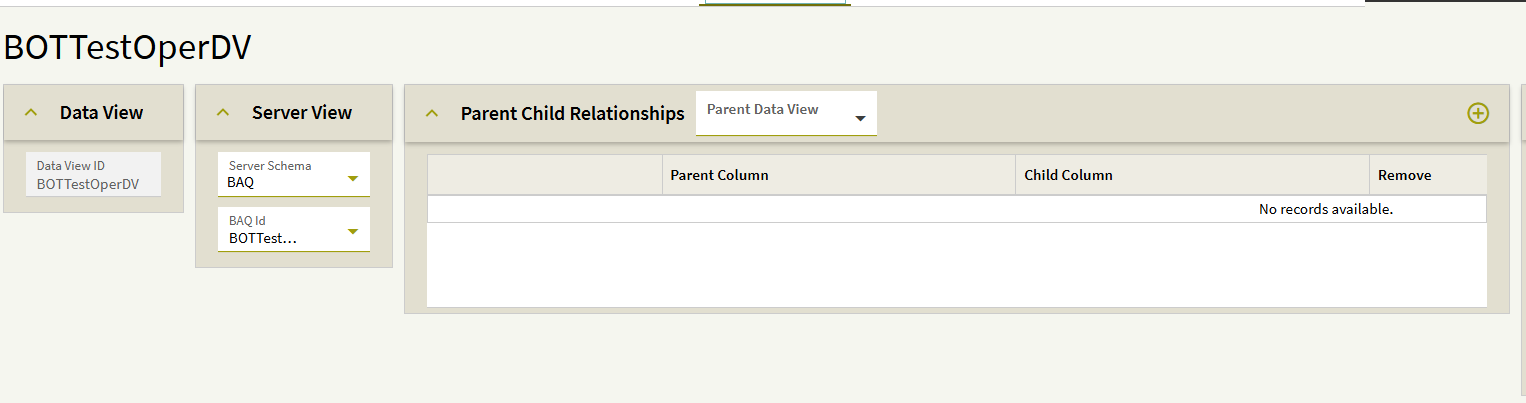
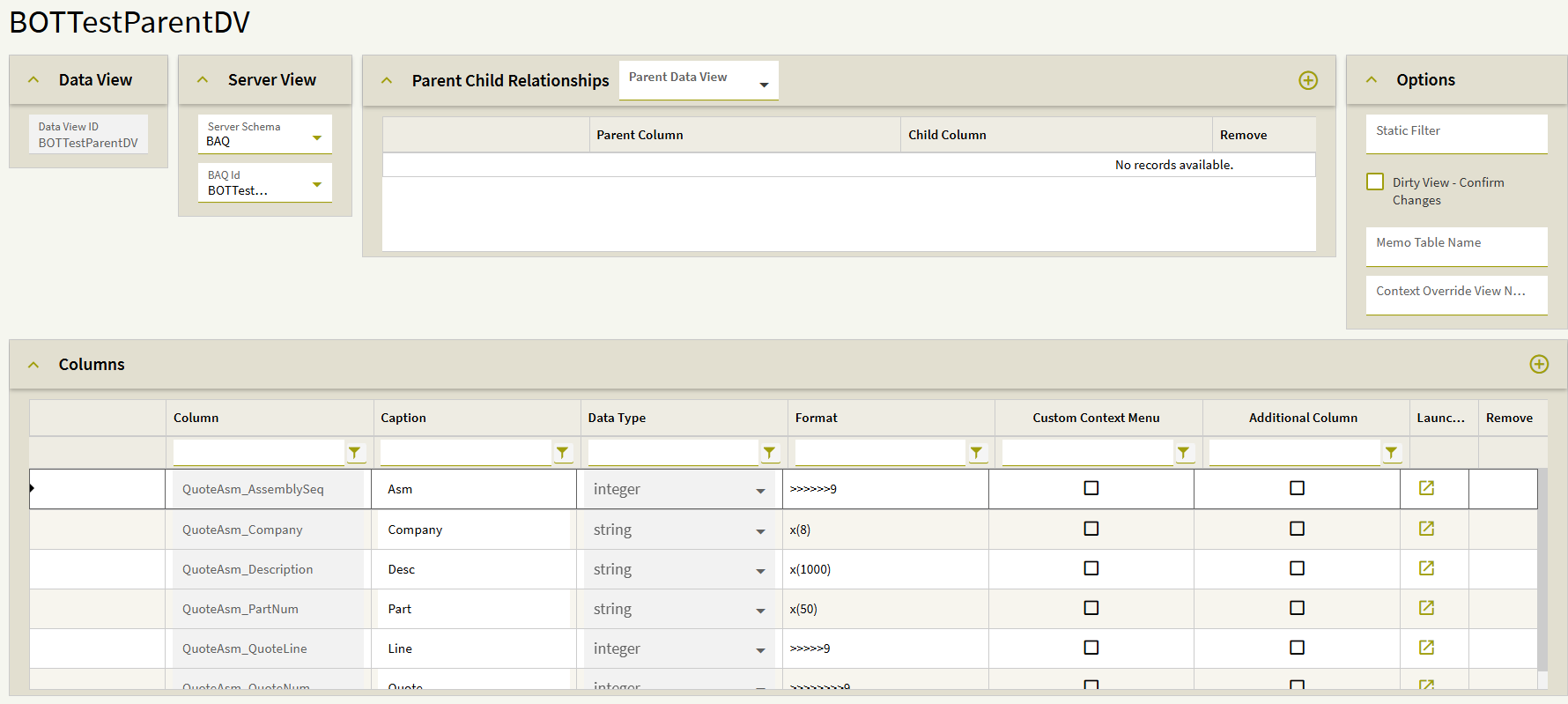
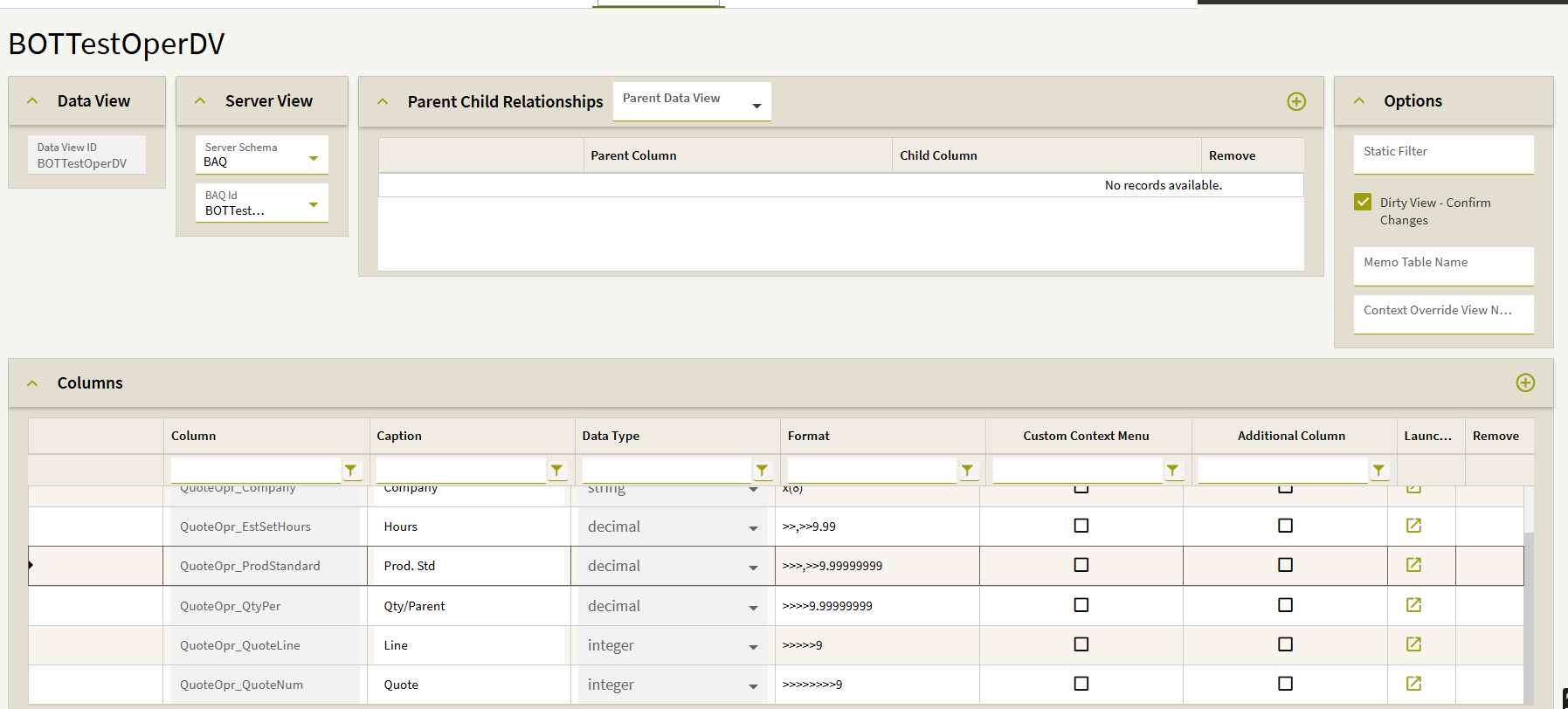
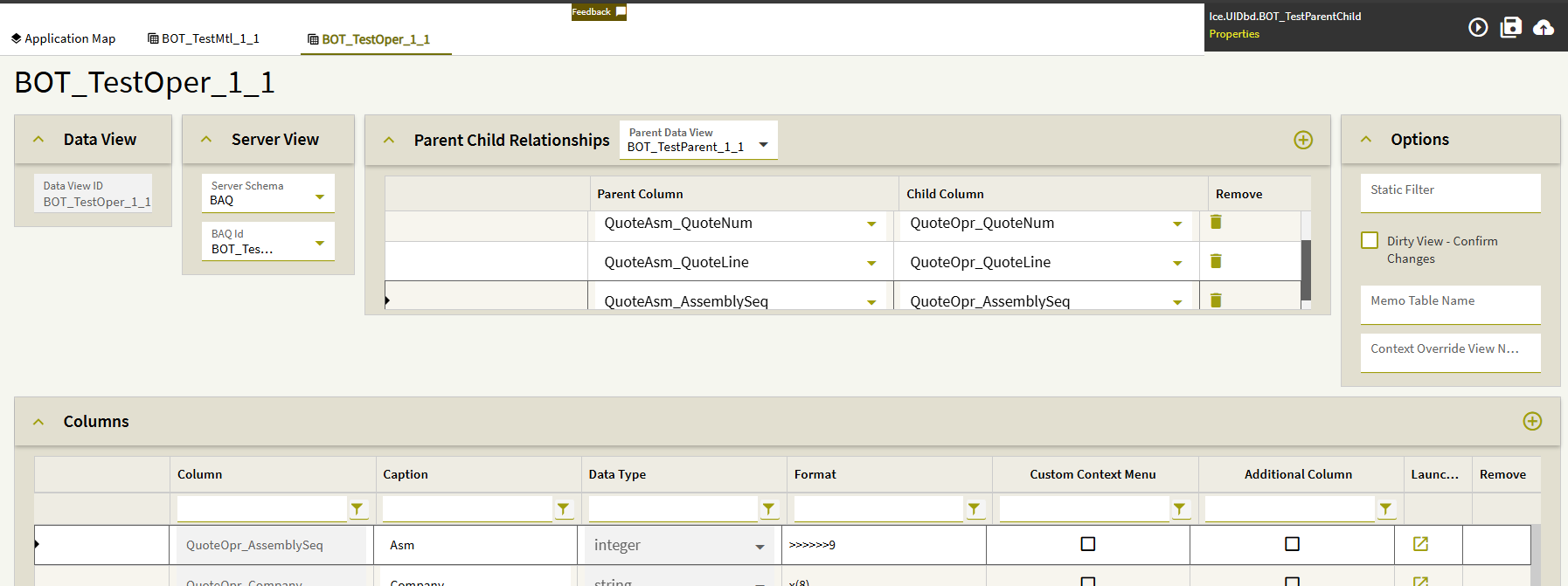
Here is a screenshot showing the relationship between QuoteAsm and QuoteOper (Company is also included, but I couldn’t fit all four columns in the screenshot):
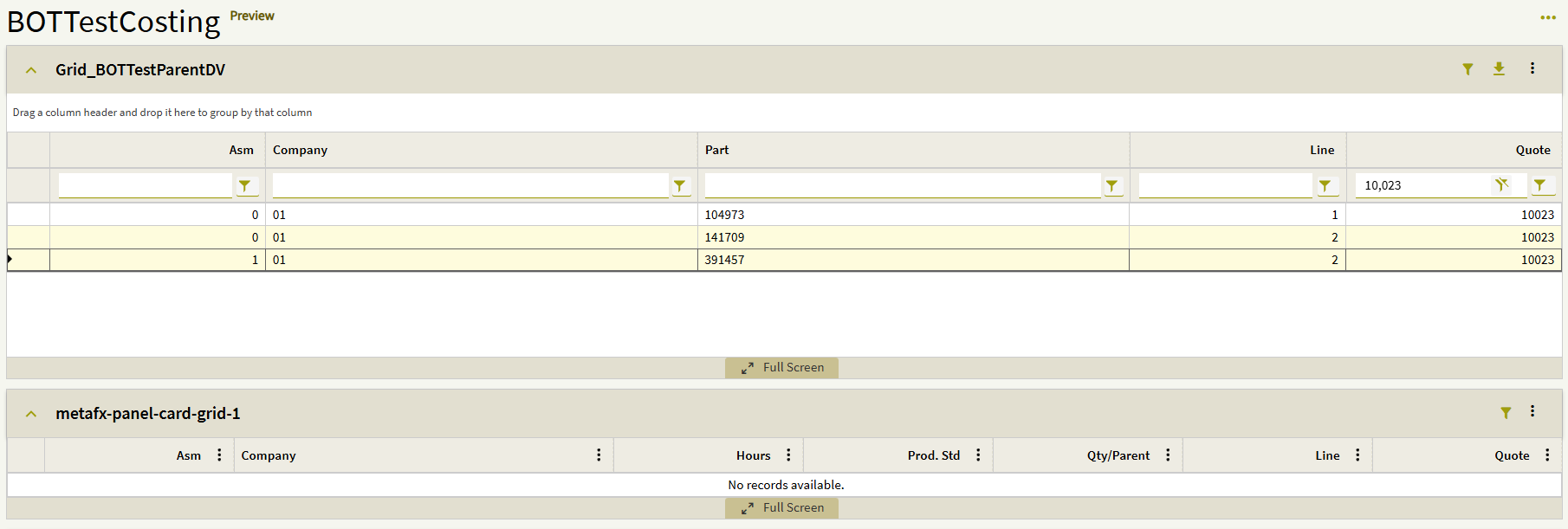
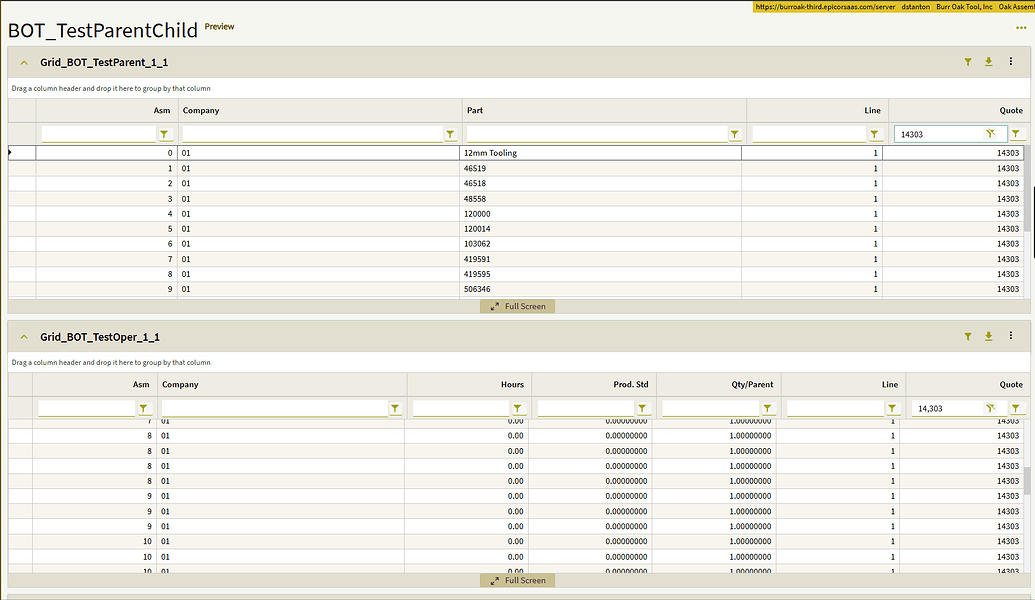
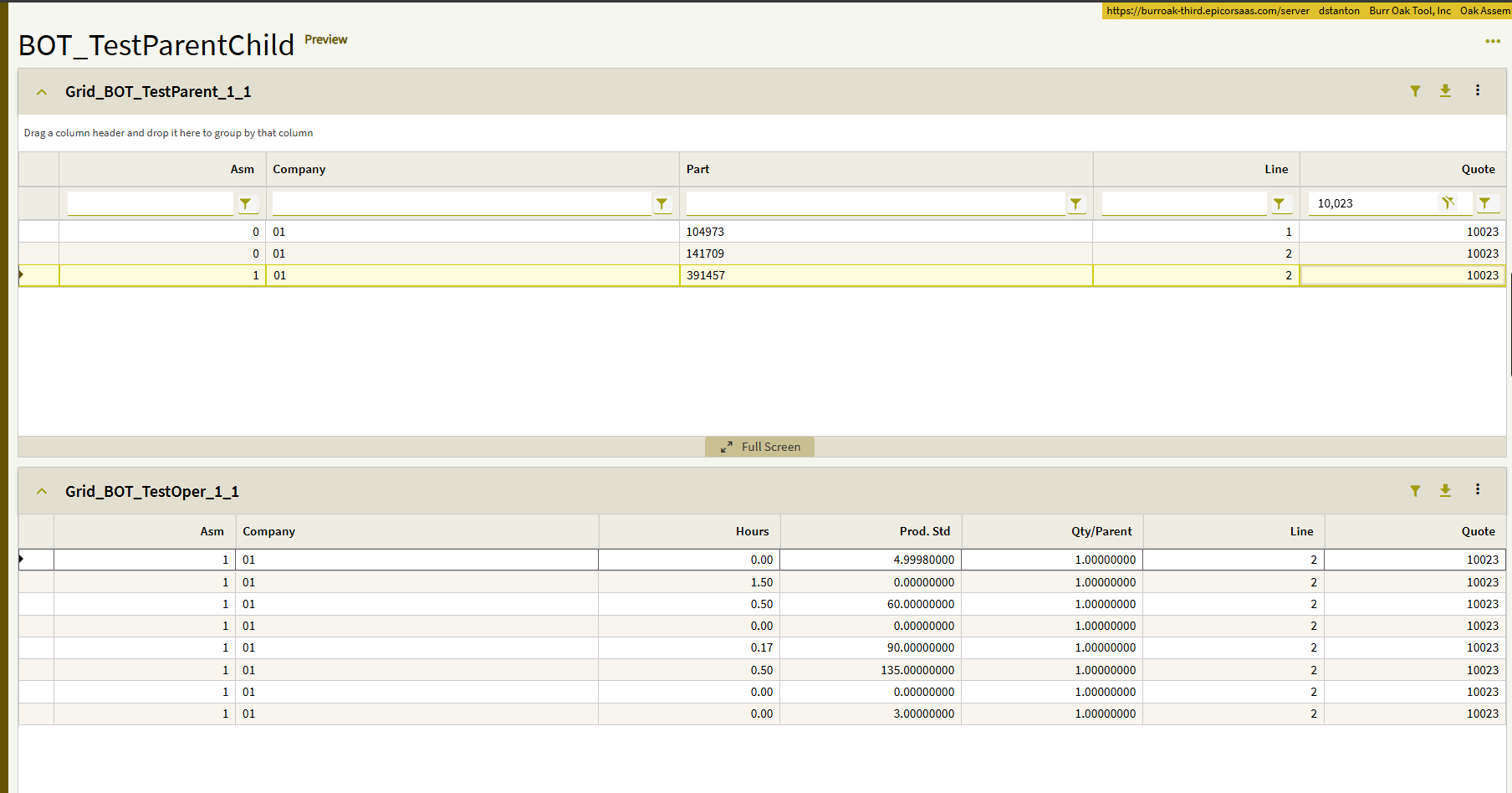
On my test dashboard, everything works as expected with an older quote:
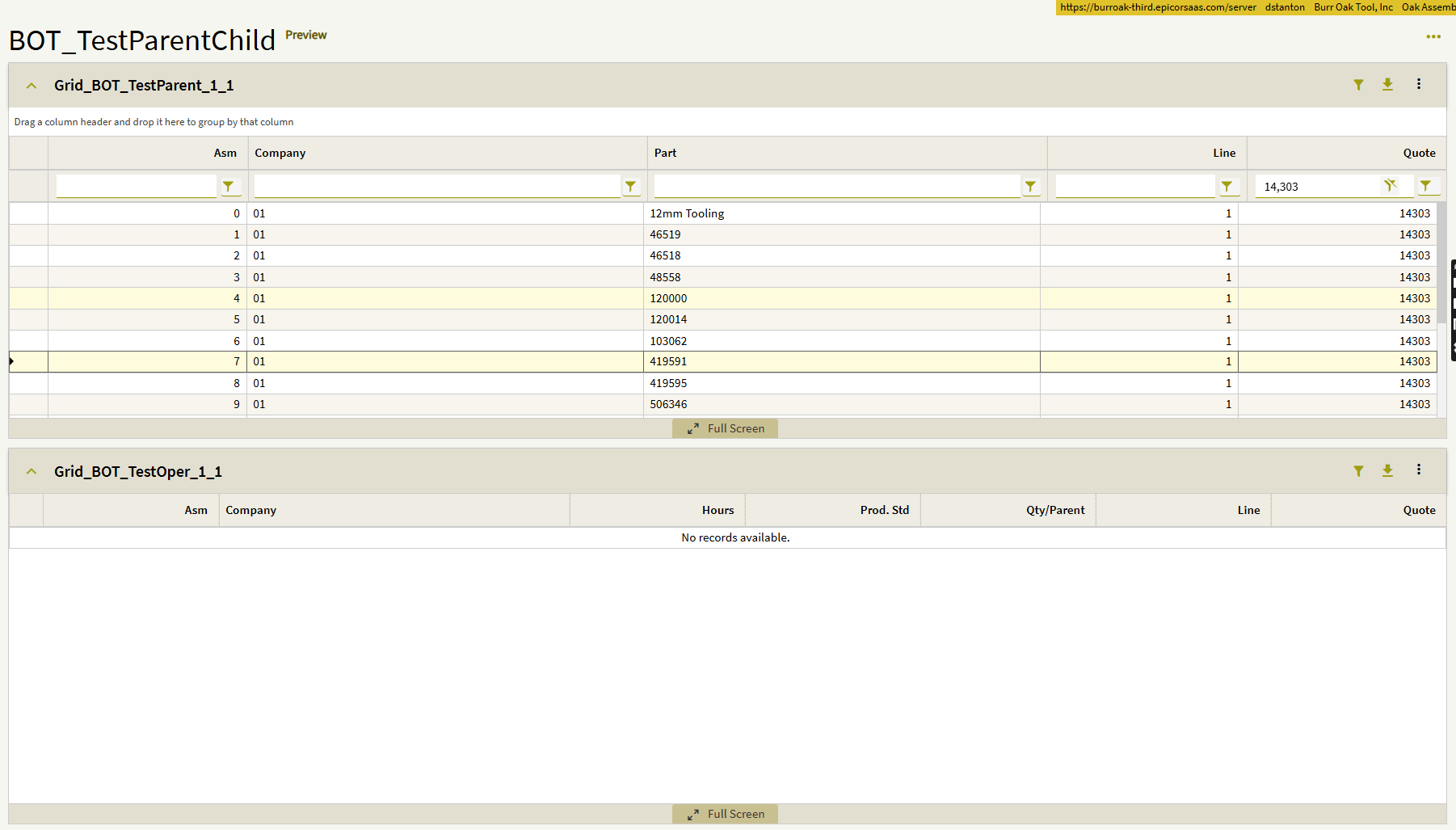
However, when I try a newer quote (one that has been engineered and contains assemblies and materials), the child views do not populate:
To confirm that the data exists, I removed the Parent/Child DataView relationship and simply filtered the same dashboard. The results appear correctly:
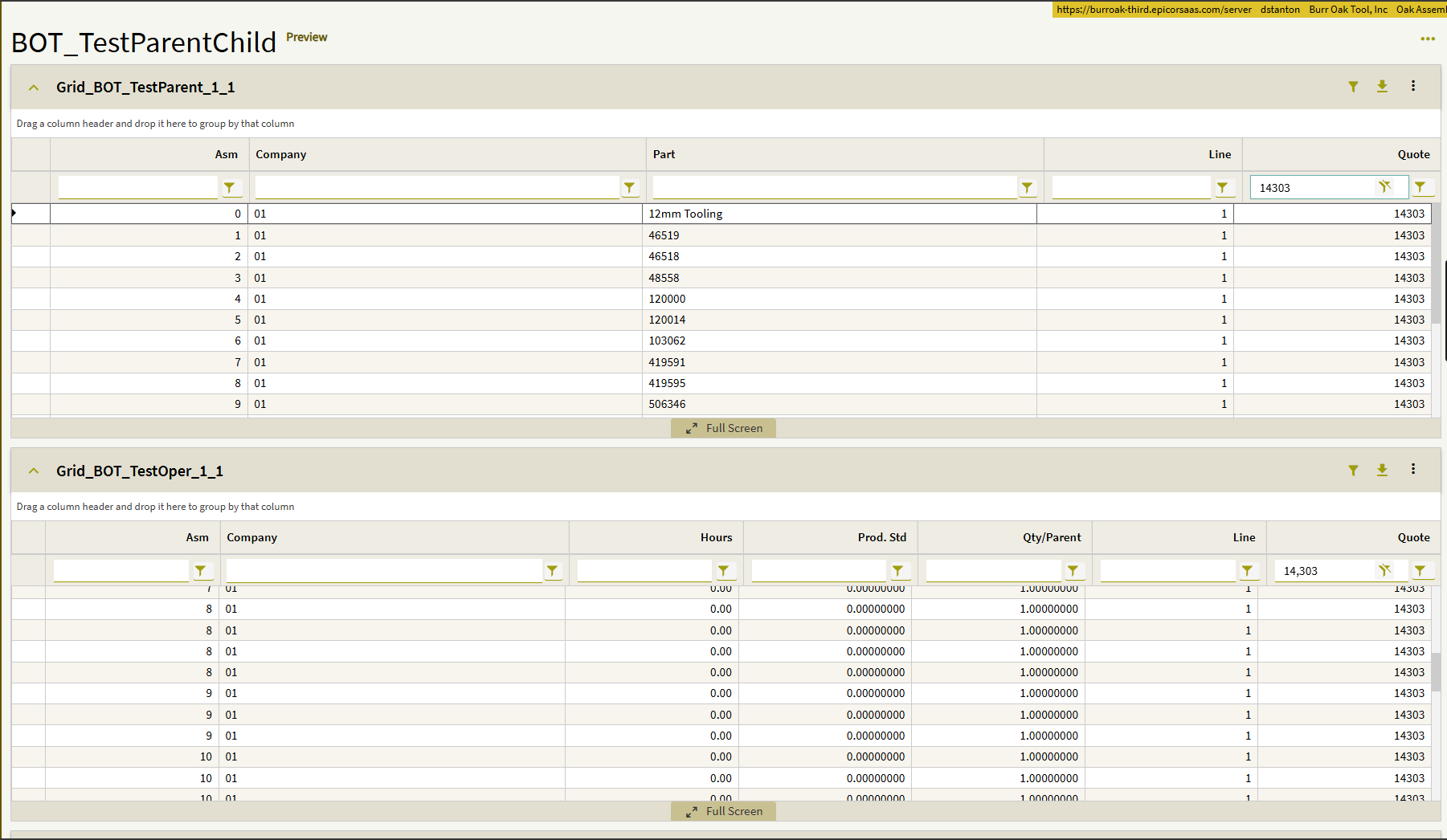
This makes me think I may be missing something in the DataView relationship configuration, though part of me wonders if this could be a bug.

Has anyone run into something similar, or is there something obvious I might be overlooking?

Thanks again for any help you can provide. Please let me know if additional information would be helpful.
1 Like

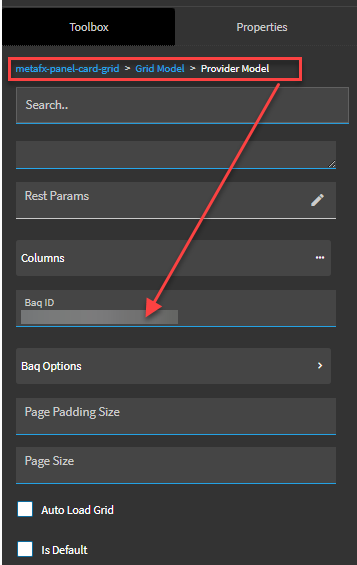
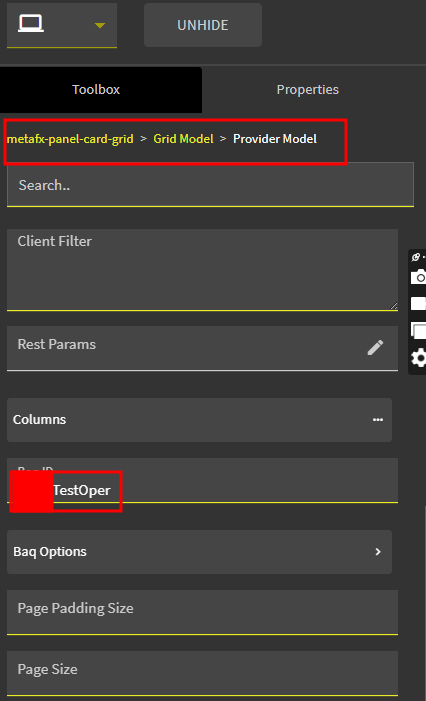
Are you grids using provider model? You can tell in Properties if the BAQ ID is filled in. If you’re using provider model there is another way to setup the subscription.

Yes, they are using provider model:

So, is my understanding of how the parent/child relationship is supposed to work correct, or am I missing a step(s)?

The way you’re doing it is one way but with provider model there is another way.

  • First create your parent dataview and grid
  • Then create your child dataview and grid
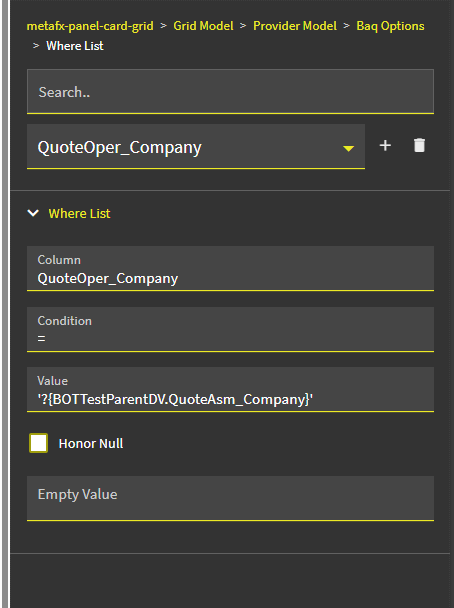
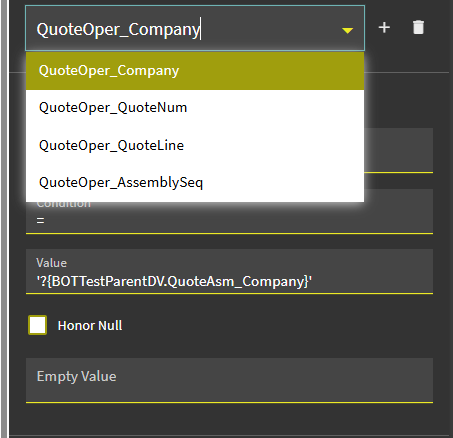
  • In the child Grid Model > Provider Model > BAQ Options > Where List, click the + to create a record, set:
  • –Column: Subscribe BAQ Field ie, JobHead_PartNum
  • –Condition: = (or whatever condition if valid)
  • –Value: Publish BAQ View & Field: ‘?{baqView.OrderDtl_PartNum}’
  • Repeat for each required link

This is how I do my Provider model grids Publish/Subscribe as it used to be called in Classic.

3 Likes

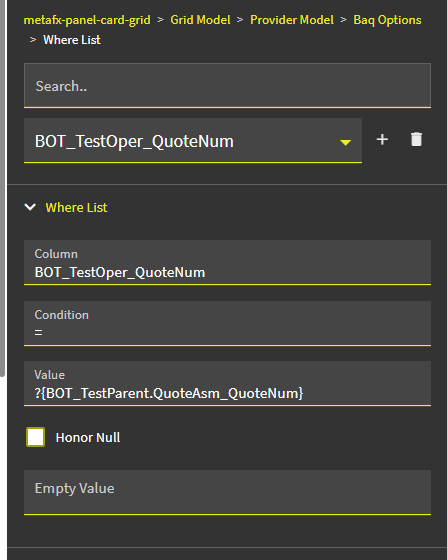
If I am following correctly what you are saying, here is what I should have:

With “BOT_TestParent” being the Parent BAQ name.
“BOT_TestOper” being the Child BAQ name
And “QuoteNum” being the field on each table/datview that I am mapping.

If all that is correct, I still am not getting anything to populate in the Child grid on my dashboard.

1 Like

I corrected my message above as I misunderstood what you told me I needed to do originally. Unfortunately, it didn’t change the results. The child data/grid is still not loading.
Is there something else that I you can see that I am doing incorrectly?

1 Like

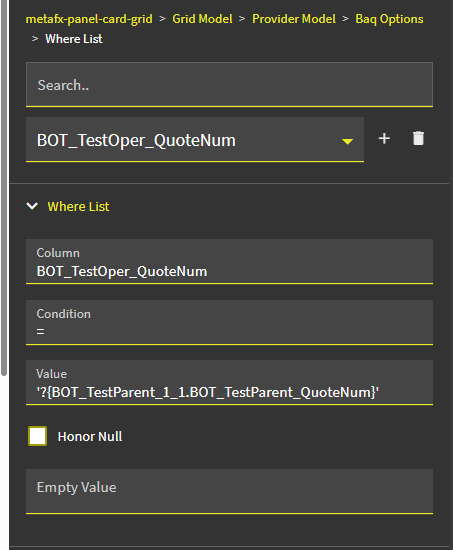
In your OP your DV was “BOT_TestOper_1_1” but in your where list it’s dropped the _1_1. Also try single quotes around the Value.

I had BOT_TestOper_1_1 because I thought I needed my dataview, but from looking at your message above again, I thought that you then meant the BAQ name. Apologies, I am still very new to a lot of this and am probably asking questions that are very basic. I appreciate your help!
Please explain it as if I’m a 5 year old. lol
Here is more information
Parent BAQ = BOT_TestParent
Parent Dataview = BOT_TestParent_1_1
Only table currently in Parent BAQ is QuoteAsm
Child BAQ = BOT_TestOper
Child Dataview = BOT_TestOper_1_1
Only table currently in Child BAQ is QuoteOper

Here is what it sounds like you are saying I need:

Is this correct?

Column is just grid column from subscribe grid
Value is BAQView.Table_Field

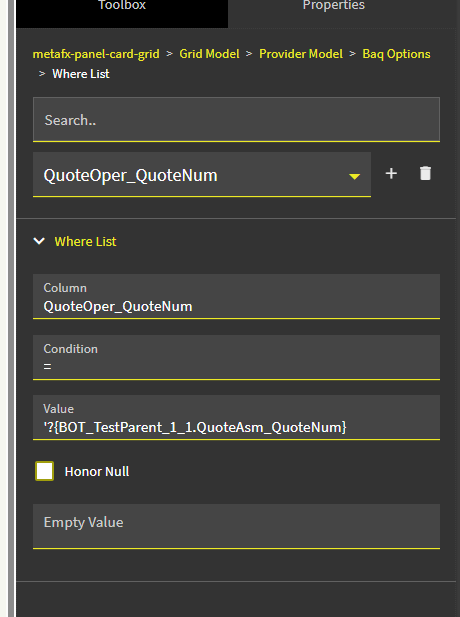
Ok, so this is what you are saying I should have for the values then?

With the values for the data being:
Parent BAQ = BOT_TestParent
Parent Dataview = BOT_TestParent_1_1
Only table currently in Parent BAQ is QuoteAsm
Child BAQ = BOT_TestOper
Child Dataview = BOT_TestOper_1_1
Only table currently in Child BAQ is QuoteOper

Looks right

Ok, well that’s good that we finally got there…but it’s still not loading the data on the child grid.

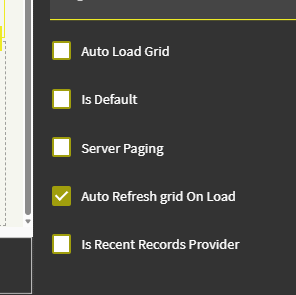
I clicked refreshfrom the overflow menu in the child grid just in case the “Auto Refresh grid On Load” didn’t work for some reason.

Still nothing.

Do I need something else here?

Did you remove the parent/child settings on the DV? If you have nothing set does data load into the grid?

Yes, there is not parent/child setting on the dataview:

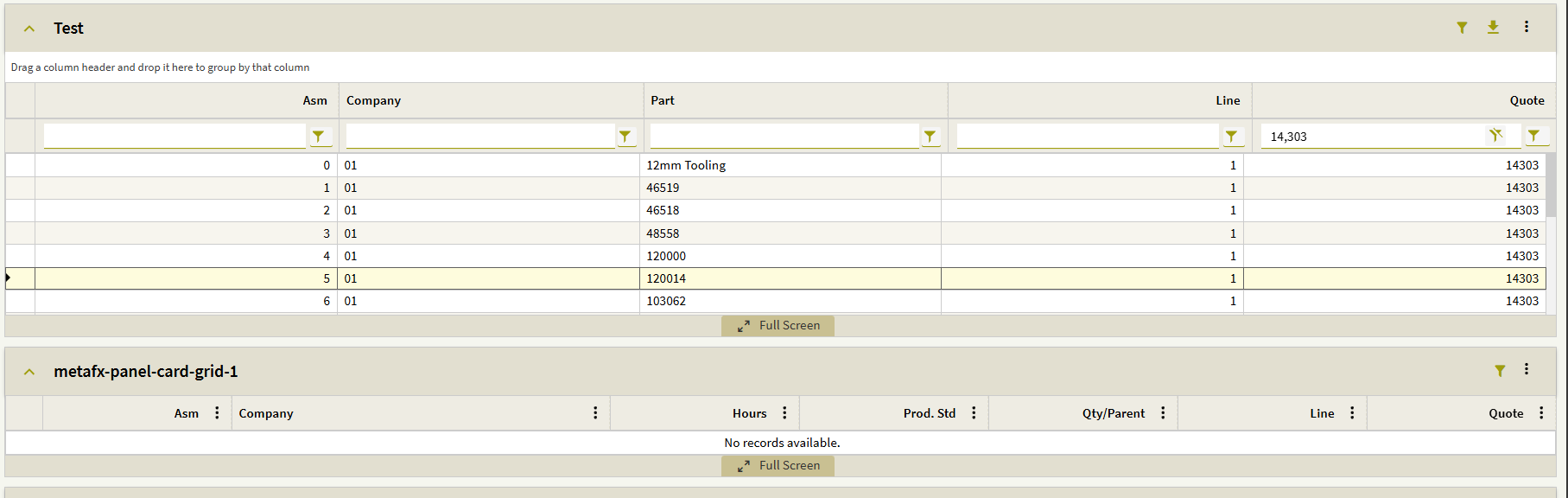
If there is nothing set in the dataview or in the “Where List”, the child grid loads fine and you can filter on it:

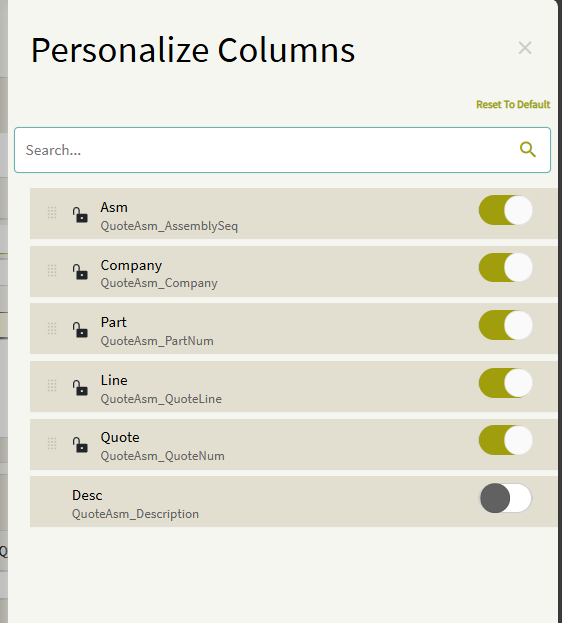
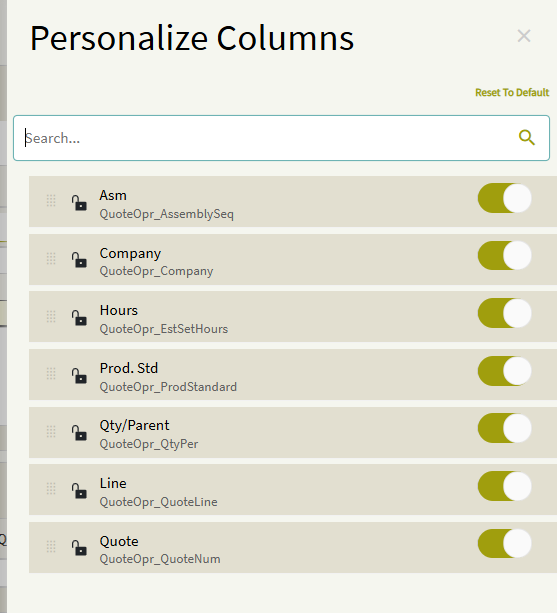
Ok then, take a screen shot from the Personalization on each grid of the QuoteNum field.

Here is the QuoteAsm(Parent)

And here is the QuoteOper(Child)

Sometimes a layer or component can get borked. Try a new grid for the child dataview or a total new child dataview and grid. I always just use text in my dataview names to avoid any possible bugs, perhaps try that too.

Well, unfortunately there is no change in results.

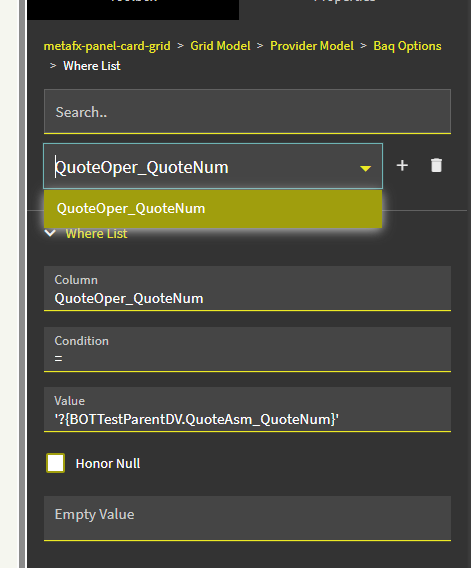
Just try with quotenum only instead of all four. I’ve done this for several dashboards.

It’s not normally this difficult is it? lol