My accounting team has an issue we need to resolve before the end of the month, and my betters on my team are all out of office until after that date, so I am trying my best to help resolve the issue with them.
We have a transaction trying to post to 2 “fake” GL Accounts for a service job. The description is “Phantom Purge Call WIP to COS”, and the two accounts showing on the transaction do not actually exist in our book or database.
The job related is invoiced and closed. The transaction appears to have come from a time entry from an employee. We don’t see anything wrong with the time entry or the job, but from what I have found online it sounds like these Phantom Purge transactions occur at the time of job closing due to something incorrect in the process, missing costs, and a setting on the job closing screen that might have gotten checked when it shouldn’t have.
Is there any way to switch which account these transactions are tied to? Or is there some way to reverse them at this point? My accounting team is wanting to get these “cleared out” ASAP so that they can run the Capture WIP COS process, which if they try now will error out because of the “fake” (missing) GL Accounts tied to the transaction.
here is what I got from Epicare so far on this issue, but with no direction on how to “fix” the bad transaction.
" Issue
After closing a Service Job it is creating MFG-VAR transactions and no MFG-CUS transactions
Error
N/A
Resolution
We are creating a Service Call and a Service Job is linked to it. We issue materials to the job, we complete the operations and then we closed the Service Call which makes the Service Job “COMPLETED”.
We go to financial management and create an invoice for the Service Job and once the invoice gets posted this closes the Service Job.
When the Inventory Wip Reconciliation Report is run this job has MFG-VAR transaction types for Phantom Purge of WIP to COS.
There is a radio button in Company Configuration that controls how the transaction are going to get created.
The Company Configuration is located in System Set up, Company/Site Maintenance
Go to the Modules, Production, Job tab
Check the box to indicate “Post to Cost of Sales” under the Direct Ship Standard Cost Job Variances.
Save and exit
Once you do this and run the Inventory WIP Reconciliation Report again you will see MFG-CUS transactions are now created for the Phantom Purge of WIP to COS.
Notes
This is the process that we followed:
Create a new part, on the general tab the costing method will be STD and at the plant level it will be Average
Do a cost adjustment and add a material cost (51,000) to it
Do a quantity adjustment and add 1 piece to stock
Create a sales order for a customer and ship it
Once the sales order gets shipped, create the service call for the same customer and part
Create the service job and add an operation and material
Issue the material to the job and complete the operation
Close the service call, this will COMPLETE the service job
Invoice the service call and post the invoice in order to be able to close the service job
Run the Inventory WIP Reconciliation Report and you will see MFG-VAR tranasactions or MFG-CUS depending upon the setting you choose in the Company Configuration
"
Hopefully you find that they are referring to your bogus GL Accounts, and you can point them to the appropriate accounts, as directed by your finance team.
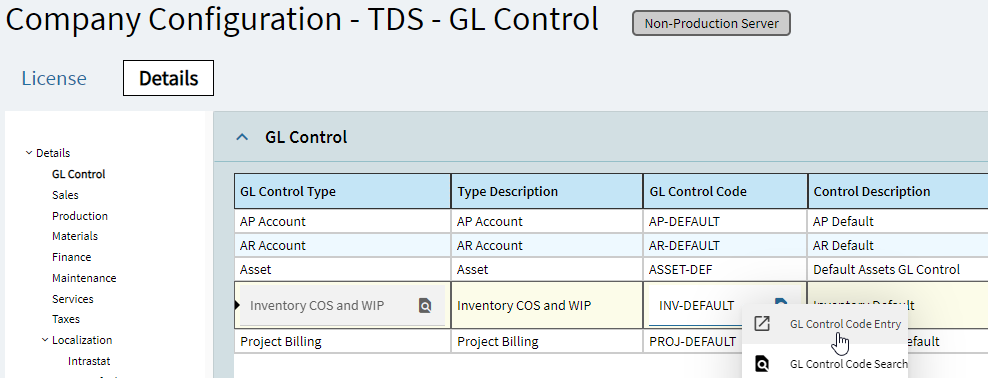
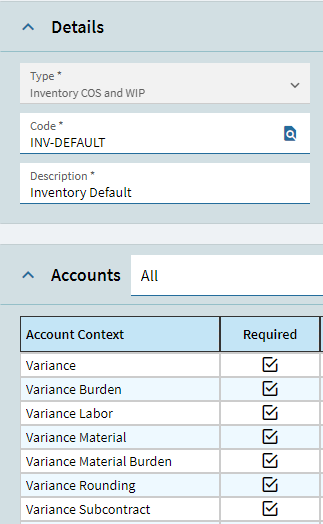
Thank you so much for the input. I checked these controls and they are all pointing to valid GL Account numbers. It remains a bit of a mystery how these non existent account numbers were assigned to the MFG-CUS transaction.