I noticed a “Themes” preview feature come up (2024.2.15)
Does anyone know how this works? I can’t find any information on it in help.
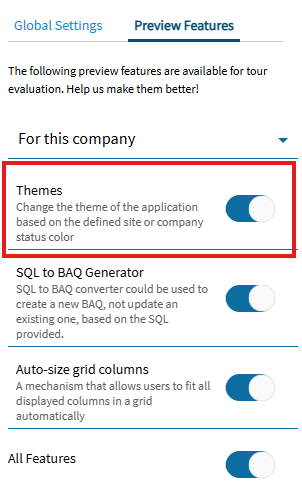
I am single company, single site. But my assumption is that if you change the Company/Site color, it should do “something”.
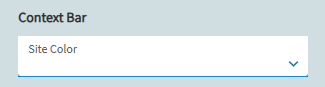
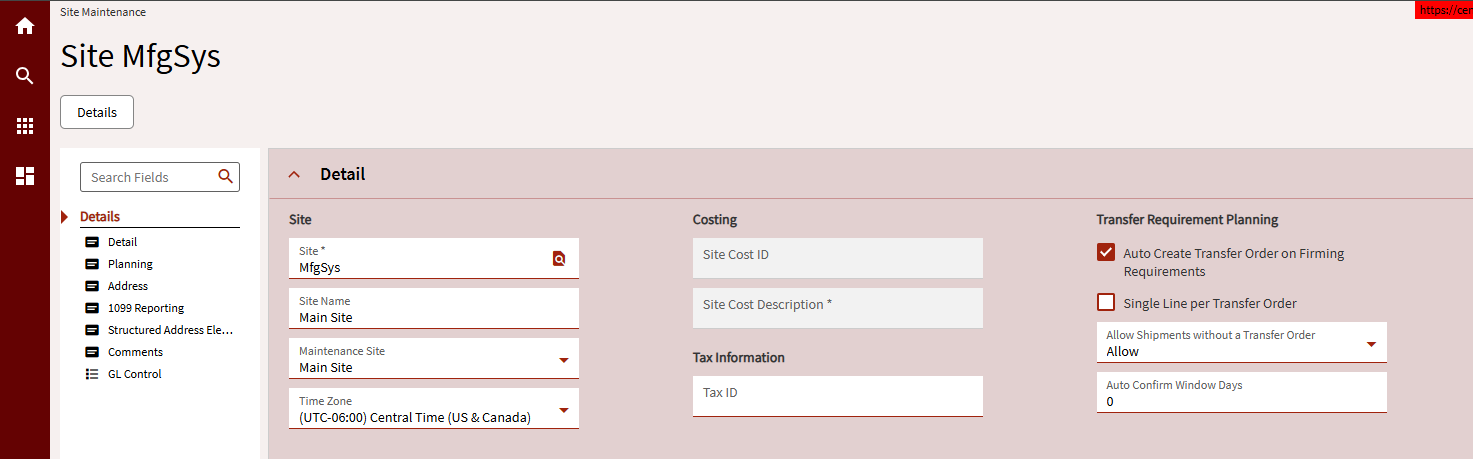
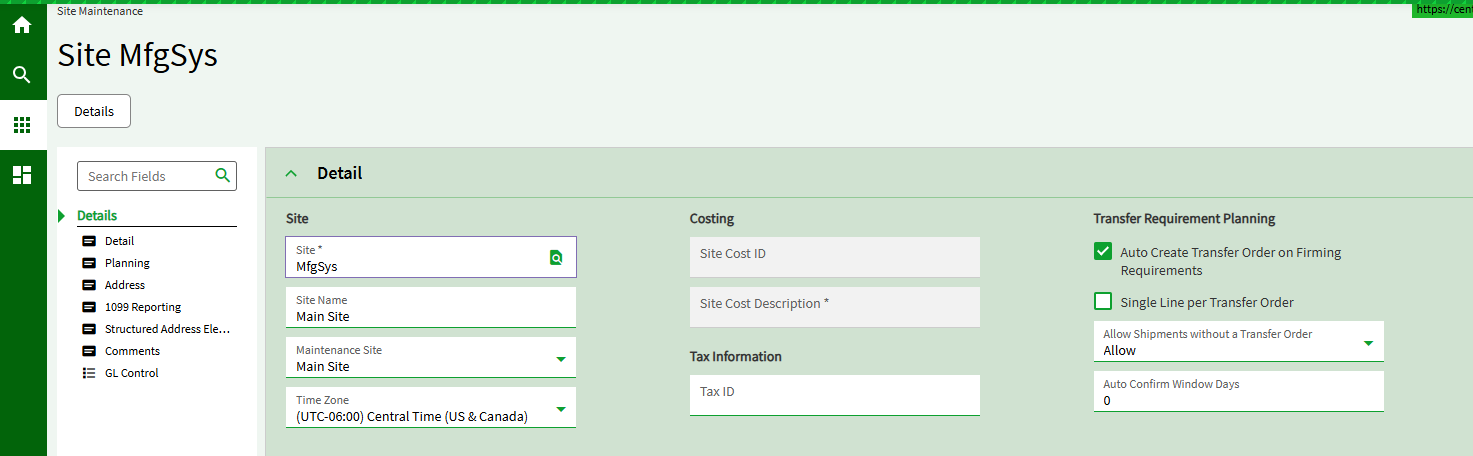
We already have that set and without the preview feature on, it shows the context bar change color. Nothing new here

Not available for us yet (2024.2.12) but when I tested it in 2025.1.3 it didn’t work properly - I would set the theme in one company and it would show up in another. The contrast options are generally not visually clear either because the text color doesn’t change.
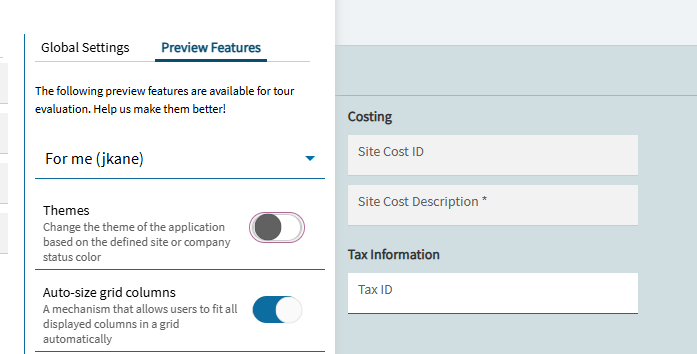
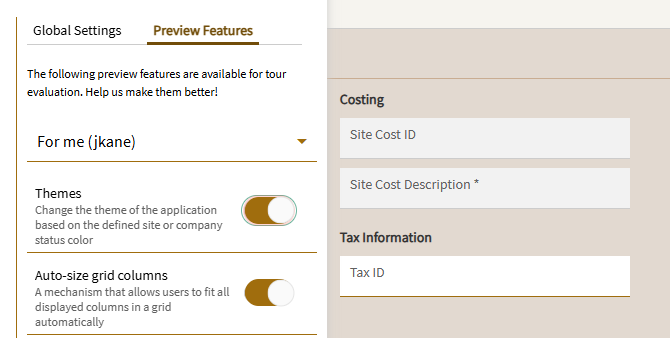
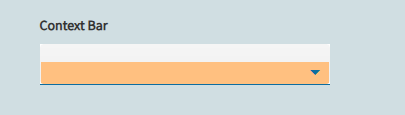
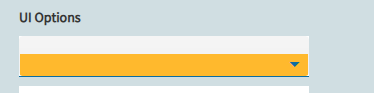

I’m in my Pilot on latest version.
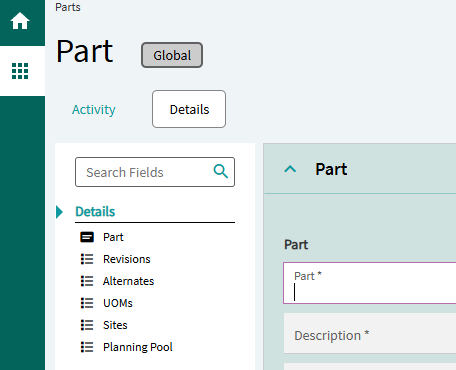
Where is this setting found?
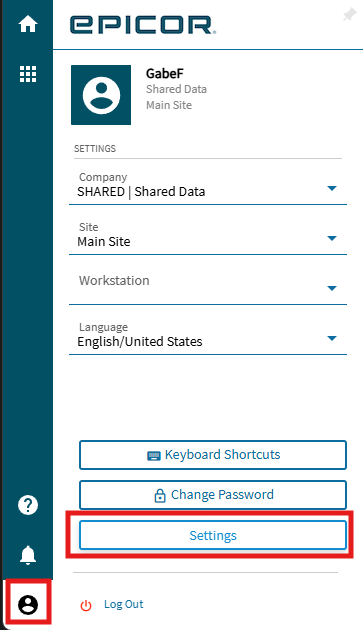
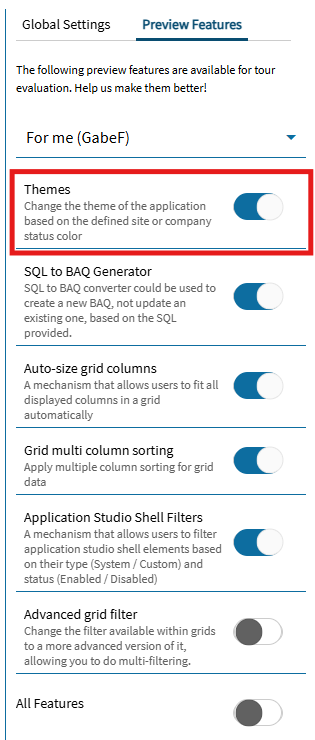
Nice, thank you. I was hoping for the ability to define the theme by environment, i.e., Live (default), Test = red, Pilot = purple, etc. Currently we use Chrome Extension Stylbot to accomplish that now. I take it that’s not the case for the built in Themes.
What i’ve seen done for this (and meaning to implement myself as well) is to put a BPM on the post of some BO/Method that runs during login.. like maybe Ice.BO.KineticErpSvc/GetLaunchModes, for example. In the BPM, check Session.AppServerURL for some unique component in your live environment. if it’s not that, iterate through each company/site and set the color to red or something like that. you can set colors for each env (look for “pilot” in appserverurl, etc.)
Then, you can deploy this bpm in live (where it’ll do nothing) and when you refresh data live → non prod, it’ll automagically switch the company/site colors (and then, turn theming on for the whole screen to be that color vs. the url at top/right)
I’ve been wanting this BPM set up for a while, so I made it!
(Please note that any errors in this BPM will prevent logging in and require special handling to get back in to your system, so be uber careful and don’t blame me for explosions, i’ve tried to validate this code as much as possible and catch exceptions etc.)
Thanks to @jgiese.wci for SQL stuff on post How do you make pilot look clearly different from live? - #8 by jgiese.wci which was helpful! This is the SaaS/Crippled incarnation of that 
In theory, this is a good place to stuff your other non prod setup too. You could make it a little fancier and write out a unique record to UD01 on first run, check for it to not exist before executing anything, so that way it only runs once. As is this code runs every login on a non-prod. I’ll leave it as an exercise to the user to expand the scope 
On first login, this BPM will:
Do nothing on Live
On non-prod, pick a color matching to the various non-prods (unique color per environment)
Enable theming at the Company level for all Companies
Enable theming at the User level for the currently logged in user
Set all Company colors to the Environment Color
Set all Company Plants colors to the Environment Color
For the following lines below, substitute out the proper unique substring to match in your appserver url for the various environments.
Ice.Lib.SessionMod.Login (Post, All Companies)
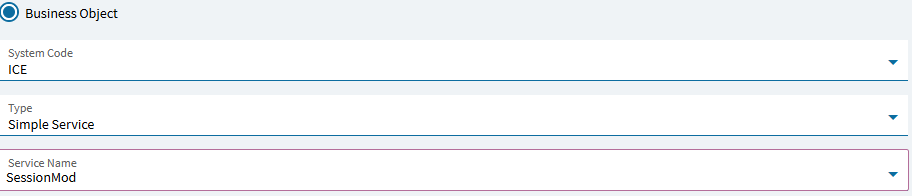
try
{
    string u = Session.AppServerURL.ToLowerInvariant();
    string color;
    bool changeColor = !u.Contains("app00");

    if (u.Contains("edu00")) color = "#CE2029FF";
    else if (u.Contains("pilot")) color = "#1E90FFFF";
    else if (u.Contains("third")) color = "#FF69B4FF";
    else if (u.Contains("fourth")) color = "#FFD700FF";
    else if (u.Contains("fifth")) color = "#00CED1FF";
    else color = "#333333FF";

    if (changeColor) {
        using(var txscope = IceDataContext.CreateDefaultTransactionScope())  {
            try {
                if (Db.EnabledFeature.FirstOrDefault(x => x.Level == 4 && x.Target== Session.UserID && x.FeatureID.ToString() == "6a27b939-8c75-415c-b15c-2eef179f547f" && x.TenantID == Session.TenantID) == null) {
                    var nr = new Ice.Tables.EnabledFeature();
                    nr.FeatureID = Guid.Parse("6a27b939-8c75-415c-b15c-2eef179f547f");
                    nr.Target = Session.UserID;
                    nr.Level = 4;
                    nr.TenantID = Session.TenantID;
                    Db.Add(nr);
                }
                if (Db.PreviewFeatureUser.FirstOrDefault(x => x.UserID == Session.UserID && x.FeatureID.ToString() == "6a27b939-8c75-415c-b15c-2eef179f547f") == null) {
                    var nr = new Ice.Tables.PreviewFeatureUser();
                    nr.FeatureID = Guid.Parse("6a27b939-8c75-415c-b15c-2eef179f547f");
                    nr.UserID = Session.UserID;
                    Db.Add(nr);
                }
                foreach (var c in Db.SysCompany.Where(x => x.Company != "000000")) {
                    c.KineticColor = color;
                    if (Db.EnabledFeature.FirstOrDefault(x => x.Level == 2 && x.Target == c.Company && x.FeatureID.ToString() == "6a27b939-8c75-415c-b15c-2eef179f547f" && x.TenantID == Session.TenantID) == null) {
                        var nr = new Ice.Tables.EnabledFeature();
                        nr.FeatureID = Guid.Parse("6a27b939-8c75-415c-b15c-2eef179f547f");
                        nr.Level = 2;
                        nr.Target = c.Company;
                        nr.TenantID = Session.TenantID;
                        Db.Add(nr);
                    }
                    if (Db.PreviewFeatureCompany.FirstOrDefault(x => x.Company == c.Company && x.FeatureID.ToString() == "6a27b939-8c75-415c-b15c-2eef179f547f") == null) {
                        var nr = new Ice.Tables.PreviewFeatureCompany();
                        nr.FeatureID = Guid.Parse("6a27b939-8c75-415c-b15c-2eef179f547f");
                        nr.Company = c.Company;
                        Db.Add(nr);
                    }
                }
                foreach (var s in Db.SysPlant.Where(x => x.Company != "000000" && x.Company != "ADMIN")) {
                    s.KineticColor = color;
                }
                Db.SaveChanges();
                txscope.Complete();
            } catch (Exception ex) {
                var exinfo = "";
                for (var cur = ex; cur != null; cur = cur.InnerException)
                    exinfo += $"Level {exinfo.Count(c => c=='L')} Exception: {System.Runtime.InteropServices.Marshal.GetExceptionForHR(cur.HResult).Message}: {cur.Message}: {cur.StackTrace}";
            }
        }
    }
} catch (Exception ex) {
    var exinfo = "";
    for (var cur = ex; cur != null; cur = cur.InnerException)
        exinfo += $"Level {exinfo.Count(c => c=='L')} Exception: {System.Runtime.InteropServices.Marshal.GetExceptionForHR(cur.HResult).Message}: {cur.Message}: {cur.StackTrace}";
}
You can but in Site Maintenance,you set the seed color and it decides on the color tones for the rest UI. It’s hot or miss on how well it turns out and seems too limiting to me IMHO.
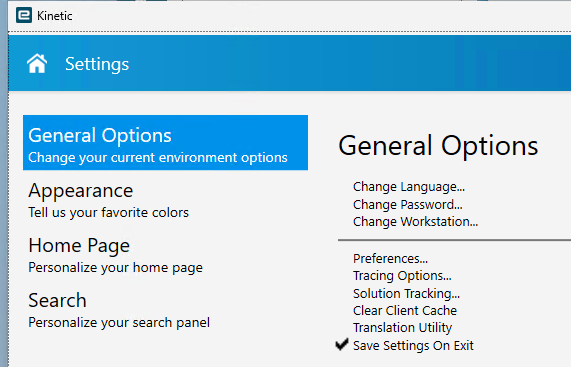
Hmm, i’m not sure that it’s possible to get to the Kinetic version of settings from the Smart Client..?
Might need to access that via the browser.
You need to log into Epicor via a web browser not the smart client.
Thanks for writing this code to update the color of an environment across all companies!
I’ve been wanting to automate this process for a while - including adding a suffix to the company name, updating the Edge Agent Configs, network path on the printers, and other test environment changes that need to be made after a database refresh from Prod.
I tried copying this code to a Function, but I don’t have the correct assembly or service added to the library.
Do you know if it’s possible to run from a Function? If so, what am I missing? this is one of the errors:
The type ‘TransactionScope’ is defined in an assembly that is not referenced. You must add a reference to assembly ‘System.Transactions.Local, Version=8.0.0.0, Culture=neutral, PublicKeyToken=cc7b13ffcd2ddd51’
.
Transaction Scope should work in a function, although you only need to use it within the function code if you are utilizing multiple txscopes, if you only need the one, there is a checkbox on the function editor (enable transaction scope) - you can just check that box and take the txscope bits out.
You then just need to reference the appropriate tables (and allow read/write access)
By the way, i’ve been wanting to do the same thing as you, + avalara etc., so i’d be interested in your implementation
I was thinking the easiest way is to hang a BPM off something that fires every update, like one of the conversions that fire with every dotfix.
Have the BPM check the AppServerURL, if live, NOOP, else check UserCodes for an “already processed token” - NOOP if found. If not found, call the function and do the things.