We’re getting suggestions from Epicor support that best practice for using Kinetic is to use Private Browsing, is anyone else getting this suggestion?
We’re running into issues with our users occasionally being unable to sign in (they click login, it redirects to Azure, then comes back and doesn’t proceed). We’re able to have them refresh or clear their cache to fix the issue but that is only temporary. When pushing back on support on having us clear browser cache as a solution they said the above.
Running in Private is just a band-aid (IMO) for caching issues.
I mostly see caching issues following updates. Various screens hold on to old images and clearing cache helps ensure users are getting fresh content.
I’ve seen some companies force clearing cache in the browser settings, so it automatically clears. This just means the site will run a bit slower as it has to reach out for full data with each browser session. But if that’s an option for your organization, you could try that route.
For Edge & Chrome (possible firefox but I do not have experience with that) you can set up GPO policies to clear the cache automatically for certain sites (or everything) when they close the browser so we have that set for our Epicor sites.
We have started teaching our users on how to clear the site cache for Epicor in order to fix some of the issues that we’ve come across. Though with Chrome and Edge we need to do so twice as the first time does not allow us to enter our Tenant ID to select login type. Maybe a GPO will also help with that.
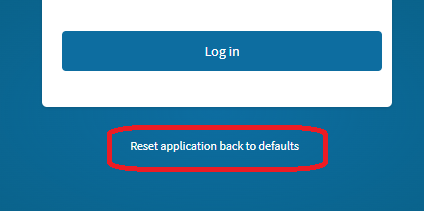
The “Reset application back to defaults” is a cheap and easy step that MOSTLY clears cached items. Epicor does NOT (at least that I’ve found) describe in detail what this does, but it often fixes cache issues in my experience.
I trully hope they aren’t suggesting that this is best practice. If your product requires in private browsing you (meaning they) clearly did something wrong.
I hope that’s just some rogue support agent’s suggestion becasue that’s a bit apaling to be honest.
The support rep had a senior engineer review our case and this was part of the response:
My senior engineer has reviewed this case, and he provided the following response.
While clearing the browser cache can often resolve client-side issues, end users generally should not need to clear their cache on a daily basis. Browser cache corruption can occur for a variety of reasons that are unrelated to the Kinetic application itself, including browser updates, interrupted browser sessions, endpoint security software, profile synchronization issues, corrupted browser profiles, conflicting browser extensions, or cached data becoming inconsistent after network interruptions or workstation-related events.
As a best practice, we recommend launching each Kinetic environment in a private browsing session. Private browsing sessions start with a clean browser cache and do not retain cached website data after the session is closed, which helps eliminate many of the common browser-side issues that can lead to unexpected behavior.
I followed that up with a question reconfirming what they said:
Hello Lucas,
Please find my response to your question below.
Q: I just want to confirm, the solution being proposed to this problem is to have our users always use Private Browsing when using Kinetic?
A: Yes.
Which is what led to me creating this thread to see if other people are getting the same recommendation.
While I agree with all of the replies, there is a silver lining to in-private/incognito mode. In addition to clearing the cache and other local storage, which can’t be read by another process:
Malicious 3rd party extensions are disabled by default prevent DOM scraping
Other personal SSO identities, like Gmail, are isolated preventing click jacking
Prevent crosstab contamination with non Kinetic tabs
We clear the Kinetic cache when the users close the browser also the cookies. This wipes out the users ability to set hot-keys but it keeps the users working so…
BTW, if you’re an admin of a machine or network, you should ALWAYS use the browser an isolated mode. So many systems have been owned having email running in the same session.
InPrivate/incognitio also breaks normal SSO so while I understand the isolation, and I do use it this way when I need to test some things I wouldn’t recommend to my user base to run that way except to test if I was dealing with a caching issue but that is just my opinion.
Back in August of 2025 @timshuwy said the following when a user raised the same question:
I agree with his take 100%. That said,@ordazl was told directly by Support that we should always use Private Browsing. Has there been a change in guidance since last year? It would be unfortunate if so. Like @leonardpothier said, it would break SSO.