Looks like Epicor have slipped a new, much requested, feature in to 2025.2 without anything in the release notes
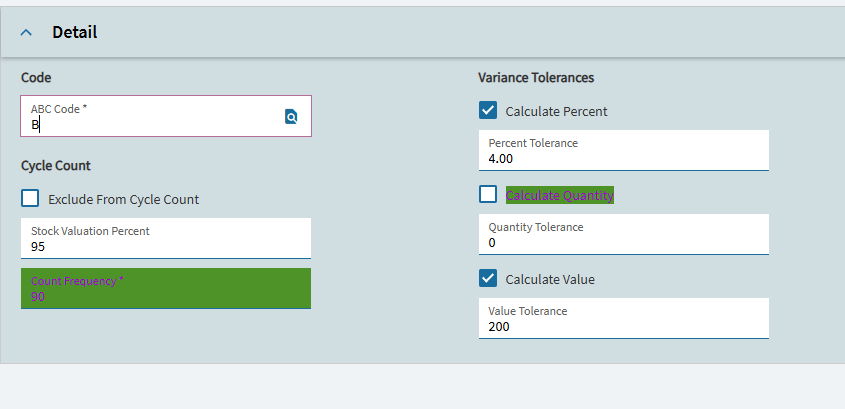
When adding row rules into layers or custom apps you can now choose the background colour and text colour from a full colour picker including entering the HEX code.
That is there as of 2025.2. It is part of the advanced filters that I believe is still under the preview features. And was documented in either the what’s new and/or the feature spotlights.
So in 2025.2 if I turn on advanced filters you can now compare one column’s value to another, similar to the way custom grid filters work in classic? If so that is a huge win. I’ve used Advanced Filters through 2025.1 and while they allow stacking and multiple values they do not allow for comparison between columns.
Correct. There is a little switcher to switch between value and another column of the same data type. E.G. order entry landing page Bill To customer != Sold to customer columns.
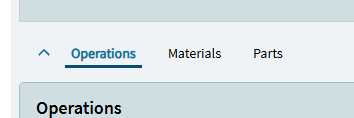
Fabulous! Now is there a way to also highlight the tab ie Job closing screen 2nd tab Materials has a row error and the grid line is highlighted Red but you cannot tell unless you click into it
How does this actually work? In the good versions of Epicor’s UI (this is not an underlying issue, its a UI choice that Epicor made with Kinetic) I can select the column I want to filter against but there is no way to do this in my test system for 2025.2.4, the same filter options are there that have been there since 2024.1, they’ve only exposed the advanced filter by default which for anyone who has used custom grid filters in Classic is an absolute joke.
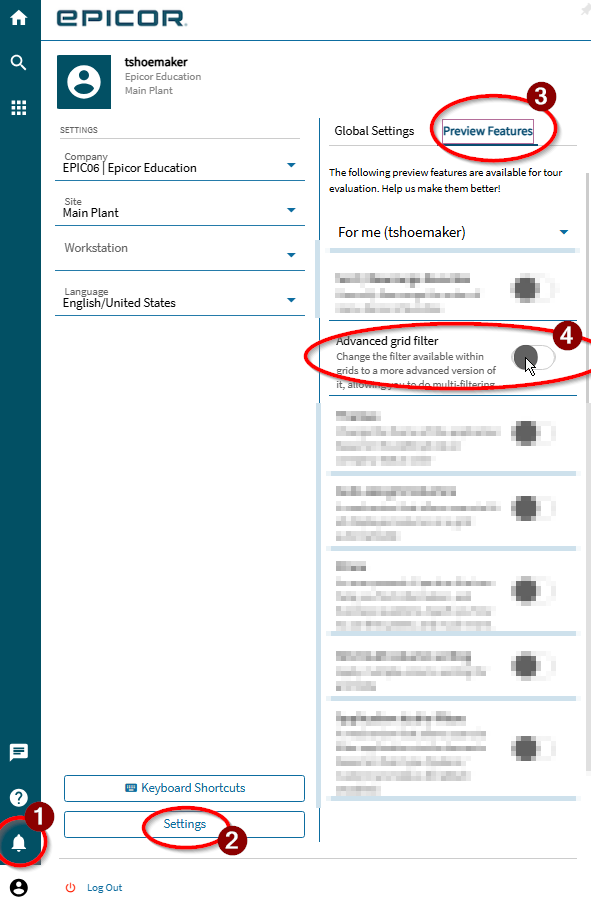
You should be able to turn on the advanced settings under the preview features section. The reason it is here is that we have “feature flagged” this feature until we have feedback from customers on how it works in the real world. Here is a screenshot of the preview features from my system (which might have a few extra things as this is from 2026 build).
Hi @timshuwy, I did, I missed that originally but after re-reading the original post I saw it mentioned as a preview feature but even with it flagged as on it still doesn’t change my filters. I also cleared the cache on my browser and restarted it all with no change, either on landing pages with no customizations and dashboards.
It’s funny because I JUST finished my first project to do something with this on my DEV environment (upgraded) and ported it to PROD (not upgraded) and got very confused. XD