I am asked to pull a BAQ together to show data from the Trial Balance Report. I don’t know finance. What tables feed that report? The RDD shows GLTBHdng and Details, but those aren’t tables. I looked into the GL tables and there are a lot. Do I need to use some combination of the GL journal tables and some calculated fields?
I would start by printing a Trial Balance report. It is similar to a BOM listing as there are levels. The structure is built using the COA Categories (Current Assets, etc.). This tells Kinetic how to roll up account numbers. Next, the Segment Values choose which category the account appears in (Cash is a current asset for example). Once you have the structure, then you use GL PeriodBal to run your report.
What you’re trying to duplicate is the Financial Report Designer.
In short, they want the TB in Excel, right? Did they tell you the problem they are trying to solve? I may start there before you go too far down this road.
I believe so. It sounds like I should be using the Financial Report Designer for this, huh? The problem they are looking into is far above my understanding. I am happy to pull data to assist.
Running a basic BAQ on GLPeriodBal does get me close to most of the totals I am looking for. However, I see some of the accounts are missing. I am comparing to the TB report to my BAQ and almost all of the accounts have the correct values, but a few are either missing or have wrong values. Is there another table to pull in the missing accounts?
As mentioned above, only the posting accounts will have entries in the GLPeriodBal table. All of the roll-up accounts (or amounts) will not be in there.
Later, after you do this work, they may ask for budget numbers to compare to. Again, you’ll be back in Financial Report Designer-land.
I don’t know the current status of Epicor’s GL to Excel tools. There have been several official and unofficial solutions out there: Spreadsheet Server, FastClose, among a few others. It may be worth a call to your CAM to see what the current state of this is as these tools have been pretty good according to what I’ve heard from financial folks. Just a thought.
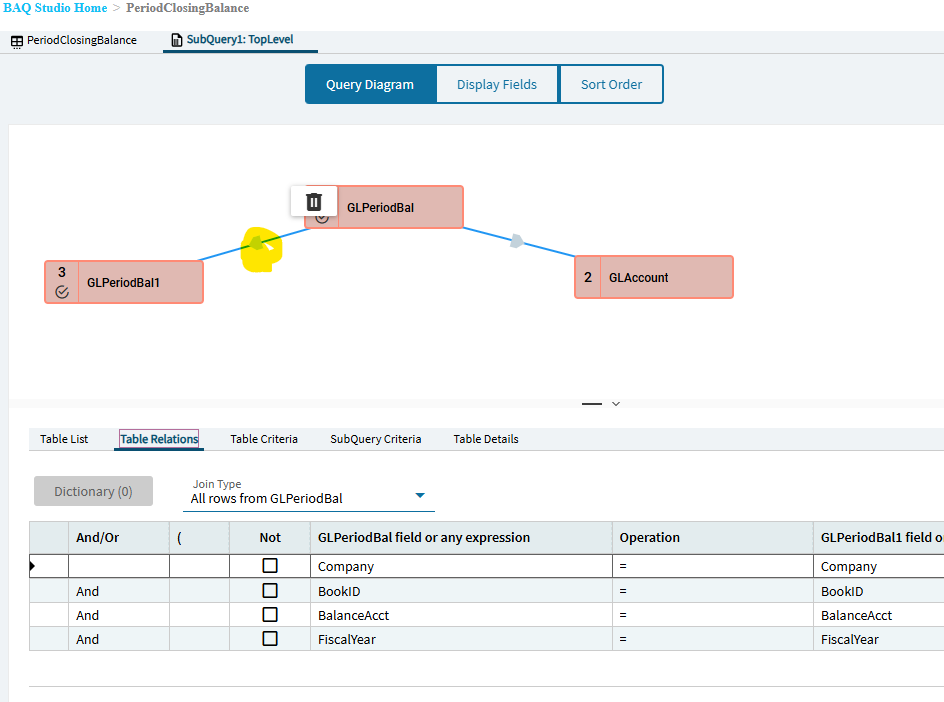
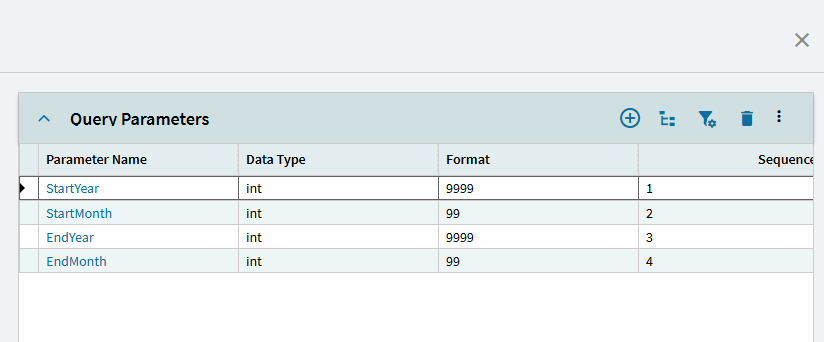
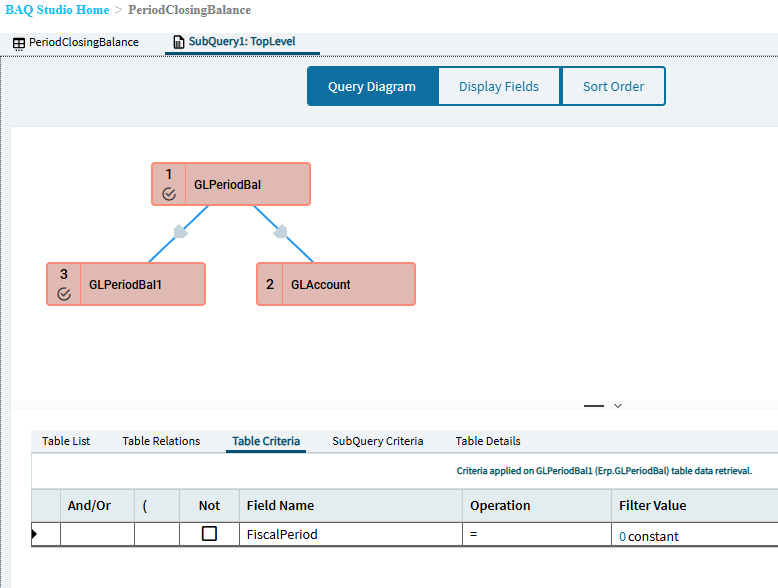
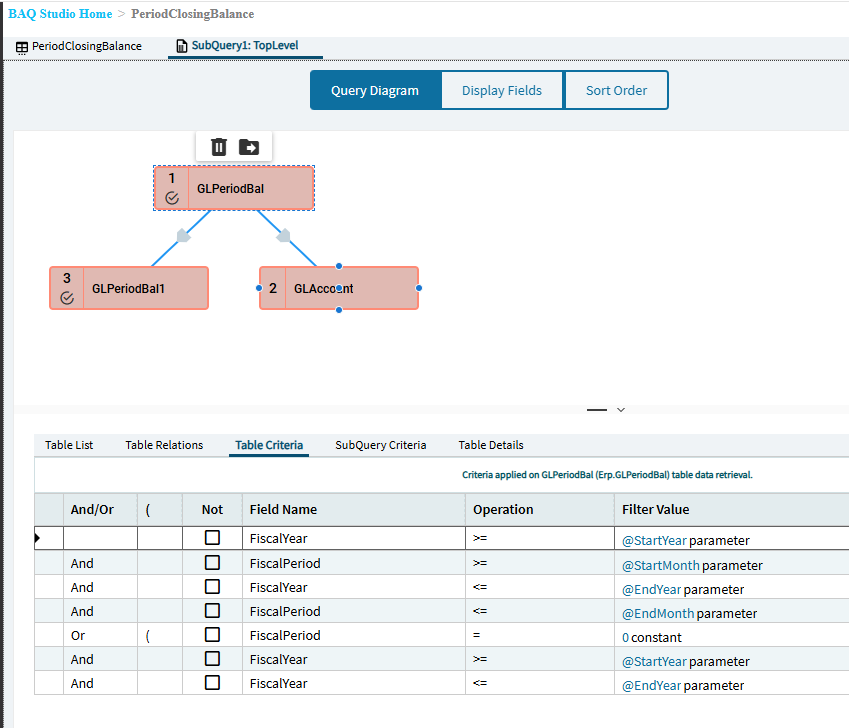
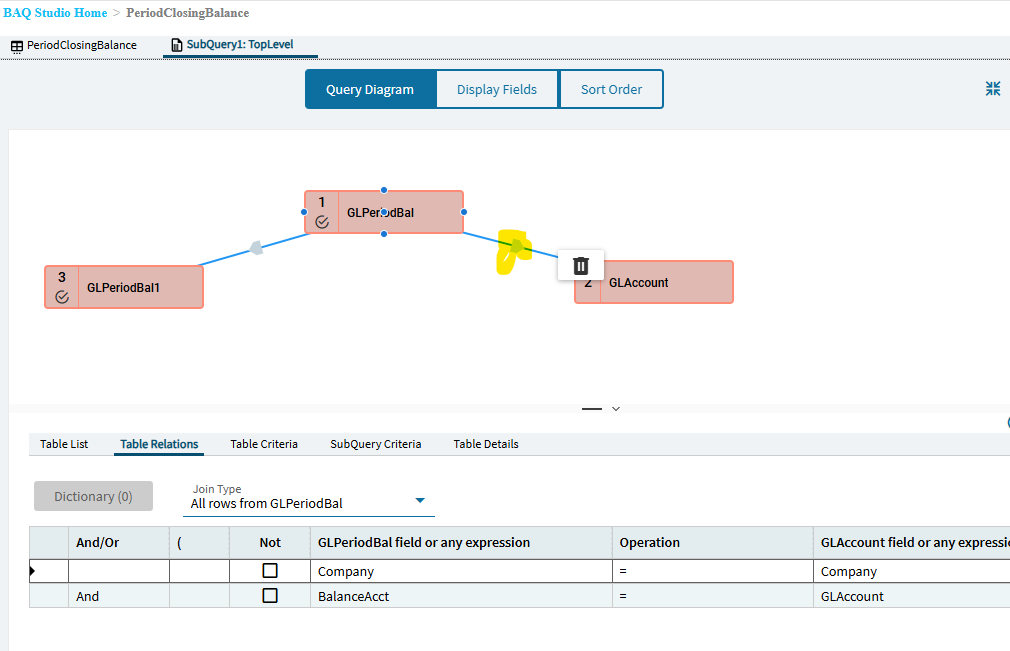
This BAQ get me pretty close, and might be enough for what they need. I don’t think I understand finance and accounts enough to get the whole roll up account thing. Thank you! PeriodClosingBalance.baq (23.8 KB)
One of the best classes I added to my physics, math, and computer science curriculum was Introduction to Financial Accounting. There are now free courses all over the Internet. I cannot tell you how much knowing just a little bit has helped me in my ERP understanding. Knowing about the trail balance and income statement, assets/liabilities/equity accounts, cash vs accrual accounting, debits and credits, etc. will make anyone on this forum far more valuable. And it’s easier than CSS and JavaScript!
Yeah, for me, the worst part was time value of money. But knowing the basics (DR/CR; TB/IS; etc.) wasn’t too bad and is the part that is most useful when setting up an ERP system.
That was actually my first approach. The final goal seems to be to pull data into excel spreadsheets, so this is working nicely. I have to run it for a range of YTD and then again for just the single month, but the numbers are all adding up nicely!
/*
 * Disclaimer!!!
 * This is not a real query being executed, but a simplified version for general vision.
 * Executing it with any other tool may produce a different result.
 */

select
	[GLPeriodBal].[BalanceAcct] as [GLPeriodBal_BalanceAcct],
	[GLAccount].[AccountDesc] as [GLAccount_AccountDesc],
	[GLPeriodBal].[BalanceAmt] as [GLPeriodBal_BalanceAmt],
	[GLPeriodBal].[CreditAmt] as [GLPeriodBal_CreditAmt],
	[GLPeriodBal].[DebitAmt] as [GLPeriodBal_DebitAmt],
	[GLPeriodBal].[FiscalPeriod] as [GLPeriodBal_FiscalPeriod],
	[GLPeriodBal].[FiscalYear] as [GLPeriodBal_FiscalYear],
	[GLPeriodBal1].[OpenBalance] as [GLPeriodBal1_OpenBalance]

from Erp.GLPeriodBal as [GLPeriodBal]
left outer join Erp.GLAccount as [GLAccount] on
	  GLPeriodBal.Company = GLAccount.Company
	and  GLPeriodBal.BalanceAcct = GLAccount.GLAccount
left outer join Erp.GLPeriodBal as [GLPeriodBal1] on
	  GLPeriodBal.Company = GLPeriodBal1.Company
	and  GLPeriodBal.BookID = GLPeriodBal1.BookID
	and  GLPeriodBal.BalanceAcct = GLPeriodBal1.BalanceAcct
	and  GLPeriodBal.FiscalYear = GLPeriodBal1.FiscalYear
	and ( GLPeriodBal1.FiscalPeriod = 0  )
where (GLPeriodBal.FiscalYear >= @StartYear
and GLPeriodBal.FiscalPeriod >= @StartMonth
and GLPeriodBal.FiscalYear <= @EndYear
and GLPeriodBal.FiscalPeriod <= @EndMonth
or (GLPeriodBal.FiscalPeriod = 0
and GLPeriodBal.FiscalYear >= @StartYear
and GLPeriodBal.FiscalYear <= @EndYear ))