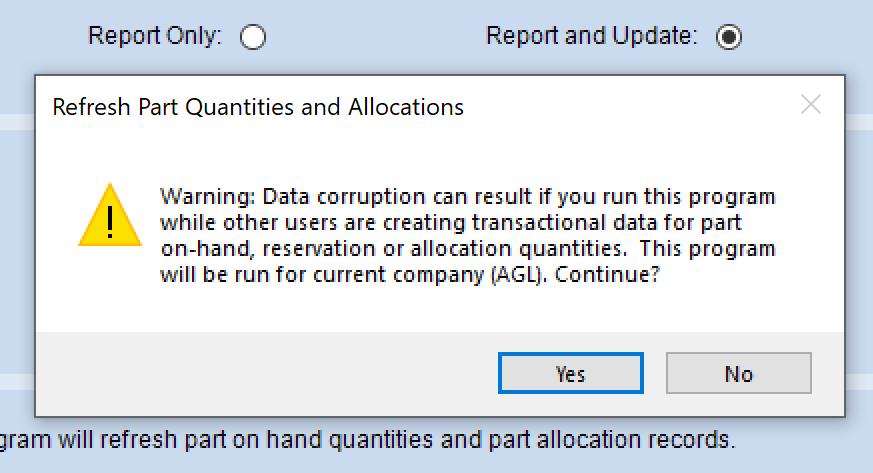
In my opinion it’s already corrupt so why not allow us to run it on a schedule. Obviously you need to be smart about when you run it…like the dead of the night.
I plan on trying to piggy backing off another scheduled process in a Post Process BPM to basically run it from there. I don’t want to filter so I just need to get the defaults, mark it to report and update and submit it to the agent.
It still bugs me that I don’t understand how it gets off.
Ok, so maybe corrupt is a bit harsh. But like @jgehling said, it’s an ERP system so maybe the ERP system should put it back in sync without user intervention.
I think they should just add it to the MRP process as an option. It’s already making changes anyway.
We still have a lot of issues with this and can’t work out why. EPICOR are being typically evasive on the subject. Stating that they can’t replicate it so wont fix it, but I can’t get why they openly admit that this is an issue reported by multiple sites yet wont accept that it is something that they should fix.
STEVE! I have been chasing this same issue for months.
I am keeping a log of all of the parts that are showing up on the report. I already found one bug and epicor is looking into it right now. They can replicate, but I don’t think this bug is where the issue is stemming from.
After I start to hone in on what parts are repeatedly showing up on the report I am going to ask our teams to start checking the totals on part tracker (which pulls from part warehouse table) and the time phase detail for that part (partdtl table) whenever they do something that impacts supply/demand for that part. I’m talking everything- job creation, closing, material issue, etc…
I am hoping to come up with something we can replicate. I will let you know how it goes.
There may be other causes but this was the one we could reproduce. The reason for the PartDtl file is performance. A normalized database would recalculate all allocations and demands on every query. Of course, this would slow down other functions.
EDIT Flashback. Dekitting and Rekitting may have been involved!
Hi Utah, I have been trying to do the same but we just can’t seem to find anything out of the ordinary. Please let me know if you find any clues.
The scale of the problem is pretty concerning for us at the moment.
Currently EPICOR have said we can pay them to investigate and if it turns out to be a bug they we wont have to pay, very generous that!
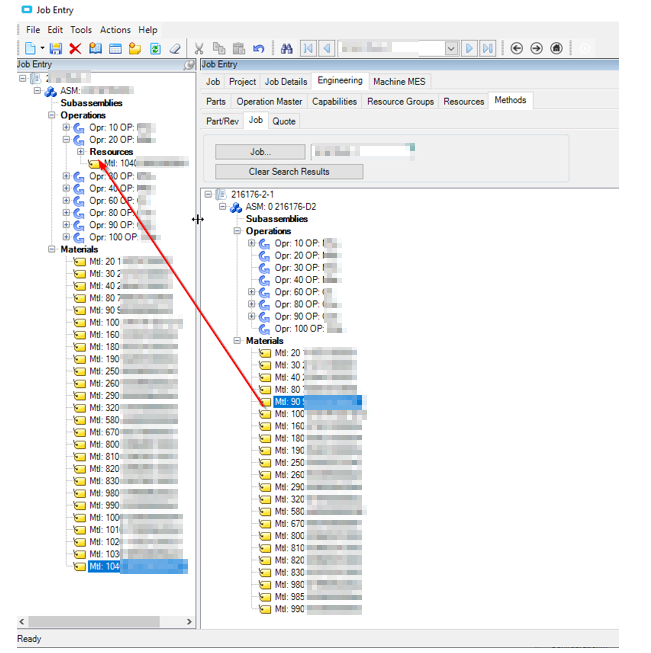
We have found something. If you add materials to a job from another job as a template it does not update the part demand (screen shot to illustrate what I’m on about)
This is replicable and has been reported to EPICOR
Steve my man… Thank you for this. I also found a bug that got submitted to epicor as a problem and it messes up demand as well. Let me get that for you.
Regarding your find… this only happens with template jobs? Do you think the same can be said for jobs that are made by MRP? Thank you so much for submitting your find.
PRB0235284 is the problem that was created from my case.
Here is a short description of the bug:
When you open and un-complete using job closing (after it has been previously completed and closed) and the material was not fully issued, the un-issued quantity shows up in time phase as demand.
HOWEVER, it does not add that back into part tracker (part whse table)!
I think that is the root of the issue. It isn’t when you close the job, it is when you re-open a job that has been previously completed and closed. It doesn’t add the demand back into part tracker.
Then when you complete and close it a second time, it subtracts again from part tracker which causes the demand to display lower than it should in part warehouse.
Thanks for the update on that, I don’t think that happens much here, but I will ask.
Meanwhile I replicated our issue on the demo database and am waiting for EPICOR to comment. The job that is used to drag materials from can be any job, not just a template job. And also if you follow these steps and then remove the added material / edit quantities etc. all sorts of strange things start to happen. Demo DB Replication Steps.docx (305.6 KB)
It can be any job??? I am going to ask our team how they make jobs here so I can verify if we ever do any of this. I feel like since this happens when you copy from another job, maybe it happens in other circumstances as well.