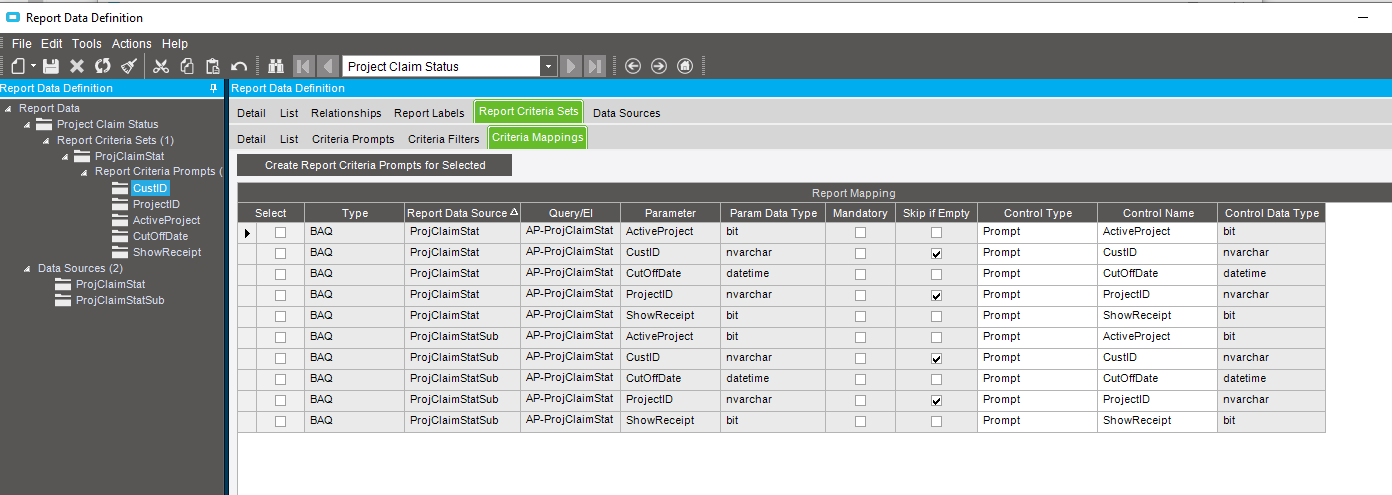
I have created a RDD BAQ Report. The RDD has a few Report Criteria Prompts. I have default the value to Empty string for CustID and ProjectID. In the BAQ, CustID and ProjectID has the check box ticked for “Skip if Empty” so that I get results when they are Empty.
The report can run, if I type in a ProjectID and CustID, there will be result, but when ProjectID and CustID are empty, no results are returned, I thought the Skip if empty condition will come into play, but unfortunately not when the information is passed into the BAQ.
At the moment, I have made ProjectID and CustID to become Criteria Filter instead.
Yes, the Skip if empty works well in the BAQ.
I thought the Criteria Mapping pass the prompt from the report submission dialog to the BAQ parameters. I guess between the two, there is some issue converting the empty string and end up getting no result.
Yes, changing to Criteria Filter works, but the original requirement was to allow user to enter a CustID in the textbox rather than going to the 2nd tab for the Filter. Maybe I have to persuade them to change the requirement.
Another workaround would be to make the BAQ’s table criteria use LIKE instead of =, and set a default value of * (I think that works, if not try %). If they do nothing to the field, it finds all matches. Or they can type in the specific CustID .
Convince them it’s even more powerful as you could use wild cards like AC% to include ACME Explosives, and ACME Jet Products