We have a custom job control sheet that we produce in Epicor that shows a lot of relevant job information. This report is physically moved around the shop to each operation so the parts can be identified. It is part of the job packet that includes the job traveler. Right now we produce this report in report builder and the underlying format is based on a JPG image of a form (I know, its terrible!) Basically the JPG image has all the lines and check boxes, and we place elements on top of that in report builder to show what we want.
When we print preview this job control report, we would like to be able to edit the resulting PDF in adobe by being able to click on checkboxes, or text lines to fill them in.
Is this possible in report builder?
Thank you for your time!
Nate
Have you looked at Dynamic Documents? You create a template in Word and then attach it to a job operation When a user starts activity they will be prompted to open and fill in the form with relevant information
The help file is not clear about this. Is Dynamic Documents an Epicor thing or a Microsoft thing? The instructions say to install it, but don’t say where to get it.
Go to a laptop that has Microsoft Office 365. Run the Dynamic Documents installer.
This section is confusing to me as well. How and where do if “define” the address?
Before you begin, define a web address where the plug-in will pass information to Kinetic. This web address uses the following format: /Kinetic/apps/DynamicDocuments
This sounds like a neat feature! Too bad it is so complicated to setup! I will let you know when I get it working. Thanks for your time!
As a cloud user, how do I locate the manifest.xml file that is supposed to be at Server > Apps > Dynamic Documents? I looked in Server File download, but I dont see any manifest files or App folders.
Thank you! It looks like I still need access to the server according to the instructions you sent.
ON THE SERVER – EDIT THE XML FILE:
In Windows File Manager, go to the \Server\Apps\DynamicDocuments folder
I cant see that location as far as I know. I could edit the file you sent, but then I can’t get it back up to the server, Right? The KB doesn’t mention the server folder, so I am confused.
I see in the manifest file there is a place for PROD DOMAIN HERE. Is that the only place I need to edit? I see the ID field in there too. Do I need to use this one, or generate a new one?
Have you asked for your server folder from Epicor yet? They provide a folder for you that you can use for BarTender, DD, and other things you would need one for.
Agreed, but it was such a one-off that I don’t think they ever thought about it when they created it -0 then shelved it. I’ve not heard of any recent work, so the docs haven’t been updated/touched for 2 years.
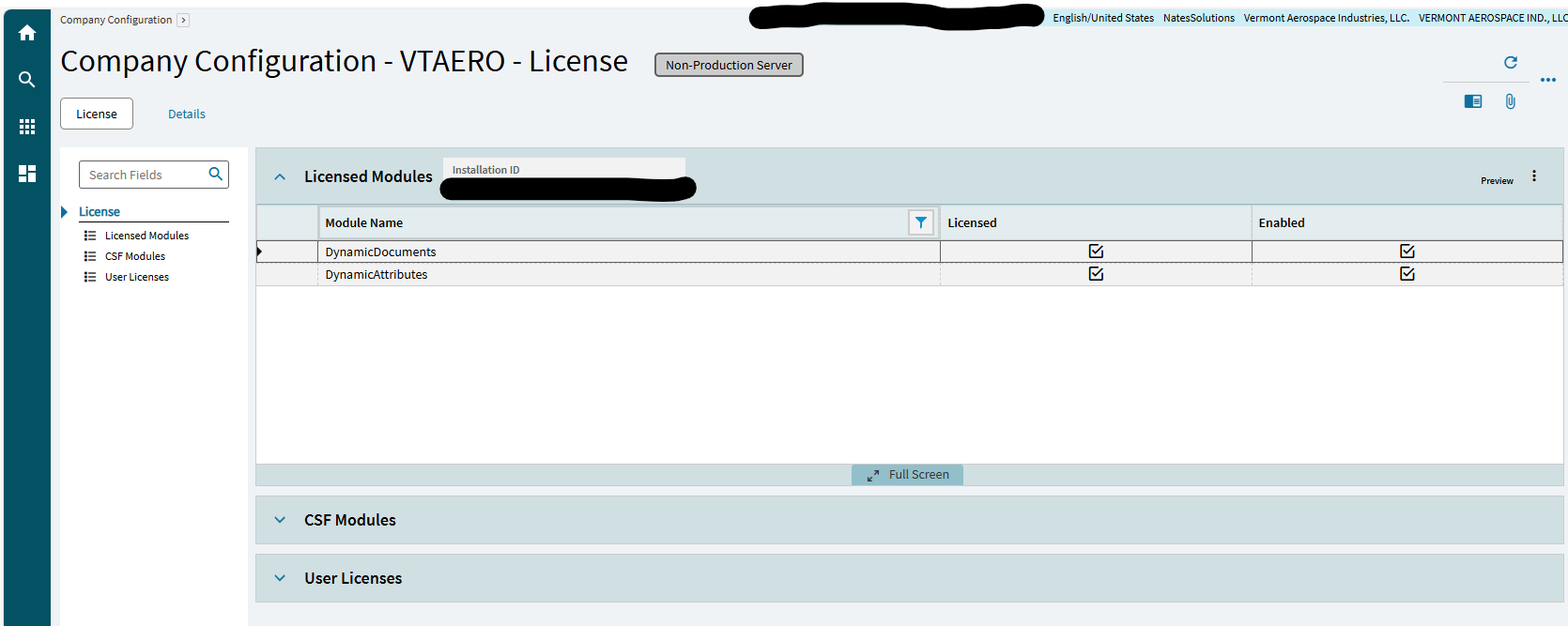
I can get you the file, but I think the ticket you have open will get you what you need. Also, it is a licensed product - I’m assuming you took care of that bit as well.
How did you follow steps 1 and 2 in the instructions you sent if you didn’t do anything on the server? The first big steps in the instructions you sent me are “Edit the XML File on the server” and “Create the share on the server”.
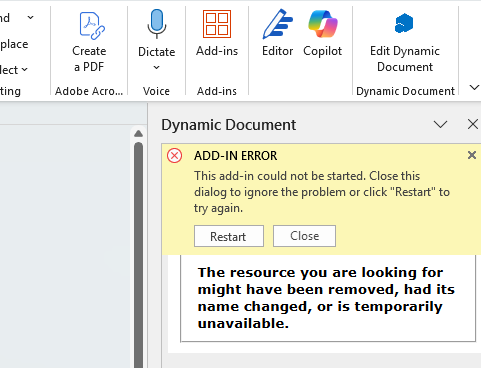
Support sent me a manifest file without any instructions. I tried to follow KB0128424. I created the local folder, shared it, copied the manifest file, replaced prod server text as needed, added to Word catalog. I got the add-in showing in Word, but when I click on it, I get the error: