Since this is on the populating a thing in application studio side, I’m relatively stuck on the wait it out side.
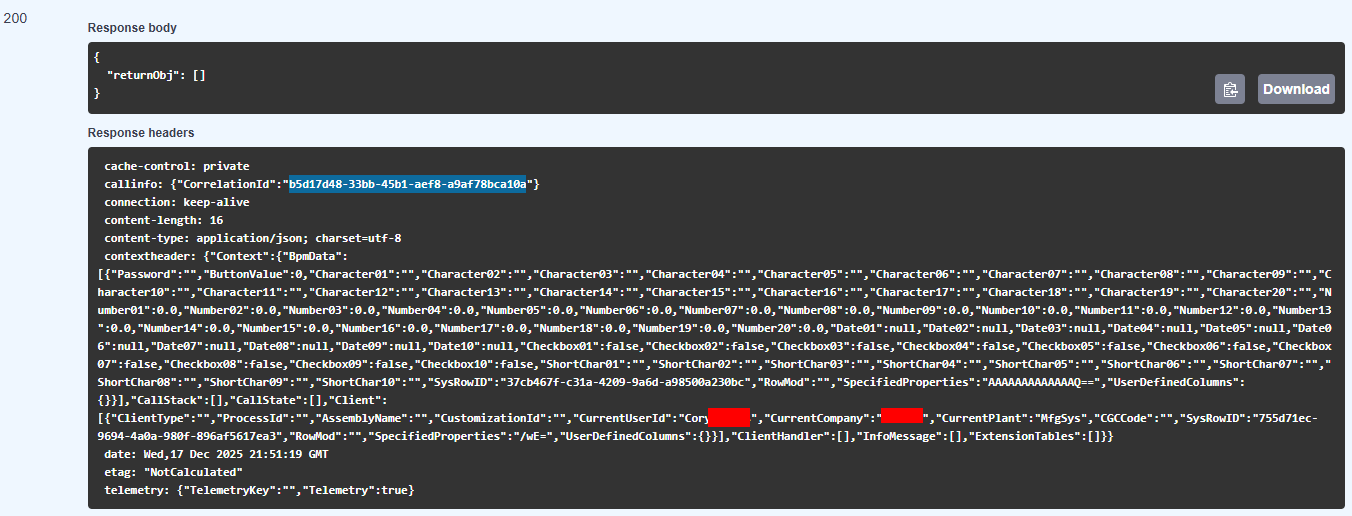
I found the GetCombos method on Erp.BO.ErpMetaFxSvc in Rest help, but it doesn’t return anything useful
For a workaround if you know the type you want I have been told that it still works if you type the type in manually. Such as UserCodes.UserCodesCombo then select or type in default and the rest works (I am told, not tested myself).
A bit like the long standing issue where it doesn’t populate when adding a combo to the grid. But still works if typed in manually.
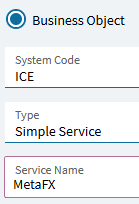
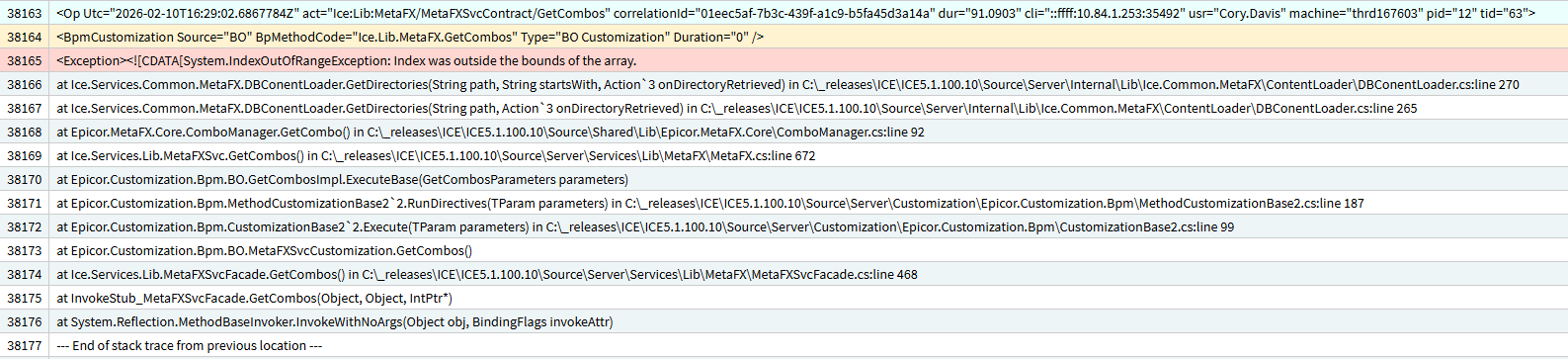
The MetaFXSvc.GetCombos appears to be what is broken. In a working system this brings back all the records.
Hopefully fixed soon 
Didn’t work for me, but maybe because I pasted and didn’t type…?
A ‘quick’ temporary fix would be to manually build the json object returned in a post bpm on GetCombos
But then - whatever method is called to populate the selected combo may also return no data.
So you’d need a post on that as well to pull the data from XXXDef yourself (eww)
Someone should paste the GetCombos json response in here for folks reference in the interim.
This BPM (Ice.Lib.MetaFX.GetCombos) (Post) fixes the bug. Solution Workbench file attached.
//using:
//using System.Collections.Generic;
//using System.Linq;

var folderDict = new Dictionary<string, List<string>>();
foreach (var cbo in Db.XXXDef.Where(x => x.Key1 == "combo" && x.ProductID == "EP" && x.TypeCode == "KNTCMetaUI"))
{
    var parts = cbo.Key2.Split('\\');
    string folder = parts[1];
    string subfolder = parts[2];

    if (!folderDict.ContainsKey(folder))
        folderDict[folder] = new List<string>();
    if (!folderDict[folder].Contains(subfolder))
        folderDict[folder].Add(subfolder);
}

var returnObj = folderDict.Select(kvp => new
{
    Folder = kvp.Key,
    ComboSubFolders = kvp.Value.ToArray()
}).OrderBy(x => x.Folder).ToArray();

result = returnObj;
AppStuCboFix_v1.zip (4.0 KB)
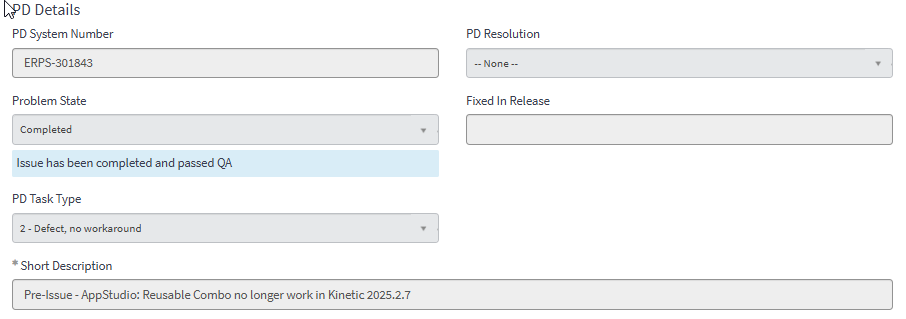
I have raised this issue to Support and Problem PRB0308934 (ERPS-301843) was attached to it. They mentioned that the fix will be available in 2025.2.9, which will be available for installation on 2025-12-26 on Pilot/Test. The workaround provided is to either type/paste the values into the [Type] and [Sub Type] properties, and the rest of the properties will be populated accordingly. I have verified that it works.
Below is the direct quote from Support:
As per the update from the Development team, this issue has already been addressed in version 2025.2.9, which will be available soon. In the meantime, a workaround exists: typing the value directly in the property will work as expected and does not impact application runtime.
We kindly request that you update to 25.2.9 once it becomes available to benefit from the permanent fix.
Please note that the Cloud Management Portal can be used to install Kinetic updates to Non-Production Systems, and the Cloud Calendar shows that Kinetic 2025.2.9 will be available for installation on Dec 26, 2025.
Hope it helps. It’s really frustrating to see random stuff breaks after each update/upgrade.
This works great! (of course) @GabeFranco are you gonna be at Insights? I’m definitely gonna buy you a drink
Yay! I’m not booked yet, but I’m planning to! Look forward to it sir 
We have a PRB on this issue PRB0308934 looks like the fix is done and in QA
@BenWheeldon - thanks - that workaround worked! Fortunately, I had a few app studio layers that I did in 2025.1 hanging out there, so got the syntax from there. Usually it’s TABLENAME.TABLENAMECombo
put it on pre, and add MarkCallCompleted();
That worked. Thanks @klincecum! Now I’ll never know when they fix it lol