Hello,
We are starting to use Service Connect more and more to help automate many of our business processes. Right now we use it for Order Entry, Pick List Inventory Transfers, Labor Entry (vacations and holidays), Packing Slip Creation, Job Closings, and we are getting ready to start using it on each of our product lines to report quantity on Jobs and complete them. This means a huge increase in the amount of Traces that are created in Document Tracking and therefore an increase in the size of the Service Connect database. I’d like to know how I can best automate the clean-up of these Traces on a regular basis without having to go in daily and manually delete large groups of them all the time.
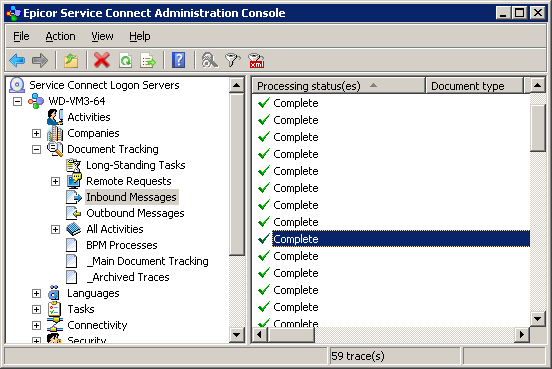
I have tried to set the Document Tracking - Properties - Database Cleanup - Archiving options but I’m not sure I completely understand the settings and how Archiving works (even after reading about it in the Help). Or at least it doesn’t seem to work like I thought it should.
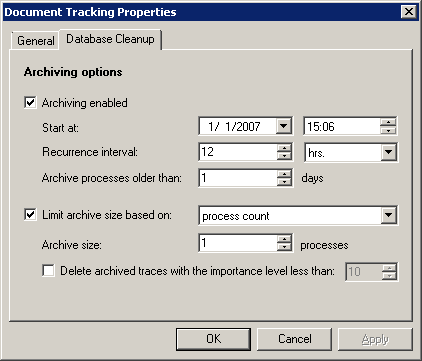
Why would I want to Archive my traces? I’m assuming it just helps to separate the traces between those that you want to keep and those that are ready for deletion. Does archiving help to compress the data in any way and therefore take up less space in the database?
I can get the system to automatically delete all but 1 Process/Trace in the Archive (seems silly that they don’t let you choose 0 processes - why would you only want to keep ONE?). But I’m having problems getting the Processes/Traces to move from the Main Document Tracking to the Archives. Is anyone successfully using the Database Cleanup options and could you share with me how you are using it?
Or is there another way in which I could automatically delete these Traces? Maybe some settings that I don’t know about or a better way through SQL? (Which I just might look into considering these SC DB Cleanup settings seem pretty quirky…)
We have about 50-75 Processes/Traces that show up in Document Tracking a day (not sure if that is a lot or not compared to others) and within each of those is sometimes hundreds of Iterations with collectively hundreds maybe even thousands more workflow node traces. These numbers will probably double soon when we roll out our Job Report Quantity workflow. Which means our SC SQL DB could get huge pretty quickly. So it would be nice to know how to automate deleting these traces.
We are on Service Connect 10.1.4020
Thanks so much for any help anyone can provide,
-Heather
 Now I’m embarrassed for complaining about my little 50-75 workflow document traces a day.
  LOL It just takes so long to load the traces (even when I have different views setup with filters on how many and what traces to display) and greatly increases the size of our SQL database. (I’m using SQL Server Express which has a 10GB database size limit. Once, I let the traces accumulate for a period of time and didn’t delete them and the database grew beyond the 10GB limit and I think it started causing some strange issues for us with Service Connect. Maybe I should stop using Express but I still don’t think I want a Service Connect SQL DB larger than 10GB - full of nothing but trace files - sitting out there.) But that’s all very interesting…
 Fun Fact: This might be a “duh” moment (especially if you’ve worked with Service Connect for 10 years) but did you guys know that you can easily get the input file back from the trace if you go into Activity Progress and double-click the very top node and then click the Inbound Document tab in the Trace Details window? I’m only mentioning this because I attended a Service Connect training class (many moons ago, mind you) where the instructor didn’t even know that was there….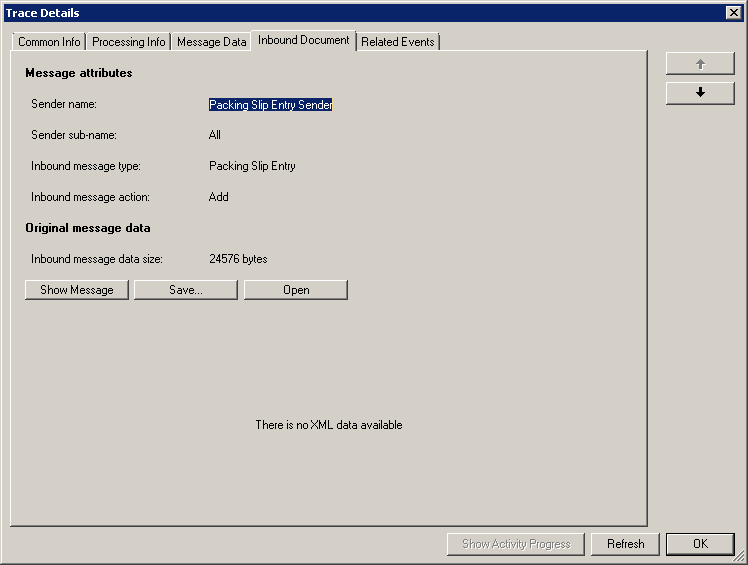
 It is so much fun to work with and it is amazing (to me) what all it can do. Can’t believe the time and money it has saved us already (even with my primitive workflows
  ) and I only hope to use it even more to help automate processes in Epicor.