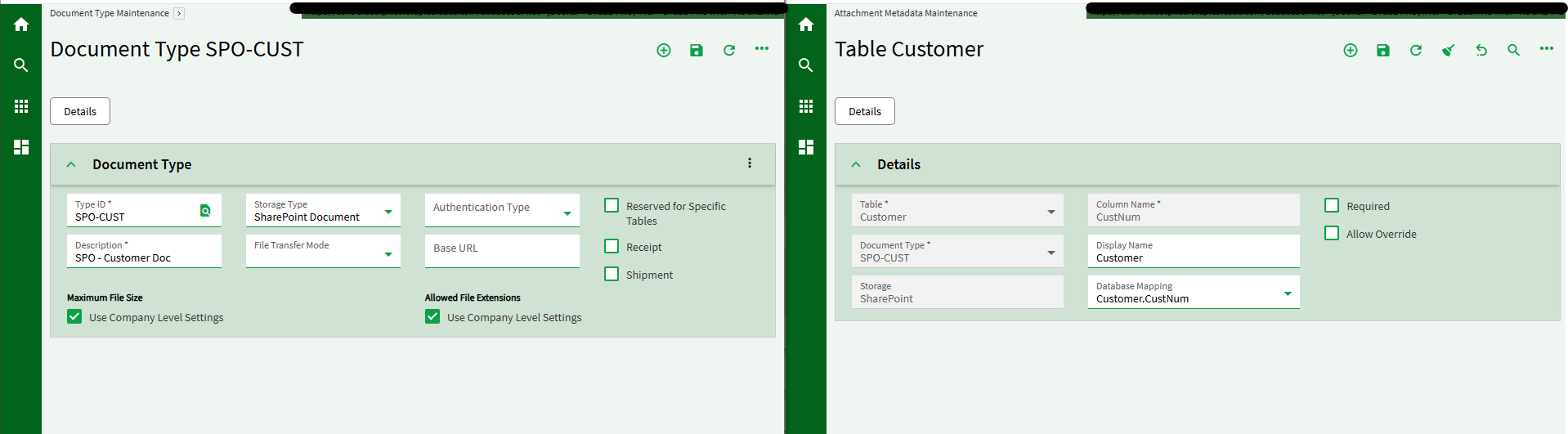
We’d like to migrate our Epicor attachments to sharepoint, and keep an organized folder structure. Unfortunately, Epicor creates attachments in Sharepoint pointed to a source table folder (Customer, OrderHed, RMA, etc…).
All customer documents go into the Sharepoint Site > Company > Customer root folder together.
How can we have attachments saved one level deeper into a ‘CustID’ folder?
This way folks can navigate to the Customer ID folder in the Sharepoint site outside of Epicor and see everything related to that customer.
We do this so column names are meaningful from the SharePoint side.
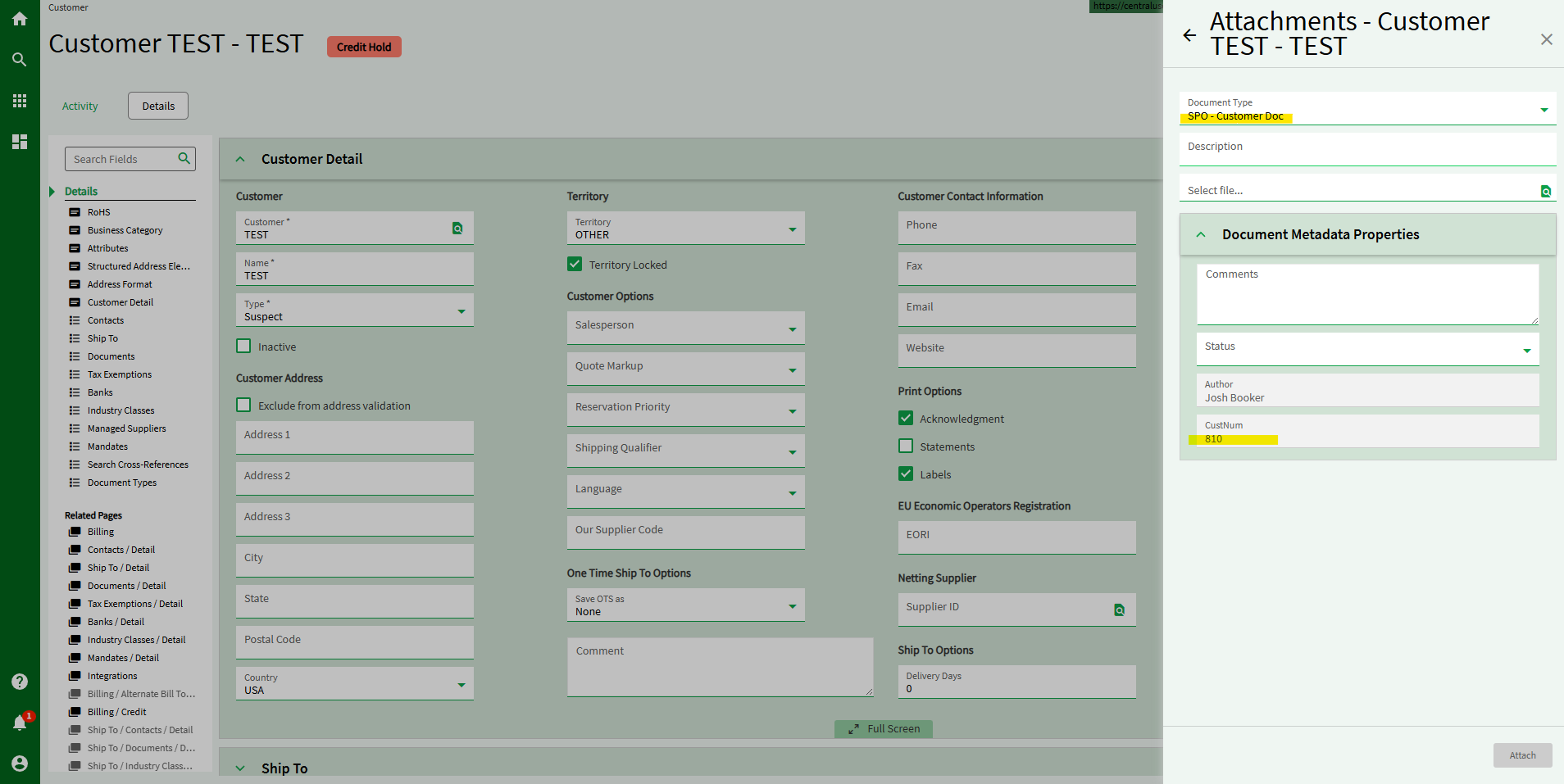
You can setup a Document Types and related Attachment Metadata and can map fields from ERP tables to Sharepoint columns. So it’s up to this mapping whether you want generic column names in SPO vs CustNum, PartNum, etc.
If you do a search for the biggest mistake when implementing SharePoint, the number one response:
Don’t use SharePoint like a file share.
Manually browsing a folder looking for files is inefficient. It also assumes that the security is the same for all users. Search is more difficult in file shares vs SP or ECM. Being a web application, adding folder names increases the length of the URL and there’s a maximum size to watch for in SharePoint.
Like Kevin and Josh mention, metadata and Document Types are the way to go if you’re going to implement SharePoint. Although, pushing metadata from Kinetic is not possible for fields outside the table you’re attaching to. For example, you cannot get CustID from OrderHed, only CustNum (which is probably better since you CAN change the CustID at a later date), but you get the idea.
OOTB. However, I might argue that pushing documents from Kinetic as we do today is not desirable. Services like document management, notification/email should move outside of Kinetic to reduce the coupling and increase the cohesiveness. Metadata isn’t even stored in Kinetic.
I envision a component that can be shared between Kinetic, P21, AdvancedMES and all of the other MetaUI applications. This component will have the user’s creds and perform these actions. The user would drop the document on the component and have AI determine the document type, “scan” the pertinent details and update both Kinetic and the associated external system. Get all that unrelated code out of Kinetic.
Kevin - I’ll buy you lots of beers at Insights if this is something that can be figured out!
We’d love to add metadata for the CustName and CustID when attaching docs to QuoteHed and OrderHed for folks to search the Sharepoint (site? library? I’m still learning!).
@Olga - This is critical if we want Sharepoint to replace old-school server share folder structures.