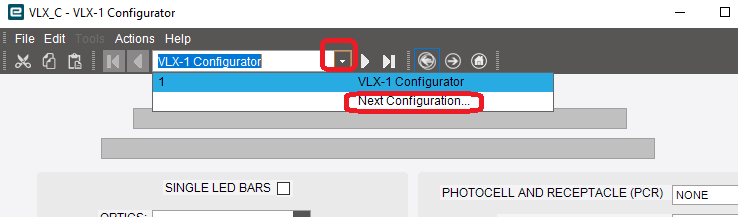
After Kinetic Update last week in Kinetic Cloud Live, some configurators when run, are missing the SAVE floppy disk icon on the toolbar and others work fine. We use the Classic Configurator Screen not Kinetic App Configurators, and launch from inside Sales Order Entry Kinetic App Screen. Was working for all Configurators prior to update.
Anyone have this issue? Know of a fix? Have open tickets with Epicor but no solution.
I have seen something similar in the past, where for some reason, a single page configurator got mysteriously changed to a multi-page configurator. the save button does not show on any page except the final page.
Do you have a “next page” button showing?
Tim, I found that while the Configurator shows only Page 1 in the designer, when I run the Configurator and then select the Drop-Down for the Configurator, it shows “Next Configuration” and when I click that, it then shows the SAVE icon on the toolbar!
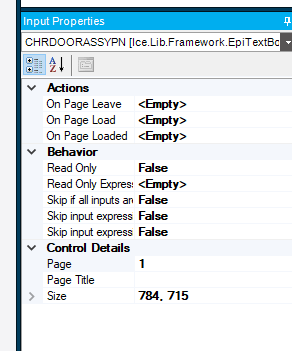
In Designer, it only has One Page, and when I do the “Test Inputs” it DOES show the Save Icon like one would expect, it is just when executing it from a Quote or Sales Order it does not.
OK, that means that the configurator “thinks” that your configured item has another configured item inside…
For example, you can have a configured lamp that includes a separate configured lampshade. The configurator will take you through the config questions for the lamp first, and then take you to the lampshade to be configured as well. That lampshade will be a separate page, and you have to fill it out before you can save.
Okay, we got it fixed. Support had a nugget of wisdom on it.
"If no sub-configurator will be used and you do not have multiple pages try clicking the single level configurator setting in configurator entry and it will stop this from happening. "
Some configurators had the Single Level Configurator cleared after the upgrade, so that was causing the issue.