I have an ssrs report that contains a sup report. The report/subreprt shows up correctly when run in my pilot environment. We have just recently gone live and brought over all of our reports over via solution workbench. Now in my live environment when running the same report, the report comes up and where the sub report should be it says the sub report cannot be display, I have been banging my head again the wall trying to find the problem with no luck. Any help will be greatly appreciated. This is probably something simple that I am missing.
Check this. Make sure the path to sub report is correct.
2 Likes
@cbastijanic this is most often what I find ^^^ The path gets changed or broken.
Check out another report that is working and look at how the path to the subreport is formatted. Then go back to the subreport that isn’t working and make sure the pathing is done the same way.
-Utah

What error do you get?

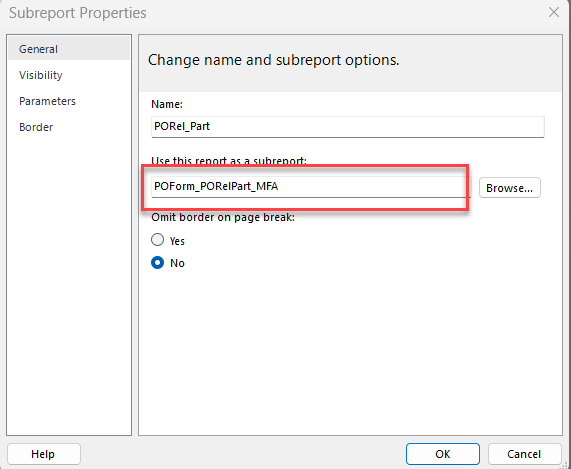
@cbastijanic, but when you open the main report and navigate to the sub report in the main report, what’s the path that you see there? You need to right click the subreport and go to properties or whatever to see the full path:
This isn’t enought to go off of:

Does the Report Style include those sub-reports? It’s a comma separated list for the sub-reports

1 Like
When I upload the zip folder ap the report it tells me that the sub report has been uploaded as well as the main report.
Check Report Style in Epicor/Kinetic. Make sure the report location is correct and that it knows about the DRLs.
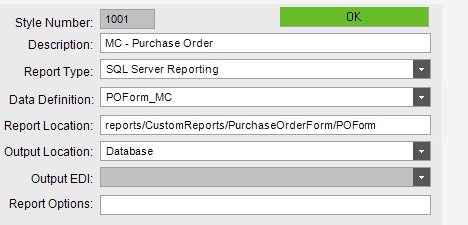
Chris, now go to the properties of a subreport that IS working and make sure it shows the same formatting.
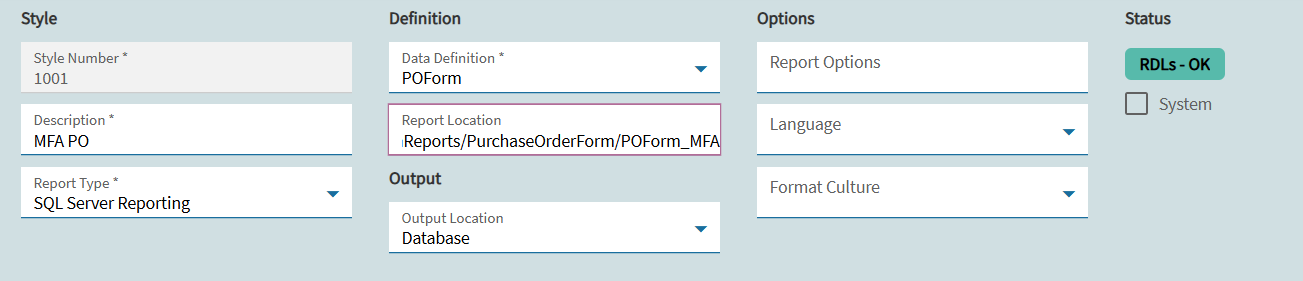
I copied the stand ssrs an then downloaded it to look at how the sub report was set up and it is the same in mine. This works in pilot, and I didn’t change anything.
In SSRS Web portal, if you go to the sub report and click manage > data sources. Is it connected to the correct database?
1 Like
I do not have access to a portal. We are on kinetic hosted in the cloud. Or if I do, I do not know how to get to it.
That’s what I was thinking too, but if they can’t get to the report then kind of out of luck I think.
I don’t know anything about cloud. But I’m pretty sure if you download the report through report style it should download all of the sub-reports with it. You can open the sub-report in builder and see where the data source is pointed.
I noticed that on one of my other reports the data source is
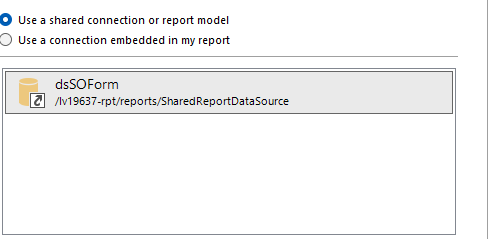
but the one that is not working is still
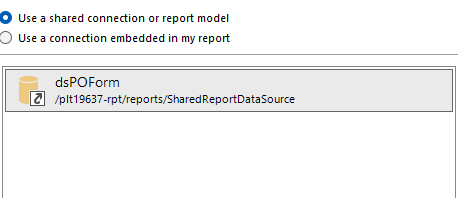
I think this may have something to do with it.
2 Likes
Yeah that’s what people are saying, you just wonder if you can change that. You’d think the upload would change it appropriately.
“lv” maybe live
“plt” for pilot