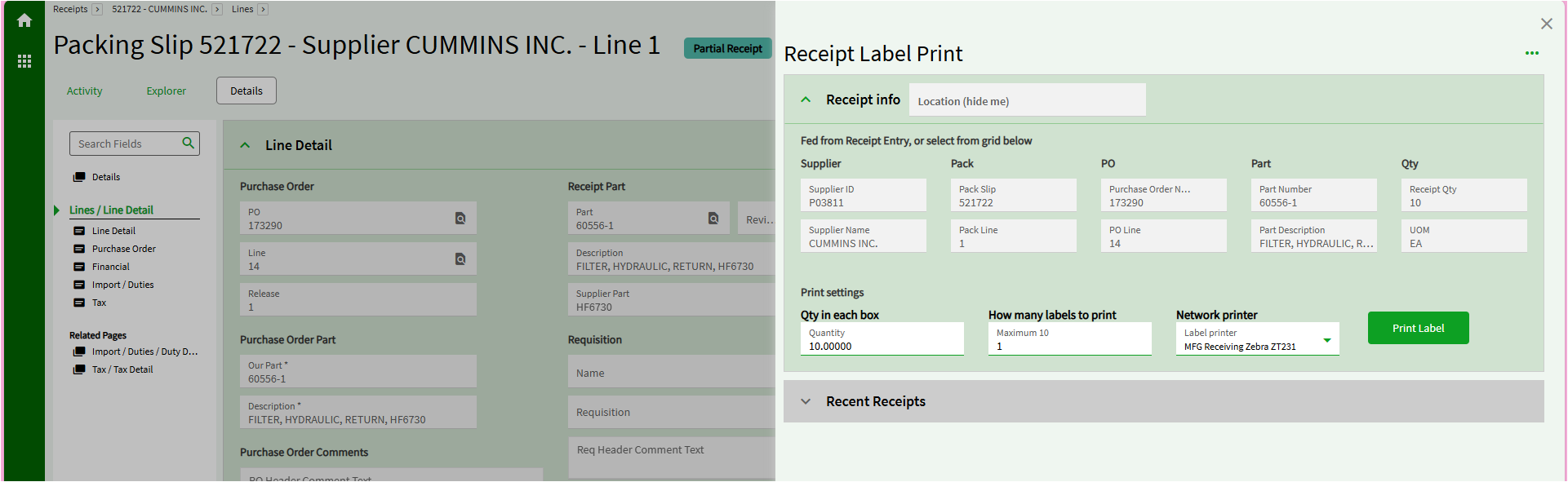
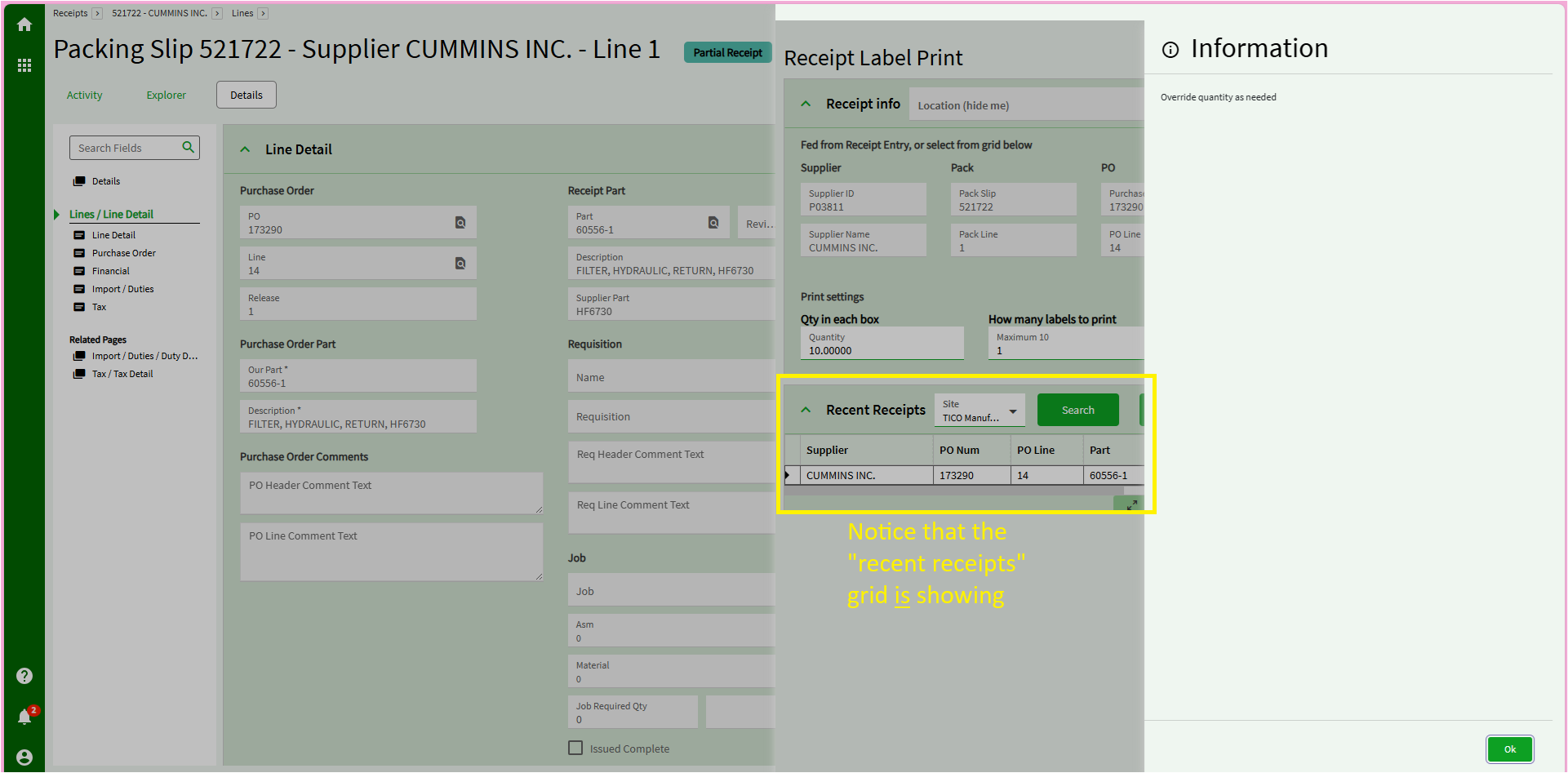
The way I fixed an event in Application Studio was to use a slide-out message

I was following this guide on “Passing values to app-open tile,” and that worked great.

So then I wanted to disable a panel card grid after that. I spent a few days off and on, failing and half-succeeding.

Then I added a slide-out message for debugging, and lo and behold, that is the key to solving my problems!


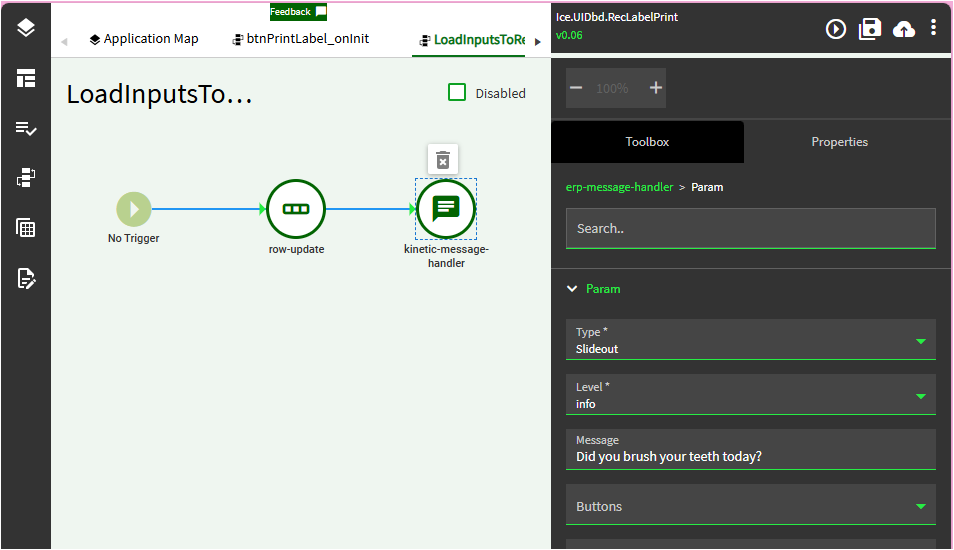
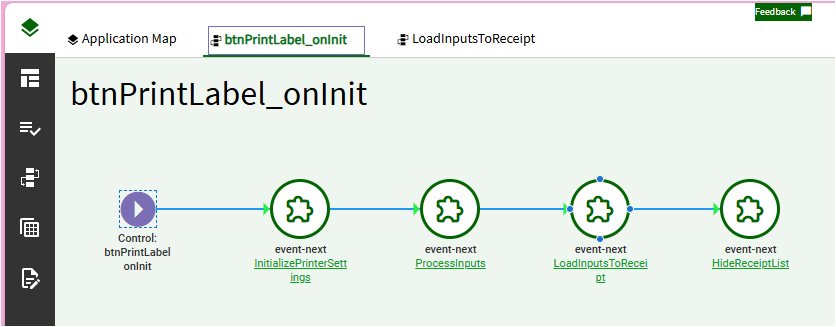
So here’s the main event (no pun intended) that runs when the form opens.

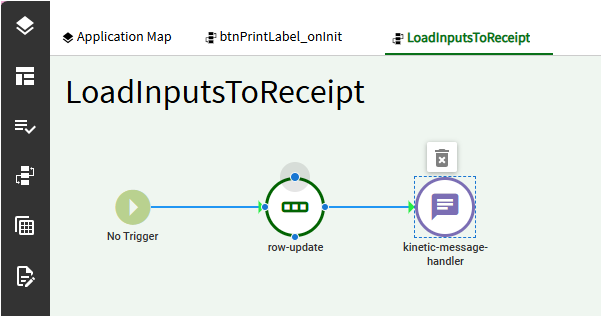
And one of those has a “message handler” in it.

Now I’ll go to the different app that calls this one (as an app-open slideout) and my message also slides out. All normal stuff so far.

Once I click OK on the message, the panel card grid is disabled. Again, all good.

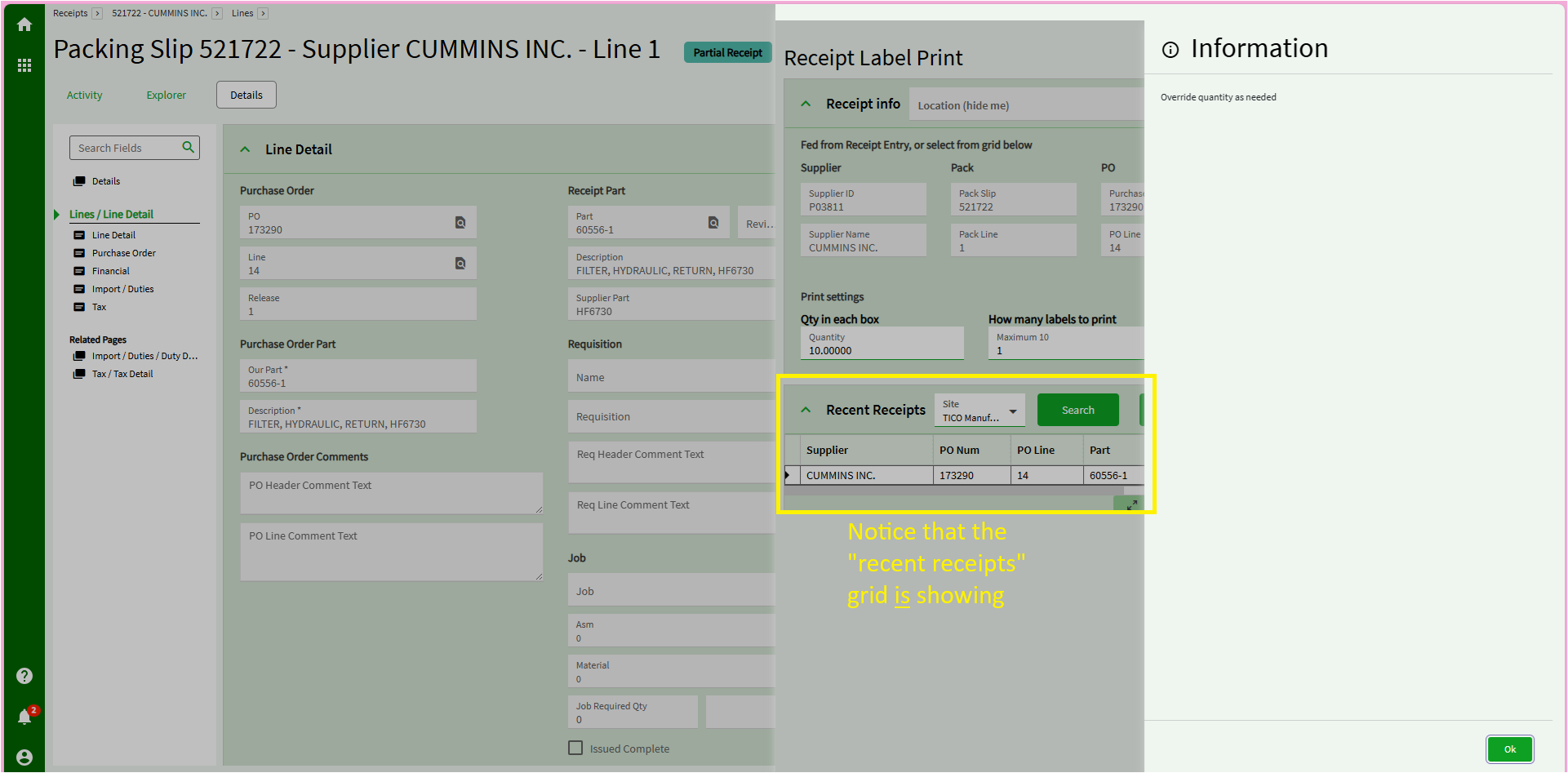
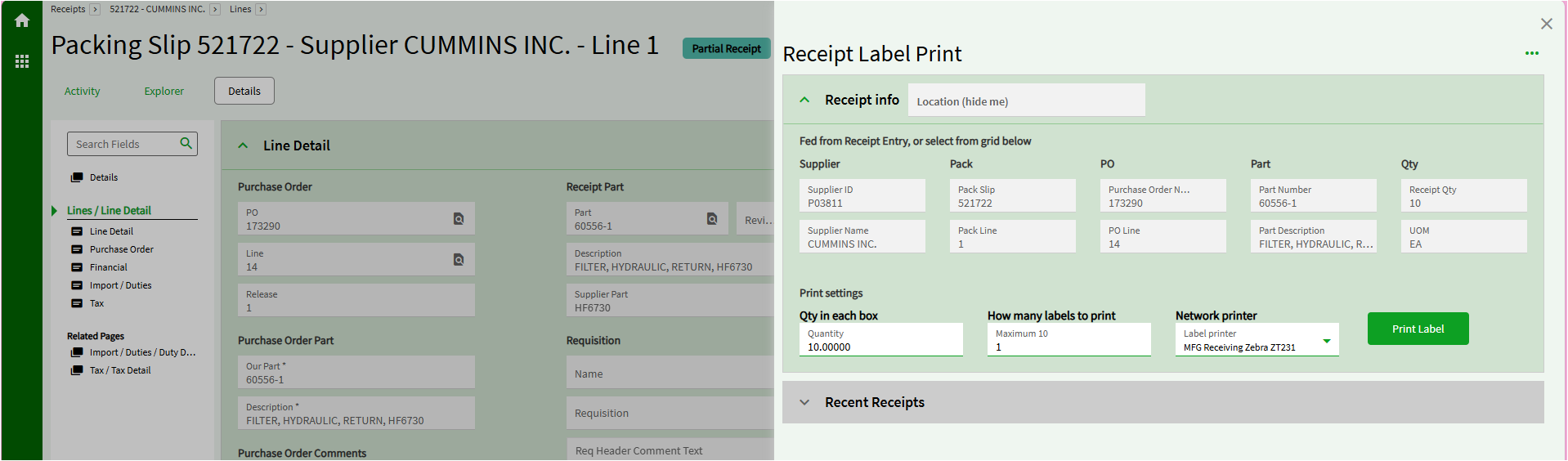
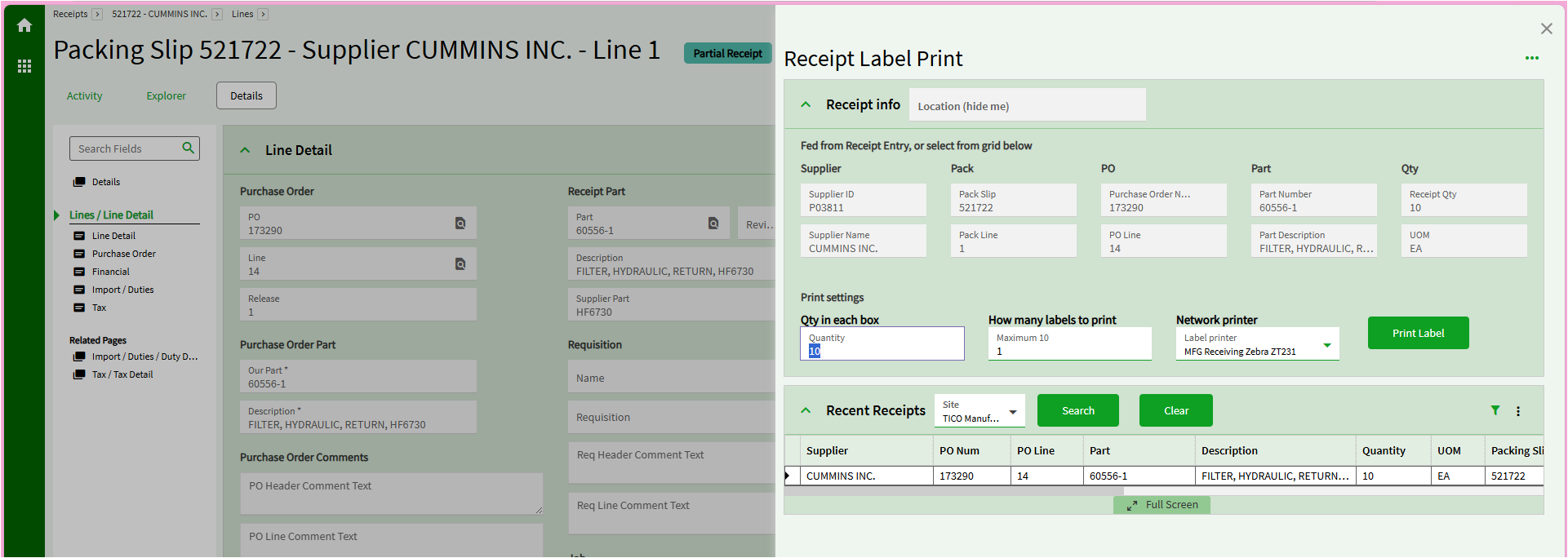
BUT - if I delete the message from the event and re-publish, the panel card grid never gets disabled. (Compare pic above to pic below.)

I’ll add a message back (and republish)…

And it’s behaving again.

FYI, the only “Type” of message that did this magic was the “slideout” - not the toast or alert.


In conclusion: the message handler can fix problems in App Studio.

Thank you for your time.

I had tested putting the message in different spots.

  • If I put it at the beginning, the panel card grid NEVER looks enabled and you cannot see its contents (which is what I would prefer).
  • But in the pictures, with it in the middle of the flow, you get this - where the grid shows before the “OK” button is clicked, and then it disables.

So wild.

2 Likes

Knock knock…

Race condition!

Who’s there?

…because, when inserting a serial action fixes a bug, async moves to the top of the debug checklist.

1 Like

…And in non-smart-person words, you are saying what?

To be fair, generally speaking
Happy Work From Home GIF by Scaler

Sometimes code processes multiple things in parallel, aka asynchronously, often applied by something like async.

When the multiple things have no dependency on each other, no problem! This lets everything move along at full capacity instead of piling up behind the slowest thing.

When the multiple things do have a dependency on each other, the uncontrolled order of operations can cause variable results or errors. Step 2 might require the output of step 1, which seems intuitive when phrased that way, but sometimes Step 3 sneakily requires the output of Operation F and it’s not so obvious.

Inserting a serial (aka sequential) action between a couple of async things can break their async relationship and force them to run sequentially. When something like that changes how the before and after steps work, that’s a good first place to look. Not anything we can look at though, someone up the developer food chain would need to do that.

4 Likes

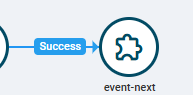
Hide is firing before LoadInputs finishes. Try linking to Success of LoadInputs:
image

2 Likes

I’ll try now…

So, backstory: each of those mini-events has just a single action (row-update or property-set), and I used to have them NOT in their own events, and I tried the “Success” arrows, but that kept bombing. Tried Conditions also.

But… I am optimistic…

Sorry, no luck.

FYI - I assumed you also wanted me to remove the slide-out message… otherwise what would I be testing?

It may help to know the context, which is the loading input data from the app-open (these screenshots are from the app that gets opened). I feel like there is some major voodoo there.
1 Like

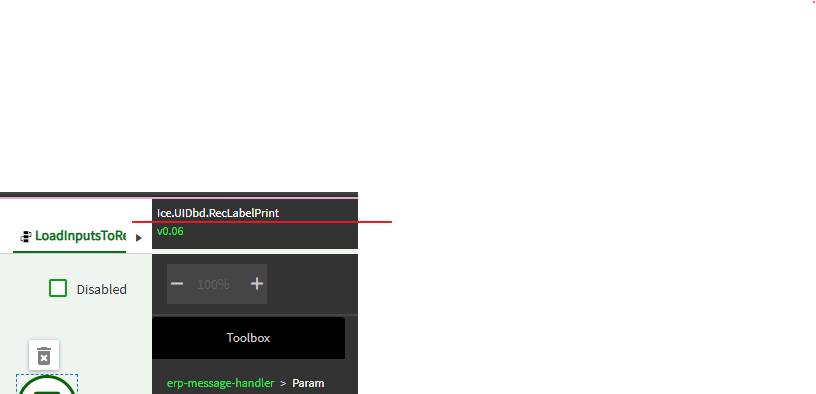
What is the app being opened? My RcvLabel form doesn’t look like the one in your image. Or did you customize it?

2 Likes

gotcha… custom dashboard. No wonder I couldn’t find it :rofl:

1 Like