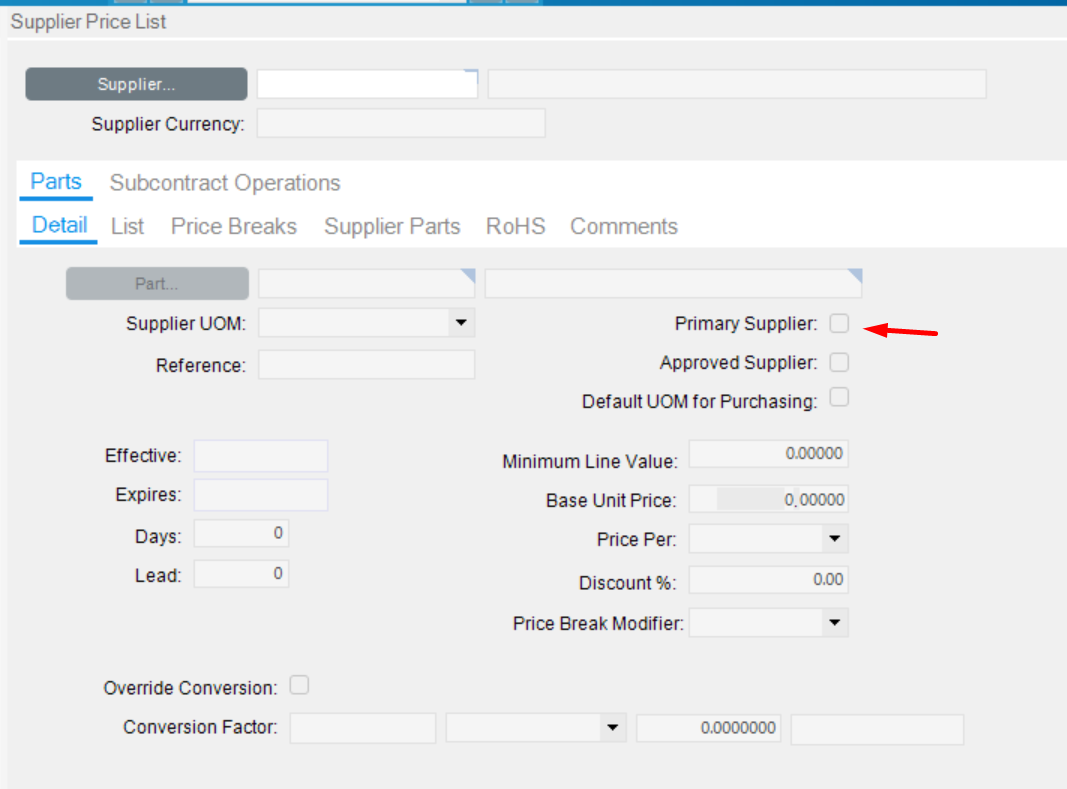
Hi folks,
We’re trying to pull info for a purchased part in a BAQ and need to narrow the search where PrimaryVendor = true (since we can have multiple vendors). However, we can’t find this in BAQ entities. Does anyone have any suggestions?
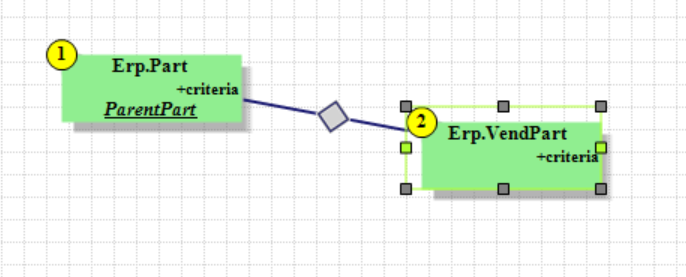
Hi folks,
We’re trying to pull info for a purchased part in a BAQ and need to narrow the search where PrimaryVendor = true (since we can have multiple vendors). However, we can’t find this in BAQ entities. Does anyone have any suggestions?
What does the Field Help say it is?
It is not a database field:
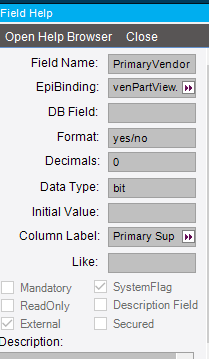
Application Help says:
Primary Supplier
Specifies the primary supplier from which you purchase this part. If you set any supplier as Primary, that supplier ID updates the Supplier field in the part master file.
Only one supplier can be designated as Primary. Selecting this box overrides any previous supplier indicated as Primary.
But as far as I know there is no Supplier field on Part itself; just the per-site Supplier (PartPlant.VendorNum).
You may need to back into it. I’m thinking it actually may come from the Supplier listed on the Part’s PartPlant record. You will need a Part with a Supplier designated in the field and an accompanying Price List, see if the box is checked on your screen.
It is on the PartXRefVend table. Field is PurchaseDefault.
At least, that appears to be it.
Thanks @jkane … but unfortunately, PurchaseDefault field appears true in all cases when pulling it into the BAQ, while I can see the Primary Vendor false on one of the records.

…where the last column is the VendorNum
If you select a Primary Supplier, does the Supplier field on Part Site populate?
I’m not sure I’m tracking what you’re saying there. Where is the Part Site located?
Go to Part Maintenance and then Sites/Detail page. There is a Supplier field under Planning
This?
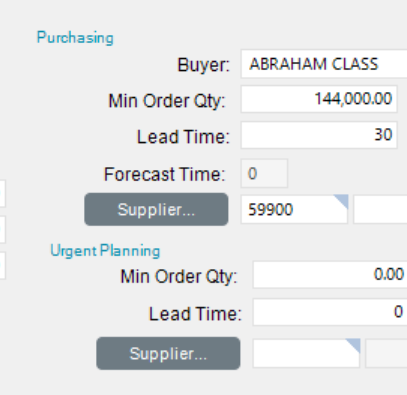
Yes. Is that the Supplier you chose on the other screen?
59900 is the ID of VendorNum 991 in my other screencap.
BTW… I might be stating the obvious, but it’s only under “Purchasing” not “Planning” as you asked…
(I don’t swim in the purchasing waters so not intimately familiar with functionality in this area)
I was looking in Kinetic, you must be in Classic. You are in the correct spot.
So, if you change the Primary Supplier in the Price List screen, does the Supplier on the Part change?
Yes – according to our purchasing dept, that’s what they said they do.
You’d think PartPlant.VendorNum should be the “primary vendor”…so it’s likely updated by your entry work on the price list screen.
Unless there’s some hidden screen somewhere. 
Right, they interact, but PartPlant is the actual home.
Similarly, “Final operation” appears to be a checkbox on the operation in a job, but the actual home for the data is in JobAsmbl.FinalOp (or whatever the field name is) and it is a string, not a Boolean.
It sounds like I may need to ask support – just not sure if they will offer that sort of information…
I played around with this briefly this morning and found how it appears to function. However, I don’t know that there is direct field that stores this value. From what I see, the box is checked on the Price List screen if the Vendor on the Part has a Price List. If you change or designate a Supplier from the Price List, the Supplier updates on the Part. I am not sure this helps your situation but I hope it provides some additional detail.
That is what I thought might happen when you change the flag on the Price List. Thanks for testing!