Still a new guy, here…that’s for the warm welcome!
There’s a BPM in our system that was implemented by someone who is no longer here to answer questions. So, I am just trying to get a better idea of what it is doing or supposed to be doing.
What would you all recomend looking at to get a better snap shot of this?
You could be correct, Evan. I don’t know enough about BPMs to answer that. We haven’t built and/or implemented any BPMs internally. We put in the requests to Epicor and they developed all of them. Those cab files are simply the files that they ask us to download and subsequently upload into our environment.
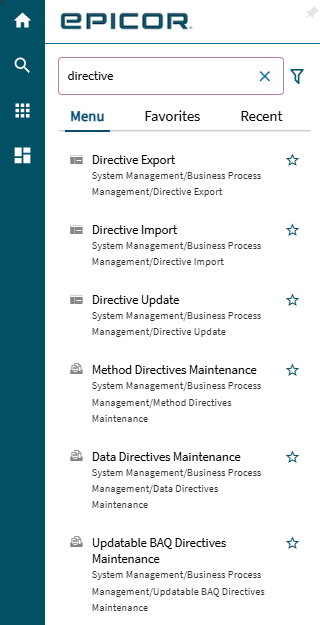
I do not. That’s actually one of the reasons why I’m investigating this. I know if I go to Method Directive I can see all the BPMs. However, it’s a mystery to me on ‘where’ (what I should be looking at) within to see what it is touching.
We’re on Kinetic (2023.1). These BPMs were all installed before we went live, so I’m trying to figure out what they do. There’s no issue, I just want to know what we should be testing after we upgrade to make sure it still works.
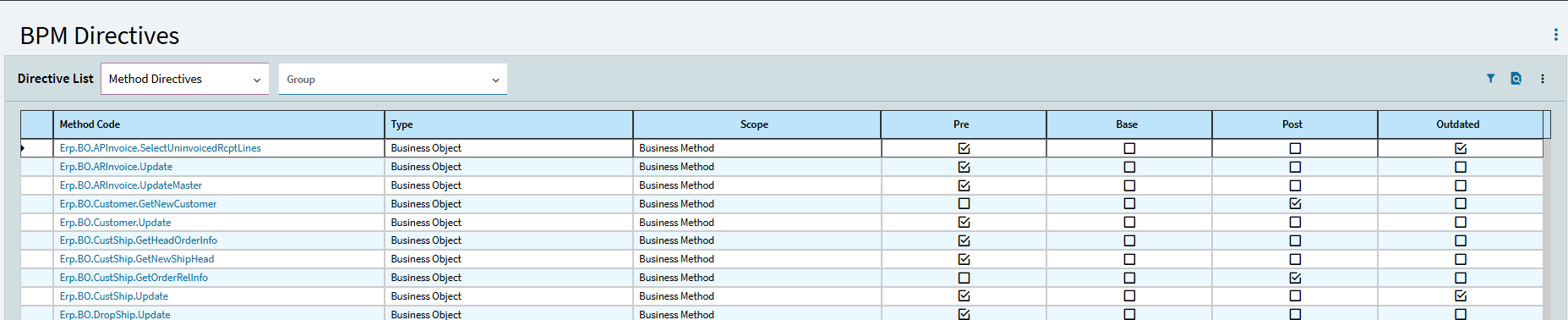
Changing the dropdown to Data Directives will show those. This screen shows where they are attached to, either business objects or data tables. It also tells you if they run before (pre), instead of (base), or after (post) transactions for methods, and standard or In-transaction for data directives.
If you have a question about one of those, click on it and explore the widgets and/or code. Still have questions, you can post something here or engage with a consultant to explain it for you.
So there is no easy way to open a BPM and know what it does unless your developers documented things well. Being that Epicor support did this for you, I am guess there is no documentation at all.
First thing is to identify the BPM you want to investigate. Open BPM Designer. That should list all of the customized BPMs in your system. Find the one you want to investigate. Open it by clicking the little link. Now you are in the BPM world, and learning what the BPM does is a bit of an art. I always start at the start, and step through widget by widget. Take notes if you need to. Generally speaking my BPMs start by pulling together the relevant data we will be working on, and assigning them to variables. Next comes all the fun that can happen in BPMs. Any BO method can be run inside a BPM, as well as custom code. If you have any custom code block, use the chatGPT trick to have it describe what the code does. Add that to your notes. By the end you should know what the BPM does.
Another way to check is do you have access to what you asked Epicor to do for you? What did those requests ask for? If you have that, try those things and see if they do what you want.
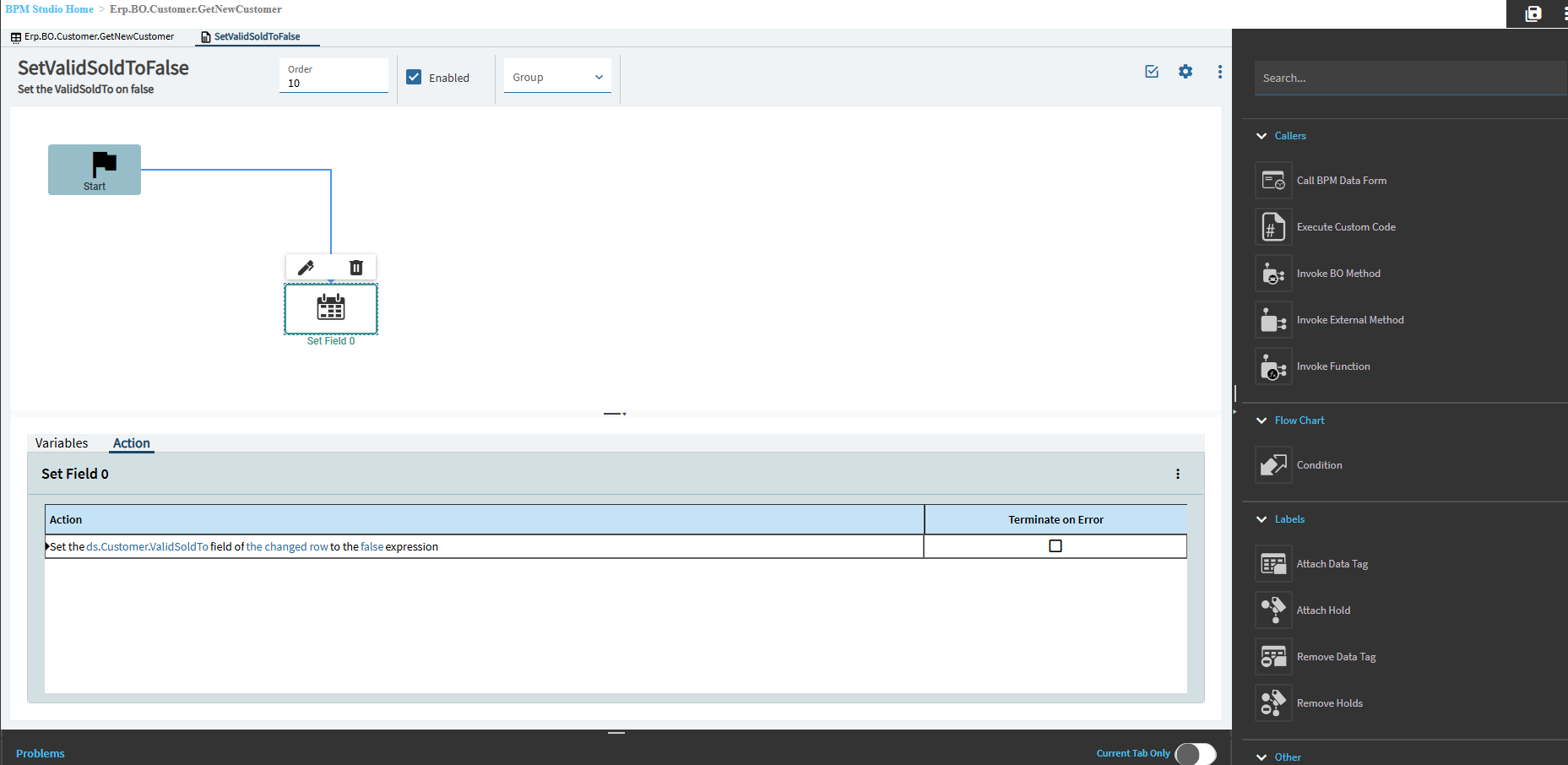
Thanks Mark. Here’s an example. This BPM is called “CustomerGetNewCustomer”. That doesn’t mean much to me and I didn’t get much help from customer service. But, I went to Method Directives and took a screenshot.
Side note: on my screen, it does not show a dropdown menu to change from Method Directives to Data Directives. Not sure if that matters, but I figured I should say.
Pre or Post directive? Should be post because you want Kinetic to create the record and THEN assign it the value. If you assign it will a pre-directive, it will get overwritten.
Did you do a trace of creating a new record and setting the ValidSoldTo field? There may be other methods that may also change it that you might not know about.