I haven’t a clue what in the f$%# is going on but we are riding the struggle bus hard after go live.
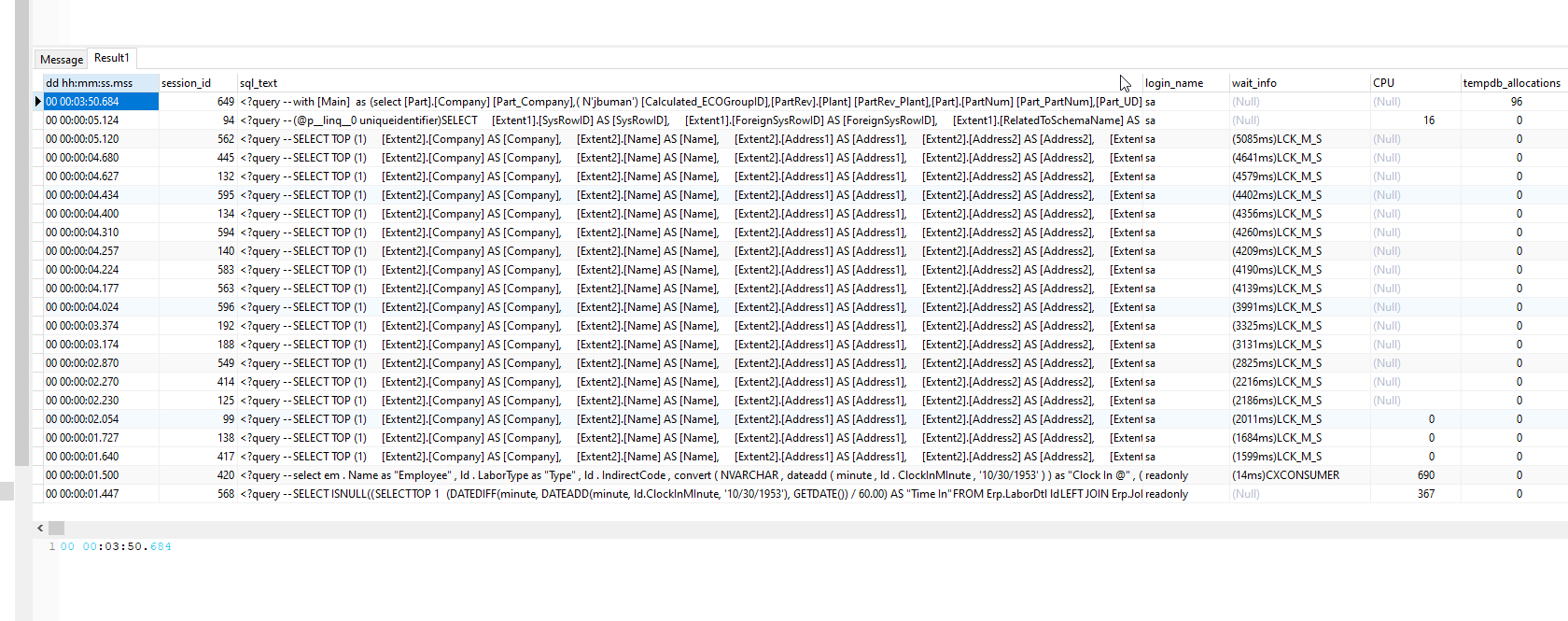
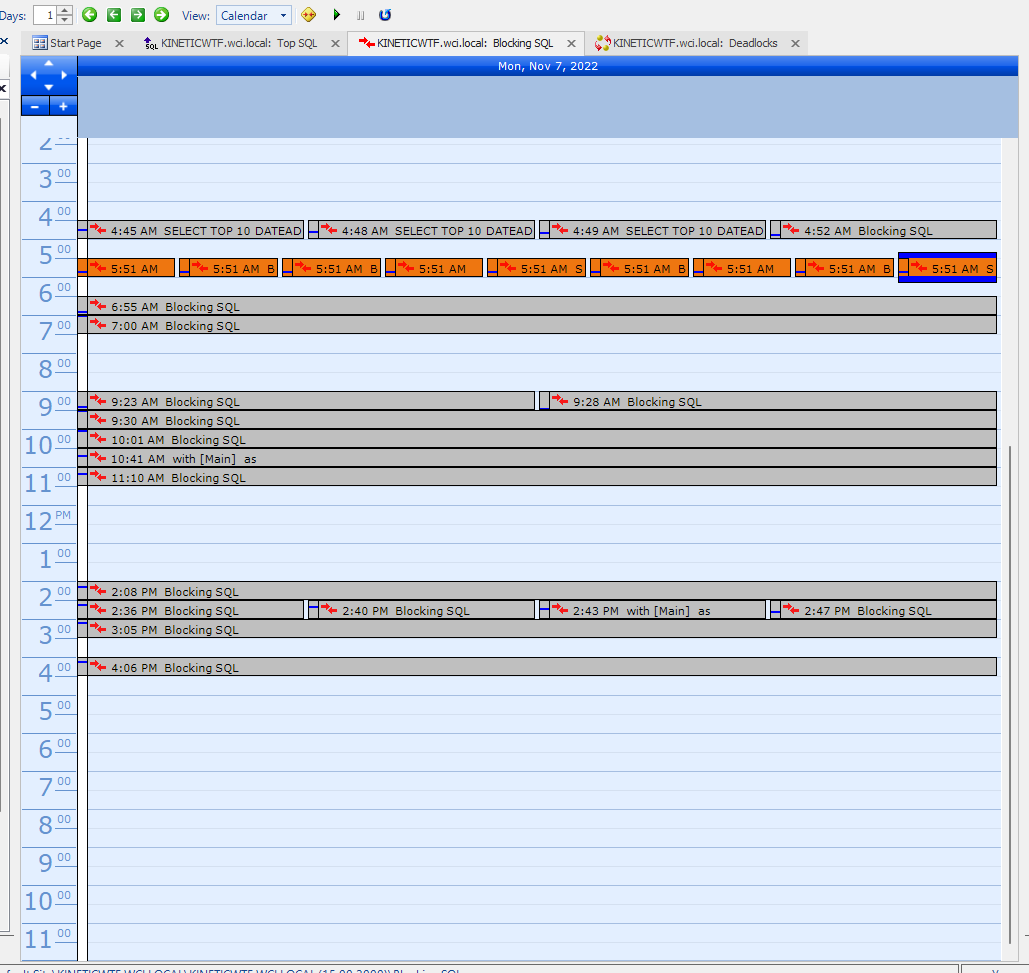
Biggest issue and I can’t figure out what is going on is if I try to save the company record in Company Maint SQL spirals out of control with this query. Eventually I get a lock timeout error. My BAQ subscribes are ungodly slow as well. I’ve disabled a bunch with a GetList base BPM just to get things functional.
Anyone have any clues?
<?query --
SELECT TOP (1)
    [Extent2].[Company] AS [Company],
    [Extent2].[Name] AS [Name],
    [Extent2].[Address1] AS [Address1],
    [Extent2].[Address2] AS [Address2],
    [Extent2].[Address3] AS [Address3],
    [Extent2].[City] AS [City],
    [Extent2].[State] AS [State],
    [Extent2].[Zip] AS [Zip],
    [Extent2].[Country] AS [Country],
    [Extent2].[PhoneNum] AS [PhoneNum],
    [Extent2].[FaxNum] AS [FaxNum],
    [Extent2].[MfgSys] AS [MfgSys],
    [Extent2].[EMailLinkPort] AS [EMailLinkPort],
    [Extent2].[EmailFromAddr] AS [EmailFromAddr],
    [Extent2].[EmailFromLabel] AS [EmailFromLabel],
    [Extent2].[SMTPServer] AS [SMTPServer],
    [Extent2].[SMTPPort] AS [SMTPPort],
    [Extent2].[AttachDefaultMechanism] AS [AttachDefaultMechanism],
    [Extent2].[MetadataPath] AS [MetadataPath],
    [Extent2].[WinWebURL] AS [WinWebURL],
    [Extent2].[TrackSysActivity] AS [TrackSysActivity],
    [Extent2].[TrackPersonalizationChg] AS [TrackPersonalizationChg],
    [Extent2].[ReportTypePref] AS [ReportTypePref],
    [Extent2].[MobileURL] AS [MobileURL],
    [Extent2].[MobileMetaPath] AS [MobileMetaPath],
    [Extent2].[WorkstationMethod] AS [WorkstationMethod],
    [Extent2].[EntSearchURL] AS [EntSearchURL],
    [Extent2].[SMTPAcct] AS [SMTPAcct],
    [Extent2].[SMPTAcctPW] AS [SMPTAcctPW],
    [Extent2].[SSRSURL] AS [SSRSURL],
    [Extent2].[GlobalEntSearch] AS [GlobalEntSearch],
    [Extent2].[SCServer] AS [SCServer],
    [Extent2].[SCUserID] AS [SCUserID],
    [Extent2].[SCPassword] AS [SCPassword],
    [Extent2].[UBAQWFPackage] AS [UBAQWFPackage],
    [Extent2].[InstallationID] AS [InstallationID],
    [Extent2].[CountryGroupCode] AS [CountryGroupCode],
    [Extent2].[CountryCode] AS [CountryCode],
    [Extent2].[CountryCodeID] AS [CountryCodeID],
    [Extent2].[DefaultLabelsPrinter] AS [DefaultLabelsPrinter],
    [Extent2].[DefaultReportsPrinter] AS [DefaultReportsPrinter],
    [Extent2].[IsSMTPCredential] AS [IsSMTPCredential],
    [Extent2].[HelpURI] AS [HelpURI],
    [Extent2].[SysRevID] AS [SysRevID],
    [Extent1].[ForeignSysRowID] AS [ForeignSysRowID],
    [Extent2].[SSRSBaseURL] AS [SSRSBaseURL],
    [Extent2].[SSRSDatabaseServerName] AS [SSRSDatabaseServerName],
    [Extent2].[SSRSAuthenticationType] AS [SSRSAuthenticationType],
    [Extent2].[SSRSDatabaseUser] AS [SSRSDatabaseUser],
    [Extent2].[SSRSDatabaseUserPassword] AS [SSRSDatabaseUserPassword],
    [Extent2].[SSRSDatabaseName] AS [SSRSDatabaseName],
    [Extent2].[SSRSOverrideDefaults] AS [SSRSOverrideDefaults],
    [Extent2].[SSRSPrintOptions] AS [SSRSPrintOptions],
    [Extent2].[TimeZoneID] AS [TimeZoneID],
    [Extent2].[SMTPEnableSSL] AS [SMTPEnableSSL],
    [Extent2].[DefaultLayoutID] AS [DefaultLayoutID],
    [Extent2].[ODBCUserID] AS [ODBCUserID],
    [Extent2].[ODBCPassword] AS [ODBCPassword],
    [Extent2].[EpicorEducationURL] AS [EpicorEducationURL],
    [Extent2].[EpicorHelpURL] AS [EpicorHelpURL],
    [Extent2].[TenantID] AS [TenantID],
    [Extent2].[FileTransferMode] AS [FileTransferMode],
    [Extent2].[GridsUseBaseCurrencyInfo] AS [GridsUseBaseCurrencyInfo],
    [Extent2].[EDDURL] AS [EDDURL],
    [Extent2].[EdiProcessing] AS [EdiProcessing],
    [Extent2].[ReportLoggingLevel] AS [ReportLoggingLevel],
    [Extent2].[ImportAPIMaxDOP] AS [ImportAPIMaxDOP],
    [Extent2].[TelemetryOptIn] AS [TelemetryOptIn],
    [Extent2].[TelemetryOptOutReason] AS [TelemetryOptOutReason],
    [Extent2].[ImportPurgeInterval] AS [ImportPurgeInterval],
    [Extent2].[ImportMaxFileSize] AS [ImportMaxFileSize],
    [Extent2].[TelemetryKey] AS [TelemetryKey],
    [Extent2].[DefaultHomepageLayoutID] AS [DefaultHomepageLayoutID],
    [Extent2].[IsLive] AS [IsLive],
    [Extent2].[KineticColor] AS [KineticColor],
    [Extent2].[DefaultPaperSize] AS [DefaultPaperSize],
    [Extent2].[NomenclatureID] AS [NomenclatureID],
    [Extent1].[UD_SysRevID] AS [UD_SysRevID],
    [Extent1].[FirebaseToken_c] AS [FirebaseToken_c]
    FROM  [Ice].[SysCompany_UD] AS [Extent1]
    INNER JOIN [Ice].[SysCompany] AS [Extent2] ON [Extent1].[ForeignSysRowID] = [Extent2].[SysRowID]
    WHERE [Extent2].[Company] = @p__linq__0
--?>